1. Киришүү
Thank you for choosing the HOMVILLA Digital Alarm Clock. This device is designed to provide reliable timekeeping and alarm functions with user-friendly features such as a large LED display, adjustable brightness, dual alarms, and a convenient USB charging port. Please read this manual carefully to ensure proper use and to maximize the lifespan of your product.
2. Коопсуздук маалыматы
- Аппаратты экстремалдык температурага, түз күндүн нуруна же жогорку нымдуулукка дуушар кылбаңыз.
- Аппаратты түшүрүүдөн же катуу таасирлерден сактаныңыз.
- Берилген кубат адаптерин жана USB кабелин гана колдонуңуз.
- Аппаратты суудан же башка суюктуктардан алыс кармаңыз.
- Түзмөктү өз алдынча бөлүктөргө бөлүүгө же оңдоого аракет кылбаңыз. Көйгөйлөр жаралса, кардарларды колдоо кызматына кайрылыңыз.
- Remove the protective film from the display before first use.
3. Пакеттин мазмуну
Сураныч, пакетте төмөнкү нерселерди текшериңиз:
- HOMVILLA санариптик ойготкуч саат
- USB заряддоо кабели
- Кубаттуу адаптер
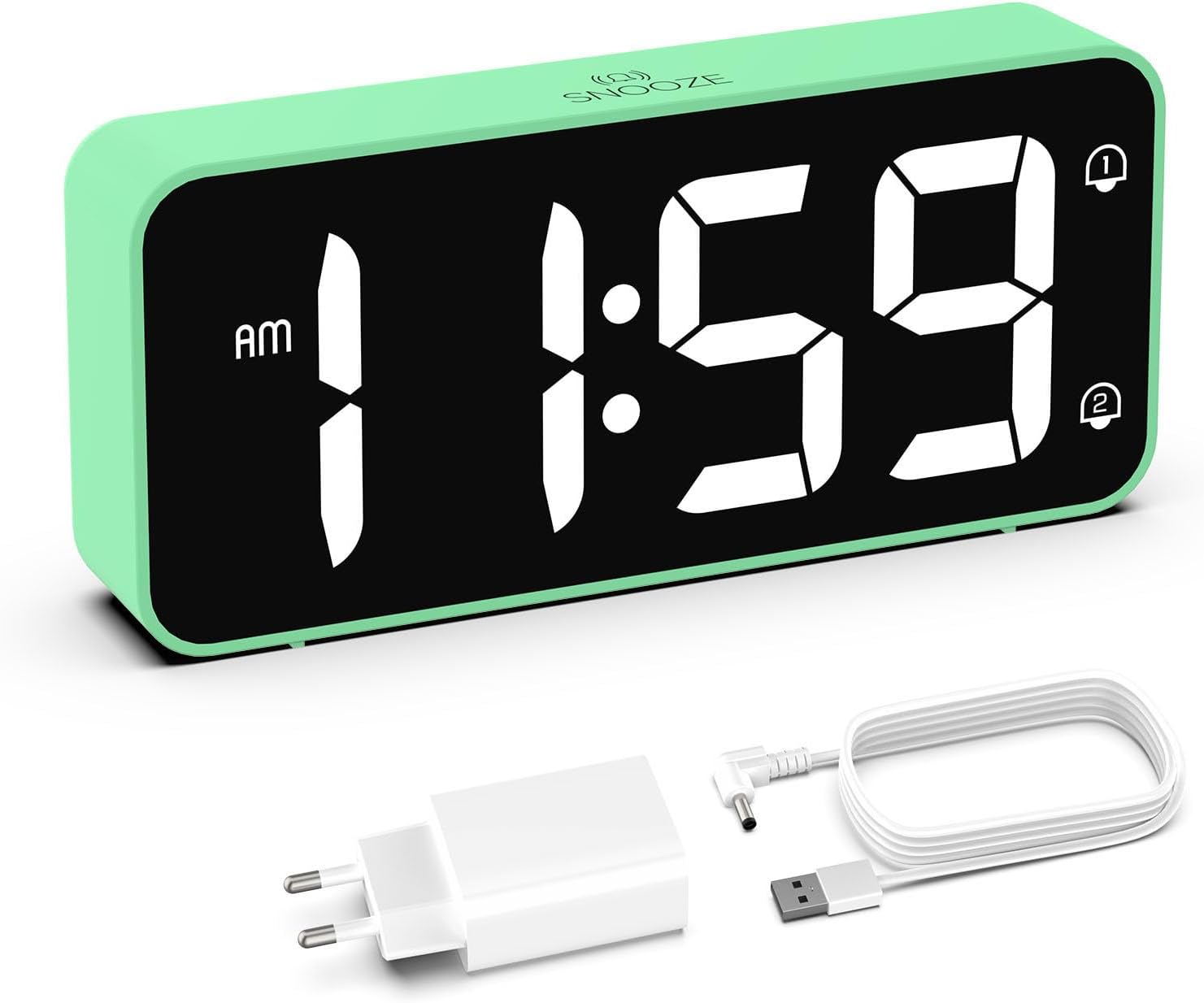
Image: The HOMVILLA Digital Alarm Clock, its USB charging cable, and the power adapter included in the package.
4. Продукт бүтүп калдыview
The HOMVILLA Digital Alarm Clock features a large LED display and intuitive controls. Familiarize yourself with the various components and buttons:

Image: A detailed diagram illustrating the front display and rear control panel of the alarm clock, with labels for each button, port, and dimension.
Алдыңкы дисплей:
- Убакытты көрсөтүү: Large LED digits for current time.
- AM/PM индикатору: 12 сааттык формат үчүн.
- Alarm 1 Indicator: Icon to show Alarm 1 is active.
- Alarm 2 Indicator: Icon to show Alarm 2 is active.
- DST көрсөткүчү: Icon to show Daylight Saving Time is active.
- Snooze Indicator: Icon to show snooze is active (top center).
Арткы башкаруу панели:

Image: The back of the alarm clock, highlighting the scroll wheels for volume and dimmer, and the central control buttons.
- Көлөмдү жылдыргыч дөңгөлөк: Adjusts alarm volume (left side).
- Убакытты коюу баскычы: Убакытты орнотуу режимине кирет.
- Өйдө баскычы: Орнотуу учурунда маанилерди жогорулатат.
- Төмөн баскычы: Орнотуу учурунда маанилерди азайтат.
- Ойготкуч орнотуу баскычы: Сигнал орнотуу режимине кирет.
- Күйгүзүү/өчүрүү баскычы: Turns alarms on or off.
- Dimmer Scroll Wheel: Adjusts display brightness (right side).
- Калыбына келтирүү баскычы: Саатты баштапкы абалга келтирет.
- USB порт: Тышкы түзмөктөрдү кубаттоо үчүн.
- DC Порт: Кубат киргизүү үчүн.
- DST Button: Activates/deactivates Daylight Saving Time.
- Батарея бөлүмү: For backup batteries (2x AAA, not included).
5. Орнотуу
5.1 Кубат туташтыруу
- Connect the USB charging cable to the DC port on the back of the alarm clock.
- Кубат адаптерин стандарттуу электр розеткасына сайыңыз.
- Дисплей күйүп, сааттын иштетилгенин көрсөтөт.

Image: The alarm clock connected to a wall outlet via its power adapter, placed on a bedside table.
5.2 Battery Installation (Memory Function)
To retain time and alarm settings during a power outage, install two AAA batteries (not included) in the battery compartment.
- Сааттын артындагы батарея бөлүкчөсүнүн капкагын ачыңыз.
- Туура полярдуулукту (+/-) камсыз кылуу менен эки AAA батарейкасын салыңыз.
- Батарея уясынын капкагын жабыңыз.
Note: Batteries only support the memory function and do not power the display or alarm functions independently. The clock must be connected to mains power for full operation.

Image: A four-panel diagram illustrating the installation of AAA batteries into the alarm clock and demonstrating how the time setting is preserved even when the main power is disconnected and reconnected.
6. Иштөө нускамалары
6.1 Setting the Time (12/24-Hour Format)
- басып, кармап туруңуз Убакыт коюу button on the back of the clock. The hour digits will flash.
- колдонуу Up or Төмөн саатты тууралоо үчүн баскычтар.
- басыңыз Убакыт коюу Саатты ырастоо жана мүнөт жөндөөсүнө өтүү үчүн баскычын кайра басыңыз. Мүнөттөрдүн сандары күйүп-өчүп турат.
- колдонуу Up or Төмөн мүнөттөрдү тууралоо үчүн баскычтар.
- басыңыз Убакыт коюу button a third time to confirm the minutes and exit time setting mode.
- To switch between 12-hour and 24-hour format, briefly press the Убакыт коюу button while the time is displayed (not in setting mode). The AM/PM indicator will appear for 12-hour format.
6.2 Кош сигналдарды орнотуу
Саат эки көз карандысыз ойготкучту (1-ойготкуч жана 2-ойготкуч) колдойт.
- басыңыз Ойготкуч орнотулган button once to set Alarm 1. The Alarm 1 icon and hour digits will flash.
- колдонуу Up or Төмөн ойготкуч саатын тууралоо үчүн баскычтар.
- Басыңыз Ойготкуч орнотулган Саатты ырастоо жана мүнөт коюуга өтүү үчүн кайрадан басыңыз. Мүнөт сандары күйүп-өчүп турат.
- колдонуу Up or Төмөн ойготкуч мүнөттөрдү тууралоо үчүн баскычтар.
- Басыңыз Ойготкуч орнотулган a third time to confirm Alarm 1 settings.
- Ойготкуч 2 коюу үчүн, басыңыз Ойготкуч орнотулган button twice. Follow steps 1-5 for Alarm 2.
- Ойготкучту иштетүү/өчүрүү үчүн, баскычын кыскача басыңыз On/Off button. The corresponding alarm icon (1 or 2) will appear/disappear on the display.

Image: Two separate scenarios illustrating the use of dual alarms, with one person waking at 8:20 and another at 14:30, highlighting the clock's ability to manage two distinct alarm times.
6.3 Тындыруу функциясы
Ойготкуч чыкканда чоң баскычты басыңыз Тындыр button on the top of the clock to temporarily silence the alarm for 5 minutes. The alarm will sound again after 5 minutes. To turn off the alarm for the day, press any other button on the back of the clock.
Image: A person reaching to press the 'Snooze' button on the top of the alarm clock, which is placed on a bedside table.
6.4 Дисплейдин жарыктыгын жөндөө
The display brightness can be adjusted from 5% to 100% to suit your preference, ensuring readability day and night without disturbance.
- табыңыз Dimmer Scroll Wheel on the right side of the back panel.
- Gently slide the wheel up or down to increase or decrease the display brightness.

Image: A graphic demonstrating the alarm clock's display brightness settings, showing the time '8:20' at 5%, 50%, and 100% illumination, with the clock itself shown below on a desk.
6.5 Ойготкучтун үнүн тууралоо
Сигналдын көлөмүн 90дБден 120дБге чейин жөнгө салууга болот.
- табыңыз Көлөмдү жылдыргыч дөңгөлөк on the left side of the back panel.
- Gently slide the wheel up or down to increase or decrease the alarm volume.
6.6 Сигнализация үндөрүн тандоо
The alarm clock offers 8 different alarm melodies to choose from.
- While in alarm setting mode (after setting the alarm time), press the Up or Төмөн buttons to cycle through the available alarm sounds.
- басыңыз Ойготкуч орнотулган тандооңузду ырастоо үчүн баскычты басыңыз.
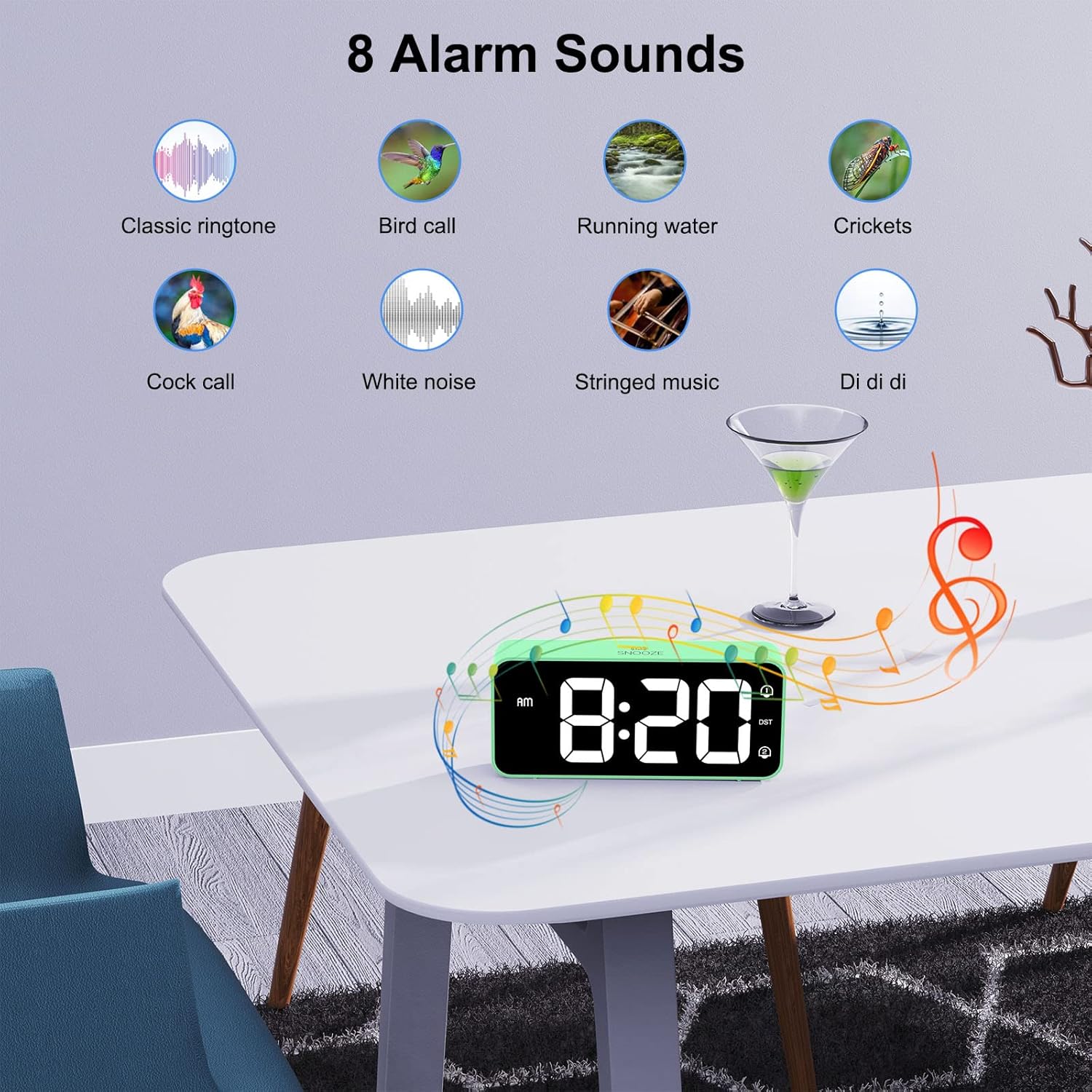
Image: A visual display of eight distinct alarm sound options, including classic ringtone, bird call, running water, crickets, cock call, white noise, stringed music, and a 'Di di di' sound, with the alarm clock shown on a table.
6.7 Жайкы убакыт (DST)
To activate or deactivate Daylight Saving Time:
- табыңыз DST арткы панелдеги баскыч.
- басыңыз DST button once to toggle DST on or off. The DST icon will appear/disappear on the display.
6.8 USB кубаттоо порту
The alarm clock includes a USB port on the back for charging mobile phones or other small electronic devices.
- Түзмөгүңүздүн USB кубаттоочу кабелин ойготкуч сааттын USB портуна туташтырыңыз.
- Ensure the alarm clock is connected to mains power for the USB charging function to work.
7. Техникалык тейлөө
- Сааттын бетин жумшак, кургак чүпүрөк менен тазалаңыз. Абразивдүү тазалоочу каражаттарды же эриткичтерди колдонбоңуз.
- Ensure the ventilation openings are free from dust.
- If not in use for an extended period, disconnect the power adapter and remove the backup batteries.
8. Кыйынчылыктарды
| Көйгөй | Мүмкүн себеп | Чечим |
|---|---|---|
| Дисплей бош. | Электр байланышы жок. | Кубат адаптери саатка жана иштеп жаткан розеткага бекем сайылганын текшериңиз. |
| Ойготкуч угулбайт. | Ойготкуч иштетилген эмес же үн өтө төмөн. | Check if the alarm icon (1 or 2) is displayed. If not, activate it using the On/Off button. Adjust the volume using the Volume Scroll Wheel. |
| Электр кубаты өчүрүлгөндөн кийин убакыт/жөндөөлөр баштапкы абалга келтирилетtage. | Резервдик батареялар орнотулган эмес же түгөнгөн. | Install two fresh AAA batteries in the battery compartment. |
| USB кубаттоо иштебей жатат. | Clock not connected to mains power. | Ensure the alarm clock is plugged into a wall outlet. |
| Display too bright/dim. | Жарыктык жөндөөсүн тууралоо керек. | Use the Dimmer Scroll Wheel to adjust brightness. |
9. Техникалык шарттар
- Модель номери: 8813
- Бренд: HOMVILLA
- Дисплей түрү: Large LED Mirror Display
- Дисплей өлчөмү: 5.6 дюйм
- Продукциянын өлчөмдөрү: 14.4 cm (W) x 6.3 cm (H) x 3.81 cm (D) / 5.66 inches (W) x 2.48 inches (H) x 1.5 inches (D)
- Элемент Салмагы: 157 г
- Кубат булагы: Mains powered (USB cable and adapter included)
- Камдык батарея: 2 x AAA batteries (not included, for memory function only)
- Убакыт форматы: 12 сааттык / 24 сааттык тандоо
- Ойготкучтар: Кош сигнализация
- Тындыруунун узактыгы: 5 мүнөт
- Жарыктыкты жөндөө: 5% - 100% (via scroll wheel)
- Үндү тууралоо: 90dB - 120dB (via scroll wheel)
- Сигнал үндөрү: 8 тандалган обондор
- Кошумча өзгөчөлүктөр: USB charging port, Daylight Saving Time (DST) mode
- Материал: Акрилонитрил бутадиен стирол (ABS)
- Бөлмө түрү: Уктоочу бөлмө
- Монтаж түрү: Стол үстү

Image: A graphic summarizing the key features of the alarm clock, including 5-100% dimmer, 90-120dB volume, snooze, dual alarms, 12/24H format, 8 available music options, memory function, USB charging port, DST, and large display.
10. Кепилдик жана колдоо
HOMVILLA offers a lifetime warranty for this product. For any questions, technical support, or warranty claims, please contact HOMVILLA customer service through the retailer where you purchased the product or visit the official HOMVILLA webбайланыш маалыматы үчүн сайт.


