1. Киришүү
This manual provides essential information for setting up, operating, maintaining, and troubleshooting your BOSGAME M3 AI Mini PC. Please read this guide thoroughly to ensure optimal performance and longevity of your device.
2. Продукт бүтүп калдыview
2.1 Негизги өзгөчөлүктөрү
- Процессор: Intel Core Ultra 7 155H (up to 4.8GHz)
- Эстутум: 64 ГБ DDR5 RAM
- Сактагыч: 2TB M.2 NVMe SSD
- Графика: Интеграцияланган Intel Arc Graphics
- Операция системасы: Windows 11 Pro
- Байланыш: Thunderbolt 4.0, WiFi 6, Bluetooth 5.2, Dual 2.5G RJ45 LAN
- Дисплейди колдоо: Triple Screen Display (up to 8K@60Hz via Thunderbolt 4.0)
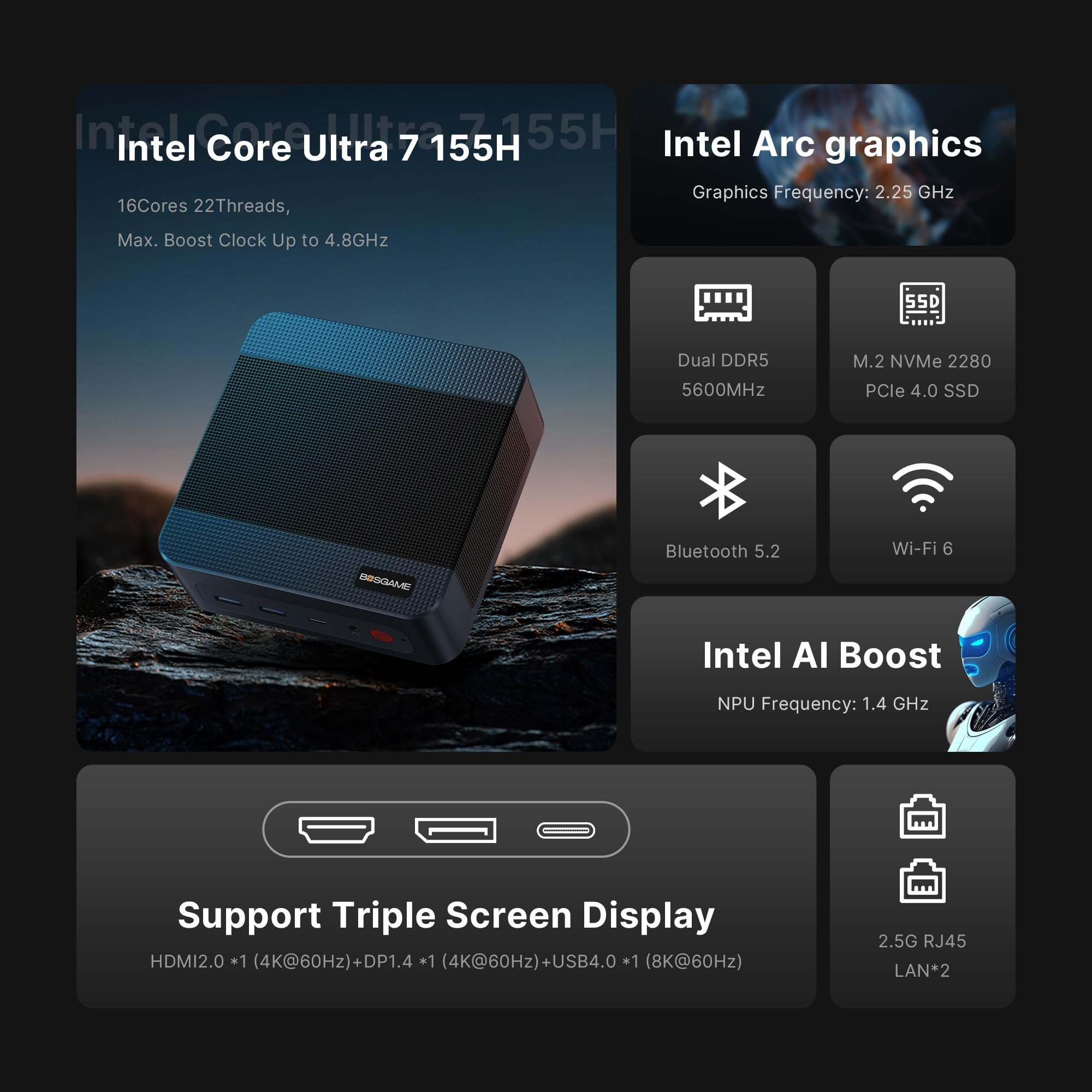
Figure 1: Infographic highlighting key specifications and features of the BOSGAME M3 AI Mini PC, such as its processor, graphics, memory, storage, and connectivity options.
2.2 Порттор жана туташтыргычтар
The BOSGAME M3 AI Mini PC is equipped with a variety of ports for versatile connectivity:
- Алдыңкы порттор:
- 2 x USB 3.2 порттору
- 1 x Thunderbolt 4.0 (Type-C) port
- 1 x Аудио уячасы
- 1 x Кубат баскычы
- Арткы порттор:
- 2 x USB 3.2 порттору
- 2 x 2.5G RJ45 LAN ports
- 1 x HDMI 2.0 port (supports 4K@60Hz)
- 1 x DisplayPort 1.4 (supports 4K@60Hz)
- 1 x DC Power Input
Сүрөт 2: Алдыңкы жана арткы view of the BOSGAME M3 AI Mini PC, illustrating the location of all ports and the power button.
3. Орнотуу
3.1 Кутудан чыгаруу жана Мазмуну
Баштоодон мурун, бардык компоненттер бар экенин текшериңиз:
- BOSGAME M3 Mini PC
- Кубаттуу адаптер жана кабель
- HDMI кабели
- VESA Mount with Screws
- Колдонуучунун Колдонмосу (бул документ)
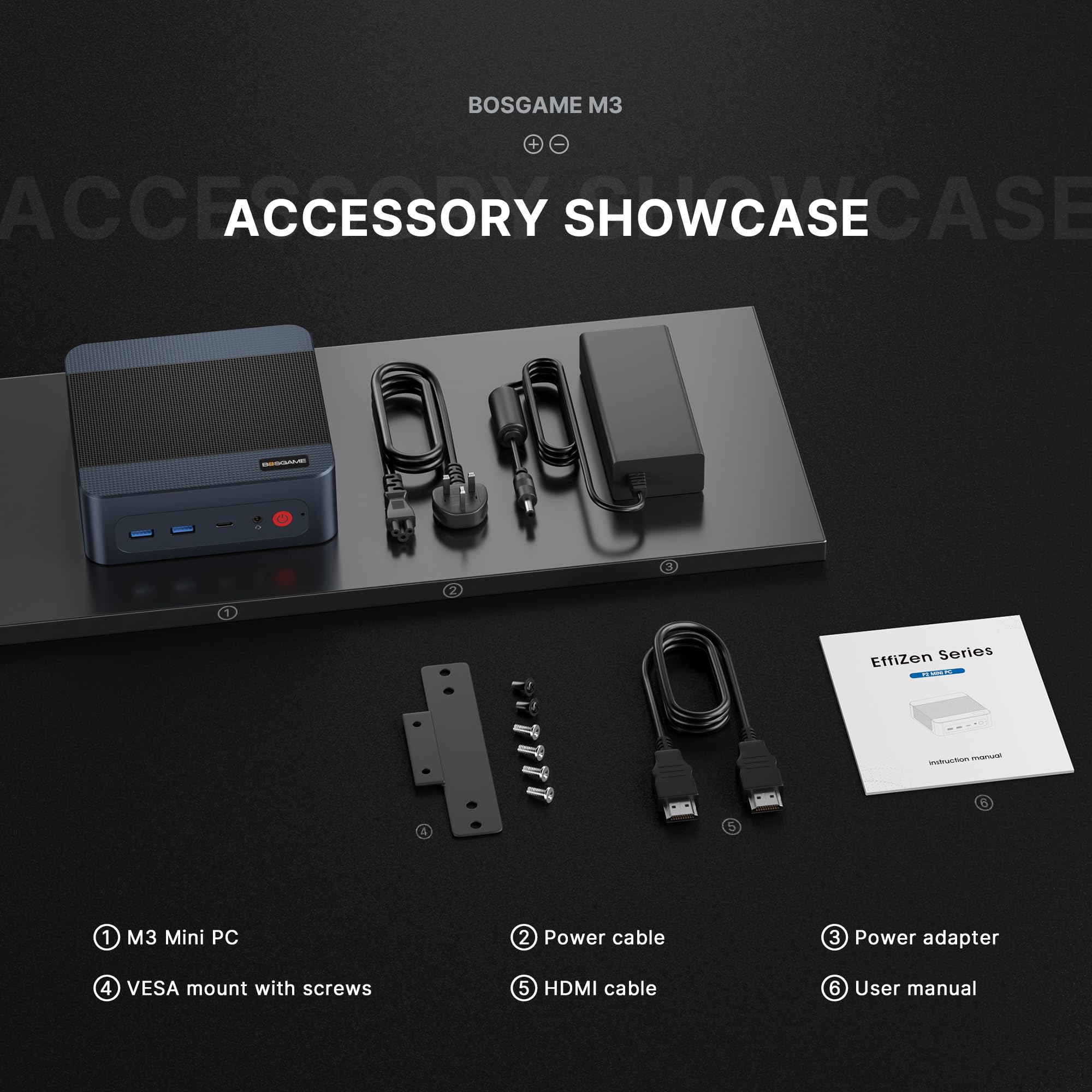
Figure 3: All items included in the BOSGAME M3 AI Mini PC package.
3.2 Перифериялык түзүлүштөрдү туташтыруу
- Connect your monitor(s) to the HDMI, DisplayPort, or Thunderbolt 4.0 port(s) on the rear of the Mini PC.
- Баскычтопту жана чычканыңызды жеткиликтүү USB портторуна (алдыңкы же арткы) туташтырыңыз.
- For wired network access, connect an Ethernet cable to one of the 2.5G RJ45 LAN ports.
- Plug the power adapter into the DC power input on the rear of the Mini PC, then connect it to a power outlet.
3.3 Initial Power-On and OS Setup
- Press the power button on the front of the Mini PC. The power indicator light will illuminate.
- Follow the on-screen instructions to complete the Windows 11 Pro operating system setup. This typically involves selecting language, region, creating a user account, and connecting to a network.
4. Иштөө нускамалары
4.1 Электр энергиясын башкаруу
- Күйгүзүү: Press the front power button.
- Өчүрүү: Click the Start menu in Windows, then select Power > Shut down.
- Кайра баштоо: Click the Start menu in Windows, then select Power > Restart.
- Уйку: Click the Start menu in Windows, then select Power > Sleep.
4.2 Тармакка туташуу
- Wi-Fi 6: The Mini PC supports Wi-Fi 6 for high-speed wireless internet access. Connect via Windows network settings.
- 2.5G RJ45 LAN: Utilize the dual 2.5G Ethernet ports for ultra-fast wired network connections.
- Bluetooth 5.2: Connect wireless peripherals such as keyboards, mice, and headphones via Bluetooth settings in Windows.
- LANда ойгонуу: This feature allows you to power on the Mini PC remotely over a network. Refer to your system's BIOS settings for configuration.
4.3 Дисплейдин конфигурациясы
The BOSGAME M3 supports connecting up to three displays simultaneously:
- Connect monitors using the HDMI 2.0, DisplayPort 1.4, and Thunderbolt 4.0 (USB4.0) ports.
- Thunderbolt 4.0 supports up to 8K@60Hz resolution.
- HDMI 2.0 and DisplayPort 1.4 support up to 4K@60Hz resolution.
- Configure display settings (resolution, orientation, multiple displays) through Windows Display Settings.
5. Техникалык тейлөө
5.1 Тазалоо
- Мини-компьютердин сыртын жумшак, кургак чүпүрөк менен үзгүлтүксүз тазалап туруңуз.
- Use compressed air to gently clear dust from the ventilation grilles to maintain optimal airflow and prevent overheating.
- Мини-компьютерди жакшы желдетилген жерге коюңуз.
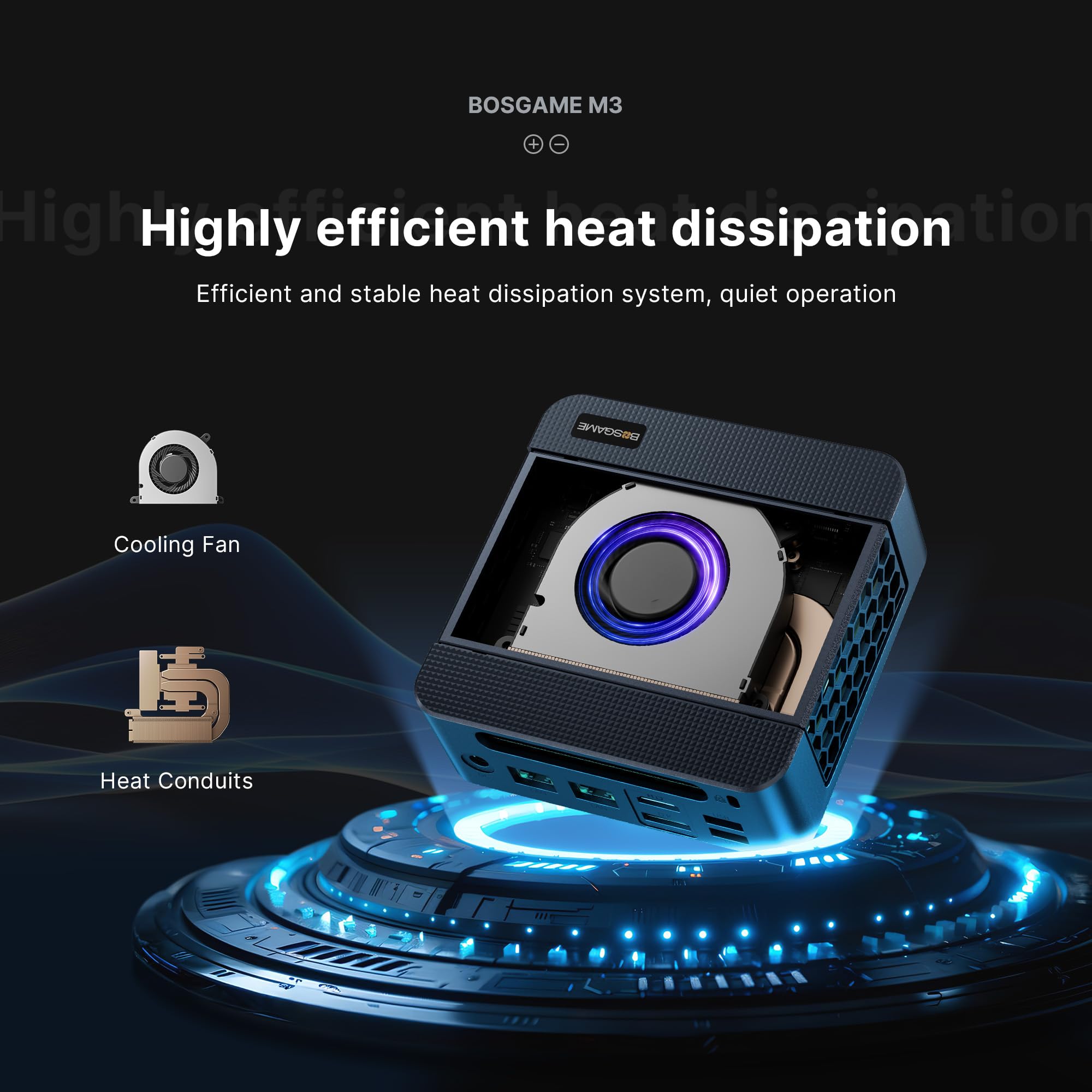
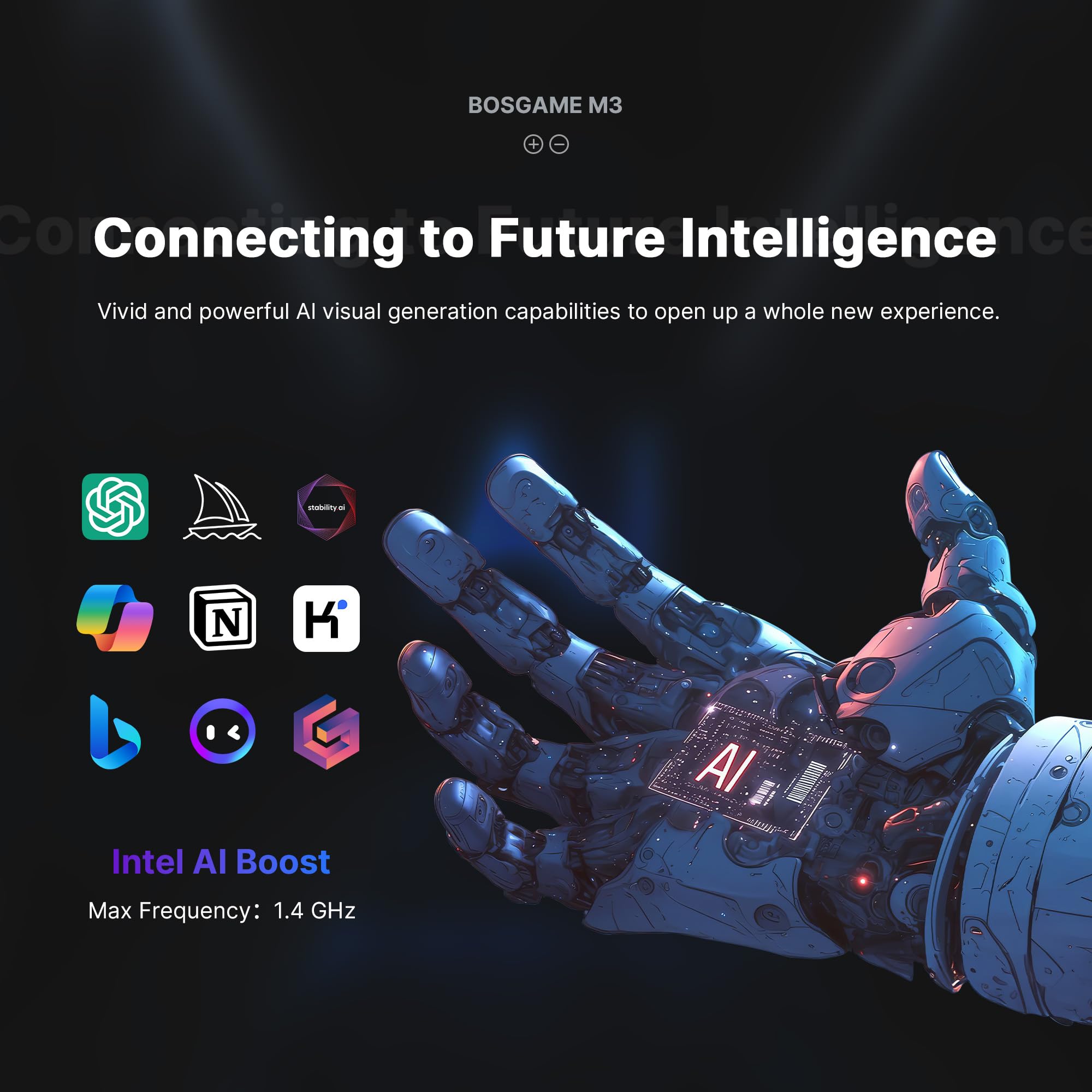
4-сүрөт: Ички view highlighting the cooling fan and heat conduits for efficient heat dissipation.
5.2 Программалык камсыздоо жаңыртуулары
Keep your Windows operating system and drivers updated to ensure system stability, security, and performance. Windows Update can be accessed via Settings > Windows Update.
5.3 Аппараттык камсыздоону жаңыртуу
The BOSGAME M3 AI Mini PC is designed for easy upgrades:
- RAM: The device supports up to 64GB DDR5 RAM. You can upgrade or replace the existing RAM modules.
- SSD: The Mini PC features an M.2 NVMe SSD, which can be upgraded to a larger capacity if needed.
Note: Refer to the detailed disassembly instructions (if provided separately) or consult a professional for hardware upgrades to avoid damaging the device.
6. Кыйынчылыктарды
| Маселе | Мүмкүн себеп | Чечим |
|---|---|---|
| Күч жок | Power cable not connected, power adapter faulty, power outlet issue. | Электр кабелдеринин туташууларын текшериңиз. Башка розетканы колдонуп көрүңүз. Кубат адаптери иштеп жатканын текшериңиз. |
| Монитордо дисплей жок | Monitor cable loose, incorrect input source on monitor, monitor faulty. | Ensure display cables (HDMI/DP/Thunderbolt) are securely connected. Select correct input source on your monitor. Test with a different monitor or cable. |
| No network connection (wired) | Ethernet cable loose, router/modem issue, network driver issue. | Check Ethernet cable connection. Restart your router/modem. Update network drivers in Windows. |
| Wi-Fi байланышы жок | Wi-Fi disabled, router/modem issue, Wi-Fi driver issue. | Ensure Wi-Fi is enabled in Windows settings. Restart your router/modem. Update Wi-Fi drivers. |
| Система жай же жооп бербей жатат | Too many applications running, insufficient RAM, malware, overheating. | Close unnecessary applications. Check Task Manager for resource usage. Run a malware scan. Ensure proper ventilation. |
| BIOS/CMOS reset needed | Incorrect BIOS settings, system instability. | Locate the CLR CMOS button/jumper (if available, often near ports) and follow instructions to reset BIOS settings to default. |
7. Техникалык шарттар
| Компонент | Спецификация |
|---|---|
| Процессор | Intel Core Ultra 7 155H (4.8 ГГц чейин) |
| Графика | Интеграцияланган Intel Arc Graphics |
| RAM | 64 ГБ DDR5 RAM |
| Сактагыч | 2TB M.2 NVMe SSD |
| Операция системасы | Windows 11 Pro |
| Max Display Resolution | 8K@60Hz (via Thunderbolt 4.0) |
| Байланыш | WiFi 6, Bluetooth 5.2, Dual 2.5G RJ45 LAN |
| Порттар | 2x USB 3.2 (front), 1x Thunderbolt 4.0 (Type-C, front), 1x Audio Jack (front), 1x Power Button (front), 2x USB 3.2 (rear), 2x 2.5G RJ45 LAN (rear), 1x HDMI 2.0 (rear), 1x DisplayPort 1.4 (rear), 1x DC Power Input (rear) |
| Элемент Салмагы | 4.22 фунт |
| Пакеттин өлчөмдөрү | 7.6 x 6.85 x 4.41 дюйм |
8. Кепилдик жана колдоо
For warranty information, technical support, or service inquiries, please refer to the documentation included with your purchase or visit the official BOSGAME webсайт. Кардарларды колдоо боюнча байланыш маалыматтары, адатта, продукттун таңгагында же өндүрүүчүнүн веб-сайтында көрсөтүлгөн. webсайт.


