LIECTROUX G7 робот чаң соргуч жана швабра колдонуучусунун колдонмосу
Модел: G7
1. Киришүү
This manual provides detailed instructions for the operation and maintenance of your LIECTROUX G7 Robot Vacuum Cleaner and Mop. Please read this manual thoroughly before use to ensure proper function and extend the lifespan of your device. The LIECTROUX G7 combines powerful vacuuming with efficient mopping, featuring advanced LiDAR navigation and a convenient self-emptying station.
2. Орнотуу
2.1 Кутудан чыгаруу жана жайгаштыруу
Carefully remove all components from the packaging. Place the self-emptying station on a hard, flat surface against a wall, ensuring there are no obstacles within 1 meter (3.3 feet) to the front and 0.5 meters (1.6 feet) to the sides. Connect the power cord to the station and plug it into a power outlet.
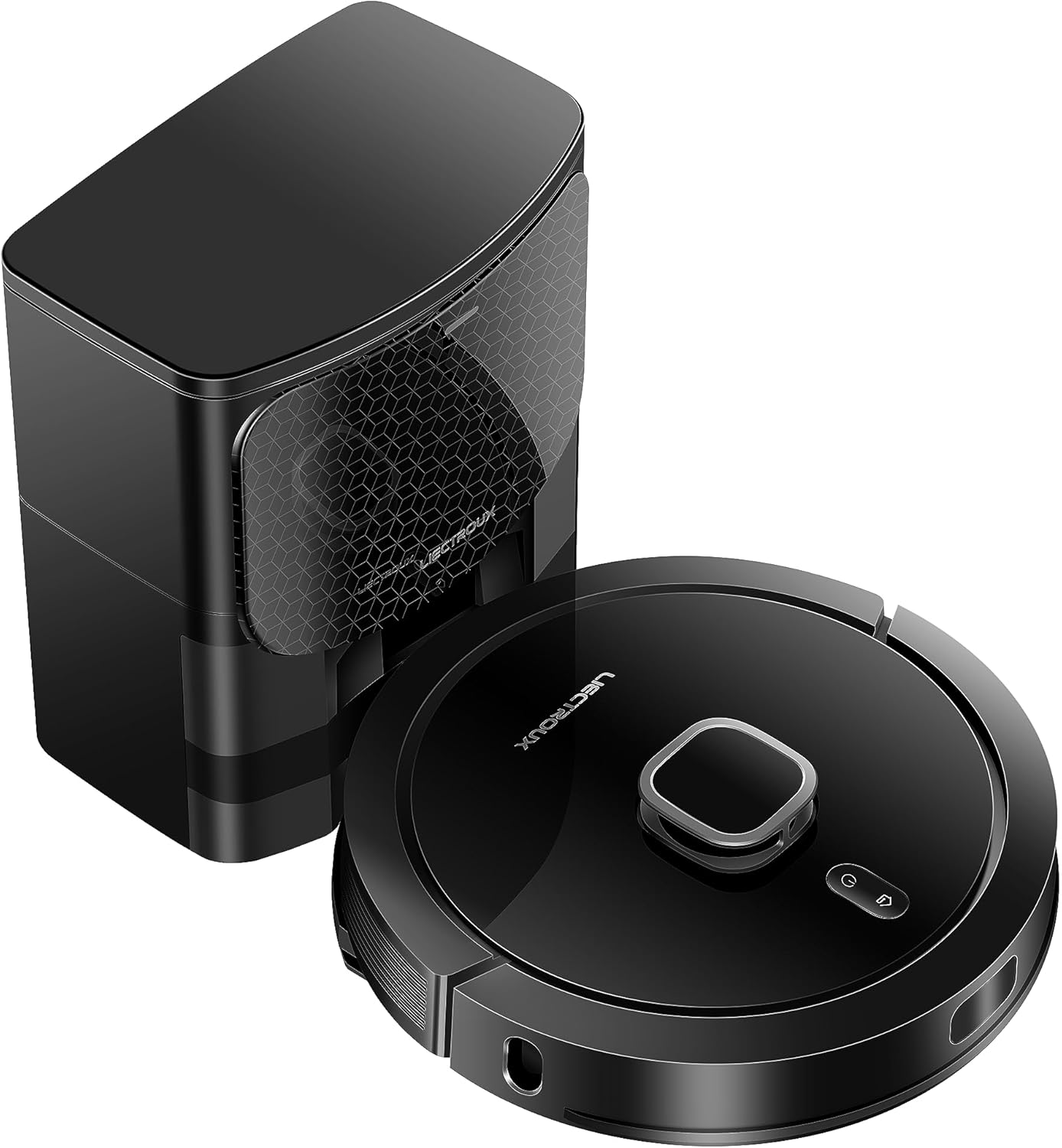
Image: The LIECTROUX G7 robot vacuum cleaner and its accompanying self-emptying station.
2.2 Алгачкы заряддоо
Place the robot vacuum onto the charging contacts of the self-emptying station. Ensure the robot is properly docked. The robot will automatically begin charging. A full charge is recommended before the first use to optimize battery performance.

Image: Diagram illustrating the robot's automatic return to the charging station when battery is low and its ability to resume cleaning from the breakpoint.
2.3 App Connection and Initial Mapping
Download the 'Liectroux' app from your mobile app store (available for iOS and Android). Follow the in-app instructions to connect your robot vacuum to your home Wi-Fi network. Once connected, initiate an initial full cleaning cycle to allow the robot to map your home using its LiDAR navigation system. The app will build a real-time map of your cleaning area.
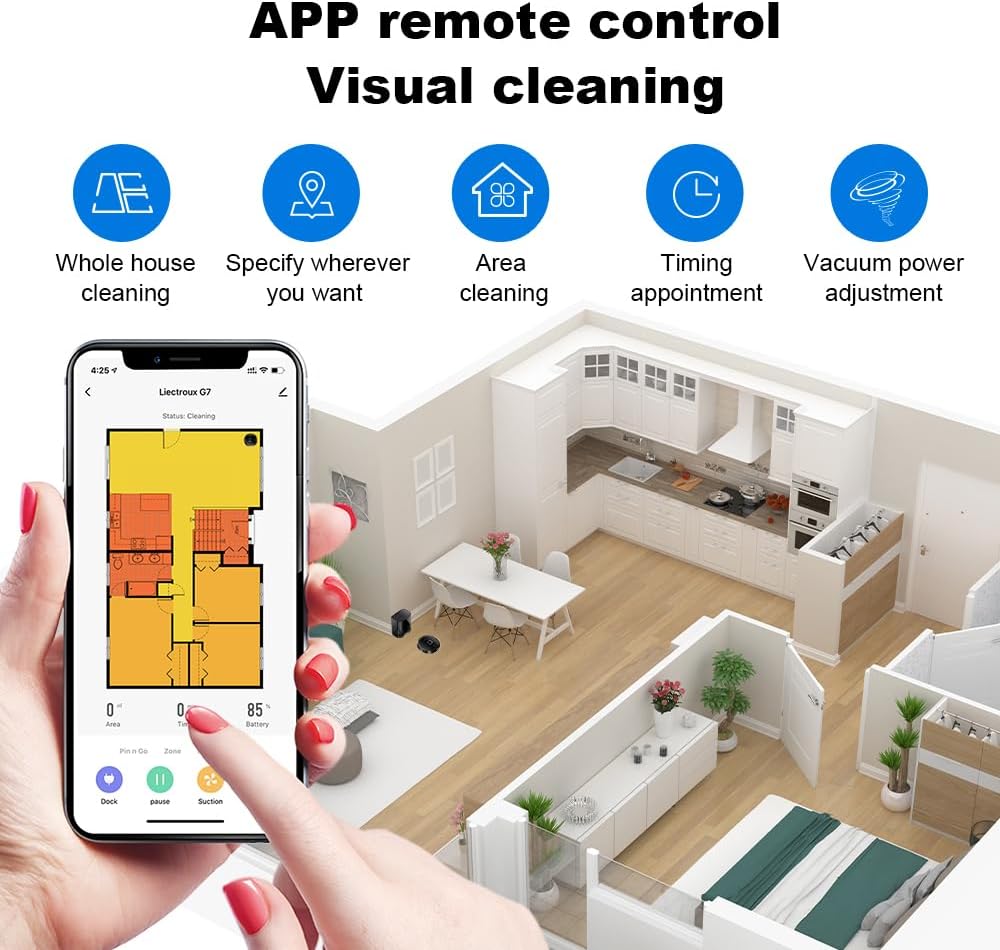
Image: A mobile phone screen displaying the Liectroux app interface for remote control and visual cleaning, showing a floor plan and various cleaning options.
3. Иштөө нускамалары
3.1 Тазалоо режимдери
The LIECTROUX G7 offers various cleaning modes accessible via the mobile app:
- Whole House Cleaning: The robot cleans the entire mapped area.
- Аймакты тазалоо: Тазалоо үчүн картадагы белгилүү бир бөлмөлөрдү же аймактарды тандаңыз.
- Аймакты тазалоо: Draw a custom rectangular zone on the map for the robot to clean.
- Timing Appointment: Schedule cleaning times for specific days or intervals.
3.2 Колдонмону башкаруу функциялары
Колдонмо робот чаң соргучуңузду комплекстүү башкарууну камсыз кылат:
- Реалдуу убакыттагы карта: View the robot's current location and cleaning progress.
- Виртуалдык дубалдар жана өтүүгө тыюу салынган зоналар: Роботтун белгилүү аймактарга кирүүсүн чектөө үчүн картага виртуалдык чектерди тартыңыз.
- Vacuum Power Adjustment: Adjust suction power across 4 levels to suit different floor types and cleaning needs.
- Суу агымын жөндөө: Control the water output for mopping across 3 levels.
Image: A mobile phone screen displaying the Liectroux app interface for remote control and visual cleaning, showing a floor plan and various cleaning options.
3.3 Үн жардамчысын интеграциялоо
The robot vacuum is compatible with popular voice assistants such as Amazon Alexa and Google Home. Refer to the 'Liectroux' app for detailed instructions on linking your device to these services for convenient voice control commands.

Image: The robot vacuum cleaner positioned on a rug, with an Amazon Echo Dot and Google Home Mini speaker on a nearby table, indicating voice assistant compatibility.
3.4 Automatic Recharging and Continuous Cleaning
When the robot's battery level is low, it will automatically return to the self-emptying station to recharge. Once sufficiently charged, it will resume cleaning from where it left off, ensuring complete coverage of your home without interruption.
Image: Diagram illustrating the robot's automatic return to the charging station when battery is low and its ability to resume cleaning from the breakpoint.
4. Техникалык тейлөө
4.1 Dust Collection Station
The self-emptying station is equipped with a 3L large dust bag, designed to hold debris for up to 60 days, providing effortless cleaning. Replace the dust bag when indicated by the app or when it is full.
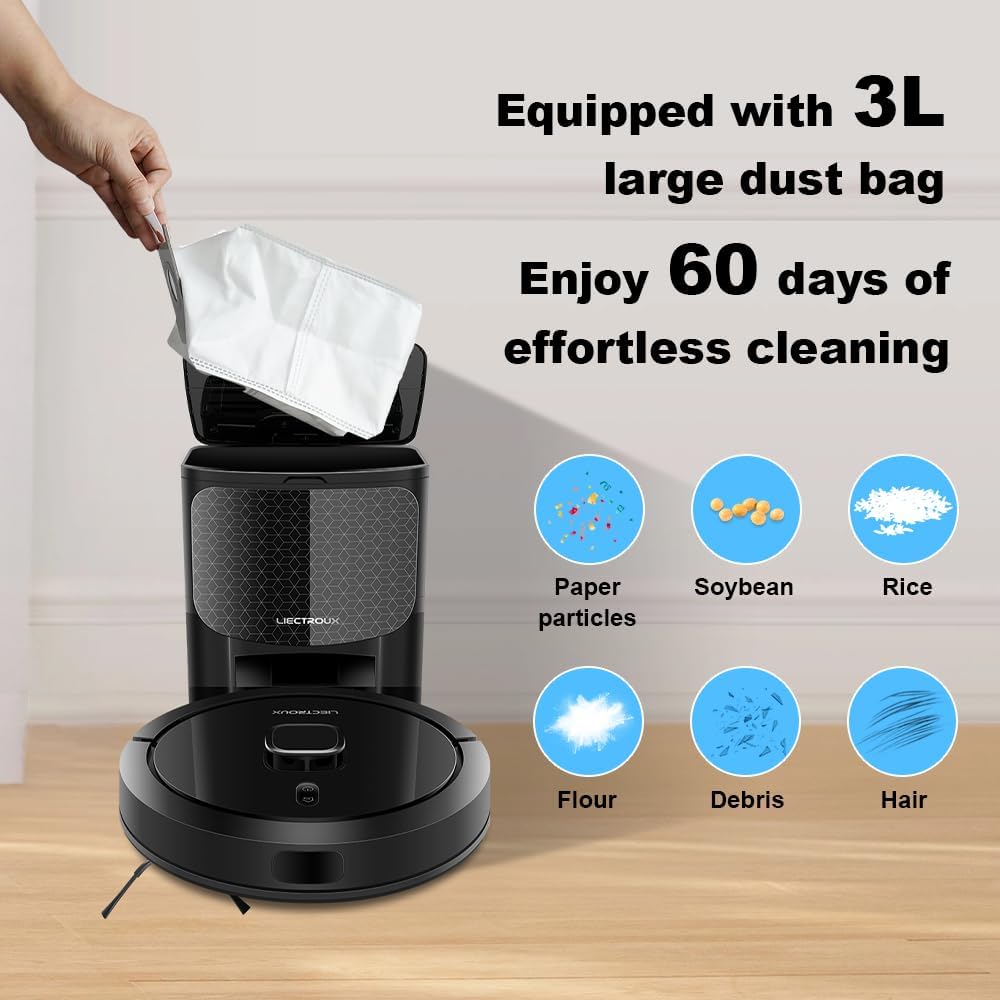
Image: A hand inserting a large 3L dust bag into the self-emptying station, with icons showing various types of debris it can collect.

Image: A cutaway diagram of the automated docking station, illustrating the airflow path for effortless debris collection from the robot vacuum.
4.2 Суу багы жана сүртүүчү аянтча
Regularly empty and refill the integrated water tank with clean water. Clean the mopping pad after each use to prevent odor and maintain optimal mopping efficiency. The app allows adjustment of water flow for different floor types.
4.3 Brushes and Filters
Periodically inspect and clean the main brush and side brushes to remove tangled hair, dust, and debris. The HEPA filter should be cleaned or replaced according to the app's recommendations to maintain optimal suction power and air quality.
4.4 Сенсорлор
Wipe the anti-collision, anti-falling, and LiDAR sensors with a soft, dry cloth to ensure accurate navigation, obstacle detection, and cliff avoidance. Keep the charging contacts on both the robot and station clean.

Image: A collage of four images demonstrating the robot vacuum's advanced features: anti-collision (avoiding toys), anti-falling (detecting stairs), twining-proof (avoiding tangled wires), and easy climbing (overcoming small obstacles).
5. Кыйынчылыктарды
5.1 Robot Not Charging
- Ensure the charging contacts on both the robot and station are clean and free of debris.
- Verify the power cord is securely plugged into the station and a working power outlet.
5.2 Robot Stuck or Lost
- Clear obstacles from the robot's path.
- If the robot frequently gets stuck, consider setting virtual walls or no-go zones in the app.
5.3 Тазалоонун начар көрсөткүчү
- Check and empty the dust bag in the self-emptying station.
- HEPA чыпкасын тазалаңыз же алмаштырыңыз.
- Clean the main and side brushes to remove tangled hair and debris.
- Ensure the water tank is filled for mopping and the mopping pad is clean.
5.4 Колдонмо туташуу маселелери
- Ensure your home Wi-Fi network is stable and the robot is within range of the router.
- Restart the robot and your Wi-Fi router.
- Re-pair the device with the app if necessary, following the in-app instructions.
5.5 Robot Not Mapping Correctly
- Ensure the environment is well-lit during the initial mapping run.
- Remove temporary obstacles that might interfere with the LiDAR sensor.
6. Техникалык шарттар
| Өзгөчөлүк | Description |
|---|---|
| Бренд | LIECTROUX |
| Модель аты | G7 |
| Түс | Кара |
| Материал | ABS |
| Өзгөчө өзгөчөлүк | Чаңды автоматтык түрдө чогултуу |
| Surface Recommendation | Мозаика |
| Продукциянын өлчөмдөрү | 45.5L x 58W x 40.5H сантиметр |
| Controller Type | Колдонмо башкаруу |
| Чыпка түрү | HEPA |
| Power Source | Батарея менен иштейт |
| Башкаруу ыкмасы | Колдонмо |
| Өндүрүүчү | Лиектру |
7. Кепилдик жана колдоо
For warranty information, technical support, or service inquiries regarding your LIECTROUX G7 Robot Vacuum Cleaner, please contact LIECTROUX customer support directly. Refer to the product packaging or the official LIECTROUX webакыркы байланыш маалыматы жана колдоо булактары үчүн сайт.


