Introduction
This manual provides comprehensive instructions for the setup, operation, maintenance, and troubleshooting of your DOOGEE T30Max 4K 12.4 Inch Android 14 Gaming Tablet. Please read this manual carefully before using your device to ensure optimal performance and longevity.
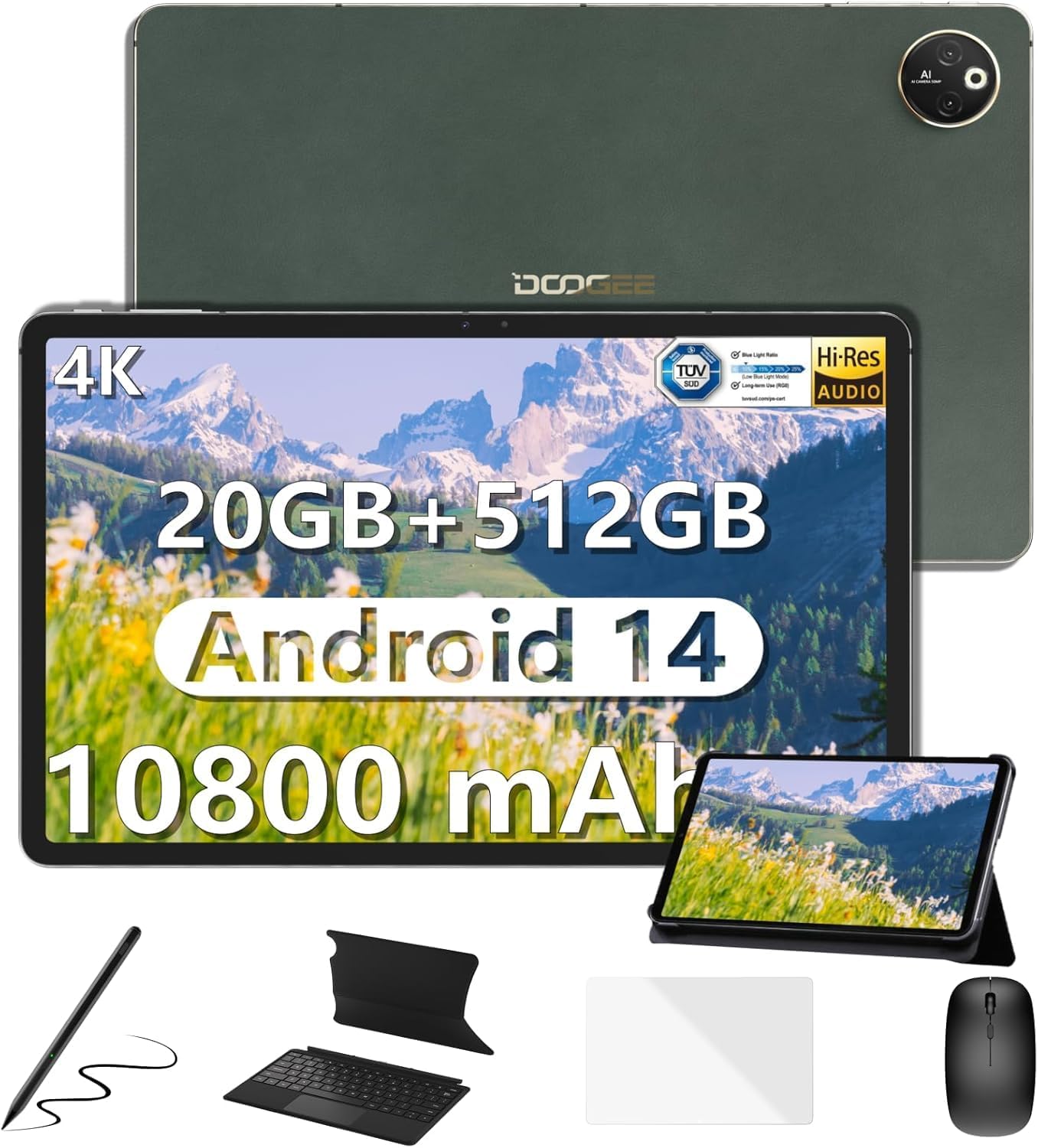
Image: The DOOGEE T30Max tablet displayed with its included accessories: keyboard, mouse, stylus pen, and case.
Кутуда эмне бар
Пакетиңизде бардык буюмдар бар экенин текшериңиз:
- Планшет x1
- Заряддоочу жана маалымат линиясы x1
- Картаны алып салуучу ийне x1
- Колдонуучунун колдонмосу x1
- Keyboard, Mouse, Stylus Pen and Case x1
Жайгашуу
1. Баштапкы заряддоо
Before first use, fully charge your DOOGEE T30Max tablet. Connect the provided charger and data line to the tablet's charging port and a power outlet. The tablet supports 33W fast charging.

Image: The DOOGEE T30Max tablet connected to a charger, illustrating its 10800mAh battery and fast charging capability.
2. Күйгүзүү / Өчүрүү
- Күйгүзүү үчүн: DOOGEE логотиби пайда болгонго чейин Кубат баскычын басып, кармап туруңуз.
- Өчүрүү үчүн: Кубат баскычын басып, кармап туруңуз, андан кийин экрандагы параметрлерден "Өчүрүү" дегенди тандаңыз.
3. SIM Card and Micro SD Installation
The tablet supports dual 4G Nano-SIM cards and Micro SD expansion up to 2TB.
- Планшеттин капталындагы SIM карта салгычын табыңыз.
- Берилген картаны чыгаруу ийнесин лотоктун жанындагы кичинекей тешикке салып, аны чыгарыңыз.
- Place your Nano-SIM card(s) and/or Micro SD card into the designated slots on the tray. Ensure correct orientation.
- Лотокту планшеттин корпусу менен тегиз болгонго чейин акырындык менен кайра ичине түртүңүз.

Image: A close-up of the DOOGEE T30Max tablet showing the SIM card tray and indicating support for dual 4G and Wi-Fi connectivity.
4. Аксессуарларды туташтыруу
Your T30Max comes with a Bluetooth keyboard, mouse, and a capacitive touch pen.
- Bluetooth клавиатурасы/чычканы: Turn on the keyboard/mouse and enable Bluetooth on your tablet via Settings > Connected devices > Bluetooth. Select the device from the list to pair.
- Стилус калеми: The capacitive touch pen is ready for use upon removal from its packaging. No pairing is required for basic touch functions.
Иштөө нускамалары
1. Дисплей өзгөчөлүктөрү
The DOOGEE T30Max features a 12.4-inch IPS screen with a 2560x1600 resolution and DCI-P3 color gamut support for vivid visuals. It also has TÜV certification for low blue light, reducing eye strain.

Image: The tablet's 12.4-inch 4K display, highlighting its anti-blue light feature, 16:10 aspect ratio, 2560x1600 resolution, and 87.5% screen-to-body ratio.
2. Аудио жана мультимедиа
Experience high-resolution audio with the tablet's four smart speakers. The T30Max supports Widevine L1, allowing for streaming of 1080P and higher definition media from various video platforms.

Image: The tablet displaying a high-definition video, emphasizing its Widevine DRM L1 support and Hi-Res certified quad speakers.
3. Android 14 операциялык системасы
The tablet runs on the latest Android 14, offering enhanced privacy controls, multi-screen login, split-screen functionality, and floating windows for improved multitasking.

Image: Screenshots of the Android 14 interface on the tablet, showcasing privacy controls, Google Play Store access, and various app icons.
4. Аткаруу жана сактоо
Powered by the Helio G99 Octa-Core processor, the T30Max provides smooth performance. It comes with 8GB base RAM (expandable to 20GB) and 512GB ROM, with Micro SD expansion up to 2TB.

Image: An illustration of the Helio G99 Octa-Core processor, highlighting its 2.2GHz ARM Cortex-A76, Mali-G57 MC2 GPU, and 6nm process technology.

Image: The tablet displaying multiple open applications, illustrating its expandable RAM, 512GB storage, and Micro SD expansion capabilities.
5. Камеранын функциялары
The tablet is equipped with a 50MP main camera and a 20MP front camera for capturing photos and video calls.

Image: The tablet's camera interface and examples of photos taken with its 50MP main camera and 20MP front camera.
6. Байланыш жана навигация
The T30Max supports dual 4G, dual-band 2.4G/5G WiFi, and Bluetooth 5.0 for seamless connectivity. For navigation, it integrates Beidou, Galileo, Glonass, GPS, and AGRS for accurate positioning.
Техникалык тейлөө
1. Батареяга кам көрүү
10800mAh батарея узак колдонууну камсыз кылат. Батареянын иштөө мөөнөтүн көбөйтүү үчүн:
- Use the original charger for optimal charging speed and safety.
- Ашыкча температурадан сактаныңыз.
- For long-term storage, charge the tablet to about 50% and power it off.
- The tablet supports OTG reverse charging, allowing it to charge other devices in emergencies.
2. Тазалоо
Планшетиңизди тазалоо үчүн:
- Тазалоодон мурун аппаратты өчүрүңүз.
- Түксүз, жумшак кездемени колдонуңуз.
- өжөр белгилери үчүн, бир аз гampчүпүрөккө суу же электроника үчүн арналган экран тазалагыч. Катуу химиялык заттардан алыс болуңуз.
Проблемаларды чечүү
| Маселе | Мүмкүн болгон себеп / Чечим |
|---|---|
| Планшет күйбөйт. | Батарея заряддалганын текшериңиз. Кубаттоочу түзүлүштү туташтырып, кайра күйгүзүүгө аракет кылуудан мурун бир нече мүнөт күтө туруңуз. Эгер жооп бербесе, мажбурлап өчүрүп-күйгүзүү үчүн кубат баскычын 10-15 секунд басып туруңуз. |
| Wi-Fi байланышы начар. | Check if Wi-Fi is enabled. Ensure you are within range of the Wi-Fi router. Restart the router and the tablet. Forget the network and reconnect. |
| Тиркемелер жай иштеп жатат же бузулуп жатат. | Close unnecessary background applications. Clear app cache (Settings > Apps > [App Name] > Storage > Clear cache). Restart the tablet. Ensure sufficient storage space is available. |
| Screen not displaying 4K resolution. | Ensure the content being viewed is 4K. Check display settings for resolution. For optimal viewing, disable "Battery Saver" and "Adaptive Brightness" in settings. A stable internet connection is crucial for streaming high-resolution content. |
| Accessories (keyboard, mouse) not connecting. | Ensure Bluetooth is enabled on the tablet and the accessory. Make sure the accessory is charged and in pairing mode. Unpair and re-pair the device. |
Техникалык шарттар
| Өзгөчөлүк | Деталь |
|---|---|
| Бренд | DOOGEE |
| Модель аты | T30MAX-V-02 |
| Операция системасы | Android 14 |
| Screen Size | 12.4 дюйм |
| Max Screen Resolution | 2560 x 1600 пиксел |
| Процессор | Helio G99 сегиз ядролуу процессору |
| RAM | 8GB LPDDR4X (expandable to 20GB) |
| Флэш-эс тутумдун көлөмү (ROM) | 512 ГБ |
| Кеңейтүүчү сактагыч | Up to 2TB Micro SD |
| Батарея сыйымдуулугу | 10800 мАч |
| Тез заряддоо | 33 Вт |
| Башкы камера | 50MP |
| Алдыңкы камера | 20MP |
| Зымсыз түрү | 802.11n, 802.11b, 802.11a, 802.11g, 802.11ac (Dual-band 2.4G/5G WiFi) |
| Уюлдук байланыш | Dual 4G (Nano-SIM) |
| Bluetooth | Bluetooth 5.0 |
| Навигация | Beidou, Galileo, Glonass, GPS, AGRS |
| Элемент Салмагы | 687 грамм (болжол менен 1.5 фунт) |
| Продукциянын өлчөмдөрү | 11.22 x 7.3 x 0.31 дюйм (28.5 x 18.5 x 0.79 см) |
Кепилдик жана колдоо
DOOGEE values your experience. Your T30Max tablet comes with:
- 30 күндүк акчаны кайтарып берүү кепилдиги жана акысыз кайтарып берүү: Баштапкы канааттануу үчүн.
- 2 жылдык Чектелген Кепилдик: Covers manufacturing defects.
- Күнү-түнү жеке онлайн колдоо: For any issues or questions.
If you encounter any issues or have questions while using the product, please do not hesitate to contact DOOGEE customer service. They promise to respond within 24 hours and assist in resolving any issues.
For further assistance, you may visit the official DOOGEE store or support channels.


