1. Киришүү
The FREEWOLF A2 is a transparent wireless gaming mouse designed for versatility and performance. It features dual-mode connectivity (2.4G wireless and Bluetooth 5.0), a PixArt 3212 optical sensor with adjustable DPI, a built-in rechargeable battery with a digital display, and customizable RGB backlighting. Its ergonomic design ensures comfort during extended use across various operating systems like Windows, Mac, and Linux.

Image 1.1: The FREEWOLF A2 Transparent Wireless Gaming Mouse, showcasing its transparent shell and internal components.
2. Пакеттин мазмуну
Пакетте бардык буюмдар бар экенин текшериңиз:
- FREEWOLF A2 Wireless Gaming Mouse
- USB Receiver (2.4G dongle)
- USB-C заряддоо кабели
- Колдонуучунун Колдонмосу (бул документ)
3. Продукт бүтүп калдыview
Familiarize yourself with the various components and features of your FREEWOLF A2 mouse.

Image 3.1: Exploded diagram illustrating the internal components of the FREEWOLF A2 mouse, including the transparent shell, battery, PCB board, and switches.

Сүрөт 3.2: жогорудан ылдыйга view of the FREEWOLF A2 mouse with key components labeled, including the 2.4G receiver storage, DPI switch, power switch, and dimensions.
Негизги өзгөчөлүктөрү:
- Эки режимдеги туташуу: 2.4G Wireless and Bluetooth 5.0.
- PixArt 3212 Sensor: High sensitivity and accuracy.
- Жөнгө салынуучу DPI: 5 levels up to 4000 DPI.
- Кайра заряддалуучу батарея: Built-in 400 mAh battery with USB-C charging.
- Санариптик экран: Батареянын пайызын көрсөтөтtage and DPI level.
- RGB арткы жарыгы: Ыңгайлаштырылуучу жарык эффекттери.
- Эргономикалык дизайн: Comfortable for various grip styles.
4. Орнотуу
4.1. Чычканды заряддоо
Before first use, it is recommended to fully charge the mouse. Connect the provided USB-C charging cable to the mouse's charging port and the other end to a USB power source (e.g., computer USB port, USB wall adapter). The digital screen will display the battery percentagд заряддоо учурунда.
Note: The USB-C cable is for charging only and does not provide a wired connection for mouse operation.

Image 4.1: Close-up of the FREEWOLF A2 mouse showing the digital screen displaying battery percentage.
4.2. Connecting via 2.4G Wireless
- Locate the USB receiver (dongle) stored in the compartment on the underside of the mouse.
- USB ресиверди компьютериңиздеги жеткиликтүү USB портуна сайыңыз.
- Slide the power switch on the underside of the mouse to the '2.4G' position.
- The mouse should connect automatically. Your computer will typically install the necessary drivers.
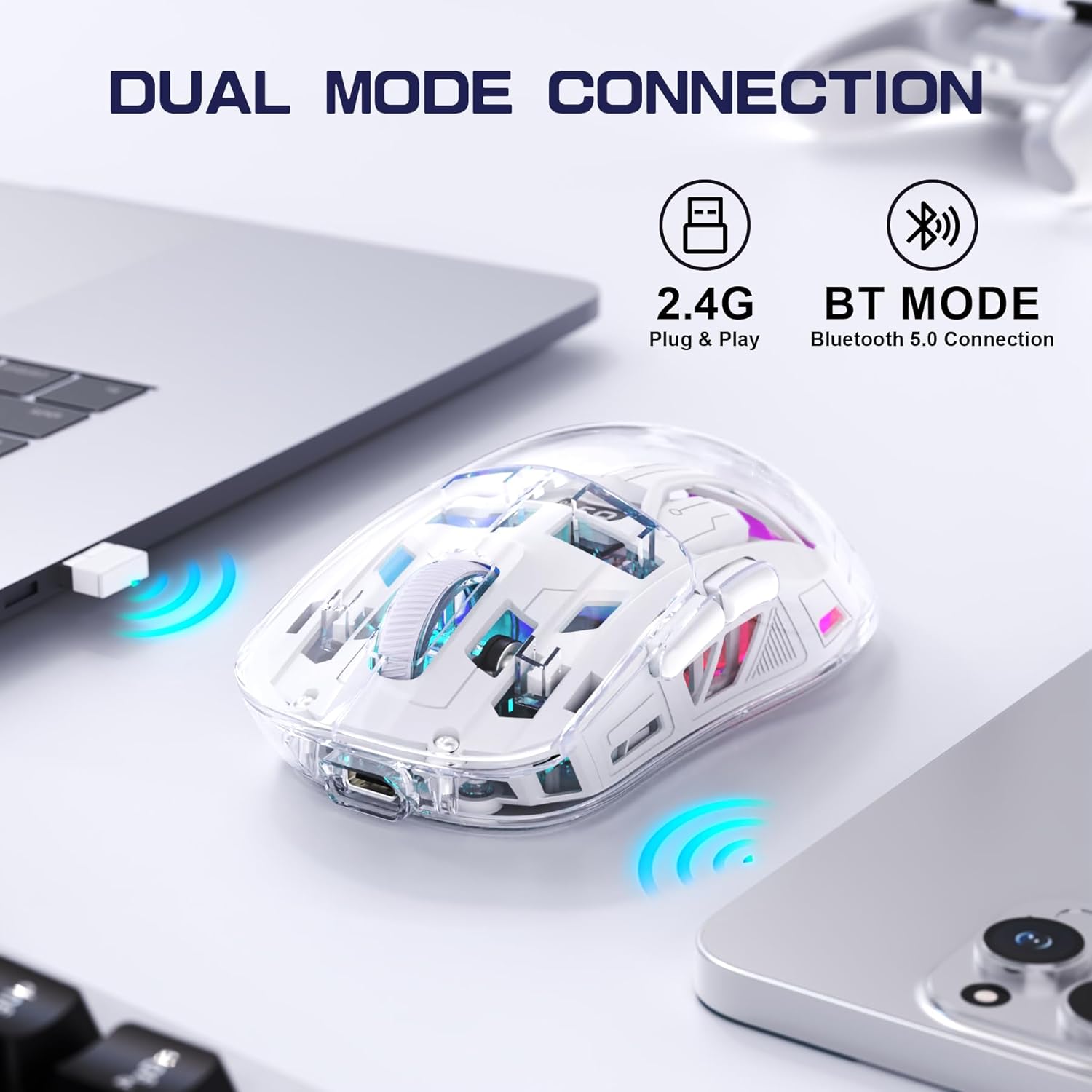
Image 4.2: The FREEWOLF A2 mouse connected to a laptop via its 2.4G wireless USB receiver.
4.3. Connecting via Bluetooth 5.0
- Slide the power switch on the underside of the mouse to the 'BT' (Bluetooth) position.
- Компьютериңизде же түзмөгүңүздө Bluetooth жөндөөлөрүн ачыңыз.
- Издөө new devices. The mouse should appear as 'FREEWOLF A2' or similar.
- Select the mouse to pair. Follow any on-screen prompts.
5. Иштөө нускамалары
5.1. DPI тууралоо
The mouse features 5 adjustable DPI levels (1200-4000 DPI) to suit different tasks and preferences. To change the DPI, press the DPI button located on the underside of the mouse. The digital screen will briefly display the current DPI setting.

Image 5.1: Diagram illustrating the 5 adjustable DPI levels (1200, 1600, 2000, 2400, 4000) available on the FREEWOLF A2 mouse.
5.2. RGB арткы жарыкты башкаруу
The FREEWOLF A2 mouse features vibrant RGB backlighting. To cycle through different lighting effects or turn the backlight off, press and hold the scroll wheel button for a few seconds.

Image 5.2: Two FREEWOLF A2 mice on a desk, showcasing their cool RGB lighting effects in a low-light environment.
5.3. Батарея дисплейи
The integrated digital screen on the mouse continuously displays the current battery percentage, сизге кубаттуулук деңгээлин көзөмөлдөөгө жана зарылчылыкка жараша кайра заряддоого мүмкүндүк берет.
5.4. Эргономикалык дизайн
The mouse is designed to conform to various hand grip styles (Palm Grip, Fingertip Grip, Claw Grip), reducing discomfort during prolonged use.
Image 5.3: A hand demonstrating a comfortable grip on the FREEWOLF A2 mouse, highlighting its ergonomic design.
6. Техникалык тейлөө
- Тазалоо: Чычканды тазалоо үчүн жумшак, кургак чүпүрөктү колдонуңуз. Катуу химиялык заттарды же абразивдүү материалдарды колдонуудан алыс болуңуз.
- Сактагыч: When not in use, store the mouse in a cool, dry place. If storing for an extended period, ensure the mouse is fully charged and turn off the power.
- Батареяга кам көрүү: To prolong battery life, avoid fully discharging the mouse frequently. Recharge when the battery level is low.
7. Кыйынчылыктарды
- Чычкан жооп бербей жатат:
- Ensure the mouse is powered on and the correct connection mode (2.4G or BT) is selected.
- Check battery level on the digital screen and recharge if necessary.
- 2.4G режиминде USB кабыл алгычы иштеп жаткан USB портуна бекем сайылып турганын текшериңиз. Башка USB портун колдонуп көрүңүз.
- For Bluetooth mode, ensure Bluetooth is enabled on your device and the mouse is paired correctly. Try unpairing and re-pairing.
- Компьютериңизди же түзмөгүңүздү өчүрүп күйгүзүңүз.
- Cursor movement is erratic or frozen:
- Чычкандын астындагы оптикалык сенсорду тазалаңыз.
- Чычканды ылайыктуу бетте колдонуп жатканыңызды текшериңиз (өтө жарык чагылдырбаган же тунук эмес).
- Башка зымсыз аппараттардын кийлигишүүсүн текшериңиз.
- DPI жөндөөлөрүн тууралаңыз, ал көйгөйдү чечет.
- RGB жарыгы иштебейт:
- Чычкандын батареясынын заряды жетиштүү экенин текшериңиз.
- Press and hold the scroll wheel button to cycle through lighting modes or turn the backlight on/off.
- Заряддоо маселелери:
- Ensure the USB-C cable is properly connected to both the mouse and the power source.
- Башка USB-C кабелин же кубат адаптерин колдонуп көрүңүз.
- Кубат булагы иштеп жатканын ырастаңыз.
8. Техникалык шарттар
| Өзгөчөлүк | Деталь |
|---|---|
| Модель номери | A2 |
| Байланыш технологиясы | 2.4G зымсыз, Bluetooth 5.0 |
| Кыймылды аныктоо технологиясы | Оптикалык (PixArt 3212) |
| Жөнгө салынуучу DPI | 1200-4000 (5 levels) |
| Батарея сыйымдуулугу | 400 мАч (Катылган) |
| Заряддоо порту | USB-C |
| Өзгөчөлүктөр | Ergonomic Design, LED Lights (RGB), Portable, Rechargeable, Digital Battery Display |
| Продукциянын өлчөмдөрү | 6.89 x 4.53 x 0.04 дюйм |
| Элемент Салмагы | 4.9 унция |
| Өндүрүүчү | FREEWOLF |
9. Кепилдик жана колдоо
Specific warranty information for the FREEWOLF A2 Transparent Wireless Gaming Mouse is not provided in the available product data. Please refer to the product packaging or the retailer's webкепилдик камтуусу жөнүндө маалымат алуу үчүн сайтты караңыз.
For technical support or further assistance, please contact the manufacturer or your point of purchase. Contact information may be available on the product packaging or the official FREEWOLF webсайт.


