Introduction
This manual provides essential information for setting up, operating, maintaining, and troubleshooting your Apple Watch SE (2nd Gen) GPS 40mm. Designed to help you stay active, connected, and informed about your health, this smartwatch offers a range of features including fitness and sleep tracking, crash detection, and heart rate monitoring.

Image: Apple Watch SE (2nd Gen) GPS 40mm with Midnight Aluminum Case and Ink Sport Loop. The watch face displays the time and is paired with a dark-colored sport loop band.
Кутуда эмне бар
Your Apple Watch SE package includes the following items:
- Apple Watch SE (2nd Gen) GPS 40mm (Midnight Aluminum Case)
- Ink Sport Loop (Small/Medium band)
- USB-C Magnetic Fast Charging Cable (1m)

Image: The contents of the Apple Watch SE box, showing the watch unit, the Ink Sport Loop band, and the USB-C Magnetic Charging Cable.
Жайгашуу
- Apple Watch'уңузду заряддаңыз: Connect the USB-C Magnetic Fast Charging Cable to a power adapter (sold separately) and attach the magnetic end to the back of your Apple Watch. Ensure it is charging before proceeding.
- iPhone менен жупташтыруу:
- Apple логотиби пайда болгонго чейин капталдагы баскычты басып, кармап туруу менен Apple Watchуңузду күйгүзүңүз.
- iPhone телефонуңузду Apple Watch саатыңызга жакын алып келиңиз. iPhone'уңузда жупташтыруу экраны пайда болот. "Улантуу" баскычын басыңыз.
- Position your iPhone so your Apple Watch appears in the viewиздөөчү. Бул түзмөктөрдү жупташтырат.
- Follow the on-screen instructions on both your iPhone and Apple Watch to complete the setup, including setting up a passcode, installing apps, and configuring health features.
- Adjust Band: Ensure the Ink Sport Loop is securely and comfortably fitted on your wrist.
Apple Watch SE'ңизди иштетүү
Негизги навигация
- Digital Crown: Маанилерди жылдыруу, чоңойтуу же тууралоо үчүн айландырыңыз. Циферблатка же колдонмолор тизмесине өтүү үчүн бир жолу басыңыз. Жакында колдонулган колдонмолордун ортосунда которулуу үчүн эки жолу басыңыз. Siri үчүн басып кармап туруңуз.
- Каптал баскычы: Press once to open the Dock (recently used apps). Press and hold for Emergency SOS, Medical ID, or to power off. Double-press for Apple Pay.
- Сенсордук экран: Тандоо үчүн таптаңыз, багыттоо үчүн сүртүңүз, айрым колдонмолордо кошумча параметрлер үчүн күч менен тийиңиз (бекем басыңыз).
Ден соолук жана фитнеске көз салуу
The Apple Watch SE tracks various health and fitness metrics:
- Актив шакекчелери: Track Move, Exercise, and Stand goals. Close your rings daily for motivation.
- Машыгуу колдонмосу: Select from various workout types (running, swimming, cycling, etc.) to track performance, heart rate, and calories burned.
- Жүрөктүн кагышын көзөмөлдөөчү: Continuously monitors your heart rate and can alert you to unusually high or low rates, or irregular rhythms.
- Уйкуга көз салуу: Уйкуңузга көз салыңызtages (Awake, REM, Core, Deep) and duration.

Image: Two Apple Watch SE screens. One shows a heart rate reading of 68 BPM. The other shows a detailed sleep stages graph, indicating Awake, REM, Core, and Deep sleep durations.
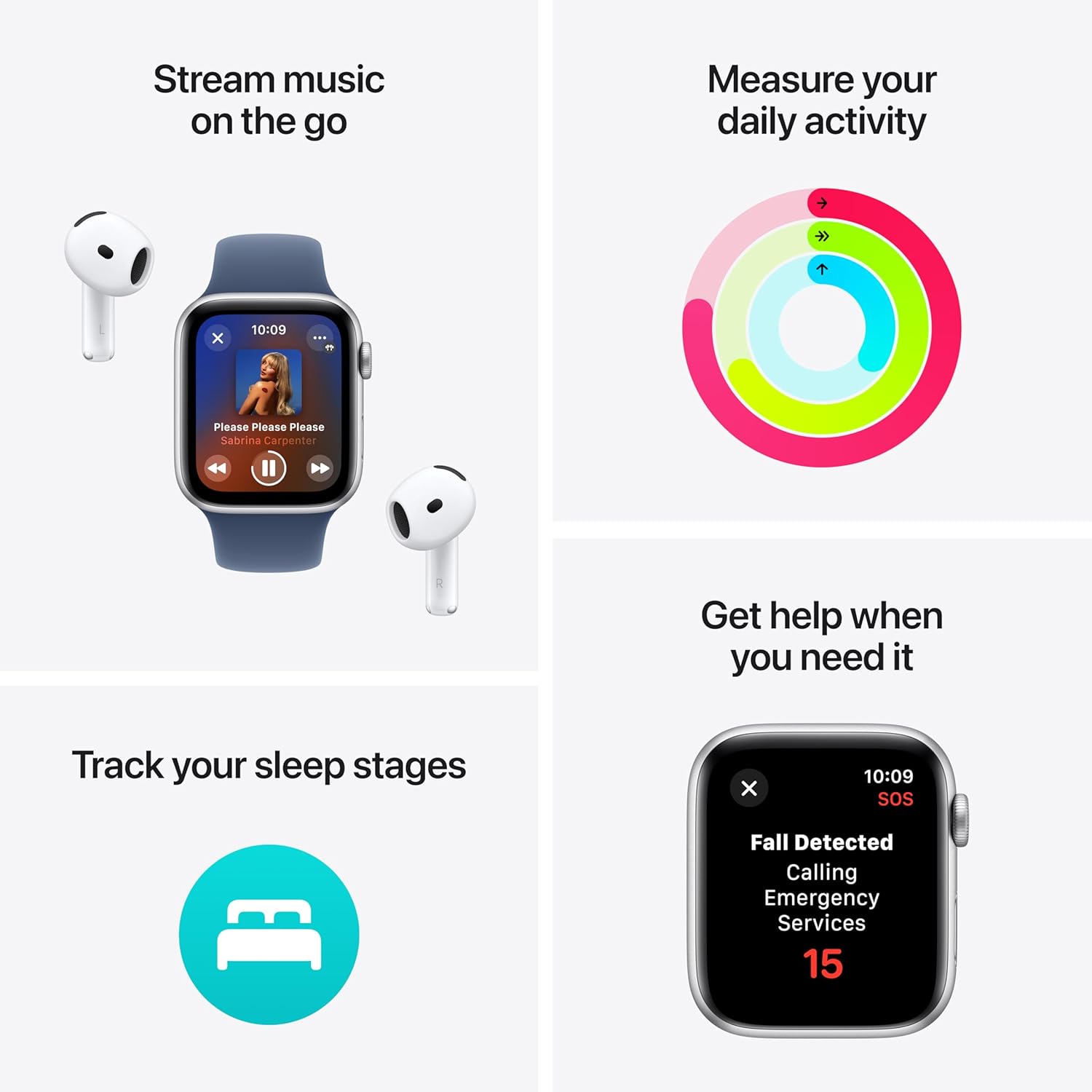
Image: A four-panel image illustrating key features: music streaming with AirPods, daily activity rings, sleep stage tracking, and a Fall Detected alert screen with an Emergency Services countdown.
Байланыш
With your Apple Watch SE, you can stay connected:
- Чалуулар жана тексттер: Make and receive calls, and send and receive text messages directly from your wrist when connected to your iPhone or Wi-Fi.
- Сири: Raise your wrist and speak, or press and hold the Digital Crown to activate Siri for quick commands and information.
- Apple Pay: Double-press the side button to quickly access Apple Pay for secure transactions.

Image: Two Apple Watch SE screens. One shows an incoming call from "Mobile Sean." The other shows a text message conversation with "Grandma."
Коопсуздук өзгөчөлүктөрү
- Күзгү аныктоо: Automatically detects hard falls and can initiate a call to emergency services if you are unresponsive.
- Кырсыкты аныктоо: Can detect a severe car crash and automatically connect you to emergency services.
- Шашылыш SOS: Тез жардам кызматтарына чалуу жана шашылыш байланыштарыңызга кабарлоо үчүн капталдагы баскычты басып, кармап туруңуз.
- Каттоого киргизүү: Automatically notifies loved ones when you arrive at your destination.
Ыңгайлаштыруу
Personalize your Apple Watch SE:
- Бетти көрүү: Customize your watch face with various designs, complications, and colors.
- Топтор: Easily swap out the Ink Sport Loop for other compatible Apple Watch bands to match your style.

Сүрөт: жакын план view of the Apple Watch SE face, showing a digital time display with large, stylized numbers and a second hand.
Техникалык тейлөө
- Тазалоо: Wipe your Apple Watch and band with a soft, lint-free cloth. If necessary, lightly dampen the cloth with fresh water. Do not use soaps or abrasive materials.
- Суу каршылык: The Apple Watch SE is water resistant to 50 meters. It can be used for shallow-water activities like swimming in a pool or ocean. It should not be used for scuba diving, waterskiing, or other activities involving high-velocity water or submersion below shallow depths.
- Заряддоо: Use only the provided USB-C Magnetic Fast Charging Cable. Ensure the charging area is clean and dry.
- Программалык камсыздоо жаңыртуулары: Keep your Apple Watch software updated to the latest version for optimal performance and security. Updates can be managed through the Watch app on your iPhone.
Проблемаларды чечүү
- Күйгүзүлбөйт: Ensure the watch is charged. Connect it to the charger for at least 30 minutes. If it still doesn't turn on, force restart by holding both the side button and Digital Crown for at least 10 seconds until the Apple logo appears.
- Жупташтыруу маселелери: Ensure your iPhone's Bluetooth is on and both devices are close to each other. Restart both your iPhone and Apple Watch. If issues persist, unpair and re-pair the watch through the Watch app on your iPhone.
- Жүрөктүн кагышын так эмес көрсөткүчтөр: Ensure the watch is snug but comfortable on your wrist. Clean the back of the watch. Avoid placing the watch directly over wrist bones.
- Батареянын бат түгөнүп калышы: Check for background app refresh settings in the Watch app. Reduce notifications. Ensure software is up to date.
- Колдонмолор жооп бербей жатат: Press the side button to open the Dock, then swipe left on the unresponsive app and tap the 'X' to close it. Reopen the app.
Техникалык шарттар
| Модел | Apple Watch SE (2nd Gen) GPS |
| Case Size | 40мм |
| Иштин материалы | Midnight алюминий |
| Band Type | Ink Sport Loop (Small/Medium) |
| Байланыш | GPS, Wi-Fi, Bluetooth |
| Суу каршылык | 50 метр |
| Сенсорлор | Optical Heart Sensor, Accelerometer, Gyroscope, Compass, Always-on Altimeter |
| Коопсуздук өзгөчөлүктөрү | Emergency SOS, Fall Detection, Crash Detection |
| Операция системасы | watchOS (compatible with iPhone 8 or later with iOS 16 or later) |
Кепилдик жана колдоо
This Apple Watch SE (2nd Gen) includes AppleCare+ (2 Years), providing extended coverage and technical support.
- AppleCare+ Benefits: Covers unlimited repairs for accidental damage, including hardware and battery.
- Кызмат параметрлери: Apple дүкөндөрүндө жана Apple ыйгарым укуктуу тейлөө провайдерлеринде ыңгайлуу тейлөө же Экспресс алмаштыруу кызматы.
- Техникалык колдоо: Apple адистеринен 24/7 артыкчылыктуу техникалык колдоо.
For detailed terms and conditions, or to access support, please visit the official Apple Support website or contact Apple directly.
Көбүрөөк маалымат жана колдоо ресурстарын бул жерден таба аласыз support.apple.com/watch.


