Introduction
This instruction manual provides detailed guidance for the proper installation, operation, and maintenance of your JOYROOM Qi2 15W MagSafe Car Mount Charger. This device is designed to provide efficient and secure wireless charging for compatible iPhone models in your vehicle.
The charger features Qi2 certification, ensuring safe and fast 15W wireless charging, and offers versatile mounting options for both air vents and dashboards. It is equipped with strong N55 magnets for a secure hold.

Image: JOYROOM Qi2 Certified MagSafe Car Mount Charger, highlighting its official Qi2 certification.
Пакеттин мазмуну
Пакетте бардык буюмдар бар экенин текшериңиз:
- JOYROOM Qi2 15W MagSafe Car Mount Charger Unit
- Air Vent Mount Attachment
- Dashboard Mount Attachment (with adhesive)
- 60W USB-Cден USB-C кубаттоо кабели
- User Manual
- Cleaning Wipes (for dashboard installation)
- Magnetic Rings (for non-MagSafe compatible phones/cases, if applicable)
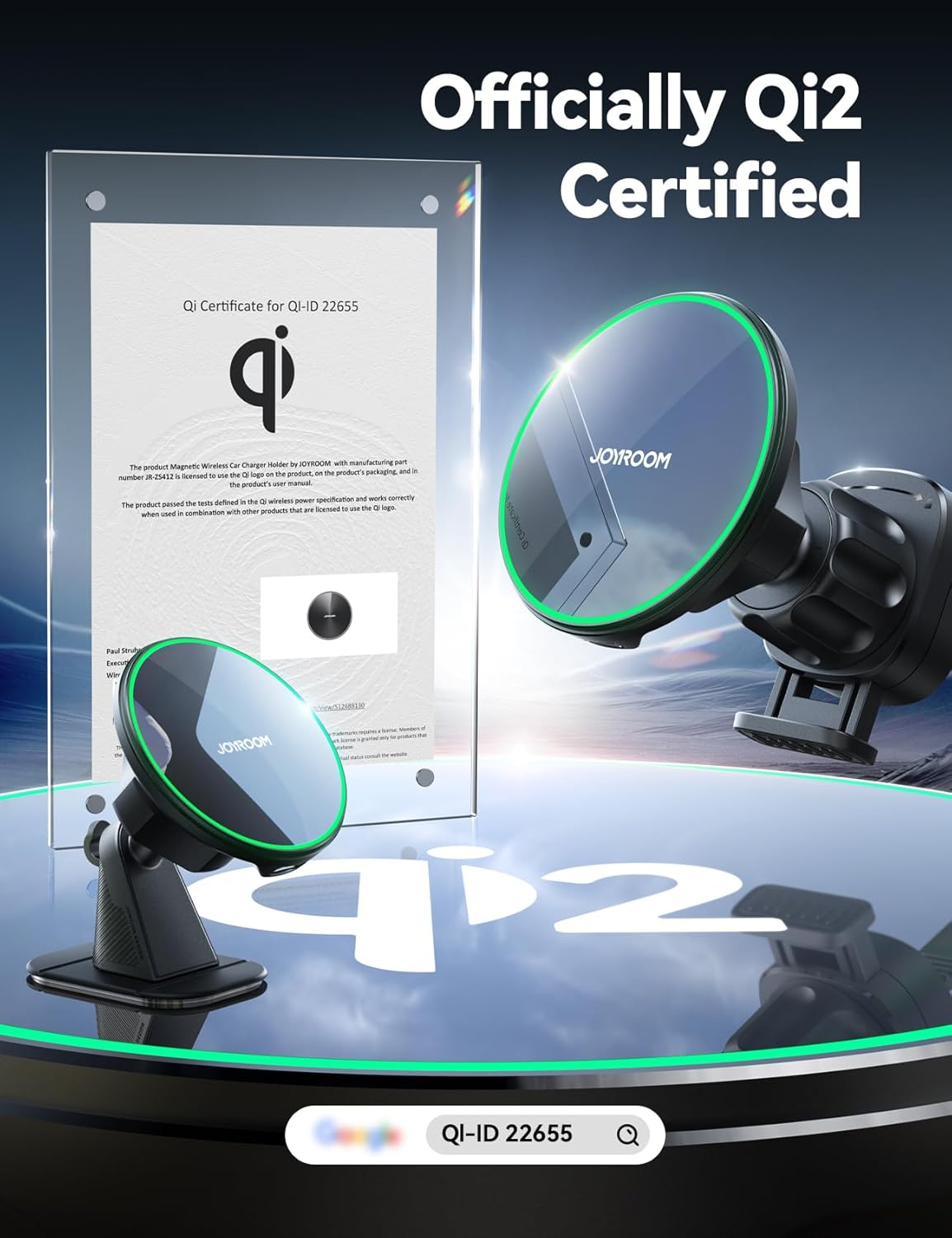
Image: All components included in the JOYROOM Qi2 15W MagSafe Car Mount Charger package.
Орнотуу жана орнотуу
The JOYROOM Qi2 Car Mount Charger offers two installation methods: air vent and dashboard. Choose the method that best suits your vehicle and preference.
1. Air Vent Mount Installation
- Attach the air vent mount accessory to the back of the charger unit. Ensure it clicks securely into place.
- Locate a suitable air vent in your car. This mount is compatible with horizontal and vertical strip air vents. It is жок applicable to round air vents (e.g., Mercedes, Ford, Jeep) or vents with only one blade.
- Extend the hook of the air vent mount by pressing the release button. Insert the hook into an air vent blade.
- Tighten the knob on the mount to secure it firmly to the vent blade. Ensure it is stable and does not wobble.

Image: Illustration of compatible air vent types (horizontal/vertical strips) and incompatible types (round/single blade).
Video: Demonstration of installing the JOYROOM Qi2 MagSafe Car Mount Charger onto an air vent and securing it.
2. Dashboard Mount Installation
- Attach the dashboard mount accessory to the back of the charger unit. Ensure it clicks securely into place.
- Choose a flat, clean area on your dashboard. Ensure the surface is free of dust, oil, and moisture. Use the provided cleaning wipes to prepare the surface.
- Peel off the protective film from the adhesive pad on the dashboard mount.
- Press the mount firmly onto the chosen dashboard area for at least 30 seconds.
- Желимдин кургашына мүмкүнчүлүк бериңиз 12 саат before attaching your phone or using the charger to ensure maximum adhesion. This mount is not recommended for soft leather, fleece material, waxed surfaces, or curved surfaces greater than 15 degrees.

Image: The JOYROOM MagSafe Car Mount Charger securely mounted on a car dashboard.
3. Кубатты туташтыруу
- Connect the provided 60W USB-C to USB-C charging cable to the charger unit.
- Plug the other end of the USB-C cable into a PD (Power Delivery) fast car charger (not included). Ensure your car charger supports PD for optimal charging speed.
- The charger will illuminate, indicating it is powered on and ready for use.

Image: Visual guide for connecting the 60W USB-C cable to the charger and a compatible PD fast car charger.
Иштөө нускамалары
1. Телефонуңузду туташтыруу
- Ensure your iPhone is a MagSafe-compatible model (iPhone 12, 13, 14, 15, 16 series) or is housed in a MagSafe-compatible case.
- Simply bring your phone close to the charging pad. The strong N55 magnets will automatically align and securely attach your phone to the charger.
- The magnetic force is designed to hold your phone firmly, even on bumpy roads, providing stability equivalent to approximately 10 times the weight of an iPhone 16 Pro Max.

Image: An iPhone magnetically attached to the charger, illustrating the strong N55 magnetic hold.
2. Зымсыз заряддоо
- Once your phone is attached, wireless charging will begin automatically. The charger delivers true 15W fast charging for compatible devices.
- Note that power reduction may occur after the phone reaches approximately 75% charge to protect the battery.
- The charger is designed with intelligent heat management to ensure safe and efficient charging.

Image: Comparison of Qi2 15W fast charging speed versus standard 7.5W charging.
3. Телефондун шайкештиги
- This charger is specifically designed for iPhone 12, 13, 14, 15, and 16 series and MagSafe cases.
- Ал кылат жок support Samsung/Android devices or other non-MagSafe phone cases for magnetic attachment and wireless charging.

Image: Visual representation of iPhone compatibility and non-compatibility with Android devices.
4. Жөнгө салынуучу Viewбурч
- The charger unit can be rotated 360 degrees, allowing you to adjust your phone to the optimal viewing angle (portrait or landscape) for navigation or other uses while driving.
Техникалык тейлөө
- Keep the charging pad and magnetic surfaces clean and free of dust or debris to ensure optimal magnetic connection and charging efficiency.
- Тазалоо үчүн жумшак, кургак чүпүрөк колдонуңуз. Катуу химиялык заттарды же абразивдүү материалдарды колдонуудан алыс болуңуз.
- Periodically check the stability of the mount (both air vent and dashboard) and re-tighten or re-secure if necessary.
Проблемаларды чечүү
1. Phone Not Charging
- кубат туташуу текшерүү: Ensure the USB-C cable is securely connected to both the charger unit and a functioning PD fast car charger.
- Verify Phone Compatibility: Confirm your phone is an iPhone 12-16 series model or has a MagSafe-compatible case. Non-MagSafe phones/cases will not charge wirelessly.
- Тоскоолдуктарды алып салуу: Ensure there are no foreign objects (e.g., credit cards, metal plates) between your phone and the charging pad.
- Телефонду кайра иштетүү: Sometimes a simple phone restart can resolve minor charging issues.
2. Phone Not Holding Securely
- Check Phone/Case: Ensure your phone or case is MagSafe compatible. Non-MagSafe items will not have a strong magnetic connection.
- Таза беттер: Ensure the magnetic surfaces of both the charger and your phone/case are clean.
- Тоонун туруктуулугу: For air vent mounts, ensure the knob is fully tightened. For dashboard mounts, ensure the adhesive has cured for 12 hours and the surface is appropriate (not soft leather, fleece, waxed, or excessively curved).
3. Charger Overheating
- The charger has intelligent heat management. If it feels excessively hot, ensure it is not exposed to direct sunlight for prolonged periods or that the car's ventilation is not blocked.
- Эгерде ысып кетүү улана берсе, колдонууну токтотуп, кардарларды тейлөө кызматына кайрылыңыз.
Техникалык шарттар
| Өзгөчөлүк | Деталь |
|---|---|
| Модель номери | JR-ZS412 |
| Бренд | JOYROOM |
| Зымсыз кубаттоо чыгышы | 15W (Qi2 сертификатына ээ) |
| Киргизүү көлөмүtage | 12 вольт (AC) |
| Ватtage (Cable) | 60 watts (USB Type C) |
| Output Current | 3 Amps |
| Шайкеш түзмөктөр | Смартфондор |
| Шайкеш телефон моделдери | iPhone 16, 15, 14, 13, 12 series (MagSafe compatible) |
| Өзгөчө өзгөчөлүк | MagSafe Compatible, Air Vent / Dashboard Mount |
| Түс | КАРА |
| Элемент Салмагы | 6.4 унция |
| Пакеттин өлчөмдөрү | 7.48 x 2.83 x 1.61 дюйм |
Кепилдик жана колдоо
JOYROOM is committed to providing high-quality products and customer satisfaction. This product comes with a manufacturer's warranty against defects in materials and workmanship.
For any issues, questions, or support needs regarding your JOYROOM Qi2 15W MagSafe Car Mount Charger, please contact JOYROOM customer service through the retailer's platform (e.g., Amazon) or visit the official JOYROOM webбайланыш маалыматы үчүн сайт.
Кепилдик дооматтары үчүн сатып алуунун далили катары сатып алуу дүмүрчөгүңүздү сактап коюңуз.


