Introduction
This manual provides essential information for setting up, operating, maintaining, and troubleshooting your new Sharp 4T-C55FS1UR 55 Inch AQUOS OLED 4K Ultra HD Roku TV. It also covers the included Walts TV Large/Extra Large Full Motion Mount and Walts HDTV Screen Cleaner Kit. Please read this manual thoroughly before using your product to ensure optimal performance and safety.

The Sharp 55-inch AQUOS OLED 4K UHD Roku TV, bundled with a full motion mount and screen cleaner kit.
Орнотуу колдонмосу
1. Кутудан чыгаруу жана жайгаштыруу
Carefully remove all components from the packaging. The TV weighs approximately 38.5 pounds and has product dimensions of 9.84"D x 48.27"W x 31.18"H. Ensure you have adequate space for placement.
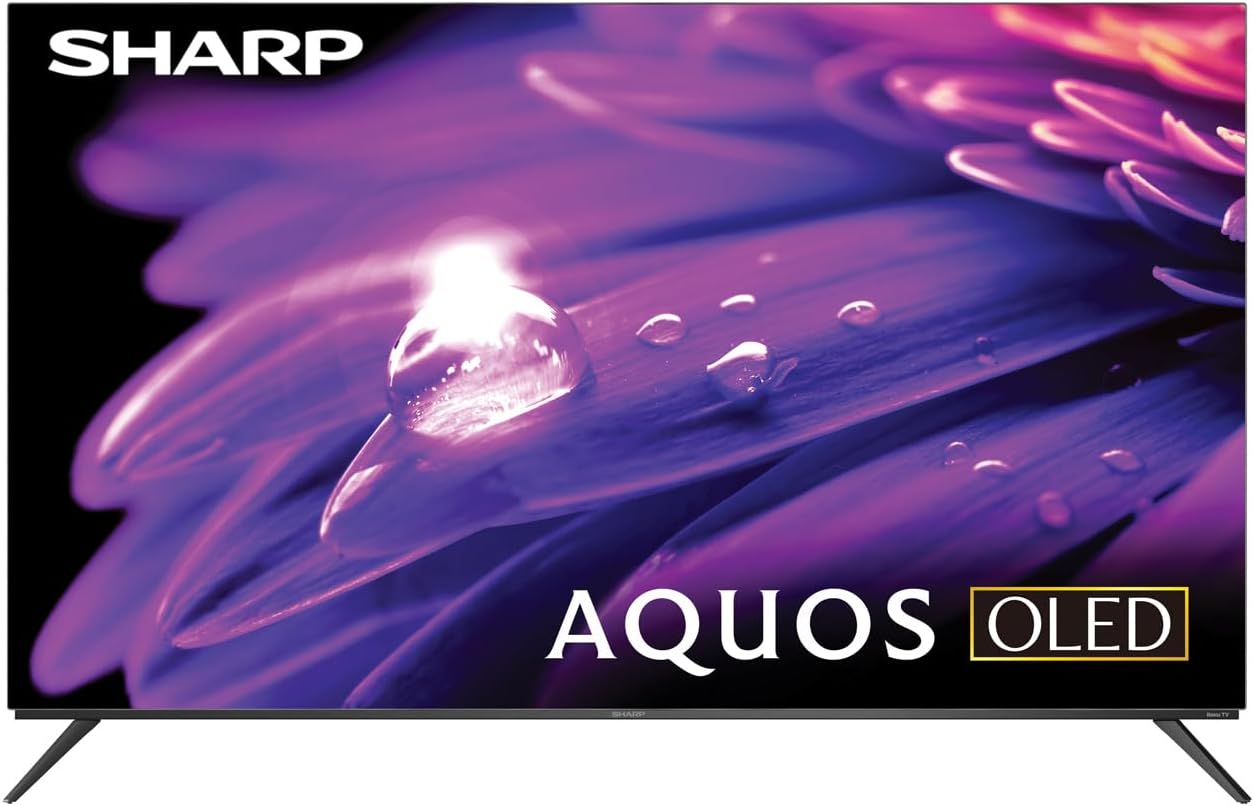
The Sharp AQUOS OLED TV, showcasing анын саркеч дизайны жана жандуу дисплей.
Стенд орнотуу
The TV comes with two legs that attach to the outer edges of the TV. These stands provide approximately 3.5 inches of clearance, allowing space for a soundbar or other accessories beneath the TV. Ensure the stands are securely fastened before placing the TV on a flat, stable surface.
Full Motion Mount Installation
The Walts TV Large/Extra Large Full Motion Mount is designed for 43-90 inch compatible TVs and supports VESA compatibility up to 700mm x 500mm. This articulating mount allows for extensive movement, including tilting up or down, angling side to side, and extending away from the wall. Refer to the separate mount instruction manual for detailed installation steps and safety guidelines.

The Walts TV Full Motion Mount, shown in an extended position, offering flexible viewбурчтар.
2. Байланыштар
The TV features side-angled inputs for easy access, whether wall-mounted or on a stand. Connect your devices to the appropriate ports:
- HDMI порттору: 4 HDMI inputs, including one with eARC for enhanced audio return channel functionality.
- USB порттору: 2 USB ports for media playback or connecting compatible devices.
- Ethernet: Зымдуу интернет байланышы үчүн.
- Антенна кирүүсү: Абанын ичиндеги антеннаны туташтыруу үчүн.
- Digital Audio Out: Тышкы аудио системаларына туташуу үчүн.

А деталдуу view of the conveniently located side-angled input ports on the Sharp TV.
3. Initial Power On and Roku Setup
Once all connections are made, plug in the TV and press the power button on the remote. Follow the on-screen instructions to complete the initial Roku TV setup, including connecting to your Wi-Fi network and logging into your Roku account. The intuitive Roku interface provides access to a wide range of streaming services.

The Sharp Roku TV home screen, showing popular streaming applications and navigation options.
Телевизоруңузду иштетүү
Сүрөттүн сапаты
The Sharp AQUOS OLED TV delivers stunning visuals with its 4K Ultra HD resolution, providing 8.3 million pixels for incredible detail. It supports HDR10, HLG, and Dolby Vision IQ, enhancing contrast and color accuracy for a more immersive viewing experience. The OLED technology ensures true blacks and vibrant colors.
For gamers, the TV features a 120Hz refresh rate and Variable Refresh Rate (VRR) with Low Latency, ensuring smooth gameplay and reduced input lag, especially with next-gen consoles.
Расмий продукт кайраview video for the Sharp FS1UR Series TV, highlighting its features and performance.
Аудио өзгөчөлүктөрү
Experience rich and clear sound with Dolby Audio. The TV features built-in speakers designed to complement the visual experience. For enhanced audio, utilize the eARC HDMI port to connect a compatible soundbar or audio receiver.
Smart Features (Roku TV)
The integrated Roku TV platform provides access to a vast library of streaming content. Supported internet services include Netflix, Disney+, Apple TV, Roku Channel, Discovery+, HBO Max, Paramount+, and many more. The included voice remote control allows for convenient navigation and content search.
Viewing Angles and Reflection Handling
The Sharp AQUOS OLED TV offers excellent viewing angles, ensuring consistent picture quality even when viewed from the side. Its reflection handling is also exceptional, minimizing glare in most environments. However, in extremely bright rooms, some reflections may still be visible due to the nature of OLED panels.
Техникалык тейлөө
Экранды тазалоо
Use the included Walts HDTV Screen Cleaner Kit to keep your screen pristine. This non-ammonia and alcohol-free solution cleans without dripping, streaking, or staining, leaving no film or residue. It effectively removes dust, dirt, and fingerprints. Apply the solution to a soft, lint-free cloth (not directly to the screen) and gently wipe the display.

The Walts HDTV Screen Cleaner Kit, designed for safe and effective cleaning of display screens.
Жалпы кам көрүү
- Телевизордун ысып кетишине жол бербөө үчүн аны жакшы желдетилген жерде сактаңыз.
- Сыналгыга тике күн нурунун же экстремалдык температуранын таасирин тийгизбеңиз.
- Телевизордун үстүнө оор буюмдарды койбоңуз.
- Чагылган бороондо же узак убакыт бою пайдаланылбай турганда телевизорду розеткадан сууруп алыңыз.
Проблемаларды чечүү
If you encounter issues with your Sharp AQUOS OLED TV, refer to the following common troubleshooting tips:
- Кубат жок: Электр шнурунун сыналгыга да, иштеп жаткан электр розеткасына да бекем сайылганын текшериңиз. Башка розеткадан аракет кылып көрүңүз.
- Сүрөт/үн жок: Verify that the correct input source is selected. Check all cable connections (HDMI, antenna, etc.) for looseness.
- Пульт иштебейт: Пульттагы батарейкаларды алмаштырыңыз. Пульт менен сыналгынын IR сенсорунун ортосунда эч кандай тоскоолдуктар жок экенин текшериңиз.
- Тармакка туташуу маселелери: Restart your Wi-Fi router. Go to the Roku TV settings to re-establish the network connection or try a wired Ethernet connection.
- Сүрөттүн сапаты маселелери: Adjust picture settings (brightness, contrast, color) in the TV's menu. Ensure your content source is high-quality (e.g., 4K content for 4K resolution).
Көбүрөөк маалымат алуу үчүн же туруктуу көйгөйлөрдү чечүү үчүн кардарларды тейлөө кызматына кайрылыңыз.
Техникалык шарттар
| Өзгөчөлүк | Description |
|---|---|
| Бренд аты | Sharp |
| Модель аты | 4T-C55FS1UR |
| Screen Size | 55 дюйм |
| Дисплей технологиясы | OLED |
| Резолюция | 4K Ultra HD |
| Жаңыртуу ылдамдыгы | 120 Гц |
| Өзгөчөлүктөр | HDR10, HLG, Dolby Vision IQ, Full Roku TV Experience, Dolby Digital Audio, Variable Refresh Rate (VRR) with Low Latency, Voice Remote Control |
| Байланыш | 4 HDMI (1 eARC), 2 USB, Wi-Fi Compatible, Ethernet |
| Колдоого алынган Интернет кызматтары | Netflix, Disney+, Apple TV, Roku Channel, Discovery+, HBO Max, Paramount+, and More |
| Продукциянын өлчөмдөрү | 9.84"D x 48.27"W x 31.18"H |
| Элемент Салмагы | 38.5 фунт |
| Түс | Кара |
Кепилдик жана колдоо
Кепилдик жөнүндө маалымат жана кардарларды колдоо үчүн, өнүмүңүз менен кошо берилген документтерди караңыз же расмий Sharp дүкөнүнө баш багыңыз. webсайтынан кошумча колдоо ресурстарын жана көп берилүүчү суроолорду таба аласыз Amazon'догу Sharp дүкөнү.

Dedicated customer support is available for assistance.


