Introduction
The Emporia Watch JOY is a smartwatch designed to support your daily life and health monitoring. It features accurate heart rate and pulse measurement, along with comprehensive sleep tracking. With Bluetooth 5.0 connectivity, it seamlessly integrates with your smartphone, allowing you to receive notifications directly on your wrist. The watch boasts an impressive battery life, lasting up to 10 days with active use and 30 days in standby mode, and charges conveniently via a magnetic USB cable. Its large, easy-to-read AMOLED display and customizable watch faces make it a user-friendly companion, especially for seniors.
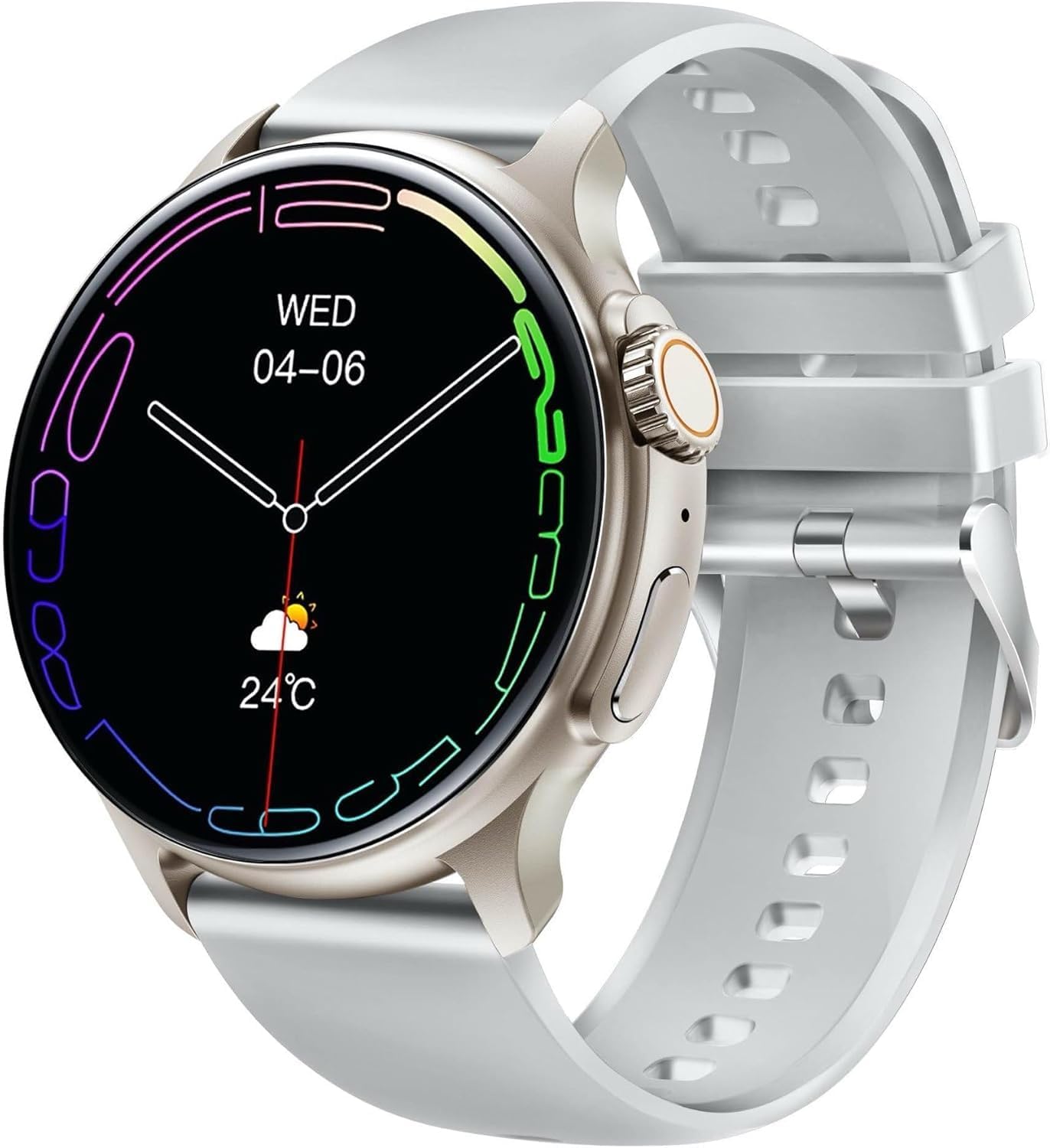
Figure 1: The Emporia Watch JOY, showcasing its round display and grey strap.
Жайгашуу
1. Баштапкы заряддоо
Before first use, fully charge your Emporia Watch JOY. Connect the magnetic USB charging cable to the charging points on the back of the watch and plug the USB end into a power adapter (not included) or a computer's USB port. The watch display will indicate charging status. A full charge typically takes approximately 2 hours.

2-сүрөт: Арткы view of the watch, highlighting the health sensors and magnetic charging contacts.
2. Колдонмону орнотуу жана жупташтыруу
To unlock the full potential of your Emporia Watch JOY, download the FitCloudPro application on your smartphone. The app is available for both iOS and Android devices.
- Жүктөп алуу: Издөө "FitCloudPro" in your smartphone's app store (App Store for iOS, Google Play Store for Android) and install it.
- Каттоо эсебин түзүү: FitCloudPro колдонмосун ачып, каттоо эсебин түзүү же кирүү үчүн экрандагы нускамаларды аткарыңыз.
- Bluetooth иштетүү: Смартфонуңузда Bluetooth иштетилгенин текшериңиз.
- Жупташтыруу: In the FitCloudPro app, navigate to the device section and select "Add Device." The app will search for nearby devices. Select "Emporia Watch JOY" from the list to pair. Confirm the pairing request on both your watch and smartphone if prompted.
Жупташтырылгандан кийин, саат убакытты жана маалыматтарды смартфонуңуз менен шайкештештирет.
Иштөө нускамалары
Негизги навигация
- Сенсордук экран: Менюларды жана функцияларды чабыттоо үчүн солго/оңго, өйдө/ылдый сүрүңүз. Опцияны тандоо үчүн таптаңыз.
- Каптал баскычы/Таажысы: Press the side button to wake the screen, return to the home screen, or access the app menu. Rotate the crown (if applicable) to scroll through lists.

3-сүрөт: Side profile of the watch, illustrating the physical button and rotatable crown for navigation.
Ден соолук мониторинги
The Emporia Watch JOY provides real-time health data:
- Heart Rate & Pulse: Access the heart rate monitor function on the watch or through the app. Ensure the watch is snug on your wrist for accurate readings.
- Уйкуга көз салуу: Wear the watch to bed for automatic sleep monitoring. View detailed sleep analysis (deep sleep, light sleep, awake time) in the FitCloudPro app.
- Активдүүлүккө көз салуу: The watch tracks steps, distance, and calories burned throughout the day.

Figure 4: Watch display showing activity data such as steps and current weather.
Билдирмелер жана чалуулар
Once paired with your smartphone, the watch can display notifications for calls, messages, and app alerts. Ensure notification permissions are enabled in the FitCloudPro app and your phone's settings.
- Кирүүчү чалуулар: The watch will vibrate and display caller ID. You can accept or reject calls directly from the watch.
- Кабарлар: Read incoming SMS and app messages (e.g., WhatsApp, email) on the watch screen.

Figure 5: Multiple watches demonstrating different app interfaces and notification displays.
Ыңгайлаштыруу
- Бетти көрүү: Change the watch face directly on the watch by long-pressing the home screen, or explore more options within the FitCloudPro app.
- Орнотуулар: Adjust brightness, vibration intensity, language, and other settings via the watch's settings menu or the FitCloudPro app.

Figure 6: Watches showcasing diverse watch face options and color variants.
Техникалык тейлөө
Тазалоо
Regularly clean your Emporia Watch JOY to ensure optimal performance and hygiene.
- Экранды жана сааттын корпусун жумшак, түксүз чүпүрөк менен сүртүңүз.
- өжөр белгилери үчүн, бир аз гampчүпүрөктү суу менен. Катуу химиялык заттарды же абразивдүү материалдарды колдонуудан алыс болуңуз.
- Жакшы туташууну камсыз кылуу үчүн заряддоочу контакттарды мезгил-мезгили менен кургак чүпүрөк менен тазалап туруңуз.
Сактагыч
When not in use for extended periods, store the watch in a cool, dry place. It is recommended to charge the watch to about 50% before long-term storage to preserve battery health.
Проблемаларды чечүү
| Көйгөй | Мүмкүн чечим |
|---|---|
| Саат күйбөй жатат. | Ensure the watch is fully charged. Connect it to the magnetic charger and wait a few minutes. |
| Смартфон менен жупташтыруу мүмкүн эмес. |
|
| Билдирмелер алынган жок. |
|
| Туура эмес ден соолук маалыматы. | Ensure the watch is worn snugly on your wrist, not too loose or too tight. Clean the sensors on the back of the watch. |
Техникалык шарттар
- Бренд: Emporia
- Модель номери: EMP-SMW-JOY-G
- Түсү: Боз
- Операция системасы: Emporia OS
- Экрандын өлчөмү: 1.43 дюйм AMOLED
- Экрандын чечилиши: 466 x 466 пиксель
- Байланыш: Bluetooth 5.0
- Өзгөчөлүктөр: Email, Touchscreen, Phone Call Function, Activity Tracker, Heart Rate Monitor, Sleep Monitor
- Шайкеш түзмөктөр: Смартфон (iOS, Android)
- Батареянын курамы: Литий-ион
- Батарея сыйымдуулугу: 380 mAh (approximate, based on "380 Modificateur inconnu")
- Батареянын иштөө мөөнөтү: Up to 10 days (active use), 30 days (standby)
- Заряддоо: Магниттик USB кабели
- Эстутум сактоо сыйымдуулугу: 2 MB
- GPS: GPS жок
- Форма: Тегерек
- Келип чыккан өлкө: Кытай
Кепилдик жана колдоо
Emporia products are designed for reliability and performance. For warranty information and detailed support, please refer to the warranty card included in your product packaging or visit the official Emporia website. You can also contact Emporia customer service for assistance with product inquiries, technical support, or service requests.
Эң акыркы колдоо ресурстары үчүн төмөнкү дарекке кириңиз: www.emporia.eu


