Introduction
Thank you for choosing the EUQQ YYK-520 Wireless Bluetooth Headset. This manual provides detailed instructions for setting up, operating, and maintaining your headset to ensure optimal performance and a clear communication experience. Please read this manual thoroughly before use.
Пакеттин мазмуну
Төмөндө тизмеленген нерселердин баары пакетиңизге камтылганын текшериңиз:
- 1 x EUQQ Headset
- 1 х заряддоо кутусу
- 1 х USB-C кубаттоо кабели
- 3 x Different Size Eartips (S/M/L)
- 1 х Колдонуучунун колдонмосу (бул документ)
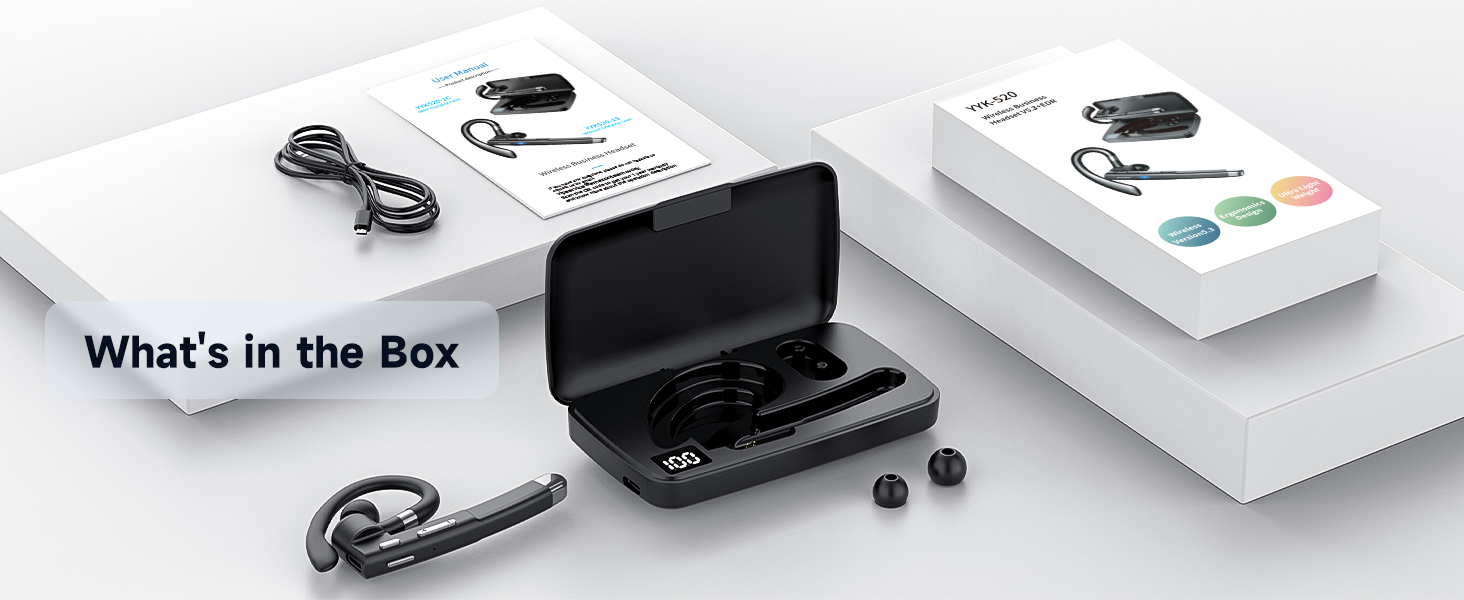
Image: The EUQQ YYK-520 headset, charging case, USB-C charging cable, and three sizes of ear tips are displayed, representing the complete package contents.
Продукт бүттүview
The EUQQ YYK-520 headset is designed for comfort and clear communication. It features an ergonomic ear hook, intuitive controls, and a portable charging case.
Гарнитуранын компоненттери

Сүрөт: деталдуу view of the EUQQ YYK-520 headset, showcasing its design, ear hook, and the accompanying charging case with extra ear tips.
- Кулак илгич: Adjustable for secure and comfortable fit.
- Кулакчын: Delivers audio directly into the ear.
- Микрофон бум: Houses multiple microphones for clear voice pickup.
- Башкаруу баскычтары: For power, volume, call management, and music playback.
- Кубаттоо порту (C түрү): Гарнитураны түз заряддоо үчүн.
- Заряддоо кутусу: Provides additional battery life and protection for the headset.
Control Functions
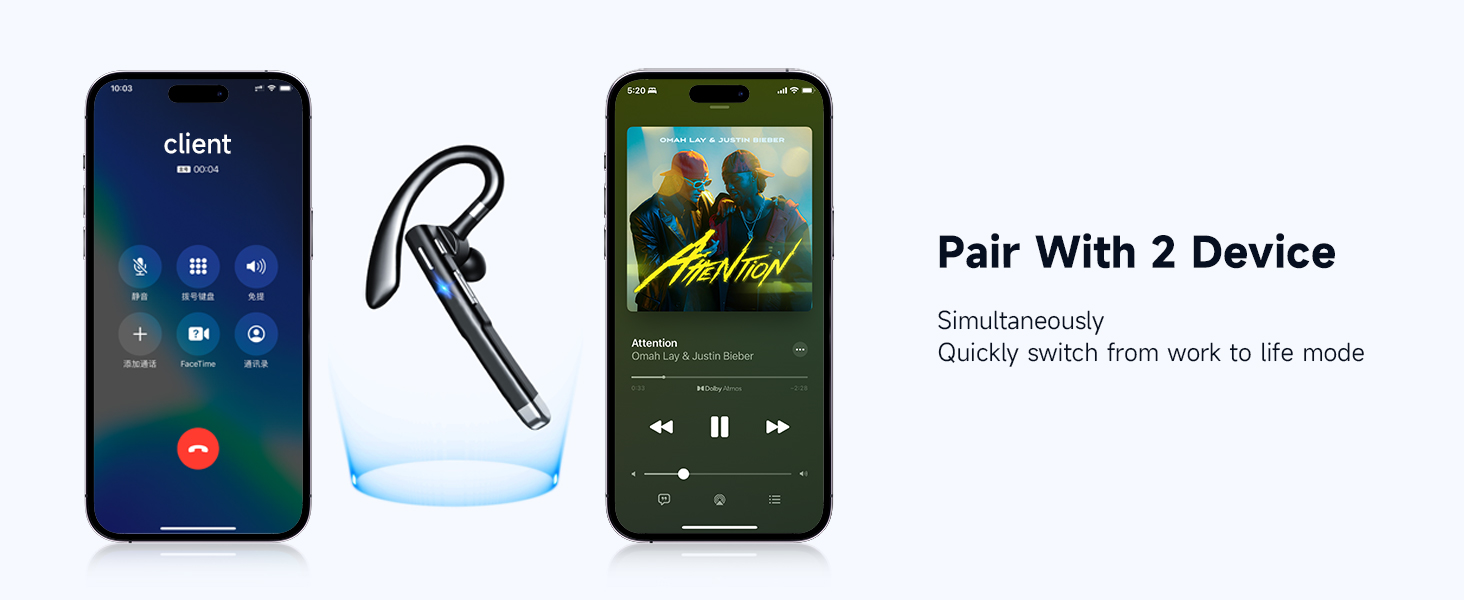
Image: An illustration detailing the various button controls on the headset, including functions for calls, music, and voice assistant activation.
- Tap x1 (Multi-function Button): Музыканы ойнотуу/тындыруу, чалууларга жооп берүү/түп коюу.
- Tap x2 (Multi-function Button): Кирүүчү чалуулардан баш тартыңыз.
- Press for 1s (Multi-function Button): Activate Voice Assistant (Siri).
- Tap x1 (+ button): Үнүн жогорулатуу.
- Tap x1 (- button): Үндү азайтуу.
- Long Press (+ button): Кийинки ыр.
- Long Press (- button): Last Song.
- Press and hold (Mute button): Mute/Unmute microphone during a call.
Жайгашуу
1. Charging the Headset and Charging Case
Before first use, fully charge both the headset and the charging case.
- Гарнитураны кубаттоо: Place the headset into the charging case. Ensure the charging contacts align. The LED indicator on the headset will show charging status.
- Ишти заряддоо: Connect the provided USB-C charging cable to the charging port on the case and to a USB power source (e.g., wall adapter, computer USB port). The digital display on the case will indicate the battery level.
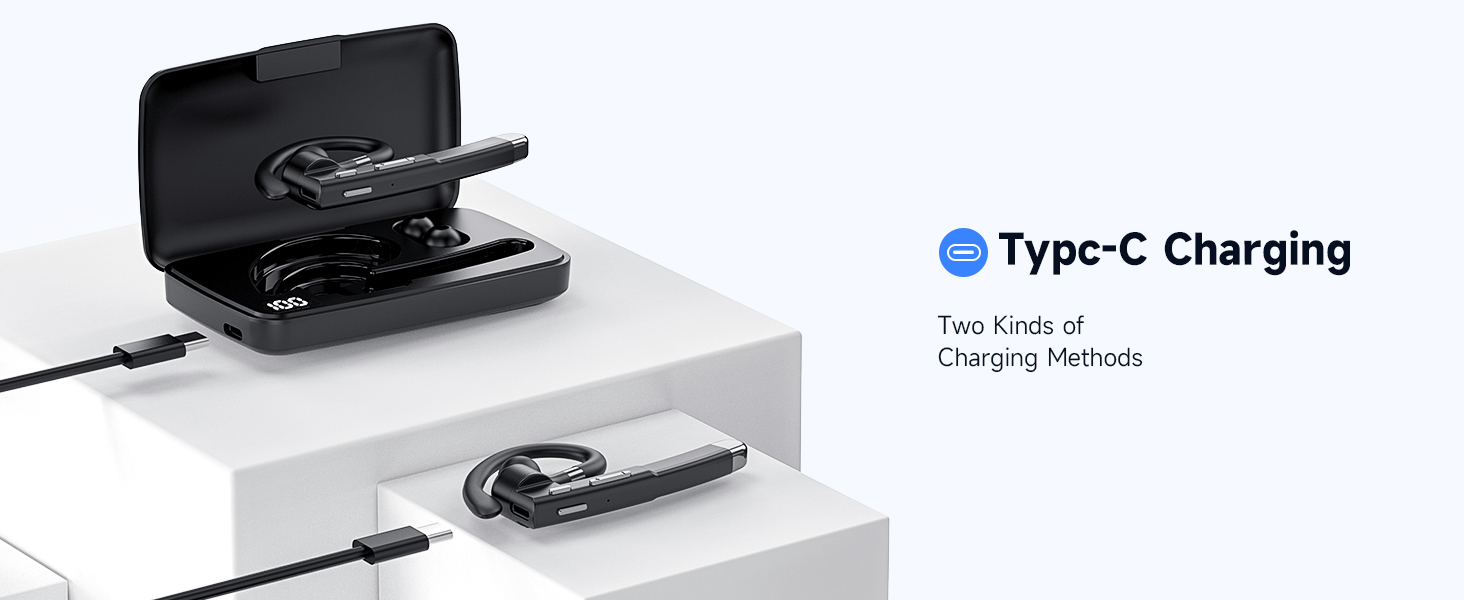
Image: The headset is shown inside its charging case, which is connected to a power source via a USB-C cable, illustrating the charging process.
A full charge provides up to 120 hours of playback with the charging case. Fast charging allows for 1 hour of call time after just 8 minutes of charging.
2. Күйгүзүү/өчүрүү
- Күйгүзүү: Take the headset out of the charging case, or press and hold the multi-function button for approximately 3 seconds until you hear a power-on prompt.
- Өчүрүү: Place the headset back into the charging case, or press and hold the multi-function button for approximately 5 seconds until you hear a power-off prompt.
3. Bluetooth Жупташтыруу
The headset supports one-step quick pairing for a fast and stable connection.
- Ensure the headset is powered on and in pairing mode (indicated by a flashing LED light).
- Түзмөгүңүздө (смартфон, планшет, компьютер) Bluetooth жөндөөлөрүнө өтүңүз.
- Издөө available devices and select "YYK-520" from the list.
- Once connected, the headset LED will stop flashing, and you will hear a connection confirmation.
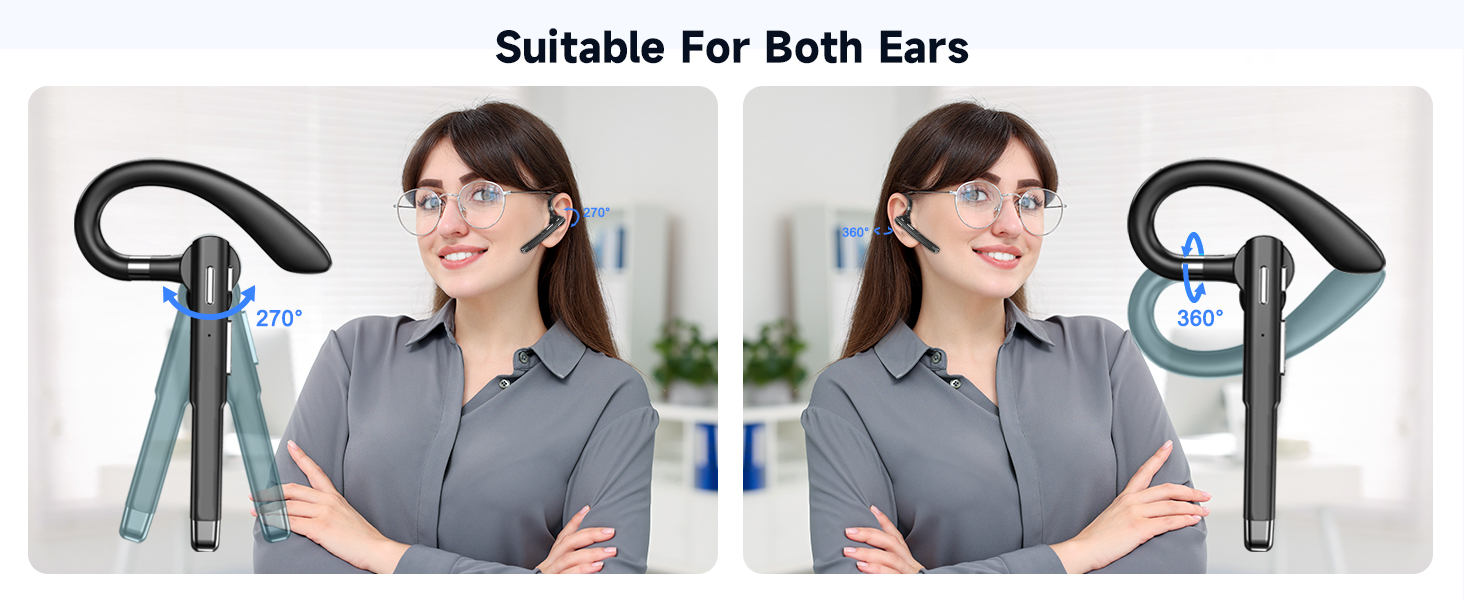
Image: A visual guide demonstrating the one-step pairing process, showing the headset and a smartphone displaying the Bluetooth connection menu.
Иштөө нускамалары
Чалууларды башкаруу
- Чакырууга жооп берүү: Tap the multi-function button once.
- Чакырууну аяктоо: Tap the multi-function button once during a call.
- Чалуудан баш тартуу: Tap the multi-function button twice when an incoming call rings.
- Үнсүз/Ачуу: Press and hold the dedicated mute button during a call.
Музыканы ойнотуу
- Ойнотуу/тындыруу: Tap the multi-function button once.
- Кийинки ыр: Long press the '+' volume button.
- Мурунку ыр: Long press the '-' volume button.
Үндү көзөмөлдөө
- Көлөмүн жогорулатуу: Tap the '+' volume button.
- Көлөмдү азайтуу: Tap the '-' volume button.
Үн жардамчысын иштетүү
Press and hold the multi-function button for 1 second to activate your device's voice assistant (e.g., Siri, Google Assistant).
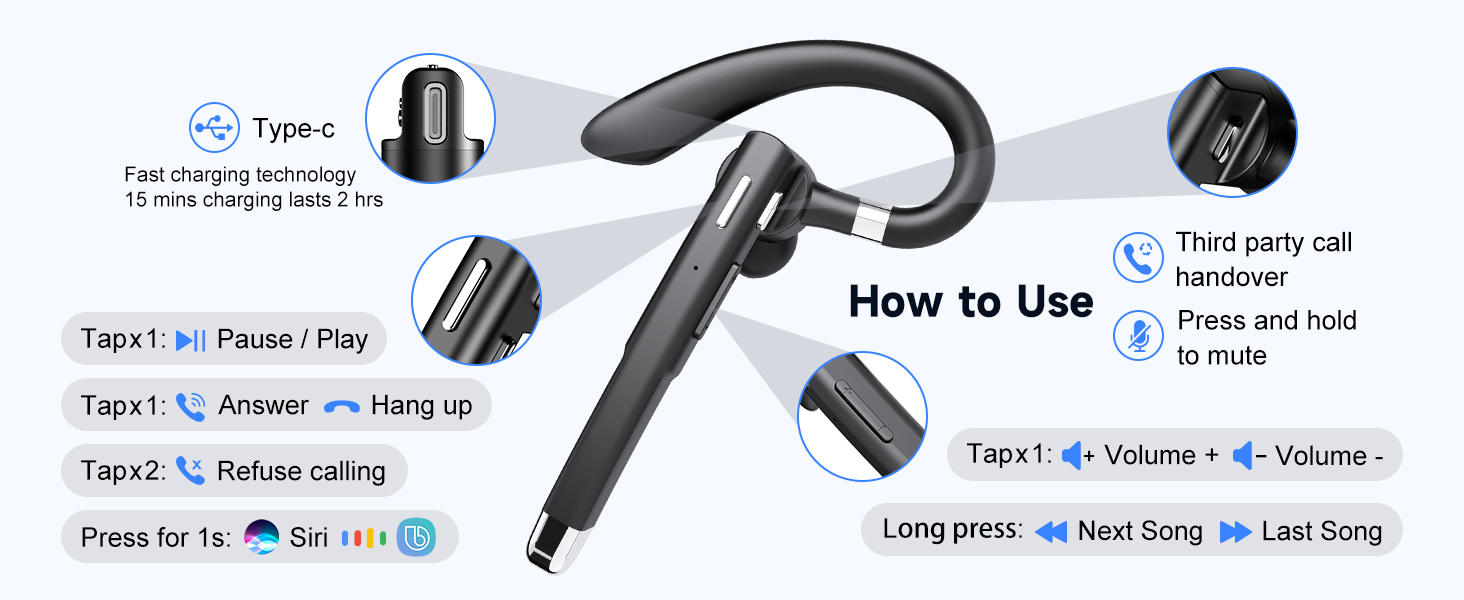
Image: A user demonstrating the voice assistant feature while driving, showing the headset in use and a phone displaying the Siri interface.
Кош түзмөк байланышы
The headset supports simultaneous connection to two different Bluetooth devices, allowing seamless switching between them.
- Connect the headset to the first device as described in the "Bluetooth Pairing" section.
- Disable Bluetooth on the first device. The headset will re-enter pairing mode.
- Connect the headset to the second device.
- Биринчи түзмөктө Bluetooth'ту кайра иштетиңиз. Гарнитура эки түзмөккө тең автоматтык түрдө туташышы керек.
- To switch between devices, pause audio/end call on one device, then initiate audio/call on the other.

Image: The headset is depicted wirelessly connected to two separate smartphones, illustrating its ability to manage both a phone call and music playback from different devices.
Комфорт жана ылайыктуу
The EUQQ YYK-520 headset is designed for all-day comfort with its ergonomic and lightweight structure (approximately 0.4 ounces).
- Adjustable Ear Hook: The ear hook can be rotated 270° and the earpiece 360° to fit comfortably on either your left or right ear.
- Interchangeable Eartips: Three sizes of silicone eartips (S/M/L) are included to ensure a secure and personalized fit, optimizing sound quality and comfort.
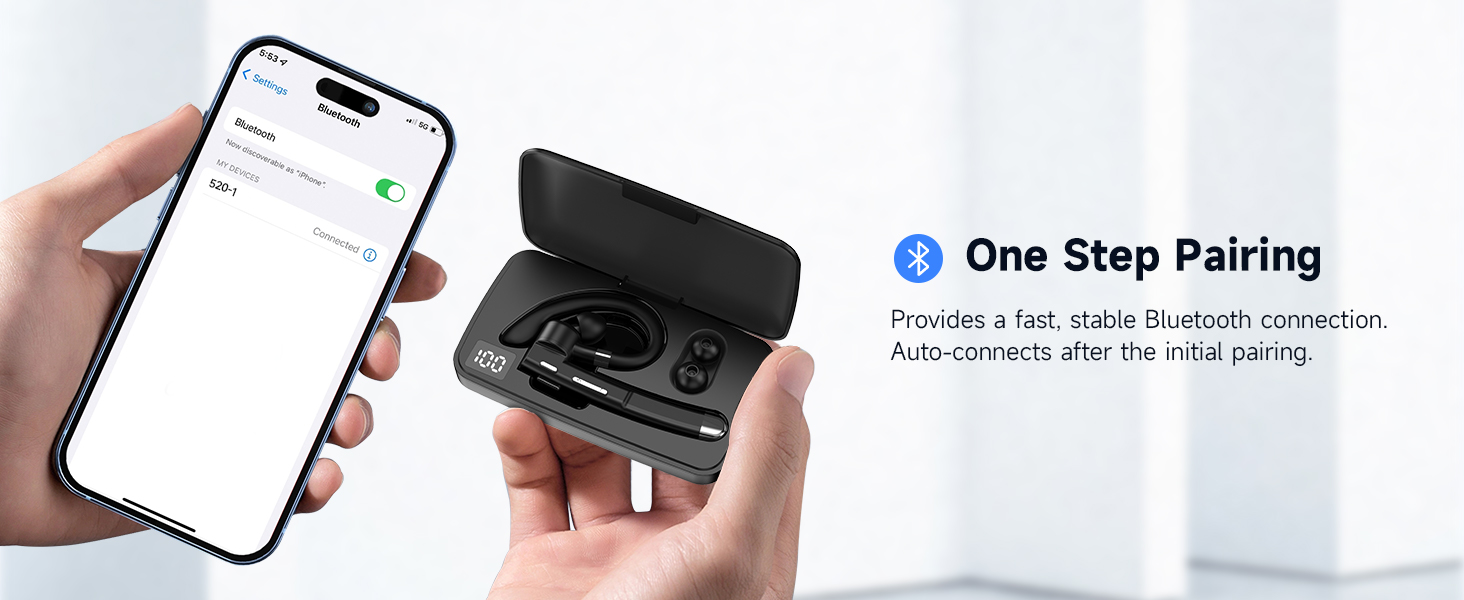
Image: An illustration demonstrating the headset's flexibility, showing how it can be adjusted for both left and right ear wear, along with the three sizes of ear tips.
Техникалык тейлөө
Тийиштүү техникалык тейлөө гарнитураңыздын узак мөөнөттүү иштешин жана жакшы иштешин камсыз кылат.
- Тазалоо: Гарнитураны жана кубаттоочу кутучаны жумшак, кургак, мамыксыз чүпүрөк менен үзгүлтүксүз сүртүп туруңуз. Катуу химиялык заттарды же абразивдүү материалдарды колдонуудан алыс болуңуз.
- Наушниктер: Силикон кулакчындардын учун алып салып, жумшак самын жана суу менен тазалап, кайра орнотуудан мурун жакшылап кургатыңыз.
- Сактагыч: Колдонулбай турган учурда, гарнитураны чаңдан жана бузулуудан коргоо үчүн кубаттоочу кутучасында сактаңыз.
- Нымдуулуктан качыңыз: While the headset is water-resistant, avoid prolonged exposure to water or extreme humidity. Do not submerge it.
- Заряддоо: Кубаттоо үчүн берилген USB-C кабелин жана сертификатталган кубат адаптерин гана колдонуңуз.
Проблемаларды чечүү
| Көйгөй | Мүмкүн чечим |
|---|---|
| Гарнитура күйбөйт. | Ensure the headset is charged. Place it in the charging case or connect directly via USB-C. |
| Түзмөк менен жупташтыруу мүмкүн эмес. |
|
| Үн жок же үнү төмөн. |
|
| Call quality is poor / Noise during calls. |
|
| Гарнитура бат-баттан ажыратылат. |
|
Техникалык шарттар
| Өзгөчөлүк | Деталь |
|---|---|
| Модель аты | YYK-520 |
| Байланыш технологиясы | Зымсыз (Bluetooth) |
| Bluetooth версиясы | 5.3 |
| Bluetooth диапазону | 15 метр |
| Noise Control | Активдүү ызы-чууну жокко чыгаруу (ENC) |
| Батареянын иштөө мөөнөтү (гарнитура) | Up to 24 Hours (with charging case, up to 120 hours total playback) |
| Заряддоо порту | USB-C |
| Башкаруу түрү | Control Button |
| Элемент Салмагы | 0.4 унция (болжол менен 11.3 грамм) |
| Сууга туруктуулук деңгээли | Сууга чыдамдуу |
| Шайкеш түзмөктөр | Smartphones, Tablets, Desktop Computers, TVs |
| Өзгөчөлүктөр | 3D Surround Sound, Noise Isolation, Multi-Microphone, Fast Charging, One Button Mute, Dual Device Connection, Long Playback, Dual Charging Method |
Кепилдик жана колдоо
For warranty information or technical support, please refer to the documentation included with your purchase or contact EUQQ customer service through the retailer where the product was purchased. Keep your proof of purchase for warranty claims.


