Introduction
Thank you for choosing the EUQQ Bluetooth Headset Model 520-1-B. This manual provides detailed instructions on how to set up, operate, and maintain your headset to ensure optimal performance and a clear communication experience. Please read this manual thoroughly before using the device.

Image: The EUQQ Bluetooth Headset Model 520-1-B, a sleek black wireless earpiece with an ear hook design.
Пакеттин мазмуну
Пакетте бардык буюмдар бар экенин текшериңиз:
- 1 x EUQQ Headset
- 1 х заряддоо кутусу
- 1 х USB-C кубаттоо кабели
- 3 x Different Size Eartips (S/M/L)
- 1 х Колдонуучунун колдонмосу (бул документ)
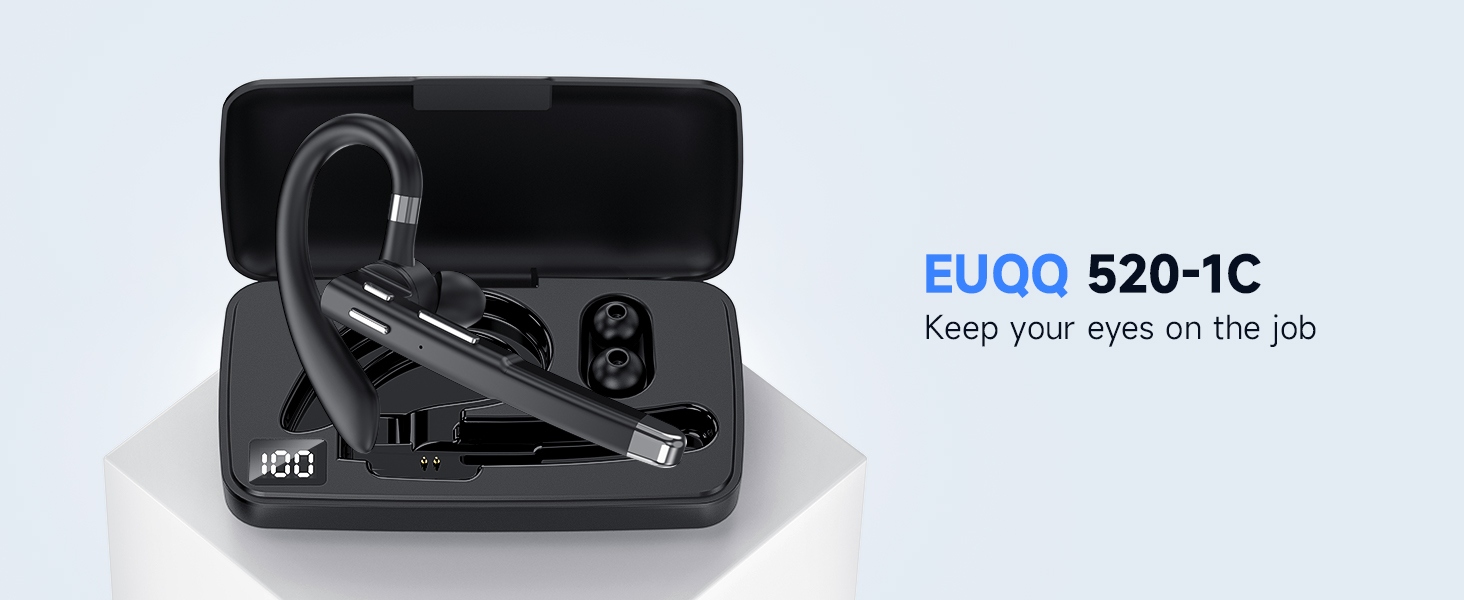
Сүрөт: An overview of the EUQQ Bluetooth Headset package contents, including the headset, charging case, USB-C cable, eartips, and user manual.
Жайгашуу
1. Гарнитураны заряддоо
Before first use, fully charge the headset. Connect the provided USB-C charging cable to the headset's charging port and a compatible USB power source. The charging indicator will show the charging status.
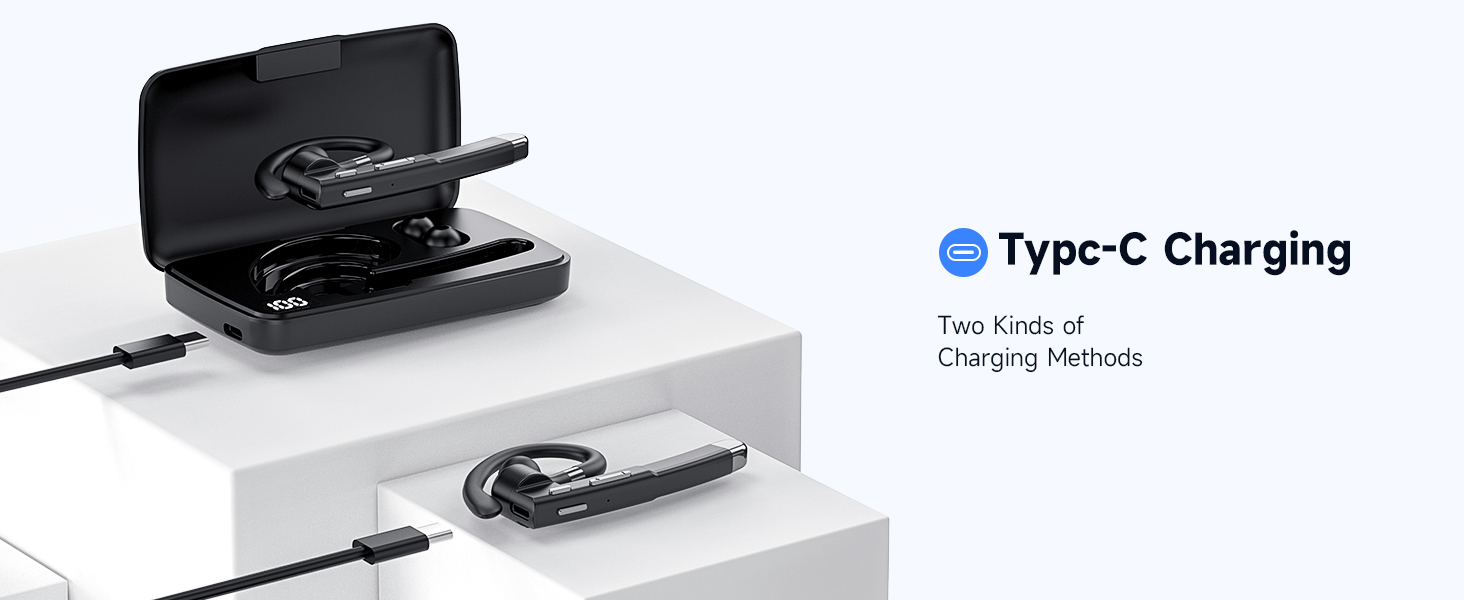
Image: Illustration of the Type-C charging port on the headset and the charging case, demonstrating two methods of charging.
2. Күйгүзүү / Өчүрүү
- Күйгүзүү: Press and hold the Multi-function Button for approximately 3 seconds until the indicator light flashes.
- Өчүрүү: Press and hold the Multi-function Button for approximately 5 seconds until the indicator light turns off.
3. Bluetooth Жупташтыруу
- Гарнитура өчүрүлгөнүн текшериңиз.
- Press and hold the Multi-function Button for about 5-7 seconds until the indicator light flashes red and blue alternately, indicating pairing mode.
- Түзмөгүңүздө (смартфон, планшет, компьютер) Bluetooth иштетип, жеткиликтүү түзмөктөрдү издеңиз.
- Select "EUQQ 520-1B" from the list of found devices.
- Туташкандан кийин индикатор жарыгы көк түстө жай күйөт.
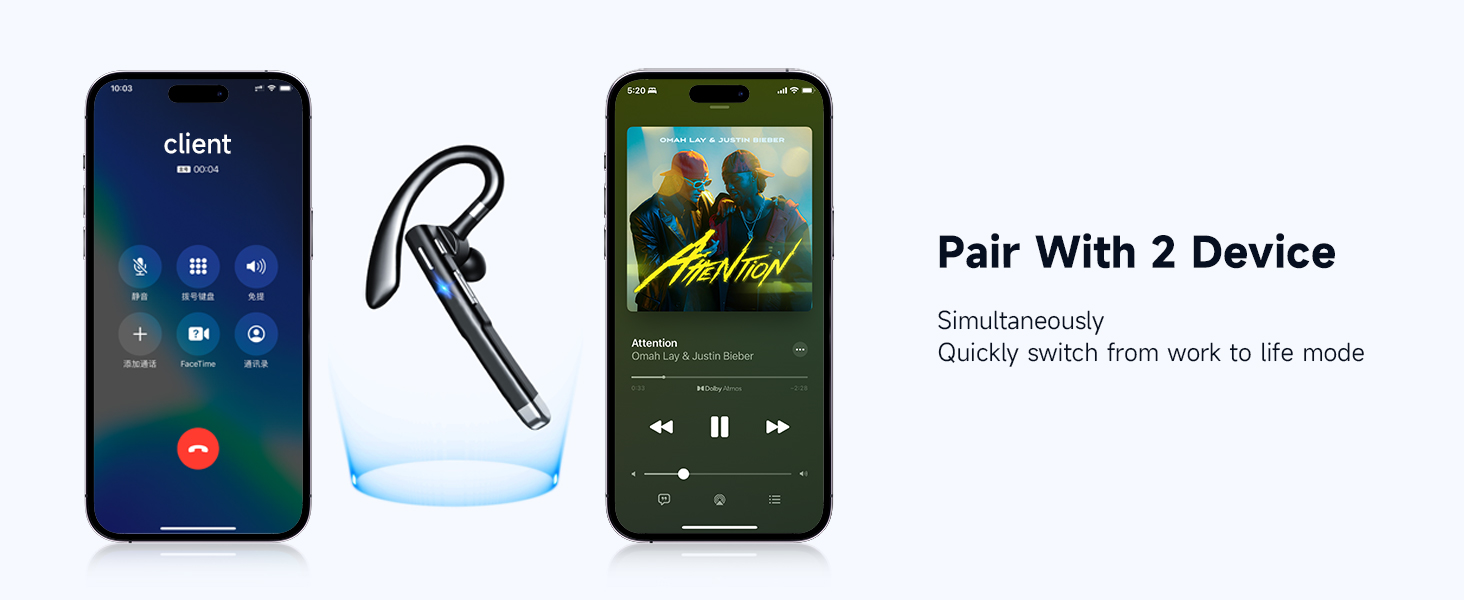
Image: A smartphone screen showing Bluetooth settings with the EUQQ headset listed as connected, demonstrating the one-step pairing process.
The headset supports simultaneous connection to two devices. After connecting to the first device, disable Bluetooth on the first device, pair with the second device, then re-enable Bluetooth on the first device. The headset should connect to both.

Image: The EUQQ Bluetooth Headset positioned between two smartphones, illustrating its ability to connect to two devices concurrently for seamless switching.
4. Гарнитураны тагынуу
The headset is designed for comfort and can be worn on either the left or right ear. Adjust the ear hook for a secure and comfortable fit. Choose the appropriate ear tip size (S/M/L) for optimal sound and comfort.

Image: Diagrams showing the headset's ear hook rotating 270 degrees and the microphone arm rotating 360 degrees, allowing it to be worn on either the right or left ear. Different ear tip sizes (S, M, L) are also shown.
Иштөө нускамалары
Гарнитураны башкаруу
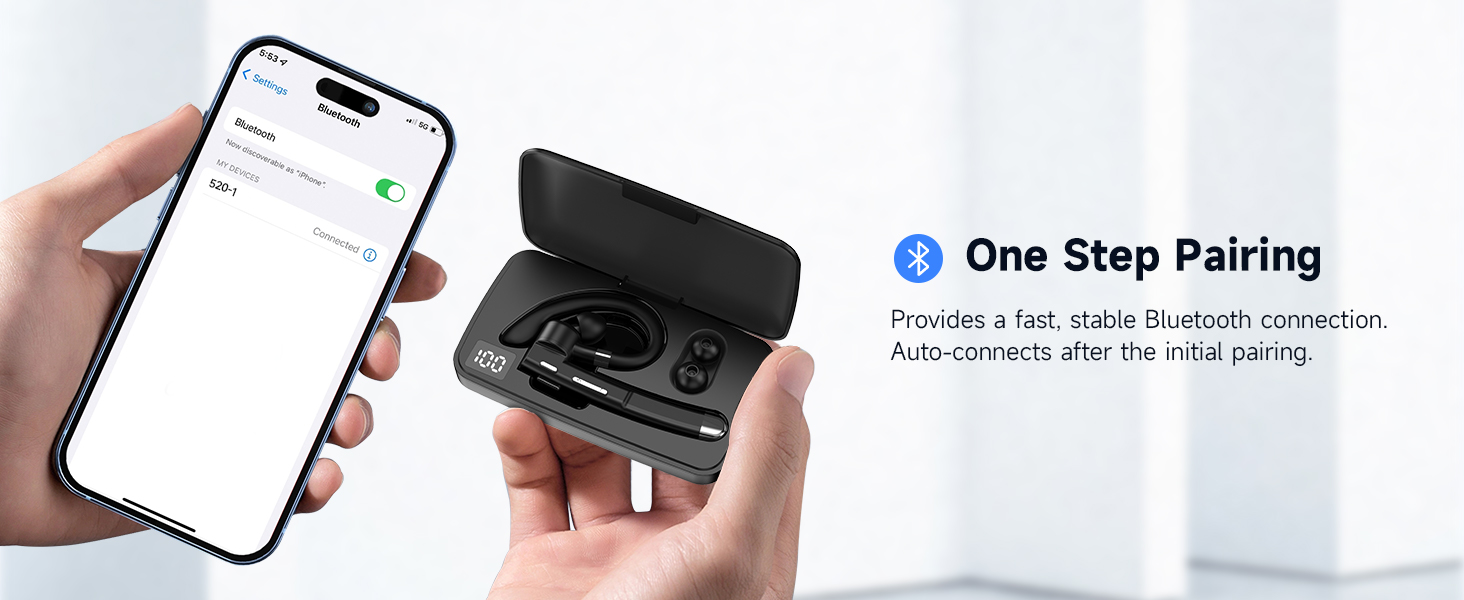
Image: A detailed diagram of the EUQQ Bluetooth Headset highlighting its buttons and their corresponding functions for music playback, call management, volume, and voice assistant activation.
- Ойнотуу/тындыруу: Көп функциялуу баскычты бир жолу басыңыз.
- Чалууга жооп берүү/аяктоо: Tap the Multi-function Button once during an incoming call or active call.
- Чакырууну четке кагуу: Tap the Multi-function Button twice during an incoming call.
- Көлөмү: Tap the Volume + button once.
- Үнүн азайтуу: Tap the Volume - button once.
- Кийинки ыр: Үнү + баскычын узакка басыңыз.
- Мурунку ыр: Үн көлөмү - баскычын узакка басыңыз.
- Үн жардамчысын (Siri) жандыруу: Press the Multi-function Button for 1 second.
- Микрофондун үнүн басуу/ачуу: Press and hold the Mute button (often integrated with volume or a dedicated button) during a call.

Image: A person using the EUQQ Bluetooth Headset while on a video call at a desk, demonstrating the one-button mute function for privacy.
Call Management and Noise Reduction
The headset features advanced ENC (Environmental Noise Cancellation) technology and multiple built-in microphones to ensure clear conversations by reducing background noise. This is particularly useful in noisy environments like offices or while driving.

Image: A man wearing the EUQQ Bluetooth Headset while driving a truck, with a phone screen showing an active call, illustrating the effectiveness of the 4 built-in microphones and noise cancellation in noisy environments.
Техникалык тейлөө
- Тазалоо: Гарнитураны тазалоо үчүн жумшак, кургак чүпүрөктү колдонуңуз. Катуу химиялык заттарды же абразивдүү материалдарды колдонуудан алыс болуңуз.
- Сактагыч: Store the headset in a cool, dry place away from direct sunlight and extreme temperatures. When not in use for extended periods, store it in its charging case.
- Батареяга кам көрүү: Батареянын иштөө мөөнөтүн узартуу үчүн, гарнитураны бат-баттан толук зарядсыздандырбаңыз. Дайыма колдонулбаса да, аны дайыма заряддаңыз.
Проблемаларды чечүү
| Көйгөй | Чечим |
|---|---|
| Гарнитура күйбөйт. | Гарнитуранын кубатталганын текшериңиз. Аны USB-C кабели аркылуу кубат булагына туташтырыңыз. |
| Түзмөк менен жупташтыруу мүмкүн эмес. |
|
| Үн жок же үнү төмөн. |
|
| Чалуу сапаты начар же статикалык. |
|
| Батареянын иштөө мөөнөтү кыска. |
|
Техникалык шарттар
| Өзгөчөлүк | Деталь |
|---|---|
| Модель аты | YYK-520 |
| Элемент моделинин номери | 520-1-Б. |
| Байланыш технологиясы | Зымсыз (Bluetooth) |
| Bluetooth версиясы | 5.3 |
| Bluetooth диапазону | 15 метр (49 фут) |
| Батареянын иштөө мөөнөтү | 24 саатка чейин (сүйлөшүү убактысы) |
| Заряддоо порту | USB-C |
| Noise Control | Активдүү ызы-чууну жокко чыгаруу (ENC) |
| Микрофондор | Built-in (4 microphones for ENC) |
| Наушник формасы | Илмек |
| Салмагы | 0.4 унция (болжол менен 11.3 грамм) |
| Шайкеш түзмөктөр | Cellphones, Desktops, Tablets, Television |
| Сууга туруктуулук деңгээли | Суу өткөрбөйт |
| Жыштык диапазону | 20 Гц - 20 000 Гц |
| Аудио драйверинин өлчөмү | 16.3 миллиметр |
| UPC | 762304992602 |
Кепилдик жана колдоо
For warranty information and customer support, please refer to the documentation included with your purchase or contact the seller directly. Keep your purchase receipt as proof of purchase for any warranty claims.