1. Киришүү
This manual provides essential information for the setup, operation, and maintenance of your HeadRush Core Guitar and Vocal Multi Core Effects Amp Modeling Processor and HeadRush FRFR108 MK2 8-inch 2000W Electric and Bass Guitar Amp with Bluetooth. This powerful and portable system is designed for guitarists, vocalists, and bassists seeking a comprehensive effects and amplification solution for various applications, including live performance, studio recording, and practice.
2. Коопсуздук маалыматы
Бул продуктуну колдонуудан мурун бардык коопсуздук көрсөтмөлөрүн окуп чыгып, түшүнүп алыңыз. Келечекте колдонуу үчүн бул колдонмону сактап коюңуз.
- Кубат булагы: Connect the unit only to the specified power supply. Ensure the voltage сиздин аймак үчүн туура.
- Суу жана ным: Агрегатты жамгырга же нымдуулукка дуушар кылбаңыз. Агрегаттын үстүнө суюктуктар толтурулган нерселерди койбоңуз.
- Жылуулук: Аппаратты радиаторлор, жылуулук регистрлери, мештер же башка аппараттар (анын ичинде) сыяктуу жылуулук булактарынын жанына койбоңуз. amplifiers) that produce heat. Ensure proper ventilation.
- Тейлөө: Бул продуктту өзүңүз тейлөөгө аракет кылбаңыз. Бардык тейлөөнү квалификациялуу тейлөө кызматкерлерине тапшырыңыз.
- Кабелдер: Электр зымдарын басуудан же кысып калуудан сактаңыз, өзгөчө сайгычтарда, розеткаларда жана алар аппараттан чыга турган жеринде.
- Угуу коргоо: Prolonged exposure to high volume levels can cause permanent hearing loss. Use caution when setting volume levels.
3. Пакеттин мазмуну
Төмөндө тизмеленген нерселердин баары пакетиңизге камтылганын текшериңиз:
- HeadRush Core Guitar and Vocal Multi Core Effects Amp Моделдөө процессору
- HeadRush FRFR108 MK2 8-inch 2000W Electric and Bass Guitar Amp Bluetooth менен
- Power Adapter for HeadRush Core
- Power Cable for FRFR108 MK2
- USB кабели
- Ыкчам Старт Жетекчиси
- Коопсуздук жана кепилдик боюнча колдонмо

Unboxing the HeadRush Core processor, showing the unit and included documentation.
4. Продукт бүтүп калдыview
4.1 HeadRush Core Processor
The HeadRush Core is a powerful multi-effects processor designed for guitarists, vocalists, and bassists. It features a 7-inch high-resolution touchscreen for intuitive control and a multi-core processor for extensive sound shaping capabilities.

The HeadRush Core's intuitive 7-inch touchscreen interface and footswitches.
Негизги өзгөчөлүктөрү:
- 7-inch Hi-Res Touchscreen: Provides a clear and responsive interface for creating and editing rigs.
- Көп ядролуу процессор: Powers a vast library of guitar and vocal effects, including amplifier modeling.
- Акылдуу Amp Cloner: Captures the sound, dynamics, and feel of your favorite analog gear.
- Wi-Fi & HeadRush Cloud: Enables sharing of cloned ampс жана микропрограмма жаңыртуулары.
- Vocal FX Suite: Includes Antares Auto-Tune for pitch correction and other vocal effects like doubler, reverb, delay, distortion, and compression.
- Built-in Looper: Allows for dynamic performances and songwriting with the ability to save loops as .WAV files.
- USB аудио интерфейси: Facilitates direct recording to Mac/PC at up to 24-bit 96 kHz.
- Bluetooth Audio Receiver: For wireless audio playback from mobile devices.

Деталдаштырылган view of the Vocal FX Suite, including Antares Auto-Tune.
4.2 FRFR108 MK2 Speaker
The HeadRush FRFR108 MK2 is an 8-inch, 2000-watt full-range, flat-response powered speaker designed to accurately reproduce the tones from your HeadRush Core or other amp модельерлер.

The FRFR108 MK2 speaker, highlighting its 2000-watt output.
Негизги өзгөчөлүктөрү:
- 2000-Watt Powered Ampөмүр берүүчү: Delivers powerful and clear sound.
- Full-Range, Flat-Response (FRFR): Ensures accurate reproduction of modeled guitar and vocal tones.
- 8-inch Specially-Voiced Woofer: For robust low-end response.
- 1-inch High-Frequency Compression Driver: For crisp highs.
- Ийкемдүү жайгаштыруу: Can be used as a wedge monitor, pole-mounted, or stood upright.
- Bluetooth байланышы: For wireless audio streaming from external devices.
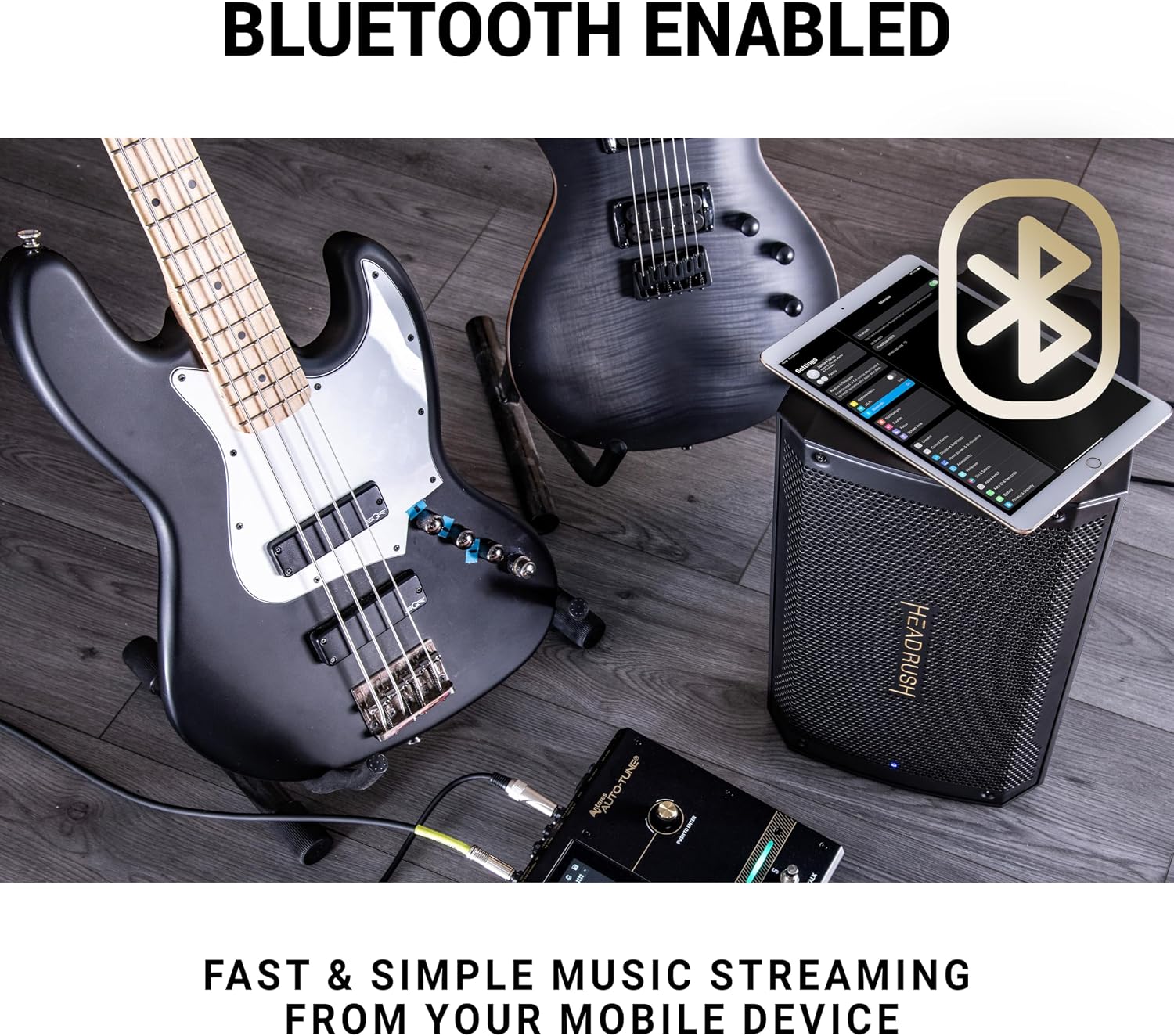
The FRFR108 MK2 speaker's Bluetooth capability for easy music streaming.
4.3 Connections (HeadRush Core)
The HeadRush Core offers a comprehensive set of input and output connections for various setups:
- Гитарада: 1/4" (6.35mm) input for electric guitars.
- Микрофон киргизүү: Combo XLR + 1/4" (6.35mm) input with switchable phantom power for microphones.
- Stereo XLR Outputs: Left (Mono) and Right XLR outputs for connecting to a PA system or FRFR speaker.
- Stereo 1/4" Outputs: Left (Mono) and Right 1/4" (6.35mm) outputs.
- Наушниктердин чыгышы: 1/8" (3.5mm) stereo output for monitoring.
- FX цикли: 1/4" (6.35mm) stereo FX Send and FX Return for integrating external effects pedals.
- MIDI I/O: 5-Pin MIDI In and MIDI Out/Thru for MIDI control.
- USB A & B: USB A for external storage, USB B for computer connection (audio interface).
- Expression Pedal киргизүү: 1/4" (6.35mm) input for an external expression pedal.
- Aux Киргизүү: 1/8" (3.5mm) input for external audio devices.
5. Орнотуу
5.1 Баштапкы кутудан чыгаруу жана жайгаштыруу
- Carefully remove the HeadRush Core and FRFR108 MK2 from their packaging.
- Place the HeadRush Core on a stable, flat surface.
- Position the FRFR108 MK2 speaker in your desired configuration (e.g., floor wedge, pole-mounted, or upright). Ensure it is stable and not obstructing ventilation.
5.2 Системаны туташтыруу
- Кубат туташуу:
- Connect the included power adapter to the HeadRush Core's DC IN port and then to a power outlet.
- Connect the FRFR108 MK2's power cable to its AC input and then to a power outlet.
- Audio Connection (Core to FRFR108 MK2):
- Using a standard XLR cable, connect one of the HeadRush Core's XLR OUTPUTs (Left/Mono is recommended for single speaker setup) to the XLR INPUT of the FRFR108 MK2.
- Alternatively, use a 1/4" (6.35mm) TS cable to connect the HeadRush Core's 1/4" OUTPUT to the FRFR108 MK2's 1/4" INPUT.
- Instrument/Microphone Connection:
- For guitar/bass, connect your instrument to the HeadRush Core's ГИТАРА IN (1/4" input).
- For vocals, connect your microphone to the HeadRush Core's MIC КИРИШИ (XLR/1/4" combo). If using a condenser microphone, ensure phantom power is enabled via the switch next to the input.
- Кошумча туташуулар:
- Connect an external expression pedal to the EXPR киргизүү.
- For external effects, connect them to the FX ЖӨНӨТҮҮ жана FX RETURN порттор.
- For computer recording, connect a USB cable from the HeadRush Core's USB B port to your computer.
- For MIDI control, connect MIDI devices to the MIDI IN жана MIDI OUT / THRU порттор.
5.3 Күйгүзүү
- Бардык байланыштар коопсуз экенин текшериңиз.
- Turn on the FRFR108 MK2 speaker first.
- Press the POWER button on the HeadRush Core to turn it on. The touchscreen will illuminate, and the unit will boot up.
- Adjust the MAIN volume knob on the HeadRush Core and the volume on the FRFR108 MK2 to a low setting before playing.
6. Иштөө
The HeadRush Core's 7-inch touchscreen is the primary interface for operation. Most functions are accessible via touch gestures and on-screen menus.
6.1 Негизги навигация
- таптаңыз: Select items, open menus, or activate functions.
- Сүйрөө: Reorder effects in a rig, adjust parameters.
- Серпүү: Navigate through lists or pages.
- Чымчып-кичирейтүү: тууралаңыз view of your rig.
6.2 Rigs and Presets
The HeadRush Core organizes sounds into 'Rigs', which are complete signal chains of amplifiers, cabinets, and effects. You can load, edit, and save your own custom rigs.
- Loading Rigs: Tap the 'Rig' icon on the touchscreen to browse and load different presets.
- Editing Rigs: Tap on any block (amp, cab, effect) in the signal chain to adjust its parameters. Drag and drop blocks to change their order.
- Saving Rigs: After making changes, tap the 'Save' icon to store your custom rig.
6.3 Циклдик функция
The built-in looper allows you to record and layer audio phrases. Activate the looper via its dedicated footswitch or the touchscreen.
- Жаздыруу: Tap the looper footswitch once to start recording.
- Overdub: Tap again to switch to overdub mode and add layers.
- Ойнотуу/Токтоо: Double-tap to stop playback, single-tap to resume.
- Артка кайтаруу/кайталоо: Use on-screen controls to undo or redo the last recorded layer.
- Save Loops: Loops can be saved as .WAV files to internal storage or a connected USB drive.

The HeadRush Core's looper interface, showing controls for recording and playback.
6.4 Vocal Effects and Antares Auto-Tune
The HeadRush Core includes a dedicated suite of vocal effects, prominently featuring Antares Auto-Tune for real-time pitch correction.
- Activating Vocal FX: Add vocal effect blocks to your rig chain.
- Antares Auto-Tune: Tap the Auto-Tune block to access its settings. Adjust key, scale, tracking, and humanize parameters for desired pitch correction.
- Other Vocal Effects: Explore and customize effects like Doubler, Reverb, Delay, Distortion, Compression, and EQ.
6.5 Amp Cloning and Cloud Sharing
Акылдуу Amp Cloner allows you to capture the sonic characteristics of your physical amplifiers and pedals. With built-in Wi-Fi, you can share these clones via the HeadRush Cloud.
- Клондоо: Follow the on-screen instructions in the 'Cloner' section to capture your gear.
- Wi-Fi туташуусу: Access Wi-Fi settings to connect to a wireless network.
- Булут менен бөлүшүү: Upload and download cloned profiles from the HeadRush Cloud community.
6.6 Bluetooth Audio Streaming (FRFR108 MK2)
The FRFR108 MK2 speaker features Bluetooth connectivity for wireless audio playback from your mobile device, ideal for practice or backing tracks.
- Ensure the FRFR108 MK2 is powered on.
- Мобилдик түзмөгүңүздө Bluetooth'ду жандырыңыз.
- Select "HeadRush FRFR108 MK2" from your device's Bluetooth pairing list.
- Жупташтырылгандан кийин, түзмөгүңүздөгү аудио динамик аркылуу ойнотулат.
7. Техникалык тейлөө
Proper maintenance ensures the longevity and optimal performance of your HeadRush system.
- Тазалоо: Use a soft, dry cloth to clean the exterior of both units. For the touchscreen, use a microfiber cloth specifically designed for electronics. Do not use abrasive cleaners or solvents.
- Программалык камсыздоонун жаңыртуулары: Periodically check the HeadRush website or use the Wi-Fi feature on the Core for available firmware updates. Updates often include new features, bug fixes, and performance improvements. Follow the instructions provided with the update carefully.
- Сактагыч: When not in use for extended periods, store the units in a dry, dust-free environment.
- Кабелдик башкаруу: Ensure cables are not tangled or stressed, which can lead to damage.
8. Кыйынчылыктарды
Эгерде сизде көйгөйлөр пайда болсо, төмөнкү негизги көйгөйлөрдү чечүү кадамдарын колдонуп көрүңүз:
- Кубат жок: Ensure both units are properly connected to a working power outlet. Check power cables for damage.
- Үн жок:
- Verify all audio cables are securely connected between your instrument, the Core, and the FRFR108 MK2.
- Check volume levels on the Core (MAIN knob) and the FRFR108 MK2.
- Ensure the correct input is selected on the FRFR108 MK2 if applicable.
- Check that no effects blocks are bypassed or muted in your rig on the Core.
- Бурмаланган үн:
- Reduce input gain on the Core or output volume on your instrument.
- Check for clipping indicators on the Core's display.
- Ensure the FRFR108 MK2's volume is not set too high, causing speaker distortion.
- Bluetooth жупташтыруу маселелери: Ensure the FRFR108 MK2 is in pairing mode and no other device is currently connected. Try forgetting the device on your mobile phone and re-pairing.
- Түзмөк катып калат/жооп бербейт: Try restarting the unit by powering it off and on again. If the issue persists, consult the HeadRush support webөркүндөтүлгөн көйгөйлөрдү чечүү же заводдук баштапкы абалга келтирүү процедуралары үчүн сайт.
9. Техникалык шарттар
| Өзгөчөлүк | Description |
|---|---|
| Продукт аты | HeadRush Core and FRFR108 MK2 Bundle |
| HeadRush Core Display | 7-inch High-Resolution Touchscreen |
| FRFR108 MK2 Output Wattage | 2000 Ватт |
| FRFR108 MK2 Speaker Size | 8-inch Woofer, 1-inch High-Frequency Compression Driver |
| Шайкеш түзмөктөр | Guitars, Microphones, Basses |
| Connectivity (Core) | XLR, 6.35mm Jack, 3.5mm Jack, USB, 5-Pin MIDI I/O, Wi-Fi, Bluetooth |
| Connectivity (FRFR108 MK2) | XLR, 6.35mm Jack, Bluetooth |
| Power Source | AC Adapter (Core), AC Power Cable (FRFR108 MK2) |
| Weight (FRFR108 MK2) | 21 фунт |
10. Кепилдик жана колдоо
For warranty information and technical support, please refer to the included Safety & Warranty Manual or visit the official HEADRUSH webсайт. Кепилдик дооматтар үчүн сатып алганыңыздын далилин сактаңыз.
Онлайн ресурстар:


