Introduction
This manual provides instructions for the BIGASUO Frameo 10.1-inch and 15.6-inch WiFi Digital Picture Frames. These frames allow you to instantly share photos and videos with family and friends using the Frameo app. Please read this manual thoroughly before operating your device to ensure proper use and optimal performance.
The 10.1-inch model features a 1280 x 800 HD IPS touch screen, while the 15.6-inch model offers a 1920 x 1080 FHD IPS touch screen with an integrated LED light.
Пакеттин мазмуну
- BIGASUO Frameo 10.1-inch Digital Picture Frame
- BIGASUO Frameo 15.6-inch Digital Picture Frame
- Кубаттуу адаптер (x2)
- User Manual
- Stands (x2)
Жайгашуу
1. Күйгүзүү
- Connect the power adapter to the digital picture frame.
- Кубат адаптерин розеткага сайыңыз. Рамка автоматтык түрдө күйөт.
2. Баштапкы конфигурация
- Follow the on-screen prompts to select your language and time zone.
- Connect the frame to your Wi-Fi network. Select your network from the list and enter the password.
3. Installing the Frameo App
To send photos and videos to your frame, you need to download the Frameo app on your smartphone or tablet.
- For Android devices, search for "Frameo" in the Google Play Store.
- For iOS devices, search for "Frameo" in the Apple App Store.

Image: Instructions for downloading the Frameo app from app stores, showing a smartphone with the app interface and a digital frame displaying a family photo. This image illustrates the instant and wireless sharing capability.

Image: A smartphone displaying the Frameo app interface, with an arrow indicating wireless sharing of photos to a digital picture frame. The frame shows a photo of people enjoying watermelon, demonstrating instant wireless sharing.
4. Pairing Your Frame with the App
- Смартфонуңузда Frameo тиркемесин ачыңыз.
- Follow the app's instructions to add a new frame. You will typically need to enter a unique code displayed on your digital picture frame.
- Жупташтырылгандан кийин, сиз сүрөттөрдү жана видеолорду жөнөтө баштасаңыз болот.
Иштөө нускамалары
Сүрөттөрдү жана видеолорду жөнөтүү
- Via Frameo App: Open the Frameo app, select the photos or videos you wish to send, choose the recipient frame, and tap send. Note that videos sent via the Frameo app are limited to 15 seconds in length.
- SD карта аркылуу: Insert an SD card containing photos (JPG/JPEG/BMP/PNG) or videos (MP4) into the frame's SD card slot. The frame will detect the card and allow you to import media. There is no time limit for videos imported via SD card.
- Via USB Drive (15.6-inch model only): For the 15.6-inch frame, you can also insert a USB drive with media files into the USB port to import photos and videos.

Image: A digital picture frame displaying various family photos, with icons for SD card and USB drive, highlighting the 32GB internal memory and support for external storage options.
Frame Settings and Features
- Автоматтык айлантуу: The frames automatically adjust photo orientation based on how the frame is positioned (horizontal or vertical).
- Дубалга орнотуу: Both frames can be placed on a desk using the included stand or mounted on a wall.
- Display Captions: You can add captions to your photos via the Frameo app. These captions will be displayed in the lower-left corner of the frame.
- Ыңгайлаштырылган жөндөөлөр: Access the frame's settings menu to adjust:
- Slideshow mode and interval
- Ойнотуу тартиби
- Hiding or publishing images
- Жөнгө салынуучу жарыктык
- Sleep mode schedule
- Multi-User Connection: Your digital frame supports connections from multiple users, allowing various family members or friends to send photos to the same frame. You can also send photos to multiple frames from one app.

Image: A digital picture frame displaying a group photo, surrounded by multiple user profile icons, illustrating the multi-user connection feature where several people can send photos to the frame.

Image: Two digital picture frames, one in portrait orientation on a desk and another in landscape orientation mounted on a wall, demonstrating the auto-rotate and wall-mounted features.
15.6-inch Frame Specific Features
- Customized LED Lighting Effect: The 15.6-inch frame includes an LED light. You can adjust the color, turn the light on/off, and modify its brightness through the frame's settings.

Image: A 15.6-inch digital picture frame displaying a family photo, with an overlay showing the settings menu for customizing LED lighting effects, including color adjustment and brightness control.
Техникалык тейлөө
Рамканы тазалоо
- Экранды жумшак, түксүз чүпүрөк менен акырын сүртүңүз. өжөр тактар үчүн, бир аз гampчүпүрөккө суу же экранды тазалоо эритмеси.
- Do not use abrasive cleaners or solvents, as these can damage the screen or frame finish.
- Wipe the frame's body with a dry, soft cloth.
Камдык көчүрмөнү сактоо жана калыбына келтирүү
The frame includes a backup and restore function within its settings. It is recommended to regularly back up your photos and settings to an SD card to prevent data loss.
Проблемаларды чечүү
- Кадр күйгүзүлбөйт: Кубат адаптери рамкага жана иштеп жаткан розеткага бекем туташтырылганын текшериңиз.
- Wi-Fi'га туташпай жатат: Verify your Wi-Fi password is correct. Ensure the frame is within range of your Wi-Fi router. Try restarting your router and the frame.
- Photos/Videos not appearing:
- Check if the Frameo app is successfully paired with your frame.
- Ensure your device has an active internet connection when sending via the app.
- Verify that the media files are in supported formats (JPG/JPEG/BMP/PNG for photos, MP4 for videos).
- If using an SD card or USB drive, ensure it is properly inserted and the files are in the root directory or easily accessible folders.
- Экран жооп бербей жатат: Try restarting the frame by unplugging and re-plugging the power adapter. If the issue persists, contact customer support.
Техникалык шарттар
10.1-inch Frame
| Экрандын өлчөмү: | 10.1 дюйм |
| Дисплей түрү: | IPS HD сенсордук экран |
| Чечим: | 1280 x 800 |
| Ички эстутум: | 32 ГБ |
| Сүрөт форматтары: | JPG, JPEG, BMP, PNG |
| Видео форматтары: | MP4 |
| Тышкы сактагыч: | SD карта |
15.6-inch Frame
| Экрандын өлчөмү: | 15.6 дюйм |
| Дисплей түрү: | IPS FHD Touch Screen with LED Light |
| Чечим: | 1920 x 1080 |
| Ички эстутум: | 32 ГБ |
| Сүрөт форматтары: | JPG, JPEG, BMP, PNG |
| Видео форматтары: | MP4 |
| Тышкы сактагыч: | SD Card, USB Drive |
Жалпы мүнөздөмөлөр:
- Байланыш: Wi-Fi
- Колдонмо шайкештиги: Frameo (Android & iOS)
- Монтаждоо параметрлери: Desk Stand, Wall Mountable
- ASIN: B0DHGWC2YT

Image: A 10.1-inch digital photo frame displaying a family photo, surrounded by icons and text highlighting its key features such as Frameo app compatibility, WiFi, photo/video support, IPS touchscreen, multi-user connectivity, 32GB built-in memory, sleep mode, slideshow, and adjustable brightness.
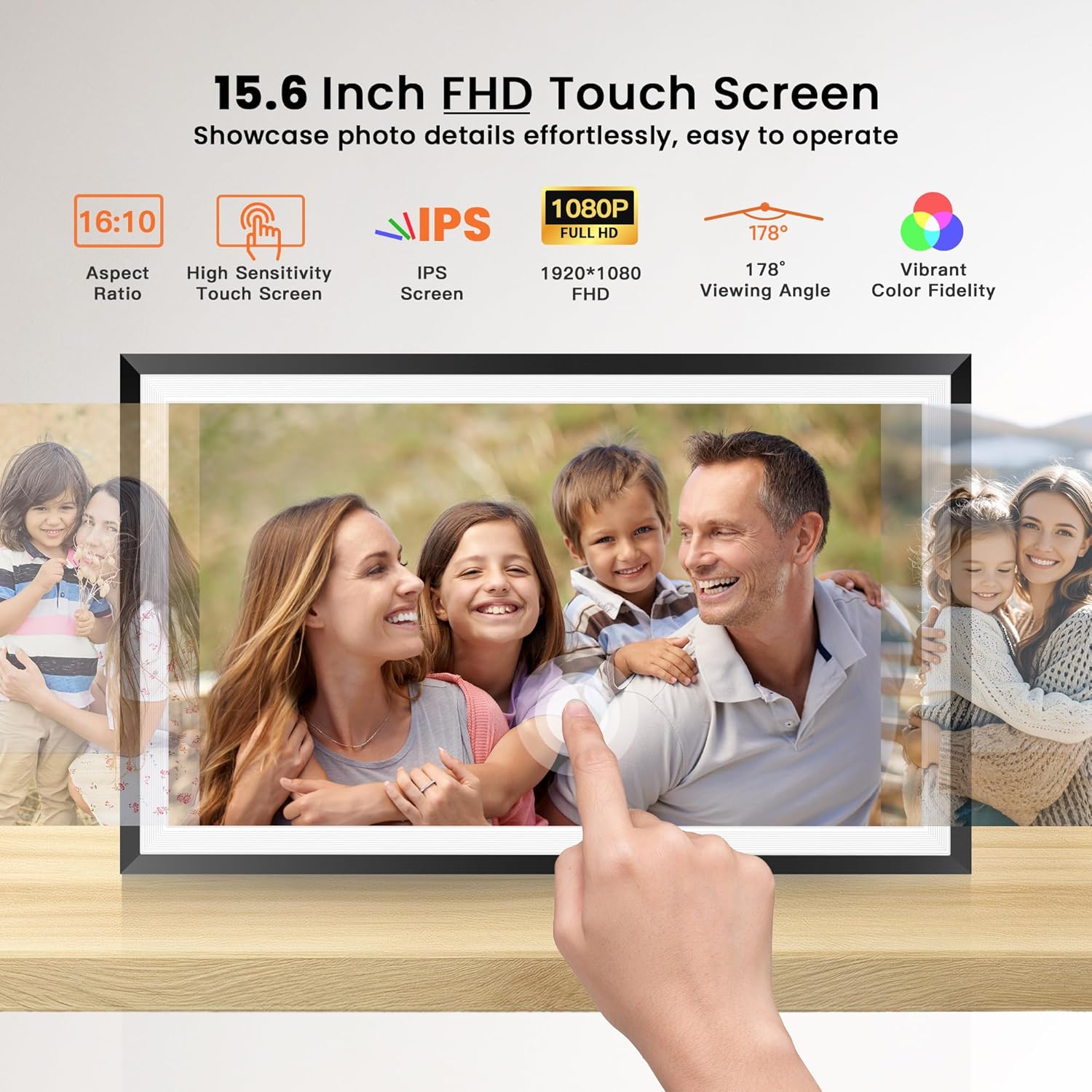
Image: A 15.6-inch digital photo frame displaying a family photo, with an overlay detailing its FHD touch screen specifications including 16:10 aspect ratio, high sensitivity touch, IPS screen, 1920x1080 FHD resolution, 178-degree viewing angle, and vibrant color fidelity.
Кепилдик жана колдоо
Кепилдик маалымат
Please refer to the warranty card included in your product packaging or visit the official BIGASUO website for detailed warranty information regarding your digital picture frames.
Кардарларды колдоо
For technical assistance, troubleshooting not covered in this manual, or other inquiries, please contact BIGASUO customer support. Contact details can typically be found on the product packaging, the official BIGASUO webсайты же сатып алуу платформасы аркылуу.


