1. Киришүү
This manual provides comprehensive instructions for the setup, operation, and maintenance of your MOZA R3 Bundle. Please read this manual thoroughly before using the product to ensure proper functionality and safety.
The MOZA R3 Bundle is a high-performance racing wheel and pedal set designed for an immersive simulation racing experience on PC and Xbox platforms.
2. Пакеттин мазмуну
Пакетте бардык компоненттер бар экенин текшериңиз:
- MOZA R3 Racing Wheel
- MOZA R3 дөңгөлөк базасы
- Педаль топтому
- Кубаттуу адаптер
- USB кабели
- Монтаждоочу жабдык
- Колдонуучунун Колдонмосу (бул документ)
Сүрөт: бүттүview of the MOZA R3 Bundle components, including the racing wheel, base, and pedals.
3. Орнотуу жана орнотуу
3.1 Дөңгөлөктүн негизин орнотуу
Securely mount the MOZA R3 Wheel Base to a stable desk or racing cockpit using the provided mounting hardware. Ensure the base is firmly attached to prevent movement during use.

Image: The MOZA R3 Wheel Base securely mounted on a racing cockpit, demonstrating a typical setup.
3.2 Attaching the Racing Wheel
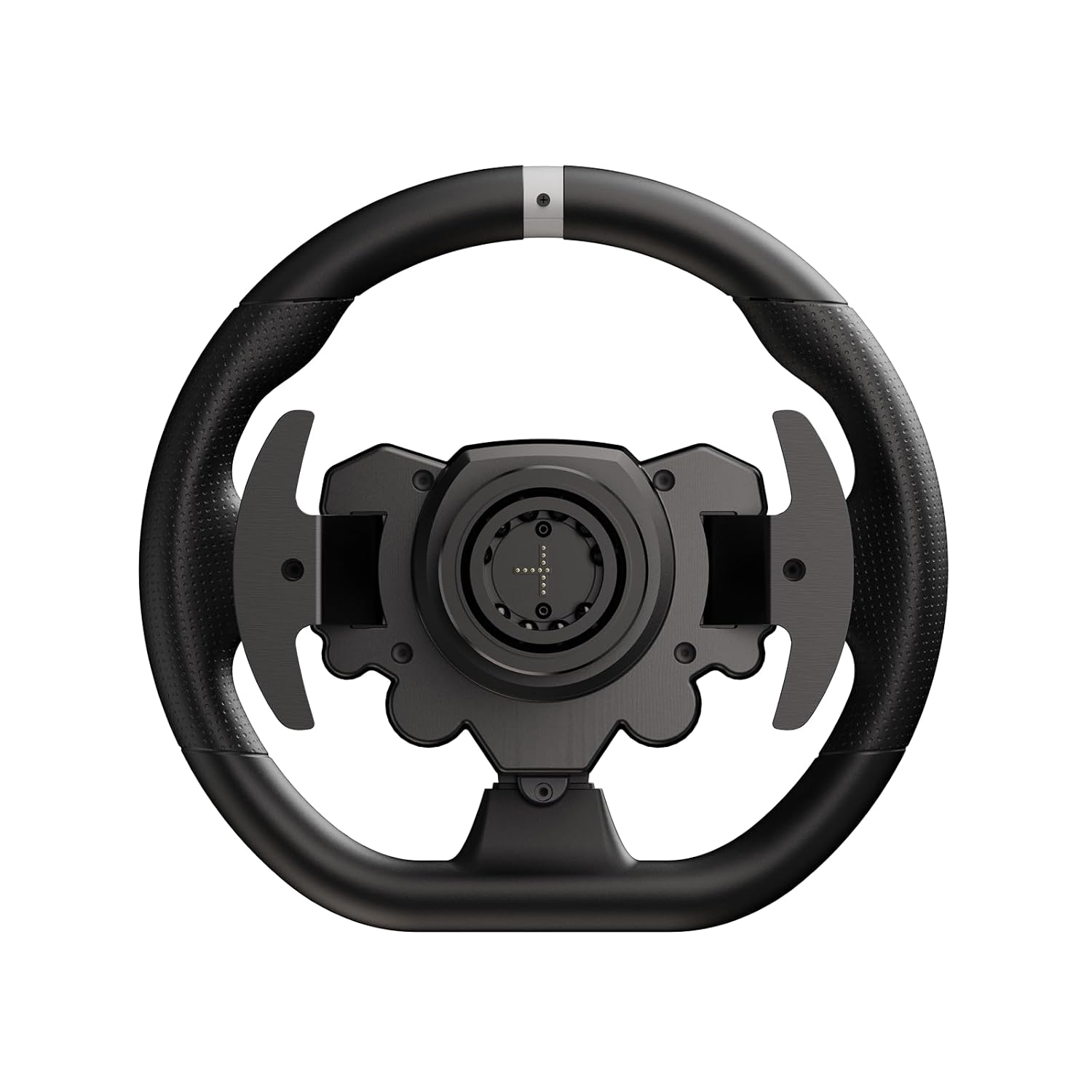
Align the quick-release mechanism of the MOZA R3 Racing Wheel with the shaft on the wheel base. Push the wheel firmly onto the shaft until it clicks into place. Ensure it is fully seated and locked.
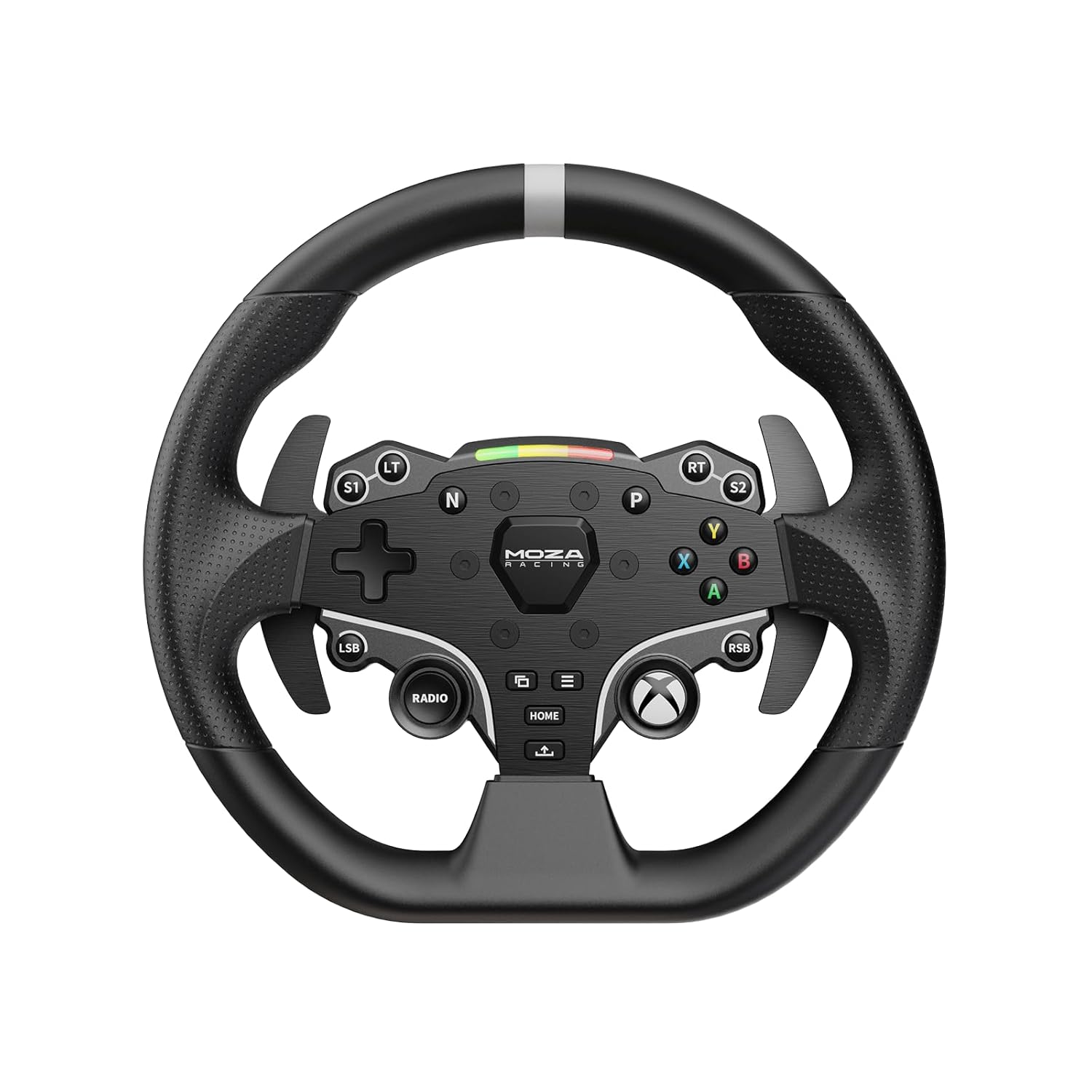
Сүрөт: алдыңкы view of the MOZA R3 Racing Wheel, showing the button layout and quick-release mechanism.

Сүрөт: Арткы view of the MOZA R3 Racing Wheel, highlighting the paddle shifters and quick-release attachment point.
3.3 Педальдарды туташтыруу
Connect the pedal set to the designated port on the MOZA R3 Wheel Base using the provided cable. Ensure the connection is secure.
3.4 Кубат жана USB туташуу
- Кубат адаптерин дөңгөлөктүн түбүнө, андан кийин розеткага туташтырыңыз.
- Connect the USB cable from the wheel base to your PC or Xbox console.
4. Иштөө нускамалары
4.1 Күйгүзүү/өчүрүү
To power on the MOZA R3 Bundle, ensure all connections are secure and plug in the power adapter. The system will automatically power on. To power off, unplug the power adapter.
4.2 PC and Xbox Compatibility
The MOZA R3 Bundle is compatible with both PC and Xbox. To switch between modes, hold down the designated buttons on the wheel. For PC use, ensure the latest MOZA Pit House software and drivers are installed for optimal performance and customization. For Xbox, the wheel will be recognized automatically.
4.3 Баскыч функциялары
The MOZA R3 Racing Wheel features a variety of programmable buttons and paddle shifters. Consult your game's control settings to customize button assignments for your preferred racing experience.

Image: Close-up of the MOZA R3 Racing Wheel's central panel, showing the illuminated buttons and the MOZA Racing logo.
5. Техникалык тейлөө жана кам көрүү
- Keep the product clean by wiping it with a soft, dry cloth. Avoid using abrasive cleaners or solvents.
- Store the wheel and pedals in a dry environment, away from direct sunlight and extreme temperatures.
- Regularly check all connections for security.
6. Кыйынчылыктарды
| Көйгөй | Мүмкүн себеп | Чечим |
|---|---|---|
| Wheel not recognized by PC/Xbox | Loose USB connection, outdated drivers (PC), incorrect mode. | Ensure USB cable is securely connected. For PC, install/update MOZA Pit House software. Verify correct mode (PC/Xbox) is selected. |
| Күч колдонбостон пикир билдирүү | Force Feedback disabled in game or software, power issue. | Check in-game Force Feedback settings. Ensure wheel base is powered on. Update drivers. |
| Pedals unresponsive | Loose pedal connection. | Verify the pedal cable is securely connected to the wheel base. |
7. Техникалык шарттар
- Продукт аты: MOZA R3 Bundle
- Модел: R3 Bundle
- Шайкештик: PC, Xbox
- Өндүрүүчү: Гудсен
- ASIN: B0DHHHCQC4
8. Кепилдик жана колдоо
Кепилдик жөнүндө маалымат жана техникалык колдоо алуу үчүн, сураныч, расмий MOZA Racing сайтына кириңиз webсайтка же түздөн-түз кардарларды тейлөөгө кайрылыңыз. Кепилдик дооматтар үчүн сатып алганыңыздын далилин сактаңыз.
MOZA жарышынын расмий өкүлү Webсайт: mozaracing.com


