1. Продукт бүтүп калдыview
DDPAI MINI2X Dash Cam - бул так жана деталдуу сүрөттөрдү тартуу үчүн иштелип чыккан жогорку өндүрүмдүү унаа жазуусу.tage of your journeys. Featuring 2K QHD 1440p resolution, advanced night vision, and intelligent parking monitoring, it provides enhanced security and peace of mind on the road. Its compact and rotatable design ensures versatile placement and comprehensive coverage.
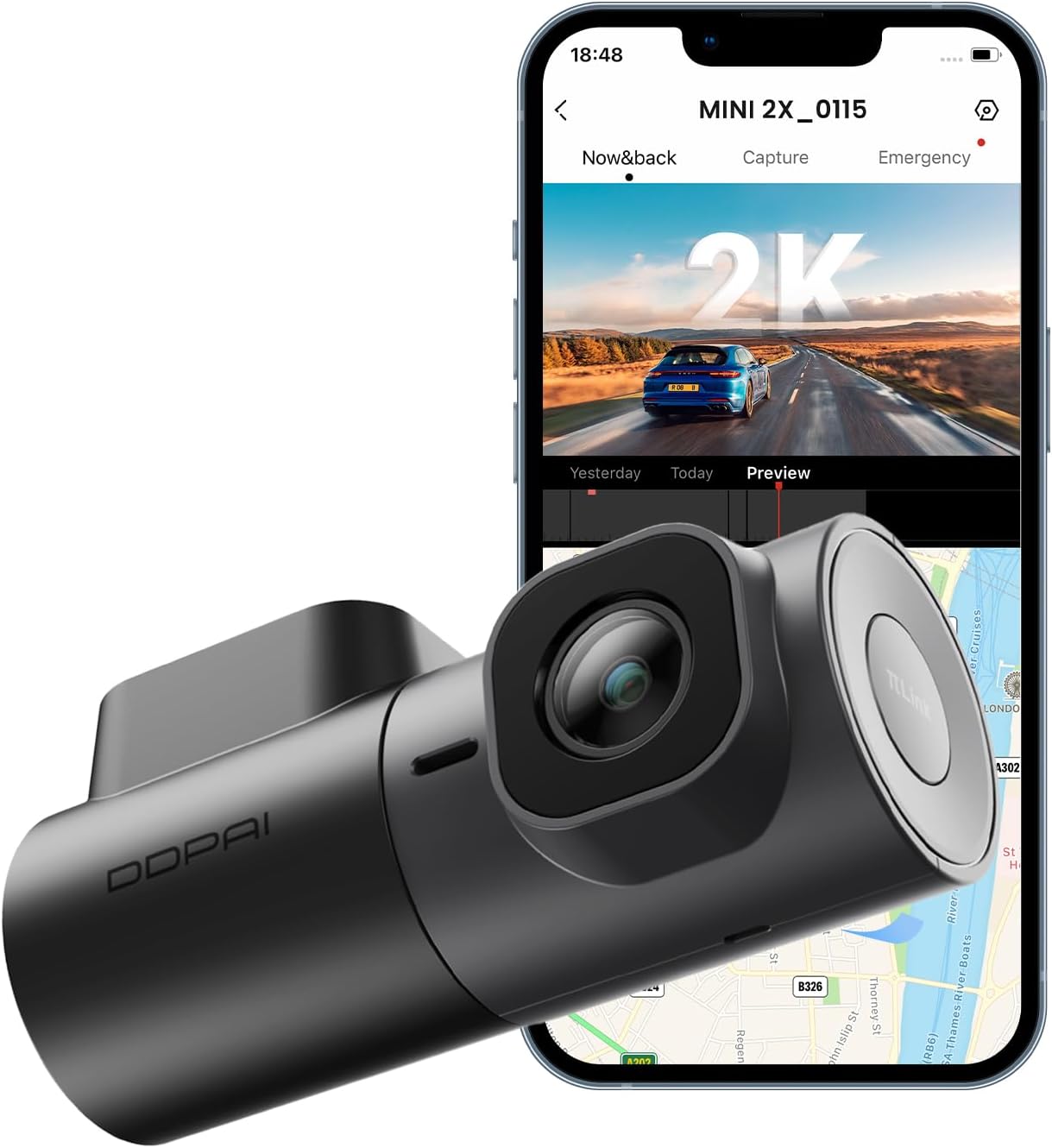
Image: The DDPAI MINI2X Dash Cam shown alongside a smartphone displaying its companion application interface, highlighting its compact size and connectivity features.
2. Пакеттин мазмуну
Төмөндө тизмеленген нерселердин баары пакетиңизге камтылганын текшериңиз:
- Dash Cam (MINI2X)
- Унаа заряддагыч
- Car Mount
- Орнотуу куралы
- Quick Guide (User Manual)
- 3M Adhesive (for mounting)
- Электростатикалык чаптама
- USB кубат кабели (C түрү)

Сүрөт: алдыңкы view of the DDPAI MINI2X Dash Cam product box.

Сүрөт: Арткы view of the DDPAI MINI2X Dash Cam product box, showing product specifications and regulatory information.
3. Орнотуу колдонмосу
3.1 Камераны орнотуу
The DDPAI MINI2X is designed for windshield mounting. Choose a location that does not obstruct your view of the road. Clean the windshield surface thoroughly before applying the electrostatic sticker and 3M adhesive for secure attachment.
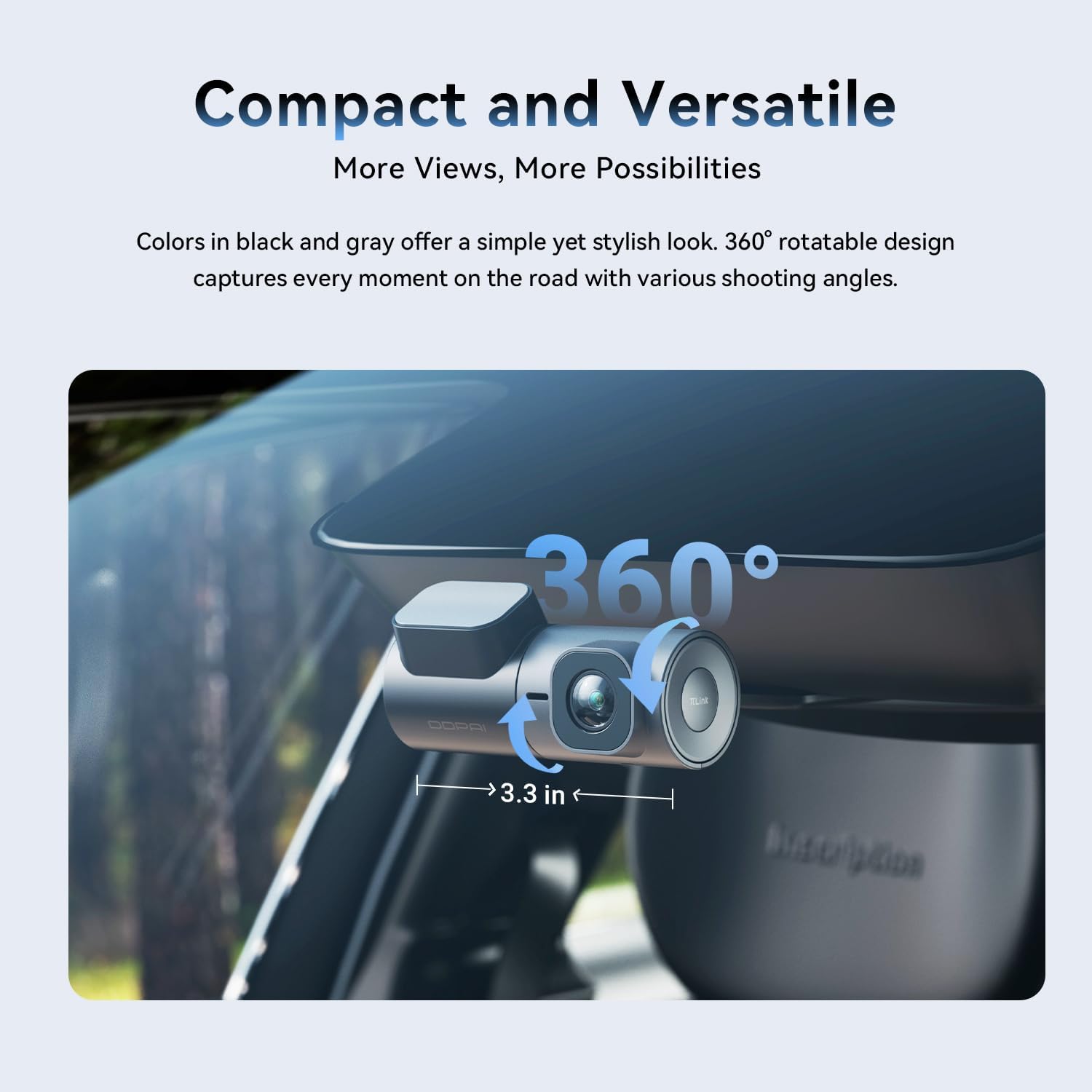
Image: The DDPAI MINI2X Dash Cam installed on a car windshield, illustrating its compact size and 360-degree rotatable lens for flexible recording angles.
3.2 Кубат туташтыруу
Connect the provided USB power cable to the dash cam's Type-C port and plug the car charger into your vehicle's cigarette lighter socket. Ensure the cable is routed safely and does not interfere with driving controls. For 24-hour parking monitoring, an additional hardwire kit (sold separately) is required.

Сүрөт: Жакын план view of the DDPAI MINI2X Dash Cam's bottom, showing the Type-C power input and the microSD card slot. Note: SD card is not included.
3.3 TF картасын салуу
The dash cam supports up to a 256GB TF (microSD) card (not included). Insert the TF card into the designated slot on the dash cam. Ensure the card is inserted correctly before powering on the device.
3.4 Колдонмо туташуусу
Download the official DDPAI App from your smartphone's app store. Connect to the dash cam via 5GHz Wi-Fi and Bluetooth for quick setup, live view, video playback, and settings management. The app provides a convenient interface for controlling your dash cam.

Image: Illustrates the faster data transfer speeds of 5GHz Wi-Fi compared to 2.4GHz for the DDPAI MINI2X Dash Cam, facilitating quicker video downloads and playback.
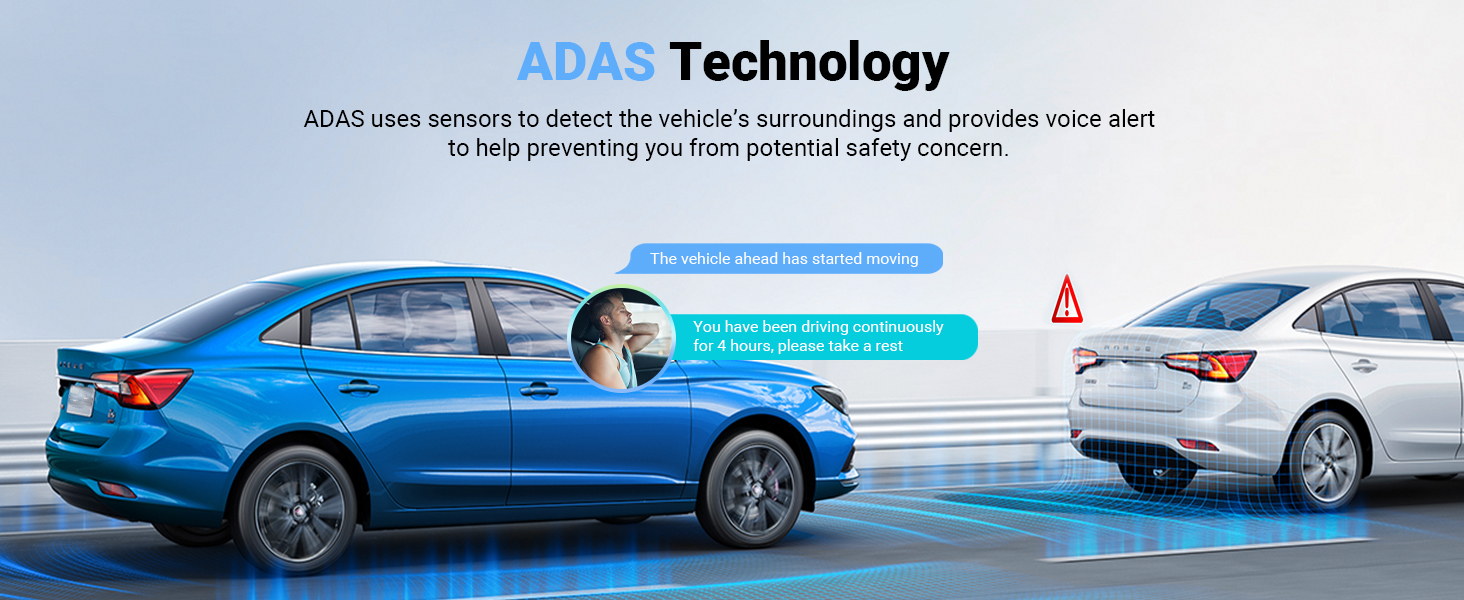
Image: A smartphone displaying the DDPAI app interface, demonstrating features like download, preview, share, and capture, with the dash cam in the background.
4. Иштөө нускамалары
4.1 Жазуу режимдери
The dash cam automatically begins recording when powered on. It records in 2K QHD (2560x1440P) resolution at 30 frames per second, ensuring clear and detailed video capture. The 360° rotatable lens allows you to adjust the recording angle to capture either the front view or the vehicle's interior.

Image: A still frame from DDPAI MINI2X footage, demonstrating the clarity of 2K QHD resolution, capable of capturing details like license plates.
Image: Illustration of the DDPAI MINI2X's 360-degree rotatable lens, showing its versatility for recording both front and interior views.
4.2 Night Vision 2.0 with AI-ISP
Equipped with AI-ISP technology and an F1.55 large aperture, the dash cam provides enhanced night vision capabilities. It captures bright and clear video even in low-light conditions, improving visibility and security during nighttime driving and parking surveillance.
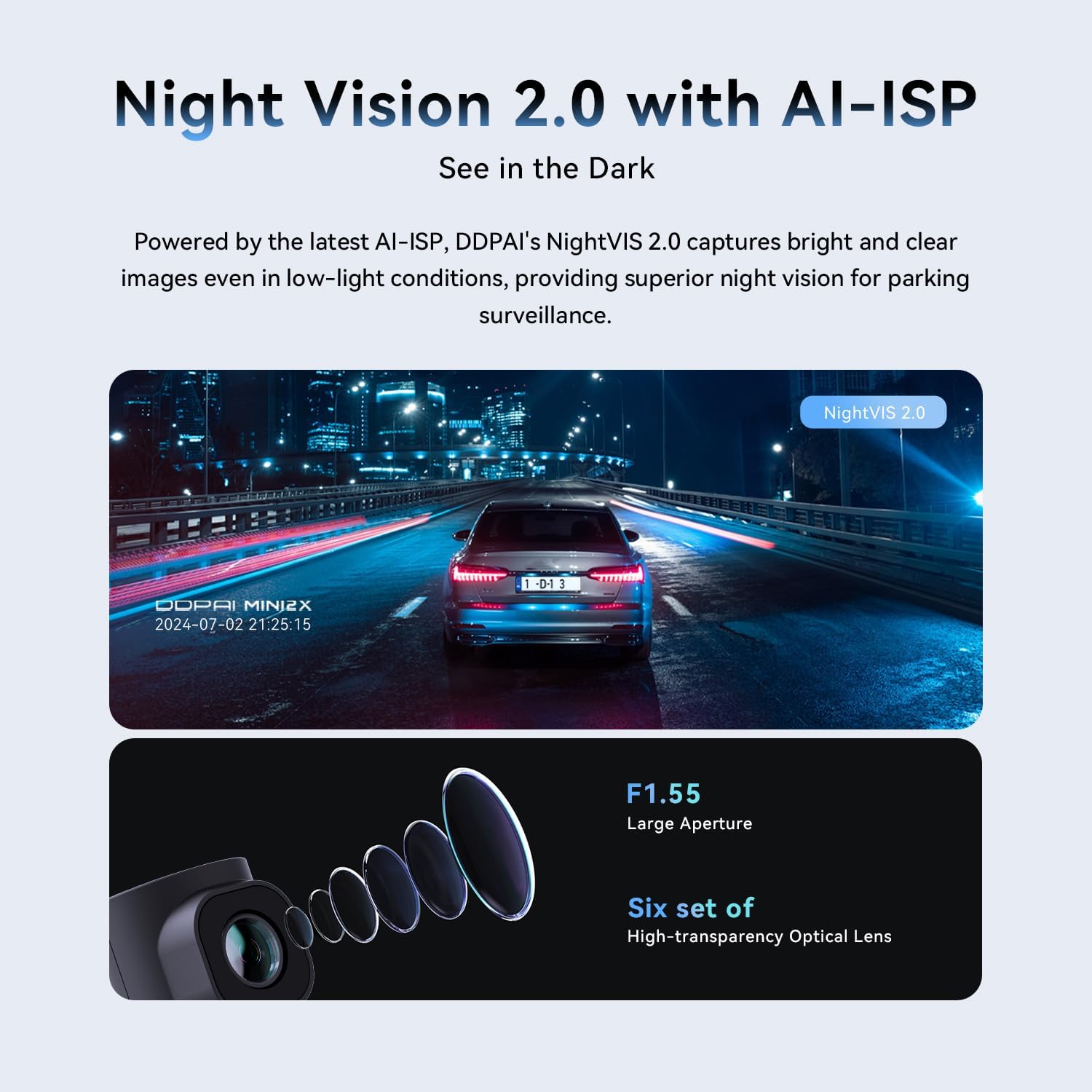
Image: Demonstrates the superior clarity of Night Vision 2.0 with AI-ISP on the DDPAI MINI2X Dash Cam in low-light conditions, compared to standard night vision.
4.3 Parking Monitoring (AOV)
The AOV (Always On Vision) low-energy time-lapse recording feature significantly reduces power consumption, allowing for up to 8 days of parking surveillance. In sleep mode, monitoring can extend up to 20 days. The dash cam instantly wakes within 1 second to capture any anomalies, ensuring continuous protection. A hardwire kit is required for this feature.
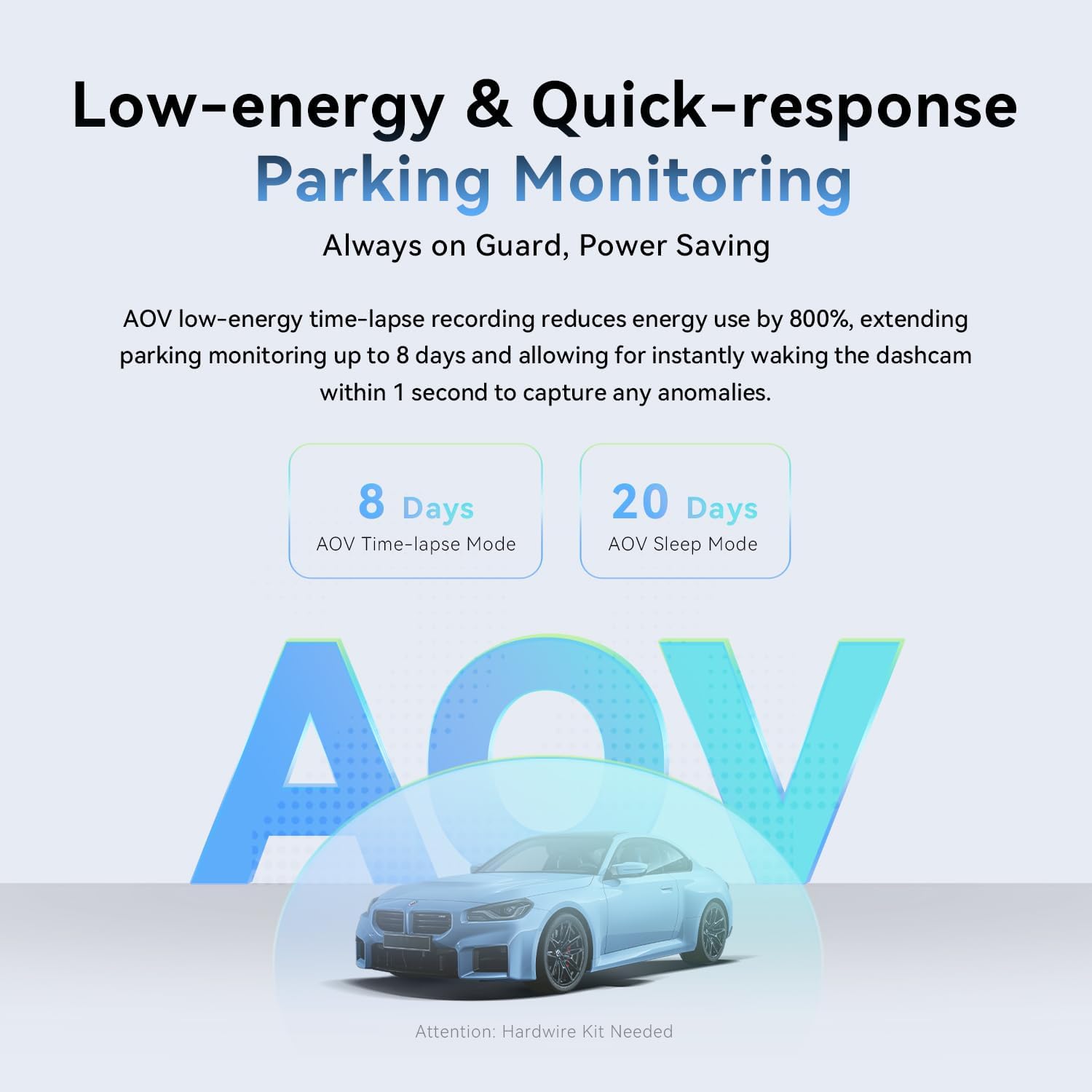
Image: Explains the AOV (Always On Vision) parking monitoring feature, showing 8 days in time-lapse mode and 20 days in sleep mode, with a note that a hardwire kit is needed.
4.4 ADAS Technology
The integrated ADAS (Advanced Driver-Assistance Systems) uses sensors to identify the vehicle's surroundings. It provides voice alerts for events such as front vehicle start-up and fatigue driving, contributing to a safer driving experience.

Image: Illustrates the ADAS technology of the DDPAI MINI2X Dash Cam, showing voice alerts for "Front Vehicle Start Alert" and "Driver Fatigue Alert" in a driving scenario.
4.5 Циклдик жаздыруу жана G-сенсор
Камерада эң эски фоонун үстүнөн автоматтык түрдө жазылган циклдик жазуу барtage when the TF card is full, ensuring continuous recording. The built-in G-sensor detects sudden changes in motion or impacts, automatically triggering the dash cam to save and lock the ongoing recording, providing crucial evidence in case of an incident.

Image: Shows the loop recording feature of the DDPAI MINI2X Dash Cam, indicating recording times for different SD card capacities (32G, 64G, 128G, 256G).

Image: Illustrates the G-sensor functionality of the DDPAI MINI2X Dash Cam, showing how it detects impacts and locks video footagкайра жазууну алдын алуу үчүн.
4.6 Super Capacitor
The DDPAI MINI2X is equipped with a super capacitor, allowing it to perform reliably in extreme temperatures ranging from -4°C to 158°C (-20°F to 70°C). This ensures stable operation and extended lifespan compared to traditional battery-powered dash cams.

Image: Depicts the super capacitor feature of the DDPAI MINI2X Dash Cam, highlighting its ability to operate reliably in extreme temperatures from -4°C to 158°C.
5. Техникалык тейлөө
- Линзаны тазалоо: Regularly wipe the dash cam lens with a soft, lint-free cloth to ensure clear video quality. Avoid abrasive materials that could scratch the lens.
- TF картасын башкаруу: Format the TF card periodically (e.g., once a month) using the DDPAI App to maintain optimal performance and prevent data corruption.
- Температураны эске алуу: While the dash cam is designed for extreme temperatures, prolonged exposure to direct sunlight in very hot conditions when not in use can be mitigated by parking in shade or temporarily removing the device.
- Программалык камсыздоонун жаңыртуулары: Check the DDPAI App regularly for firmware updates to ensure your dash cam has the latest features and bug fixes.
6. Кыйынчылыктарды
| Көйгөй | Мүмкүн себеп | Чечим |
|---|---|---|
| Видеорегистратор күйбөй жатат. | Loose power connection, faulty car charger, vehicle power issue. | Check all cable connections. Ensure the car charger is properly inserted and the vehicle's power outlet is functional. Try a different USB port or car charger if available. |
| Video footage бүдөмүк же түшүнүксүз. | Dirty lens, protective film still on lens, improper mounting. | Clean the lens with a soft cloth. Remove any protective film. Ensure the dash cam is securely mounted and the windshield is clean. |
| TF card error or recording issues. | Incompatible TF card, corrupted card, card full. | Ensure you are using a compatible high-speed TF card (Class 10 or higher). Format the TF card via the DDPAI App. Replace the TF card if the issue persists. |
| Cannot connect to DDPAI App via Wi-Fi. | Incorrect Wi-Fi password, Wi-Fi interference, app glitch. | Ensure you are connecting to the correct Wi-Fi network broadcast by the dash cam. Restart both the dash cam and your smartphone. Try resetting the dash cam's Wi-Fi settings. |
| Унаа токтотуучу жайды көзөмөлдөө иштебей жатат. | No hardwire kit installed, incorrect settings. | Verify that a hardwire kit is correctly installed and connected. Check parking monitoring settings in the DDPAI App. |
7. Продукттун спецификациялары
- Модель аты: MINI2X
- Видео тартуу токтому: 1440p (2560x1440P @ 30fps)
- Объектив: 360° Rotatable, F1.55 Large Aperture, Six sets of high-transparency optical lens
- Түнкү көрүнүш: AI-ISP Night Vision 2.0
- Байланыш: 5 ГГц Wi-Fi, Bluetooth
- Өзгөчөлүктөр: App Control, ADAS Technology (Front Vehicle Start-up, Fatigue Driving Alert), AOV Parking Monitoring, Loop Recording, G-Sensor (Collision Lock), Super Capacitor
- Сактагыч: Supports up to 256GB TF Card (MicroSD, not included)
- Кубат киргизүү: 5V-2A
- Продукциянын өлчөмдөрү: 4.7 x 5.8 x 2.5 дюйм
- Элемент Салмагы: 10.9 унция
- Түсү: Кара
- Монтаж түрү: Алдынкы айнек тоосу
- Өндүрүүчү: ddpai
8. Кепилдик жана колдоо
DDPAI is committed to providing high-quality products and excellent customer service. For any inquiries or support needs, please refer to the information below:
- Кепилдик: 18 ай
- Кайтаруу саясаты: 7 күн
- Кемчиликтери: Return on Defects
For quick 24/7 live email customer support, please contact: servicecenter@ddpai.com

Image: Details of DDPAI's after-sale service, including warranty period, return policy, and customer support email.


