Introduction
This manual provides comprehensive instructions for the installation, operation, and maintenance of your WOLFBOX G850 PRO mirror dashcam and its accompanying OEM bracket. Please read this manual thoroughly before use to ensure proper functionality and safety.
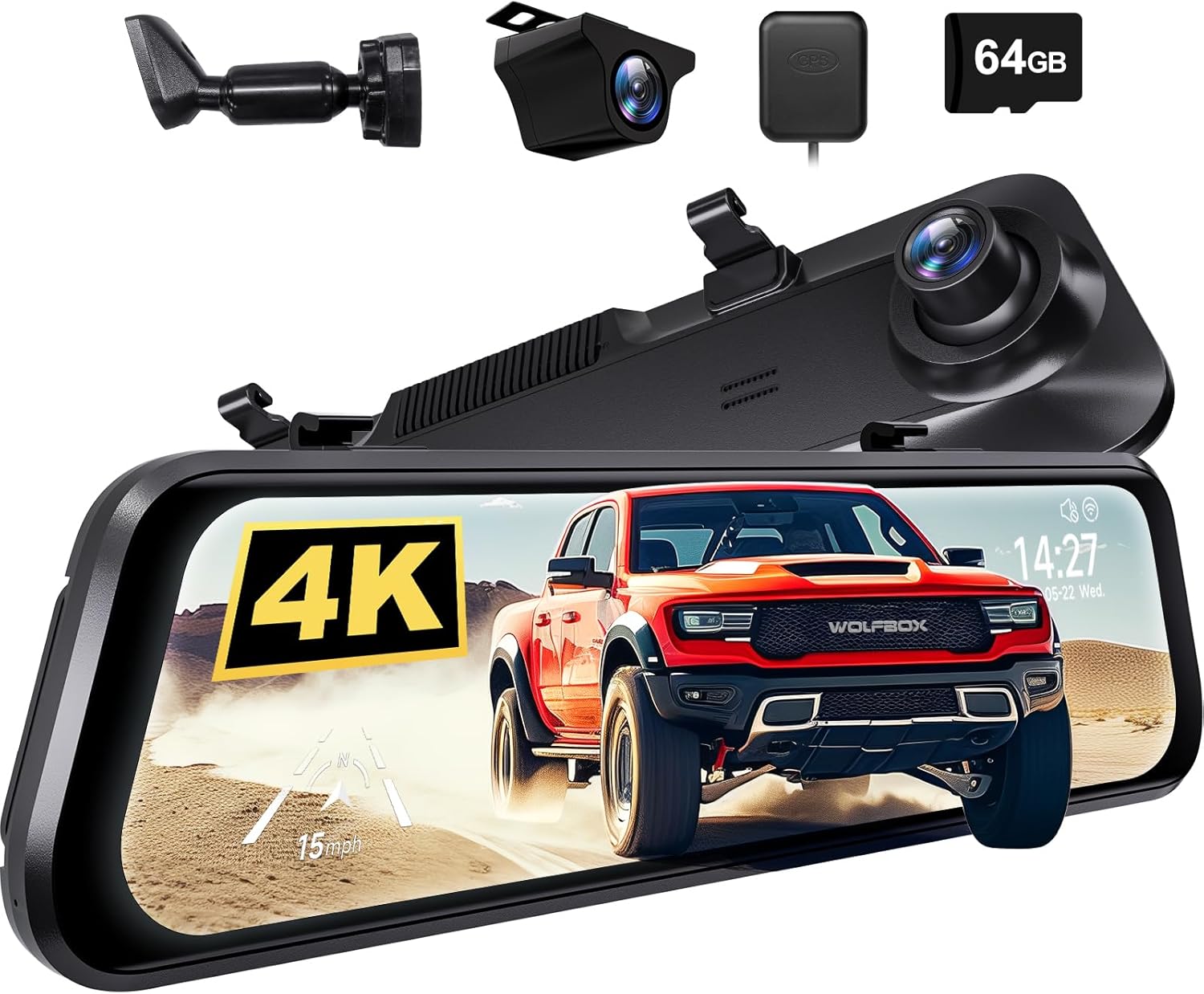
Сүрөт: бүттүview of the WOLFBOX G850 PRO mirror dashcam system, including the main unit, rear camera, GPS module, and 64GB SD card.
Коопсуздук маалыматы
- Ensure the dashcam and bracket are securely installed to prevent obstruction of driver's view же аба жаздыктарын ачуу.
- Айдап бара жатканда түзмөктү иштетпеңиз же жөндөөлөрдү тууралабаңыз. Унааны коопсуз токтоткондо бардык жөндөөлөрдү аткарыңыз.
- Аппаратты экстремалдык температурадан, түз күн нурунан жана нымдуулуктан алыс кармаңыз.
- Use only original or certified accessories provided by WOLFBOX to avoid damage and ensure proper operation.
- Consult a professional for installation if you are unsure about any steps, especially regarding vehicle electrical systems.
Пакеттин мазмуну
Төмөндө тизмеленген нерселердин баары пакетиңизге камтылганын текшериңиз:
- WOLFBOX G850 PRO Mirror Dashcam Unit
- OEM Bracket
- Электр кабели
- Rear Camera (if included in your specific package)
- GPS Module (if included)
- Колдонуучунун Колдонмосу (бул документ)
- Mounting Screws for OEM Bracket

Image: The OEM bracket and its accompanying mounting screws, with dimensions indicated.
Орнотуу жана орнотуу
The WOLFBOX OEM bracket provides a more secure installation compared to standard straps, reducing dashcam shaking during driving. Please ensure the bracket is compatible with your vehicle model before proceeding.
Part 1: Attaching the OEM Bracket to the Dashcam
- Remove the four protective tapes from the back of the mirror dashcam unit.
- Loosen all four screws on the dashcam's mounting area. Keep these screws for step 4.
- Align the four grooves on the OEM bracket with the corresponding slots on the dashcam and press to secure the bracket.
- Fasten the four corners of the bracket to the dashcam using the small screws previously loosened.
- Fasten the bracket handle to the backplate of the dashcam using the included screws.
- Verify that the bracket is firmly attached and looks correct.

Image: Step-by-step visual guide for attaching the OEM bracket to the WOLFBOX G850 PRO dashcam.
Part 2: Installing the Dashcam with OEM Bracket on the Front Glass
- Carefully remove your vehicle's original rearview күзгү.
- Leave the existing mirror base attached to the windshield.
- Attach the OEM bracket onto the existing mirror base on the windshield. Ensure it clicks or slides into place securely.
- Tighten the screw on the OEM bracket to firmly fix it onto the base.

Image: Visual instructions for mounting the dashcam with the OEM bracket onto the vehicle's front windshield.

Image: Illustrates the secure 360-degree rotation capability with the OEM bracket compared to traditional strap mounting methods.
Иштөө нускамалары
The WOLFBOX G850 PRO mirror dashcam is equipped with advanced features to enhance your driving safety and recording capabilities.
Өркүндөтүлгөн айдоочуга жардам берүү системасы (ADAS)
The ADAS technology provides real-time alerts to help prevent accidents. Key ADAS features include:
- Алдыга кагылышуу эскертүүсү: Унаага өтө тез жакындап калганыңызда эскертет.
- Жөө жүргүнчүлөрдүн кагылышуусу жөнүндө эскертүү: Жөө жүргүнчүлөр менен кагылышуу болушу мүмкүн экендиги жөнүндө эскертет.
- Жолдон кетүү эскертүүсү: Унааңыз сигнал бербей туруп тилкеден чыгып кетсе, сизге кабарлайт.
- Lead Vehicle Start Alert: Informs you when the vehicle in front of you starts moving from a stop.
- Аралыкты көзөмөлдөө: Helps maintain a safe following distance from the vehicle ahead.

Image: Visual representation of the Advanced Driver Assistance System (ADAS) alerts, showing how the system detects potential hazards.
Enhanced Blind Spot Detection (BSD)
The enhanced BSD algorithm effectively monitors your vehicle's blind spots, providing timely alerts for approaching vehicles and potential collisions.
- Blind Spot Monitoring: Detects vehicles in your blind spots during lane changes.
- Rear Collision Alerts: Warns of potential rear-end collisions.
- Side Collision Warning: Alerts to potential side impacts.

Image: Visual explanation of the Blind Spot Detection (BSD) system, highlighting its ability to detect vehicles in blind spots and warn of potential collisions.
Жалпы операция
- Күйгүзүү/өчүрүү: The device typically powers on automatically when the vehicle starts and off when the ignition is turned off.
- Жаздыруу: Continuous loop recording begins automatically upon power-on. Ensure a compatible SD card is inserted.
- Көрсөтүү режимдери: Алдыңкы камеранын ортосунда которулуу view, арткы камера view, же бөлүнгөн экран view сенсордук экран интерфейсин колдонуу.
- Орнотуулар: Access the settings menu to adjust resolution, loop recording duration, G-sensor sensitivity, parking monitor, and other preferences.

Image: The WOLFBOX G850 PRO display showing a clear rear camera view with time and date overlay.

Image: The WOLFBOX G850 PRO dashcam alongside a smartphone showing its companion application, indicating connectivity and remote viewжөндөмдүүлүктөрүн.
Техникалык тейлөө
- Тазалоо: Видеорегистратордун экранын жана линзасын тазалоо үчүн жумшак, кургак чүпүрөктү колдонуңуз. Абразивдүү тазалоочу каражаттарды же эриткичтерди колдонбоңуз.
- SD карта: Regularly format the SD card (at least once a month) within the dashcam's settings to ensure optimal performance and prevent data corruption. Replace the SD card if it shows signs of wear or error.
- Программалык камсыздоонун жаңыртуулары: Check the official WOLFBOX webТүзмөгүңүздө эң акыркы функциялар жана мүчүлүштүктөрдү оңдоолор бар экенине ынануу үчүн микропрограммаларды жаңыртуу үчүн сайтка мезгил-мезгили менен кириңиз.
Проблемаларды чечүү
| Көйгөй | Мүмкүн болгон себеп / Чечим |
|---|---|
| Түзмөк күйбөйт. | Check power cable connection. Ensure vehicle ignition is on. Test power source. |
| Жаздыруу токтойт же катып калат. | SD card may be full or corrupted. Format the SD card. Use a high-speed, reputable brand SD card. |
| Видеонун сапаты начар. | Clean the camera lens. Ensure protective film is removed. Check resolution settings. |
| ADAS/BSD alerts are inaccurate. | Ensure camera lens is clean and unobstructed. Calibrate the system if a calibration option is available in settings. |
| OEM bracket feels loose. | Re-tighten all mounting screws. Ensure the bracket is correctly seated on the vehicle's mirror base. |
Техникалык шарттар
| Өзгөчөлүк | Деталь |
|---|---|
| Модель аты | G850 PRO |
| Бренд | WOLFBOX |
| Видео тартуунун резолюциясы | 1080p |
| Монтаж түрү | Арткыview Mirror Mount (with OEM Bracket) |
| Оптикалык сенсор технологиясы | CMOS |
| Унаа кызматынын түрү | Car, Van, Minivan |
| Түс | Кара |
| Камтылган компоненттер | OEM Bracket |
Кепилдик жана колдоо
WOLFBOX products are designed for reliability and performance. For any issues or inquiries, please refer to the following information:
- Кайтаруу саясаты: This product is eligible for a refund or replacement within 30 days of purchase, as per standard return policies.
- Кардарларды тейлөө: For technical support, warranty claims, or compatibility questions, please contact WOLFBOX customer service directly. You can often find contact information on the official WOLFBOX webсайт же сатып алуу платформасы аркылуу.
- Шайкештик Эскертүү: It is recommended to contact WOLFBOX customer service before purchasing to confirm the OEM bracket's compatibility with your specific vehicle model.
Көбүрөөк маалымат алуу үчүн расмий иш сапары менен WOLFBOX Store on Amazon.


