1. Киришүү
Thank you for choosing the itel Rhythm Pro True Wireless Earbuds. This manual provides essential information for setting up, operating, and maintaining your earbuds to ensure optimal performance and longevity. Please read this manual thoroughly before use.

Image 1.1: itel Rhythm Pro True Wireless Earbuds in their charging case.
2. Пакеттин мазмуну
Пакетиңизде бардык буюмдар бар экенин текшериңиз:
- itel Rhythm Pro True Wireless Earbuds (Left and Right)
- Заряддоо кутусу
- C-типтеги кубаттоочу кабель
- Колдонуучунун Колдонмосу (бул документ)
- Additional Eartips (various sizes, typically pre-installed medium)
3. Продукт бүтүп калдыview
The itel Rhythm Pro earbuds feature a compact design with advanced audio technology. Each earbud is equipped with a 10mm dynamic driver for clear sound and a microphone for calls. The charging case provides extended battery life and protects the earbuds.
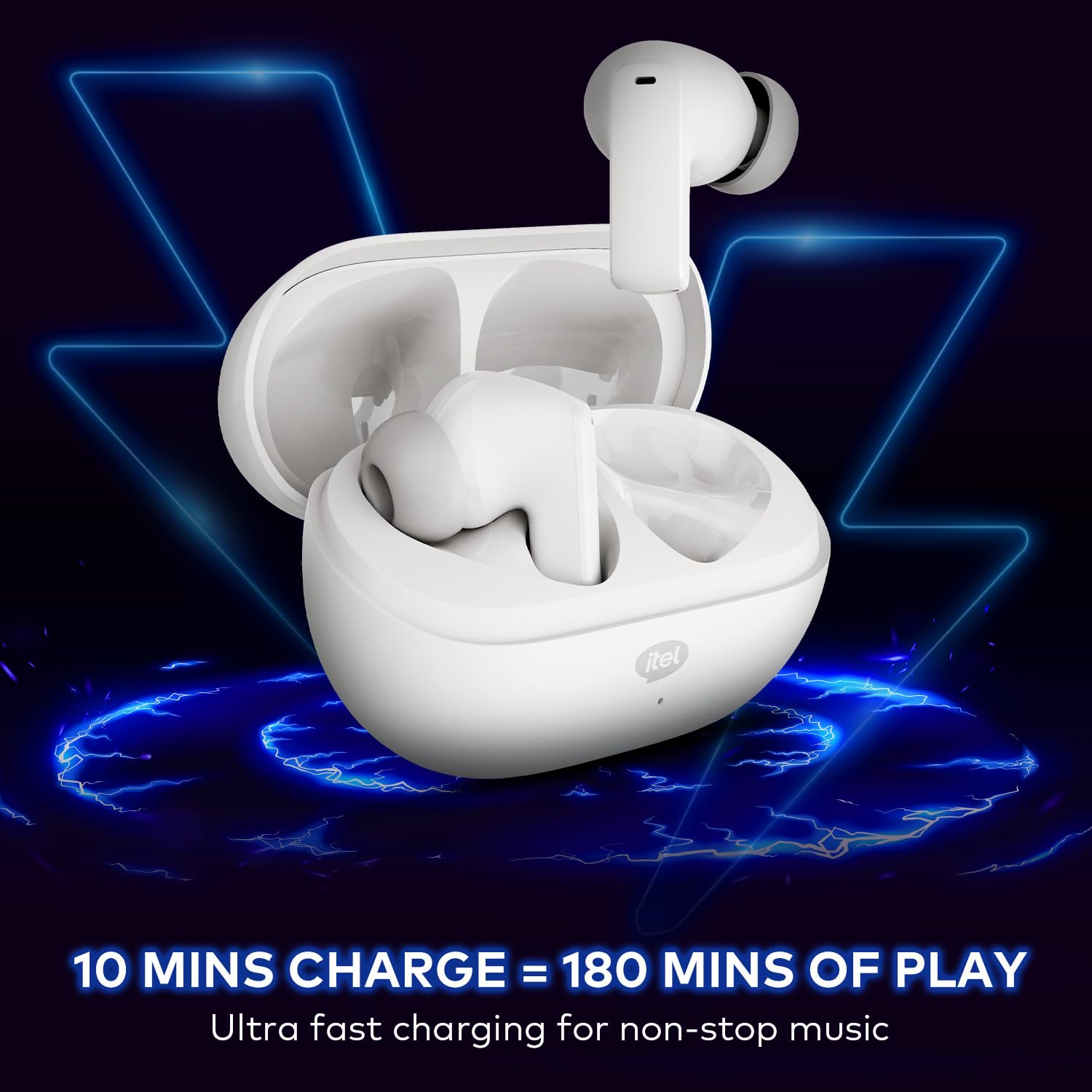
Image 3.1: itel Rhythm Pro True Wireless Earbuds removed from their charging case, showing individual earbud design.
Наушник компоненттери:
- Сенсордук башкаруу аймагы: Ойнотуу, чалуулар жана үн жардамчысын башкаруу үчүн.
- Микрофон: For calls and AI Environmental Noise Cancellation (ENC).
- Заряддоо байланыштары: Заряддоо корпусу менен туташат.
- Наушник: коопсуз жана жайлуу ылайыктуу камсыз кылат.
Заряддоо кутусунун компоненттери:
- Кулакчын кубаттоо уячалары: Кулакчындарды кармап, кубаттайт.
- Charging Port (USB Type-C): Заряддоо кабелин туташтыруу үчүн.
- LED көрсөткүчү: Заряддоо абалын жана батареянын деңгээлин көрсөтөт.
4. Орнотуу
4.1 Кулакчындарды жана кутучаны заряддоо
Биринчи колдонуудан мурун, кулакчындарды жана кубаттоочу кутучаны толук заряддаңыз.
- Кулакчындарды заряддоо кутусуна салыңыз. Алардын тиешелүү уячаларына туура отурганын текшериңиз.
- Connect the provided C-type charging cable to the charging port on the case and to a USB power source (e.g., wall adapter, computer USB port).
- The LED indicator on the charging case will show the charging status. Refer to the LED indicator guide for details (usually solid or blinking light indicates charging, solid light indicates full charge).
- A 10-minute charge provides approximately 180 minutes of playback. A full charge provides up to 100 hours of total playtime with the charging case.

Image 4.1: Earbuds placed in the charging case, indicating charging process.
4.2 Bluetooth түзмөгү менен жупташтыруу
The earbuds use Bluetooth V5.3 for stable and efficient connectivity.
- Open the charging case. The earbuds will automatically enter pairing mode (or power on if already charged). The LED indicator on the earbuds may flash to indicate pairing mode.
- Түзмөгүңүздө (смартфон, планшет, ноутбук) Bluetooth иштетиңиз.
- Издөө available Bluetooth devices. Select "itel Rhythm Pro" from the list.
- Туташтырылгандан кийин, кулакчындар ийгиликтүү жупташууну билдирет (мисалы, үн буйругу же LEDди алмаштыруу).
- Түзмөктө Bluetooth иштетилген болсо, кулакчындар кутудан чыгарылганда акыркы жупташтырылган түзмөккө автоматтык түрдө кайра туташат.

Image 4.2: Detail of an earbud highlighting Bluetooth V5.3 for connectivity.
5. Иштөө нускамалары
The itel Rhythm Pro earbuds feature intuitive touch controls. The exact functions may vary slightly based on your device and application.
5.1 Музыканы ойнотуу
- Ойнотуу/тындыруу: Кулакчындын бирин басыңыз.
- Кийинки трек: Оң кулакчынды эки жолу таптаңыз.
- Мурунку трек: Сол кулакчынга эки жолу басыңыз.
- Көлөмү: Оң кулакчынды үч жолу таптаңыз.
- Үнүн азайтуу: Сол кулакчынды үч жолу таптаңыз.
5.2 Чалууларды башкаруу
- Чалууга жооп берүү/аяктоо: Кулакчындын бирин басыңыз.
- Чакырууну четке кагуу: Кулакчындардын бирин 2 секунд басып туруңуз.
5.3 Үн жардамчысы
- Activate Voice Assistant (Google Assistant): Чалуу учурунда эмес болсоңуз, кулакчындын бирин 2 секунд басып туруңуз.
5.4 Күйгүзүү/өчүрүү
- Күйгүзүү: Open the charging case, or press and hold the touch area on both earbuds for 3 seconds.
- Өчүрүү: Place the earbuds back into the charging case and close the lid, or press and hold the touch area on both earbuds for 5 seconds.
6. Техникалык тейлөө
6.1 Тазалоо
- Кулакчындарды жана заряддоо кутусун жумшак, кургак, түксүз чүпүрөк менен дайыма тазалап туруңуз.
- Кулак учтарын алып салыңыз жана аларды жумшак самын жана суу менен тазалаңыз, анан кайра кийерден мурун жакшылап кургатып алыңыз.
- Ensure charging contacts on both earbuds and case are clean and free of debris to maintain proper charging.
6.2 Сактоо
- Колдонулбаганда, кулакчындарды коргоо жана кубаттоо үчүн кубаттоочу кутучага сактаңыз.
- Салкын, кургак жерде, экстремалдык температурадан жана түз күндүн нурунан алыс сактаңыз.
6.3 Сууга туруктуулук (IPX5)
The itel Rhythm Pro earbuds are IPX5 water-resistant, meaning they are protected against low-pressure water jets from any direction. This makes them suitable for workouts and light rain. They are not designed for submersion in water or exposure to heavy rain.
- Кулакчындарды атайылап сууга салбаңыз.
- Avoid using them in saunas or steam rooms.
- Эгерде кулакчындар суу болуп калса, кубаттоочу контакттарга зыян келтирбөө үчүн аларды кубаттоочу кутуга кайра салуудан мурун жакшылап кургатып сүртүңүз.

Image 6.1: The IPX5 water resistance rating ensures protection against splashes.
7. Кыйынчылыктарды
Эгер кулакчыныңызда көйгөйгө туш болсоңуз, төмөнкү чечимдерди колдонуп көрүңүз:
- Кулакчындар жупташкан жок:
- Эки кулакчындын тең кубатталганын текшериңиз.
- Түзмөгүңүздөгү Bluetooth'ду өчүрүп, кайра күйгүзүңүз.
- Forget "itel Rhythm Pro" from your device's Bluetooth list and try pairing again.
- Кулакчындарды кайра кутуга салып, капкагын жаап, бир нече секунд күтө туруңуз, анан жупташтыруу режимине кайра кирүү үчүн ачыңыз.
- Бир гана кулакчын иштейт:
- Эки кулакчындын тең кубатталганын текшериңиз.
- Try placing both earbuds back in the charging case, close the lid, then take them out again.
- Perform a factory reset (refer to specific instructions if available, otherwise try forgetting the device and re-pairing).
- Үн жок же үнү төмөн:
- Түзмөгүңүздөгү жана кулакчындардын үнүнүн деңгээлин текшериңиз.
- Кулакчындар түзмөгүңүзгө туура туташтырылганын текшериңиз.
- Кулакчын динамигинин торундагы калдыктарды тазалаңыз.
- Заряддоо маселелери:
- Заряддоо кабели корпуска да, кубат булагына да бекем туташтырылганын текшериңиз.
- Башка заряддоо кабелин же кубат адаптерин колдонуп көрүңүз.
- Кулакчындардагы жана корпустун ичиндеги заряддоо контакттарын тазалаңыз.
8. Техникалык шарттар
Below are the technical specifications for the itel Rhythm Pro True Wireless Earbuds:
| Өзгөчөлүк | Спецификация |
|---|---|
| Модель аты | Rhythm Pro (BudsNeo 3) |
| Байланыш технологиясы | Bluetooth V5.3 |
| Аудио драйверинин өлчөмү | 10мм динамикалык драйвер |
| Noise Control | AI Environmental Noise Cancellation (ENC) |
| Playtime (Total with Case) | 100 саатка чейин |
| Тез заряддоо | 10 minutes charge = 180 minutes playback |
| Сууга туруктуулук деңгээли | IPX5 |
| Башкаруу түрү | Touch, Voice (Google Assistant) |
| Материал | Поликарбонат (PC) |
| Элемент Салмагы | 46 грамм |
| Продукциянын өлчөмдөрү | 6.8 x 2.7 x 4.9 см |
| Батарея түрү | Lithium Ion / Lithium Polymer |
| Bluetooth диапазону | 10 метр |
| Аудио кечигүү | 45 Миллисекунд |
| Импеданс | 32 Ом |
9. Кепилдик жана колдоо
Your itel Rhythm Pro True Wireless Earbuds are covered by a standard manufacturer's warranty. Please refer to the warranty card included in your package for specific terms and conditions, including warranty period and coverage details.
For technical support, troubleshooting assistance, or warranty claims, please contact itel customer service through their official website or the contact information provided with your product documentation. Keep your purchase receipt as proof of purchase for warranty services.


