1. Киришүү
Сатып алганыңыз үчүн рахматasing the Karlsson Alarm Clock Duo. This manual provides detailed instructions for setting up, operating, and maintaining your new alarm clock. Please read this manual thoroughly before use and retain it for future reference.
2. Коопсуздук маалыматы
- Аппаратты суудан жана жогорку нымдуулуктан алыс кармаңыз.
- Аппаратты түз күндүн нуруна же экстремалдык температурага калтырбаңыз.
- Аппаратты өз алдынча бөлүүгө же оңдоого аракет кылбаңыз. Бардык тейлөөлөрдү квалификациялуу кызматкерлерге тапшырыңыз.
- Use only the specified battery type. Ensure correct polarity when inserting batteries.
- Аппарат узак убакыт бою колдонулбай турган болсо, батарейкаларды алып салыңыз.
3. Пакеттин мазмуну
Сураныч, бардык элементтер бар экенин текшериңиз:
- Karlsson Alarm Clock Duo (Model KA5954BK)
- Колдонуучунун Колдонмосу (бул документ)
Эскертүү: Батареялар камтылган эмес жана өзүнчө сатып алынышы керек.
4. Продукт бүтүп калдыview
The Karlsson Alarm Clock Duo features a classic analog clock face combined with a modern digital display for temperature and humidity. Its compact design makes it suitable for various settings.

1-сүрөт: Фронт view of the Karlsson Alarm Clock Duo. The top section features an analog clock with a white face and black numbers, while the bottom section has a digital display showing temperature (e.g., 22.0 °C) and relative humidity (e.g., 58%).

2-сүрөт: The alarm clock viewed from the side, demonstrating its compact size and matte black finish. It is shown on a surface next to a white desk lamp, indicating its suitability for bedside tables or desks.
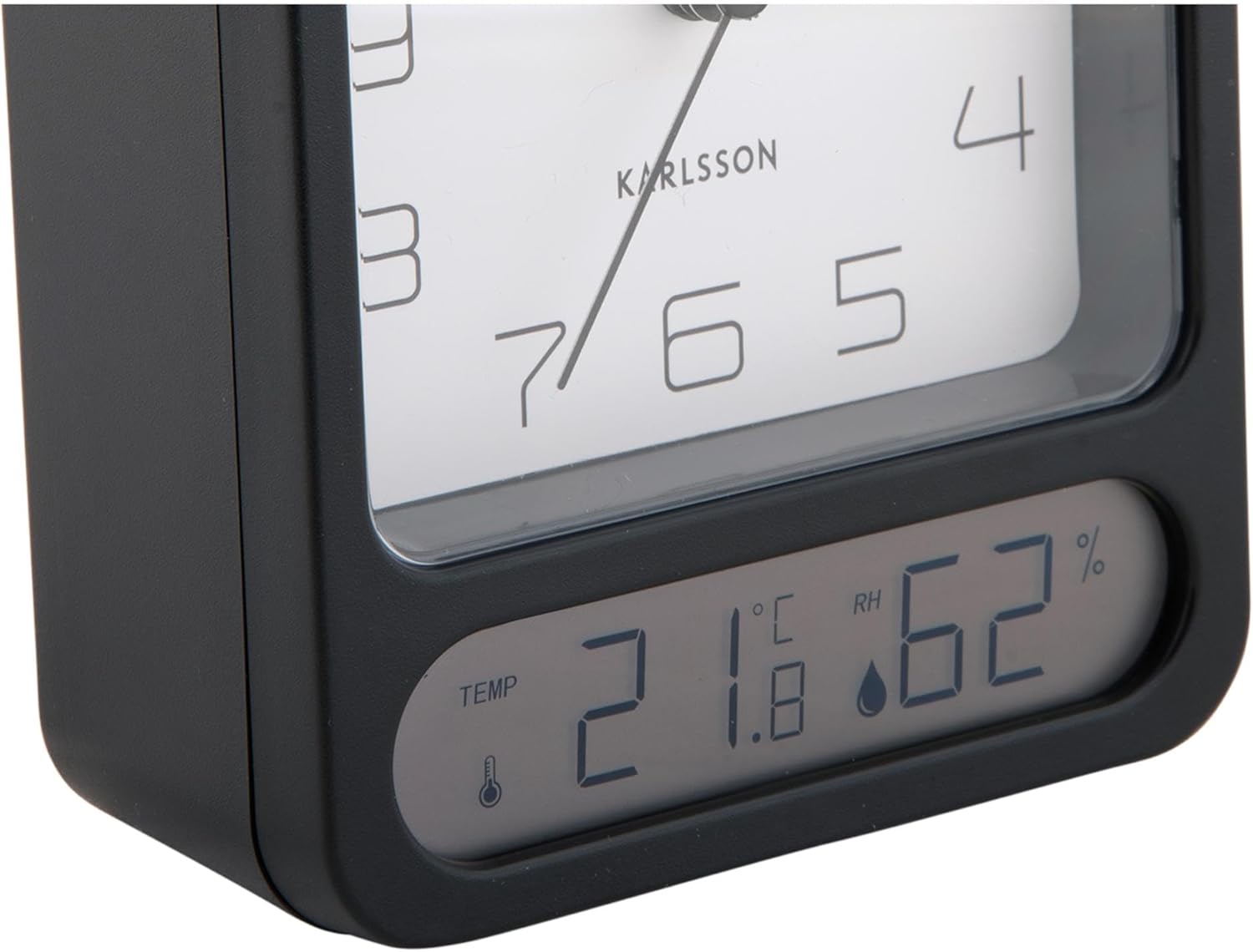
3-сүрөт: A detailed close-up of the digital display, clearly showing the temperature in Celsius (e.g., 21.8 °C) and the relative humidity percentage (e.g., 62% RH). Small icons for temperature and humidity are also visible.

4-сүрөт: An angled perspective of the alarm clock, providing a comprehensive view of its design, including the square analog clock face and the rectangular digital display below it, all encased in a matte black frame.
5. Орнотуу
5.1. Батареяны орнотуу
- Ойготкуч сааттын артындагы батарея бөлүкчөсүнүн капкагын табыңыз.
- Remove the cover by sliding or lifting it according to the markings.
- Insert the required batteries (typically 1x AA for the analog clock and 2x AAA for the digital display, though specific types may vary - refer to the compartment markings) ensuring correct polarity (+ and -).
- Батарея бөлүкчөсүнүн капкагын бекем орнотуңуз.
5.2. Убакытты белгилөө
- On the back of the clock, locate the time setting knob (usually labeled "TIME SET" or similar).
- Rotate the knob in either direction to adjust the hour and minute hands to the current time.
5.3. Ойготкучту орнотуу
- Locate the alarm setting knob (usually labeled "ALARM SET" or similar) on the back of the clock.
- Rotate this knob to set the alarm hand to your desired alarm time.
- Locate the alarm ON/OFF switch (often a small slider or button). Slide it to the "ON" position to activate the alarm.
6. Иштөө нускамалары
6.1. Убакытты окуу
The current time is displayed on the analog clock face with hour, minute, and second hands.
6.2. Reading Temperature and Humidity
The digital display at the bottom of the clock shows the current room temperature (in Celsius or Fahrenheit, depending on model) and relative humidity percentage. There may be a button (e.g., "°C/°F") to switch between temperature units if applicable.
6.3. Ойготкуч функциясы
- When the alarm is set to "ON", it will sound at the designated alarm time.
- To stop the alarm, slide the alarm ON/OFF switch to the "OFF" position.
- Чырым Function: If your model includes a snooze button (often a large button on top), pressing it during an active alarm will temporarily silence the alarm for a few minutes before it sounds again.
7. Техникалык тейлөө
7.1. Тазалоо
Wipe the clock with a soft, dry cloth. Do not use abrasive cleaners or solvents, as these may damage the finish or display.
7.2. Батареяны алмаштыруу
Replace batteries when the clock hands slow down, the alarm becomes weak, or the digital display fades or stops working. Follow the battery installation steps in Section 5.1.
8. Кыйынчылыктарды
| Көйгөй | Мүмкүн себеп | Чечим |
|---|---|---|
| Clock not working / Digital display off | Өлүк же туура эмес салынган батарейкалар. | Туура полярдуулукту камсыз кылуу менен батарейкаларды алмаштырыңыз. |
| Сигнал чыкпай жатат | Alarm is not activated (OFF position) or set incorrectly. | Ensure alarm switch is ON and alarm time is set correctly. |
| Туура эмес убакыт көрсөтүлгөн | Time was not set correctly or batteries are low. | Reset the time. Replace batteries if necessary. |
| Туура эмес температура/нымдуулук | Сенсордун тыгылып калышы же өтө оор экологиялык шарттар. | Ensure the clock is in a well-ventilated area, away from direct heat sources or drafts. Allow time for readings to stabilize. |
9. Техникалык шарттар
| Модель номери | KA5954BK |
| Бренд | Карлссон |
| Өлчөмдөрү (L x W x Y) | 9.7 x 4.5 x 12 см |
| Салмагы | 600 г |
| Power Source | Батарея (киргизилген эмес) |
| ASIN | B0DHL8TMB6 |
10. Кепилдик жана колдоо
This Karlsson product is covered by a manufacturer's warranty. Please refer to the warranty card included with your purchase or visit the official Karlsson webдеталдуу кепилдик шарттары жана шарттары үчүн сайт.
For technical support, troubleshooting assistance, or inquiries regarding your product, please contact Karlsson customer service through their official webсайт же сатып алуу документтери менен камсыз байланыш маалыматы.


