1. Киришүү
1.1 Продукт бүттүview
The Dragon Touch 10.1-inch Wi-Fi Digital Picture Frame allows you to instantly share photos and videos with loved ones from anywhere in the world. Featuring a 1280x800 HD IPS touch screen, auto-rotate function, and 16GB internal storage, this frame provides a convenient way to display your cherished memories.
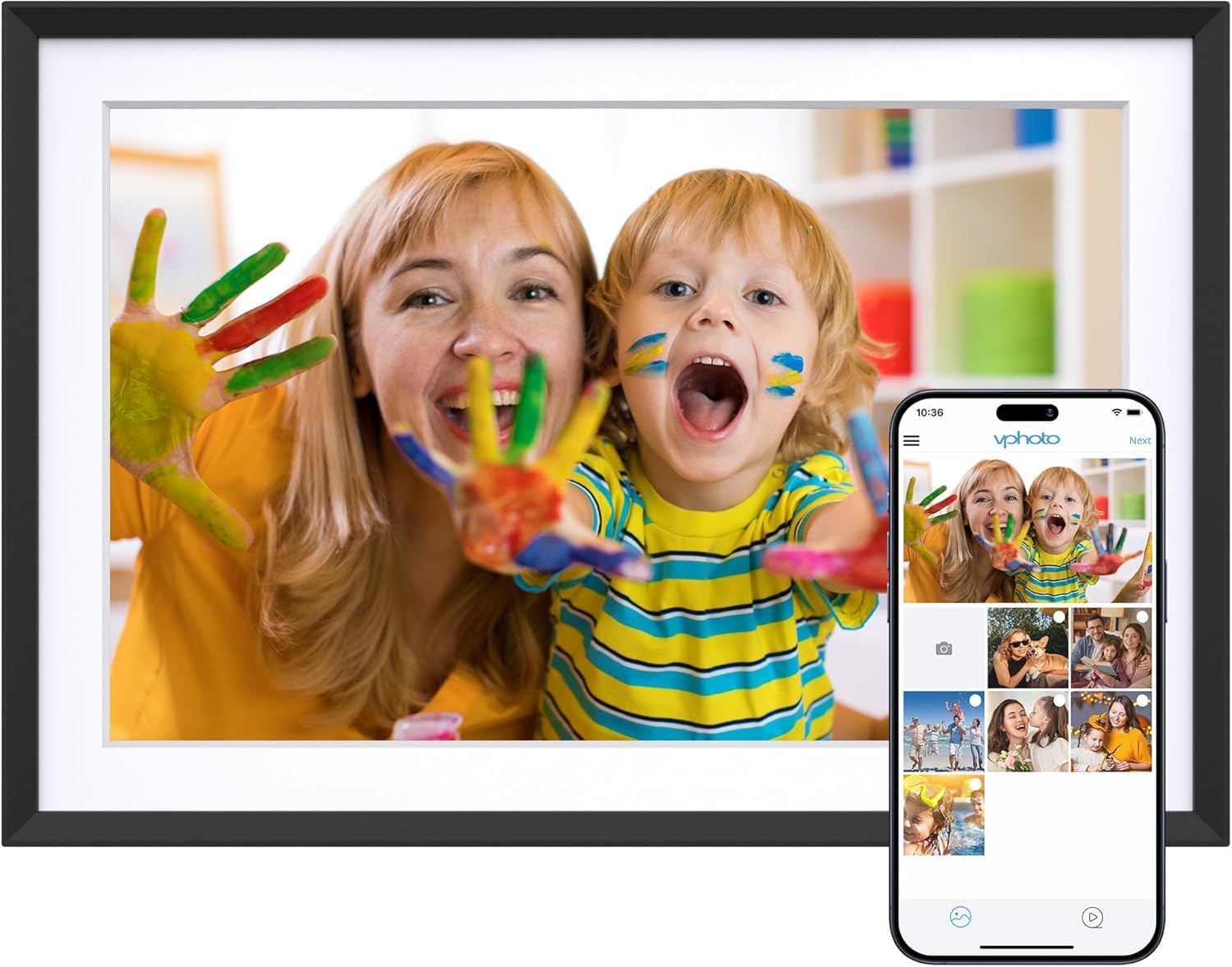
Image 1.1: The Dragon Touch 10.1-inch Wi-Fi Digital Picture Frame, showcasing its display with a vibrant image of a mother and child. A smartphone screen is overlaid, illustrating the Vphoto app interface for photo sharing.
1.2 Пакеттин мазмуну
Пакетте бардык буюмдар бар экенин текшериңиз:
- 1 x Dragon Touch 10.1-inch Wi-Fi Digital Picture Frame
- 1 х кубат адаптери
- 1 х стенд
- 1 x USB кабели
- 1 х Колдонуучунун колдонмосу (бул документ)

Image 1.2: An illustration detailing the components included in the product package, such as the frame, power adapter, stand, USB cable, and user manual.
2. Орнотуу
2.1 Баштапкы орнотуу
- Күйгүзүү: Connect the power adapter to the frame and plug it into a power outlet. The frame will automatically power on.
- Тил тандоо: Каалаган тилиңизди тандоо үчүн экрандагы көрсөтмөлөрдү аткарыңыз.
- Wi-Fi туташуусу: Connect the frame to a 2.4 GHz Wi-Fi network. Note: 5 GHz networks are not supported.
- Колдонмо орнотуу: Download the "Vphoto" app from your smartphone's app store (iOS or Android).
- Каттоо эсебин түзүү: Open the Vphoto app and create an account.
- Frame Pairing: Follow the app instructions to pair your smartphone with the digital picture frame. This typically involves scanning a QR code displayed on the frame or entering a unique frame code.

Image 2.1: A visual guide illustrating the three primary steps for initial setup: connecting to power and Wi-Fi, downloading the Vphoto app, and uploading photos.
3. Иштөө нускамалары
3.1 Uploading Photos and Videos
The Dragon Touch digital picture frame supports multiple methods for uploading media:
- Vphoto App: Use the Vphoto app on your smartphone to instantly send photos and short videos to the frame. Multiple users can connect to the same frame to share memories.
- Электрондук почта: The frame can be configured to receive photos via email. Check the frame settings for the unique email address.
- TF Card (Micro SD Card): Insert a TF card (up to 64GB) into the designated slot to display media directly or transfer files ички сактагычка.
- USB Drive: Connect a USB drive to the frame's USB port to display media directly or transfer files.

Image 3.1: Visual representation of the four supported methods for uploading media to the digital picture frame: Vphoto App, Email, TF card, and USB drive.
3.2 Дисплей орнотуулары
Сиздин жекелештирүү viewing experience through the frame's touch screen settings:
- Автоматтык айлантуу: The frame automatically adjusts photo orientation whether placed in portrait or landscape mode.
- Уйку режими: Configure a customized sleep schedule to automatically turn the screen off and on, conserving energy.
- Слайдшоу аралыгы: Adjust the duration each photo is displayed during a slideshow.
- Transition Effects: Select various transition styles for photos.

Image 3.2: The digital picture frame showcasing its auto-rotate feature, displaying an image in landscape orientation with an accompanying icon.
4. Сактагычты башкаруу
The frame comes with 16GB of built-in memory, capable of storing approximately 80,000 photos. For additional storage or file management, external options are available.
- Ички сактагыч: Manage photos and videos directly on the frame.
- SD карта/USB диск: Use these to read files or export received photos and videos for better album management. Important: Remove all external devices when resetting the photo frame.

Image 4.1: A visual representation of the frame's large internal storage capacity, depicted by numerous photos surrounding the device.
5. Техникалык тейлөө
- Тазалоо: Use a soft, dry cloth to clean the screen and frame. Avoid liquid cleaners or abrasive materials.
- Жайгашкан жери: Place the frame on a stable surface or mount it securely on a wall. Avoid direct sunlight or extreme temperatures.
- Программалык камсыздоо жаңыртуулары: Periodically check for and install software updates to ensure optimal performance and access to new features.
6. Кыйынчылыктарды
| Көйгөй | Чечим |
|---|---|
| Рамка күйбөйт. | Кубат адаптери рамкага жана иштеп жаткан розеткага бекем туташтырылганын текшериңиз. |
| Wi-Fi'га туташпай жатат. | Verify that you are connecting to a 2.4 GHz Wi-Fi network. Check your Wi-Fi password. Restart your router and the frame. |
| Photos/Videos not appearing. | Confirm the frame is connected to Wi-Fi. Ensure media was successfully uploaded via the Vphoto app, email, or external storage. Check file formats for compatibility. |
| Frame is unresponsive. | Perform a soft reset by unplugging the power adapter, waiting 10 seconds, and plugging it back in. If issues persist, a factory reset may be necessary (refer to settings). |
| Email uploads fail. | Ensure the email address used is correct and the frame's email function is enabled. Avoid special characters like "#" in filenames, as these may cause issues. |
7. Техникалык шарттар
| Өзгөчөлүк | Деталь |
|---|---|
| Модель номери | 850065712093 |
| Screen Size | 10.1 дюйм |
| Резолюция | 1280x800 |
| Дисплей түрү | HD IPS Touch Screen |
| Ички сактагыч | 16 ГБ (болжол менен 20 000 сүрөт) |
| Тышкы сактагыч | Supports SD card (up to 64GB) and USB drive |
| Байланыш | Wi-Fi (2.4 ГГц гана) |
| Шайкеш түзмөктөр | Smartphone (via Vphoto App) |
| Продукциянын өлчөмдөрү | 10.3 x 7.1 x 0.99 дюйм |
| Элемент Салмагы | 1.72 фунт |
| Өндүрүүчү | Dragon Touch |
8. Кепилдик жана колдоо
For warranty information, technical support, or customer service inquiries, please refer to the official Dragon Touch website or contact their customer support directly. Details are typically provided on the product packaging or the manufacturer's webсайт.
Online resources and FAQs may also be available to assist with common questions and issues.


