1. Киришүү
Thank you for choosing the Edifier X1 Lite True Wireless Earbuds. This manual provides detailed instructions for setting up, operating, and maintaining your new earbuds to ensure optimal performance and longevity. Please read this manual thoroughly before use.

Image: Edifier X1 Lite True Wireless Earbuds in their open charging case.
2. Кутуда эмне бар
The Edifier X1 Lite package includes the following components:
- Edifier X1 Lite чыныгы зымсыз гарнитуралар (сол жана оң)
- Заряддоо кутусу
- USB заряддоо кабели
- Колдонуучунун Колдонмосу (бул документ)
3. Орнотуу
3.1 Алгачкы заряддоо
Биринчи колдонуудан мурун, кулакчындарды жана заряддоо кутучасын толук заряддаңыз.
- Кулакчындардын экөөнү тең зарядкага салыңыз.
- USB кубаттоочу кабелди корпустагы кубаттоочу портко жана кубат булагына (мисалы, USB дубал адаптери, компьютердин USB порту) туташтырыңыз.
- The indicator light on the charging case will show charging status. Refer to the LED indicator section for details.
- A full charge typically takes approximately 1.5 hours for the case and earbuds.
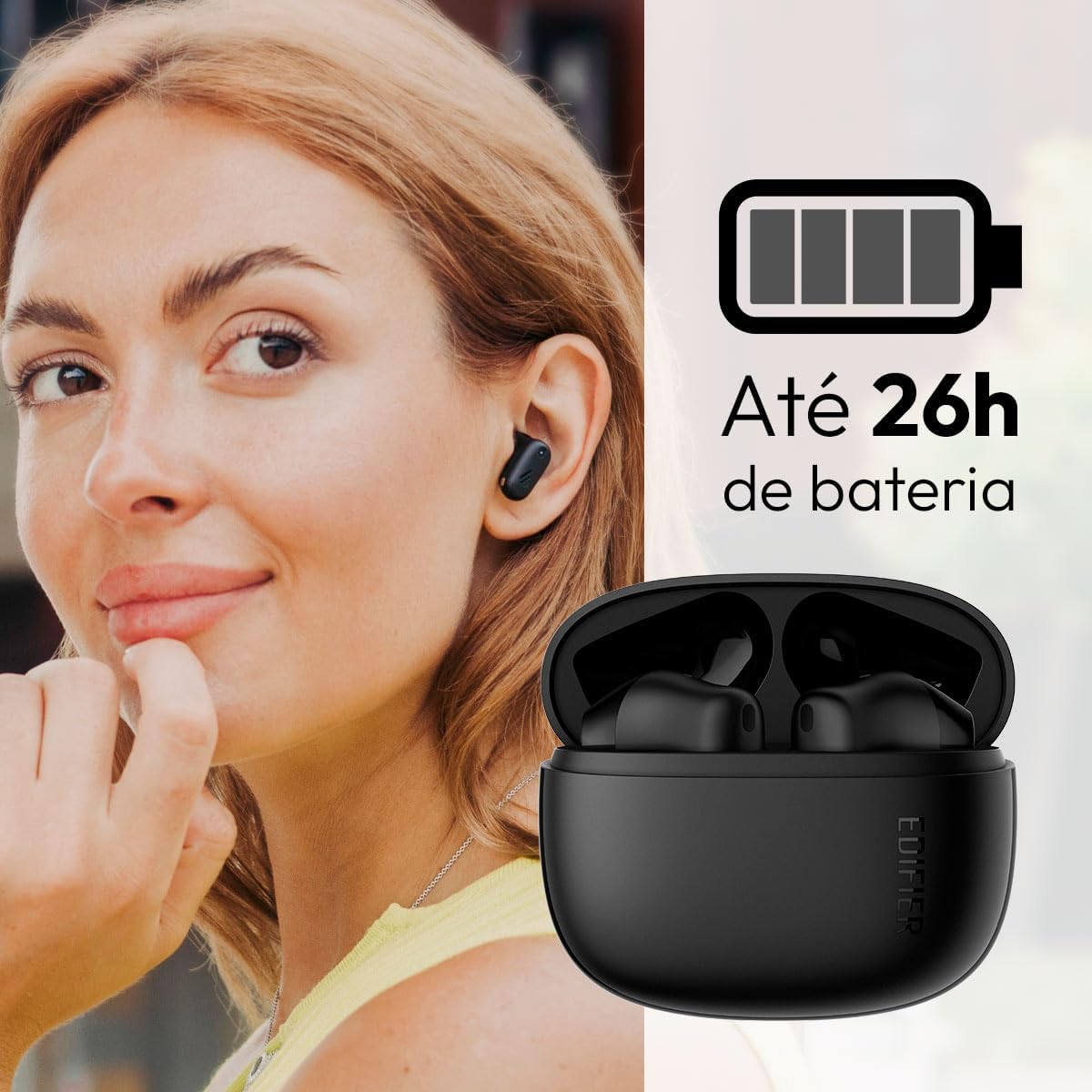
Image: Woman wearing an earbud, with the charging case and a battery icon indicating charging.
Fast Charging Feature:
A 15-minute quick charge can provide approximately 1.5 hours of playtime for the earbuds.

Image: Visual representation of battery life and fast charging capabilities.
3.2 Bluetooth жупташтыруу
Follow these steps to pair your Edifier X1 Lite earbuds with your device:
- Биринчи жолу жупташтыруу: Open the charging case. The earbuds will automatically power on and enter pairing mode. The indicator light on the earbuds will flash rapidly.
- Түзмөгүңүздө (смартфон, планшет, ноутбук) Bluetooth иштетиңиз.
- Издөө "EDIFIER X1 Lite" жеткиликтүү Bluetooth түзмөктөрүнүн тизмесинде.
- Select "EDIFIER X1 Lite" to connect. Once connected, the indicator lights on the earbuds will turn off, and you will hear a confirmation tone.
- Re-pairing/Connecting to a New Device: If the earbuds are already connected to another device, disconnect them first. Alternatively, with the earbuds in the case and the lid open, press and hold the button on the charging case for 3 seconds to enter pairing mode.

Image: Man using earbuds, highlighting Bluetooth 5.4 connectivity.
3.3 Edifier ConneX тиркемесин орнотуу
For enhanced features and customization, download the EDIFIER ConneX app:
- Scan the QR code provided in the image below or visit the official Edifier app download page.
- Колдонмону смартфонуңузга же планшетиңизге орнотуңуз.
- Open the app and follow the on-screen instructions to connect your X1 Lite earbuds.
- The app allows for sound effect customization, game mode activation, and touch control settings.

Image: EDIFIER ConneX app interface with QR code. Download the Edifier ConneX App
4. Иштөө нускамалары
4.1 Кулакчындарды тагынуу
Proper fit ensures optimal sound quality and comfort:
- Сол (L) жана оң (R) кулакчындарды аныктаңыз.
- Ар бир кулакчынды тиешелүү кулак каналына акырын киргизиңиз.
- Кулакчын коопсуз жана ыңгайлуу сезилгенге чейин аны бир аз буруңуз.

Image: Man demonstrating proper earbud placement.
4.2 Күйгүзүү/өчүрүү
- Күйгүзүү: Кулакчындар заряддоо кутусунан чыгарылганда автоматтык түрдө күйөт.
- Өчүрүү: Кулакчындар автоматтык түрдө өчүп, кубаттоочу кутуга кайра салынып, капкагы жабылганда кубаттала баштайт.
4.3 Сенсордук башкаруу
The Edifier X1 Lite earbuds feature touch-sensitive controls on each earbud. These controls can be customized via the EDIFIER ConneX app.
| Акция | Сол кулакчын (L) | Оң кулакчын (R) |
|---|---|---|
| Чалууга жооп берүү/аяктоо | Эки жолу таптаңыз | Эки жолу таптаңыз |
| Чакырууну четке кагуу | Үч жолу таптаңыз | Үч жолу таптаңыз |
| Музыканы ойнотуу/тындыруу | Эки жолу таптаңыз | Эки жолу таптаңыз |
| Кийинки трек | N/A (Customize via App) | Үч жолу таптаңыз |
| Мурунку трек | Үч жолу таптаңыз | N/A (Customize via App) |
| Оюн режими күйгүзүү/өчүрүү | Quadruple Tap | Quadruple Tap |
Note: These are default settings. Functions can be reconfigured using the EDIFIER ConneX app.

Image: Visual guide to earbud touch controls.
5. Техникалык тейлөө
5.1 Тазалоо
- Кулакчындарды жана заряддоо кутусун жумшак, кургак, түксүз чүпүрөк менен дайыма тазалап туруңуз.
- Абразивдүү тазалагычтарды, спиртти же химиялык эриткичтерди колдонбоңуз.
- Ensure charging contacts on both earbuds and case are clean and free of debris to maintain proper charging.
5.2 Сууга туруктуулук (IP54)
The Edifier X1 Lite earbuds are IP54 rated, meaning they are protected against dust ingress and splashing water from any direction. This makes them suitable for workouts and light rain.
- Кулакчындарды сууга салбаңыз.
- Заряддоо кутусу сууга чыдамдуу эмес. Аны кургак кармаңыз.
- If earbuds get wet, wipe them dry completely before placing them back in the charging case to prevent damage.

Image: Demonstrating IP54 sweat resistance during exercise.
5.3 Батареяга кам көрүү
- Кулакчындарды жана кутуну экстремалдуу температурага (ысык же муздак) тийгизбеңиз.
- Аппаратты колдонбогондо салкын, кургак жерде сактаңыз.
- Батареянын иштөө мөөнөтүн сактоо үчүн, көп колдонулбаса дагы, түзмөктү үзгүлтүксүз кубаттап туруңуз.
6. Кыйынчылыктарды
If you encounter issues with your Edifier X1 Lite earbuds, refer to the following common problems and solutions:
6.1 Үн жок же үзгүлтүксүз туташуу
- Батареяны текшерүү: Кулакчындар менен кубаттоочу куту жетиштүү түрдө кубатталганын текшериңиз.
- Кайра жупташтыруу: Кулакчындарды түзмөгүңүздүн Bluetooth жөндөөлөрүнөн ажыратып, кайра жупташтырыңыз.
- Аралык: Ensure the earbuds are within the Bluetooth range (typically 10 meters) of your device.
- Интерференция: Move away from strong Wi-Fi signals or other Bluetooth devices that might cause interference.
- Кайтаруу: Place both earbuds in the charging case, close the lid, wait a few seconds, then open the lid and try pairing again.
6.2 Кулакчындар заряддалбай жатат
- Кабелди текшерүү: Ensure the USB charging cable is securely connected to both the case and the power source.
- Кубат булагы: Башка USB портун же дубал адаптерин колдонуп көрүңүз.
- Таза байланыштар: Clean the charging contacts on the earbuds and inside the charging case with a dry cotton swab.
- Туура жайгаштыруу: Кулакчындардын заряддоо кутучасына туура орношуна ынаныңыз.
6.3 Чалуунун сапаты начар
- Микрофондун тоскоолдуктары: Ensure the microphone on the earbuds is not covered.
- Курчап турган чөйрө: Move to a quieter environment if possible. The AI algorithm helps, but extreme noise can still affect clarity.
- Туташуу туруктуулугу: Туруктуу Bluetooth байланышын камсыз кылыңыз.

Image: Man using earbuds for a clear call, highlighting AI voice pick-up technology.
6.4 Колдонмонун туташуу көйгөйлөрү
- Bluetooth күйүк: Ensure Bluetooth is enabled on your device and the earbuds are connected.
- Колдонмо уруксаттары: Check if the EDIFIER ConneX app has necessary Bluetooth and location permissions.
- Restart App/Device: Колдонмону жаап, кайра ачыңыз же смартфонуңузду өчүрүп күйгүзүңүз.
- Колдонмо жаңыртуу: Колдонмонун акыркы версиясына жаңыртылганын текшериңиз.
7. Техникалык шарттар
| Өзгөчөлүк | Деталь |
|---|---|
| Модель аты | X1 Lite |
| Байланыш технологиясы | Зымсыз (Bluetooth) |
| Bluetooth версиясы | 5.4 |
| Аудио драйвер түрү | Dynamic Driver (Φ13mm) |
| Жыштык диапазону | 20Гц-20кГц |
| Батареянын иштөө мөөнөтү | 7 саатка чейин (наушник), 26 саатка чейин (заряддоо кутусу менен) |
| Тез заряддоо | 1.5 саат ойноо үчүн 15 мүнөт кубаттоо |
| Төмөн күтүү | 60ms |
| Суу каршылык | IP54 (Кулакчындар гана) |
| Микрофон | Single Mic AI algorithm voice pick-up |
| Башкаруу ыкмасы | Touch Control, App (EDIFIER ConneX) |
| Материал | Пластик |
| Кулакчынын салмагы | Болжол менен наушникке 4 г |
| Түс | Кара |
8. Кепилдик жана колдоо
Edifier products are designed with quality and reliability in mind. For warranty information and customer support, please refer to the official Edifier webсайтка же түздөн-түз кардарларды тейлөөгө кайрылыңыз.
- Официалдуу Webсайт: Visit www.edifier.com продуктуну каттоо, көп берилүүчү суроолор жана колдоо ресурстары үчүн.
- Кардарларды тейлөө: Contact Edifier customer support for technical assistance or warranty claims. Contact details can typically be found on the official webсайтында же продуктунун таңгагында.
Сураныч, кепилдик максаттары үчүн сатып алганыңыздын далилин сактап коюңуз.


