1. Киришүү
Thank you for choosing the Mycket Portable DAB/DAB+ and FM Radio. This device offers a superior audio experience with its versatile connectivity options, including DAB/DAB+ digital radio, traditional FM radio, Bluetooth 5.0 for wireless streaming, and USB playback. Its compact design and built-in rechargeable battery make it ideal for use at home or on the go. This manual will guide you through the setup, operation, and maintenance of your new radio.
2. Пакеттин мазмуну
Сураныч, төмөнкү нерселер үчүн кутучаны белгилеңиз:
- 1 x Mycket Portable DAB/DAB+ and FM Radio
- 1 x USB кубат кабели (C түрү)
- 1 x User Manual
3. Продукт бүтүп калдыview
Familiarize yourself with the main components and controls of your Mycket radio.

Сүрөт 3.1: Алдыңкы view of the Mycket Portable DAB/DAB+ and FM Radio, showing the LED display and control knobs.
Башкаруу каражаттары жана порттор:
- Кубат/Режим баскычы: Turn to power on/off, press to switch between DAB, FM, Bluetooth, and USB modes.
- Tuning/Select Knob: Rotate to tune stations or navigate menus, press to confirm selections.
- Preset Buttons (FAV1/2/3): Quick access to your favorite stored stations.
- LED дисплей: Shows station information, time, mode, and battery status.
- Телескопиялык антенна: Оптималдуу радио кабыл алуу үчүн кеңейтүү.
- USB-C кубаттоо порту (DC 5V): Ички батареяны заряддоо үчүн.
- USB-A порту: MP3 ойнотуу үчүн fileUSB флешкасынан.
- 3.5mm AUX Out (Headphone Jack): Наушник менен жеке угуу үчүн.

3.2-сүрөт: Детальдуу view of the USB and 3.5mm AUX Out ports on the Mycket radio, demonstrating headphone connectivity.
4. Орнотуу
4.1 Батареяны заряддоо
The radio comes with a built-in 2200 mAh rechargeable battery, providing up to 12 hours of listening time on a single charge.
- Connect the supplied USB Type-C cable to the DC 5V charging port on the radio.
- USB кабелинин экинчи учун шайкеш келген USB кубат адаптерине (кошулмада жок) же кубаттуу USB портуна туташтырыңыз.
- LED дисплей кубаттоо абалын көрсөтөт. Заряддоо аяктаганда батареянын сөлөкөтү толук көрүнөт.

Figure 4.1: The Mycket radio being charged via its USB-C port, indicating its rechargeable battery feature.
4.2 Баштапкы күйгүзүү
To power on the radio, rotate the Power/Mode knob clockwise. The display will light up, and the radio will enter the last used mode.
5. Иштөө нускамалары
5.1 Режимди тандоо
Press the Power/Mode knob repeatedly to cycle through the available modes: DAB, FM, Bluetooth, and USB.
5.2 DAB/DAB+ радиосунун иштеши
Мыкты кабыл алуу үчүн телескоптук антеннаны толугу менен узартыңыз.
- DAB режимине өтүү.
- Автоматтык сканерлөө: The radio will automatically perform a full scan for available DAB/DAB+ stations upon first use or if no stations are found. To initiate a manual scan, press and hold the Tuning/Select knob.
- Станцияны тандоо: Rotate the Tuning/Select knob to browse through the list of available stations. Press the knob to select a station.
- Алдын ала сакталган нерселерди сактоо: The radio supports up to 40 DAB presets. To store a station, tune to the desired station, then press and hold one of the FAV1/2/3 buttons until the display confirms the preset is saved. For other presets, navigate to the preset menu and follow on-screen instructions.
- Алдын ала орнотууларды эстөө: Briefly press FAV1/2/3 for quick access. For other presets, navigate to the preset list and select.

Figure 5.1: The Mycket radio's display showing station information, highlighting its capacity for 80 preset stations (40 DAB & 40 FM).
5.3 FM радиосунун иштеши
Мыкты кабыл алуу үчүн телескоптук антеннаны толугу менен узартыңыз.
- FM режимине которулуу.
- Автоматтык сканерлөө: Press and hold the Tuning/Select knob to automatically scan and store available FM stations.
- Кол менен жөндөө: Briefly rotate the Tuning/Select knob to fine-tune the frequency.
- Алдын ала сакталган нерселерди сактоо: The radio supports up to 40 FM presets. To store a station, tune to the desired station, then press and hold one of the FAV1/2/3 buttons until the display confirms the preset is saved. For other presets, navigate to the preset menu and follow on-screen instructions.
- Алдын ала орнотууларды эстөө: Briefly press FAV1/2/3 for quick access. For other presets, navigate to the preset list and select.
5.4 Bluetooth операциясы
The radio features Bluetooth 5.0 for wireless audio streaming.
- Switch to Bluetooth mode. The display will show "Bluetooth" or a pairing indicator.
- Тышкы түзмөгүңүздө (смартфон, планшет ж.б.) Bluetooth'ду иштетип, жеткиликтүү түзмөктөрдү издеңиз.
- Select "Mycket Radio" from the list to pair. Once connected, the display will confirm the connection.
- You can now stream audio from your device to the radio.
5.5 USB ойнотуу
The radio supports MP3 playback from a USB flash drive.
- MP3 камтыган USB флэш-дискти салыңыз files USB-A портуна туташтырыңыз.
- Switch to USB mode. The radio will automatically detect and begin playing the first compatible audio file.
- Use the Tuning/Select knob to navigate through tracks.
5.6 Гарнитураны колдонуу
For private listening, connect any standard 3.5mm headphones to the AUX Out port on the radio. The internal speaker will automatically mute when headphones are connected.
5.7 Standby Timer
The radio includes a standby timer function. Refer to the on-screen menu options for setting the desired sleep duration.
6. Техникалык тейлөө
To ensure the longevity and optimal performance of your Mycket radio, follow these maintenance guidelines:
- Тазалоо: Радиону жумшак, кургак чүпүрөк менен сүртүңүз. Абразивдүү тазалоочу каражаттарды, момдорду же эриткичтерди колдонбоңуз, анткени алар капталына зыян келтириши мүмкүн.
- Батареяга кам көрүү: To preserve battery life, avoid fully discharging the battery frequently. If storing the radio for an extended period, charge it to about 50% and recharge every few months.
- Курчап турган чөйрө: Keep the radio away from direct sunlight, extreme temperatures, high humidity, and dusty environments.
- Антенна: Телескопиялык антеннаны ийилип же сындырып албаш үчүн этияттык менен кармаңыз.
7. Кыйынчылыктарды
If you encounter any issues with your radio, please refer to the following common problems and solutions:
| Көйгөй | Мүмкүн себеп | Чечим |
|---|---|---|
| Радио күйбөйт. | Батарея түгөнүп калды. | Connect the radio to a power source using the USB cable and allow it to charge. |
| DAB/FM кабыл алуусу начар. | Антенна узартылган эмес же сигнал аймагы алсыз. | Fully extend the telescopic antenna. Try repositioning the radio or moving to an area with better signal coverage. Perform a new auto-scan. |
| Bluetooth түзмөгү жупташкан жок. | Радио Bluetooth режиминде эмес же түзмөк өтө алыс. | Ensure the radio is in Bluetooth mode. Move your device closer to the radio (within 10 meters). Ensure no other device is currently connected to the radio. |
| USB ойнотуу иштебей жатат. | USB drive not inserted correctly or unsupported file формат. | Ensure the USB drive is fully inserted. Verify that the audio files are in MP3 format. Try a different USB drive. |
| Динамиктен үн жок. | Volume too low or headphones connected. | Increase the volume. Check if headphones are plugged into the 3.5mm jack; unplug them if not needed. |
8. Техникалык шарттар
| Өзгөчөлүк | Спецификация |
|---|---|
| Радио тюнер | DAB/DAB+, FM |
| Bluetooth версиясы | 5.0 |
| Алдын ала коюлган станциялар | 80 (40 DAB, 40 FM) |
| USB ойнотуу | MP3 files via USB-A port |
| Дисплей | 2 дюймдук LED экран |
| Speaker Output | 6W Internal Magnetic Speaker |
| Батарея | Built-in 2200 mAh (3.7V - 2.2Ah) rechargeable Lithium-ion |
| Батареянын иштөө мөөнөтү | 12 саатка чейин (болжол менен) |
| Электр камсыздоо | USB-C аркылуу DC 5V |
| Наушник чыгаруу | 3.5mm AUX Out Jack |
| Өлчөмдөрү (L x W x Y) | 8.7 x 8.7 x 13 см |
| Салмагы | 610 г |
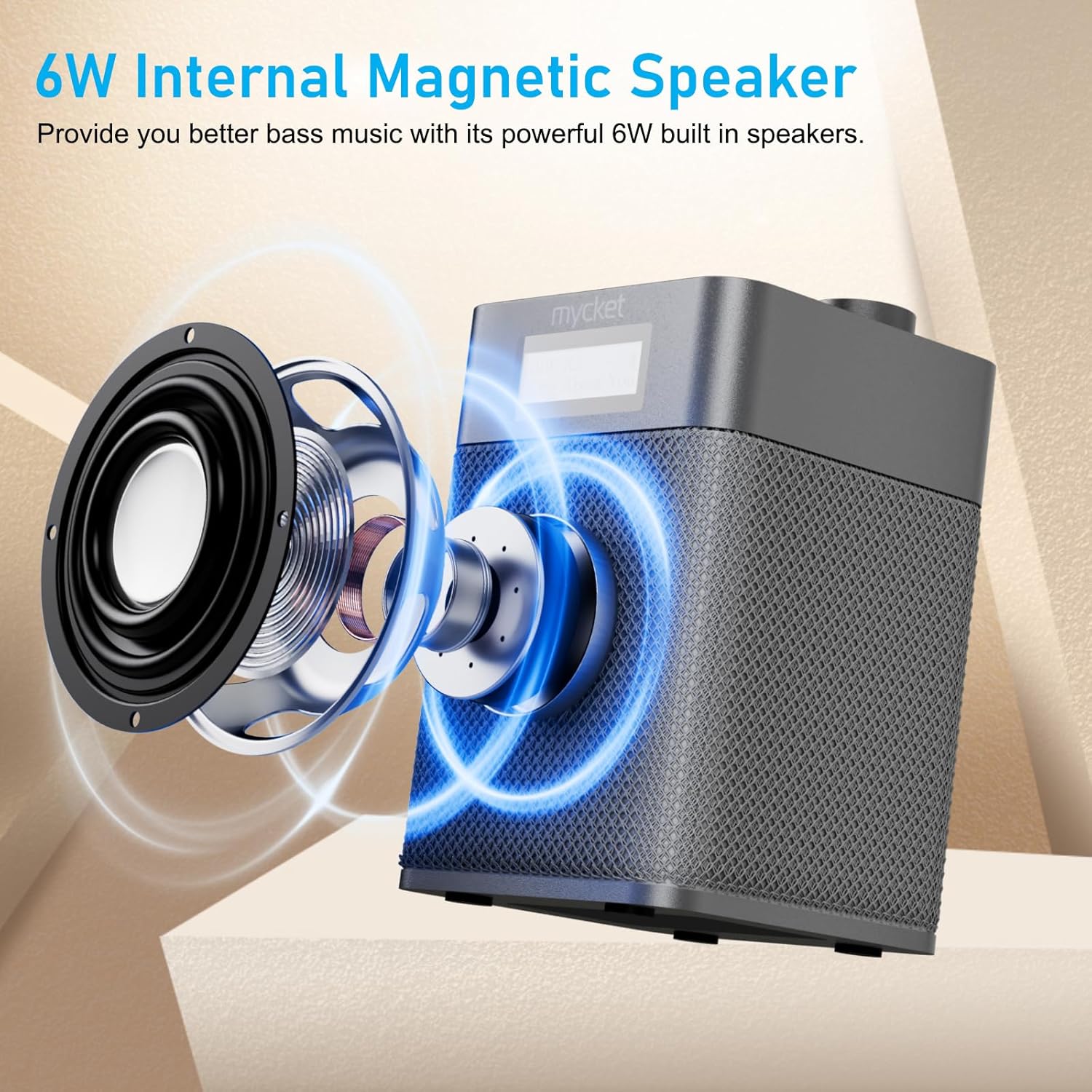
Figure 8.1: Diagram illustrating the 6W internal magnetic speaker of the Mycket radio.
9. Кепилдик жана колдоо
Mycket is committed to providing high-quality products and customer satisfaction. This product comes with a 12-month coverage period from the date of purchase. For any inquiries, technical assistance, or support, please contact our customer service team. We offer 24/7 customer service to ensure a worry-free experience.


