Introduction
This manual provides detailed instructions for the setup, operation, and maintenance of your ECHO Rainbow Pro S Smartwatch. Please read this manual thoroughly before using your device to ensure proper functionality and to maximize your user experience. Keep this manual for future reference.
Продукт бүттүview
The ECHO Rainbow Pro S is a versatile smartwatch designed to integrate seamlessly into your daily life, offering health monitoring, fitness tracking, and smart communication features. It features a 1.96-inch display and comes with interchangeable straps.
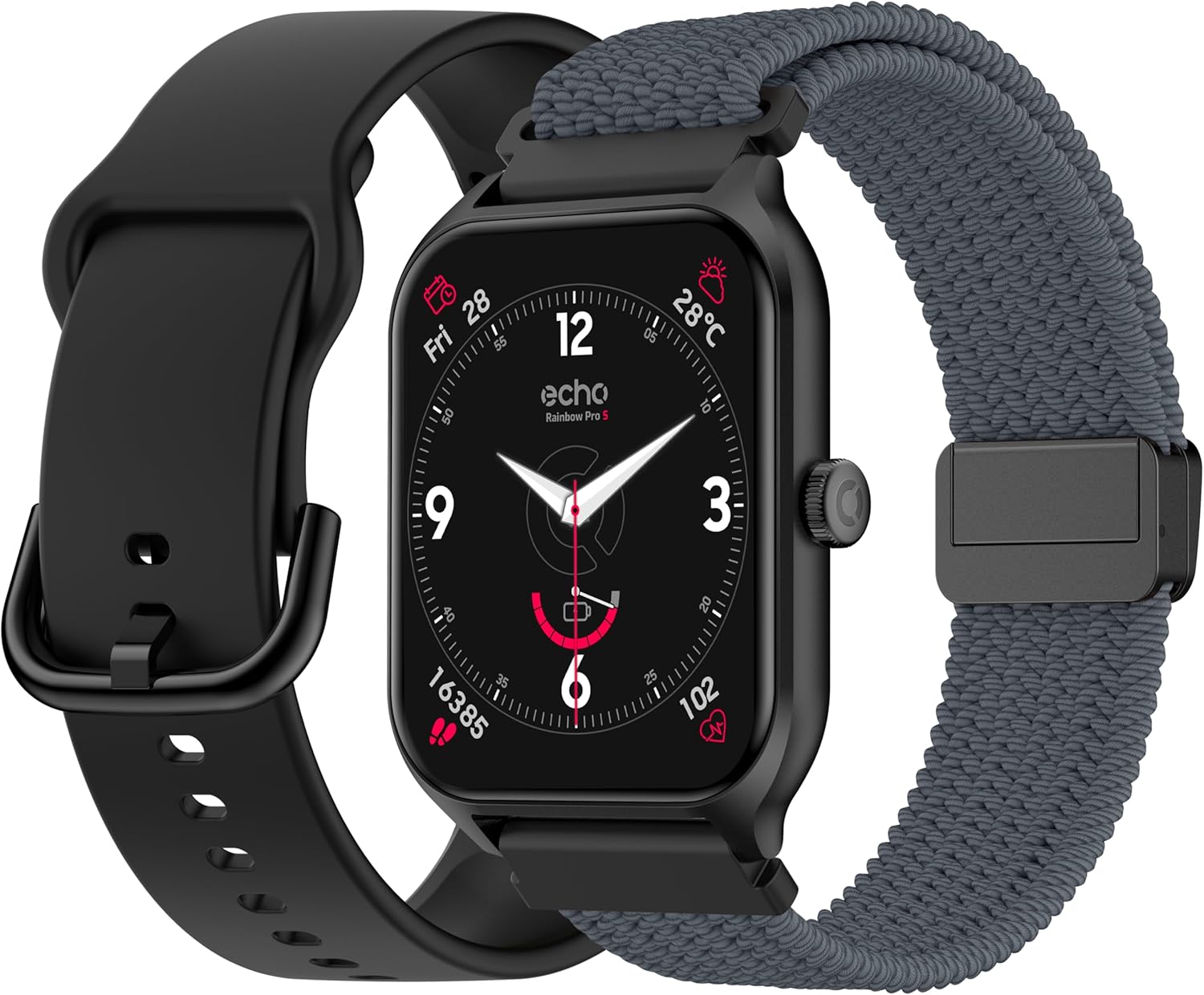
The ECHO Rainbow Pro S smartwatch comes with two interchangeable straps, one in silicone and one in woven nylon, offering versatility for different occasions. The watch features a square display and a side button for navigation.
Жайгашуу
1. Кутудан чыгаруу жана баштапкы төлөм
Upon opening the package, verify that all components are present: the ECHO Rainbow Pro S smartwatch, a magnetic charging cable, a silicone strap, and a woven nylon strap. Before first use, fully charge the device. Connect the magnetic charger to the charging points on the back of the watch and plug the USB end into a power source. A full charge typically takes approximately 2.5 hours.
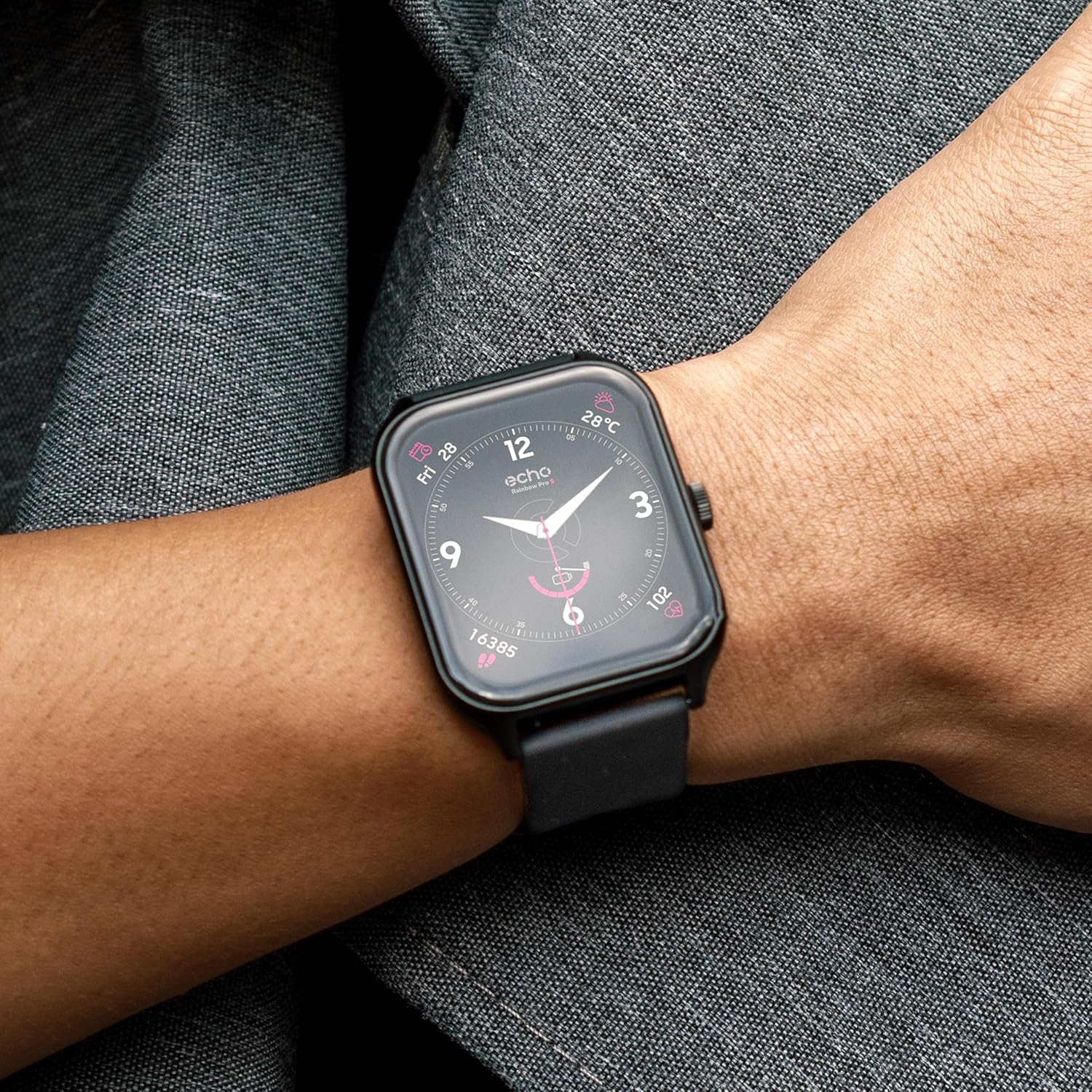
The ECHO Rainbow Pro S smartwatch package includes the watch, a magnetic charging cable, a silicone strap, and a woven nylon strap. Ensure all components are present before proceeding with setup.
2. Колдонмону орнотуу жана жупташтыруу
- жүктөп алыңыз Da Fit смартфонуңуздун колдонмолор дүкөнүнөн тиркеме (Android жана iOS үчүн жеткиликтүү).
- Da Fit колдонмосун ачып, аккаунт түзүү же кирүү үчүн экрандагы көрсөтмөлөрдү аткарыңыз.
- Смартфонуңузда Bluetooth иштетилгенин текшериңиз.
- In the Da Fit app, navigate to the 'Device' section and select 'Add Device'.
- Select 'ECHO Rainbow Pro S' from the list of available devices to initiate pairing.
- Смартфонуңузда да, акылдуу саатыңызда да жупташтыруу өтүнүчүн ырастаңыз.
Иштөө нускамалары
Негизги навигация
- Сенсордук экран: Swipe left, right, up, or down to navigate through menus and access different features.
- Каптал баскычы: Press to return to the home screen or to access the app list. A long press may activate specific functions or power the device on/off.

The ECHO Rainbow Pro S smartwatch features a responsive touchscreen display. Navigate through menus by swiping left, right, up, or down. Press the side button to return to the home screen or access the app list.
Ден соолук мониторинги
The ECHO Rainbow Pro S Smartwatch is equipped with advanced sensors to track various health metrics. Data can be viewed on the watch or in more detail within the Da Fit application.
- Жүрөктүн кагышы: Continuous monitoring of your heart rate throughout the day.
- Кандагы кычкылтек (SpO2): Measures the oxygen saturation level in your blood.
- Уйкуга көз салуу: Analyzes your sleep patterns, including deep sleep, light sleep, and awake times.
- жөө: Counts your daily steps, distance covered, and calories burned.

The ECHO Rainbow Pro S smartwatch continuously monitors various health metrics. View your heart rate, blood oxygen saturation (SpO2), and sleep patterns directly on the watch or in detail within the Da Fit application.
Note: Health data provided by the smartwatch is for reference only and should not be used for medical diagnosis or treatment. Consult a medical professional for health-related concerns.
Спорт режимдери
The smartwatch supports over 100 sport modes to help you track and optimize your workouts. Access detailed statistics and coaching videos through the Da Fit app.
- Активдүүлүккө көз салуу: Monitor duration, calories burned, and heart rate for various activities.
- Coaching Videos: Access guided exercises and training programs within the Da Fit application.
- GPS көз салуу: When connected to your smartphone, the watch can utilize your phone's GPS for accurate route tracking during outdoor activities.

Engage in over 100 sport modes with the ECHO Rainbow Pro S smartwatch. Track your workouts, monitor progress, and access guided exercises through the Da Fit app. GPS tracking is available when connected to your smartphone.
AI Assistant & Customization
The ECHO Rainbow Pro S features an integrated AI assistant and extensive customization options.
- AI үн жардамчысы: Interact with the watch using voice commands to get information, set reminders, or control functions.
- Ыңгайлаштырылган саат жүздөрү: Personalize your watch's appearance by choosing from a variety of pre-installed watch faces or creating your own through the Da Fit app.
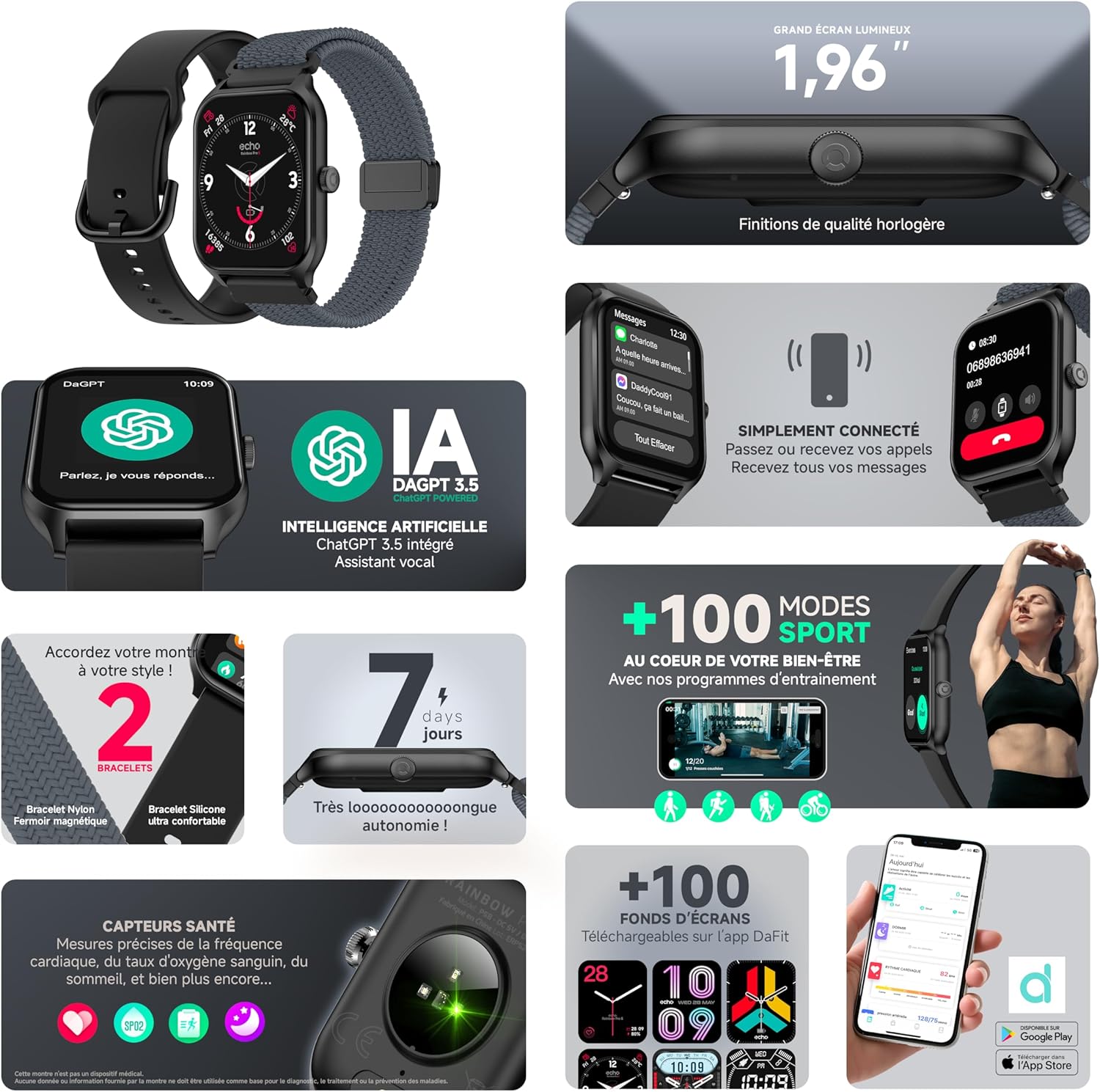
Utilize the integrated AI assistant for quick information and control. Personalize your ECHO Rainbow Pro S smartwatch with custom watch faces, accessible through the Da Fit application.
Bluetooth чалуу
Make and receive calls directly from your wrist when the smartwatch is connected to your smartphone via Bluetooth.
- Колсуз байланыш: The watch features an integrated speaker and microphone for clear call quality.
- Чалууларды башкаруу: Answer, reject, or dial calls directly from the watch interface.
The ECHO Rainbow Pro S smartwatch allows you to make and receive calls directly from your wrist via Bluetooth. The integrated speaker and microphone ensure clear communication without needing to access your smartphone.
Батарея жана заряддоо
The ECHO Rainbow Pro S Smartwatch is designed for extended use with efficient power management.
- Батареянын иштөө мөөнөтү: Up to 7 days of typical use on a single charge.
- Заряддоо убактысы: Approximately 2.5 hours for a full charge using the provided magnetic charging cable.
- Заряддоо көрсөткүчү: The watch display will show a charging animation and battery percentage.
Техникалык тейлөө
- Тазалоо: Wipe the watch screen and body with a soft, dry cloth. For stubborn dirt, use a slightly damp чүпүрөк менен сүртүп, андан кийин жакшылап кургатыңыз. Катуу химиялык заттардан же абразивдүү материалдардан алыс болуңуз.
- Суу каршылык: The device has an IP68 rating, meaning it is resistant to fresh water up to 1 meter for 30 minutes. It is suitable for daily use and light water exposure (e.g., hand washing, rain). Avoid hot water, saltwater, or prolonged submersion. Do not press buttons underwater.
- Боону багуу: Clean straps regularly. Silicone straps can be washed with mild soap and water. Nylon straps may require gentle hand washing and air drying.
- Сактагыч: Колдонулбаган убакта саатты салкын, кургак жерде сактаңыз.
Проблемаларды чечүү
Жалпы маселелер жана чечимдер
- Күйгүзүлбөй жаткан саат: Саат толук заряддалганын текшериңиз. Аны заряддагычка кеминде 30 мүнөт туташтырыңыз.
- Телефон менен жупташтыруу мүмкүн эмес:
- Телефонуңузда жана саатыңызда Bluetooth иштетилгенин текшериңиз.
- Саат телефонуңуздун диапазонунда экенин текшериңиз.
- Телефонуңузду да, саатыңызды да өчүрүп күйгүзүңүз.
- Clear the Bluetooth cache on your phone (if applicable) and try again.
- Туура эмес ден соолук маалыматтары: Ensure the watch is worn snugly on your wrist, about one finger's width above the wrist bone. Avoid excessive movement during measurements.
- Эскертмелер көрүнбөй жатат: Check notification settings in the Da Fit app and your phone's system settings to ensure permissions are granted for the app to send notifications.
- Батареянын бат түгөнүп калышы: Reduce screen brightness, disable unnecessary features, and ensure the watch is not constantly searching for a Bluetooth connection.
Заводдук абалга кайтаруу
If issues persist, a factory reset may resolve them. This will erase all data on the watch and restore it to its original settings. Consult the Da Fit app or the watch's settings menu for the factory reset option.
Техникалык шарттар
| Өзгөчөлүк | Спецификация |
|---|---|
| Бренд | ECHO |
| Модел | Rainbow Pro S |
| Screen Size | 1.96 дюйм |
| Операция системасы | Wear OS 3.0 |
| Байланыш | Bluetooth |
| Суу каршылык | IP68 (Resistant to fresh water up to 1m for 30 min) |
| Шайкеш түзмөктөр | Android, iOS |
| Батареянын иштөө мөөнөтү | 7 күнгө чейин |
| Заряддоо убактысы | Болжол менен 2.5 саат |
| GPS | No (uses phone's GPS) |
| Модель номери | b5976b79-28bc-488a-b33b-4a31895cc621 |
Кепилдик жана колдоо
For warranty information, please refer to the documentation provided with your purchase or contact ECHO customer support. For technical assistance, troubleshooting, or further inquiries, please visit the official ECHO webсайтка же кардарларды тейлөө бөлүмүнө кайрылыңыз.
Онлайн колдоо: Visit ECHO Support


