Introduction
The Phomemo A30 Label Maker is a compact and portable thermal transfer printer designed for creating various labels and ribbons. It utilizes inkless thermal technology and connects wirelessly via Bluetooth to your smartphone, tablet, or PC. This manual provides comprehensive instructions to help you set up, operate, and maintain your A30 label maker, ensuring optimal performance and longevity.
Кутуда эмне бар
- One Phomemo A30 Label Maker
- Заряддоо кабели
- A user manual (this document)
- One roll of white label tape

Image: The Phomemo A30 Label Maker in green, accompanied by a roll of label tape and a charging cable, illustrating the contents of the product package.
Техникалык шарттар
| Өзгөчөлүк | Деталь |
|---|---|
| Продукциянын өлчөмдөрү | 4.07"D x 1.83"W x 6.45"H |
| Элемент Салмагы | 5.6 унция (160 грамм) |
| Байланыш технологиясы | Bluetooth |
| Басма технологиясы | Жылуулук берүү |
| Максималдуу медиа өлчөмү | 0.59 дюйм (15мм) |
| Максималдуу кара жана ак басып чыгаруу чечими | 203 Dots Per Inch (DPI) |
| Шайкеш түзмөктөр | Smartphones, Tablet (Android, iOS), PC (Windows & Mac) |
| Башкаруу ыкмасы | Колдонмо |
| Батарея | 1 Литий Полимердик батарейка (кошумча), 1200mAh |
| Өзгөчөлүктөр | Portable, Inkless, Wireless, Rechargeable, Creative Print Functions (Barcode, Text, Picture, QR 2D Code, Table, Date, Border, Icon, Shape, Pattern, Template, Image Recognition, Voice Recognition, Automated Text Extraction, Automated Image Resizing, Cropping, Rotation, Filtering, Compression) |
Орнотуу колдонмосу
1. Аппаратты заряддоо
Before first use, fully charge your Phomemo A30 Label Maker. Connect the provided charging cable to the device's USB port and plug the other end into a standard USB power adapter (not included) or a computer's USB port. The indicator light will show charging status and turn off when fully charged.
2. Installing the Phomemo App
The Phomemo A30 operates via the dedicated Phomemo app. Download the app from your device's app store:
- For iOS devices: Search "Phomemo" in the Apple App Store.
- For Android devices: Search "Phomemo" in the Google Play Store.
- Alternatively, scan the QR code provided in the quick start guide included with your device.
3. Этикетка лентасын жүктөө
- Open the label compartment cover on the side of the A30 label maker.
- Insert the label tape cassette into the compartment, ensuring the tape feeds out correctly through the slot. The A30 features automatic paper size and type recognition.
- Бөлүмдүн капкагын бекем жабыңыз.

Сүрөт: деталдуу view of the Phomemo A30 Label Maker, highlighting its compact dimensions and key features such as colored ribbon printing, auto paper detection, 1200mAh battery, and wireless connectivity.
Иштөө нускамалары
1. Bluetooth аркылуу туташуу
- Смартфонуңузда же планшетиңизде Bluetooth иштетилгенин текшериңиз.
- Turn on the Phomemo A30 Label Maker by pressing and holding the power button. The indicator light will illuminate.
- Open the Phomemo app. The app will automatically search for nearby devices.
- Select "A30" from the list of available devices to establish a connection. The indicator light on the printer may change to confirm connection.
2. Этикеткаларды түзүү жана басып чыгаруу
The Phomemo app offers a wide range of customization options for your labels.
- Select Template or Create New: Choose from over 1000 pre-designed templates for various uses (e.g., home organization, gift tags, school supplies) or start a new blank label.
- Мазмунду ыңгайлаштыруу:
- Текст: Add text, adjust font (200+ options), size, style (bold, italic), and alignment.
- Иконалар жана символдор: Choose from over 600 symbols and icons.
- Чек аралары: Apply from over 200 border templates.
- Сүрөттөр: Insert images from your device or use the image recognition feature.
- Штрих-коддор/QR коддору: Generate and print various types of barcodes and QR codes.
- Башка функциялар: Utilize features like date, table, line, voice recognition, and automated text extraction.
- Preview: Review your label design on the app screen to ensure it meets your requirements.
- Басып чыгаруу: Tap the print button in the app. The A30 will print the label. The built-in hidden cutter allows for easy and clean cutting of the label after printing.
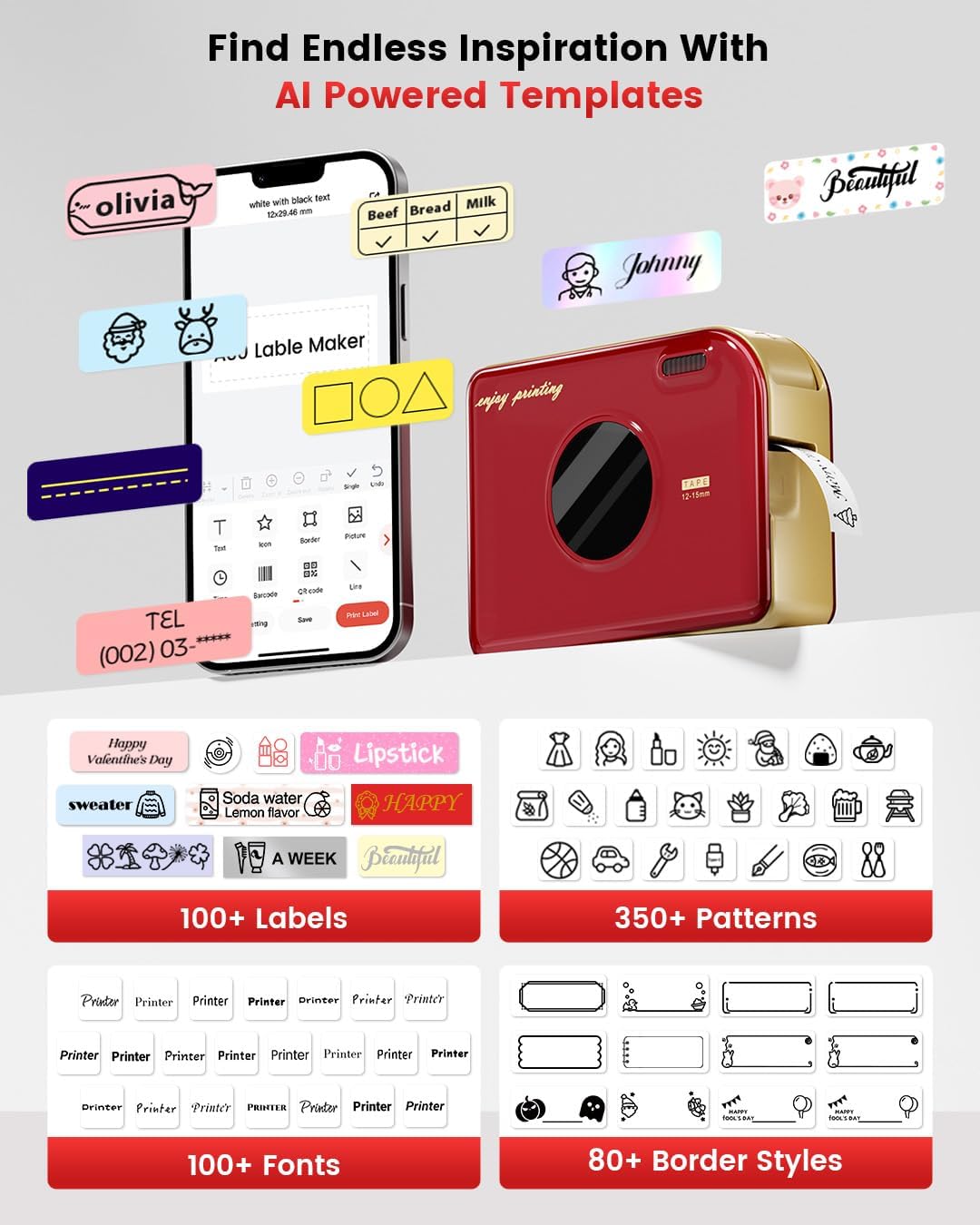
Image: A visual representation of the Phomemo app interface on a smartphone, displaying a wide array of AI-powered templates, fonts, patterns, and border styles available for label customization.
3. Types of Labels and Applications
The A30 supports various label types for diverse applications:
- Pre-cut or Continuous Labels: For standard labeling needs.
- Үлгүлүү этикеткалар: Декоративдик максаттар үчүн.
- Муздаткычтын магниттик этикеткалары: Магниттик беттерде буюмдарды иретке келтирүү үчүн.
- Colored Font Labels: For enhanced visual appeal.
- Тасмалар: For gift decoration and personalized messages.
- Кездеме үтүктөлүүчү этикеткалар: Кийим жана кездемелерди идентификациялоо үчүн.
- Premium Glitter Labels: For special occasions.
- Hot Stamping Labels: For a premium, embossed look.
- Жаркыраган этикеткалар: Жарык аз шарттарда көрүнүү үчүн.

Сүрөт: Мисamples of custom ribbon printing for gifts, iron-on labels for fabric, and personalized labels for various items.
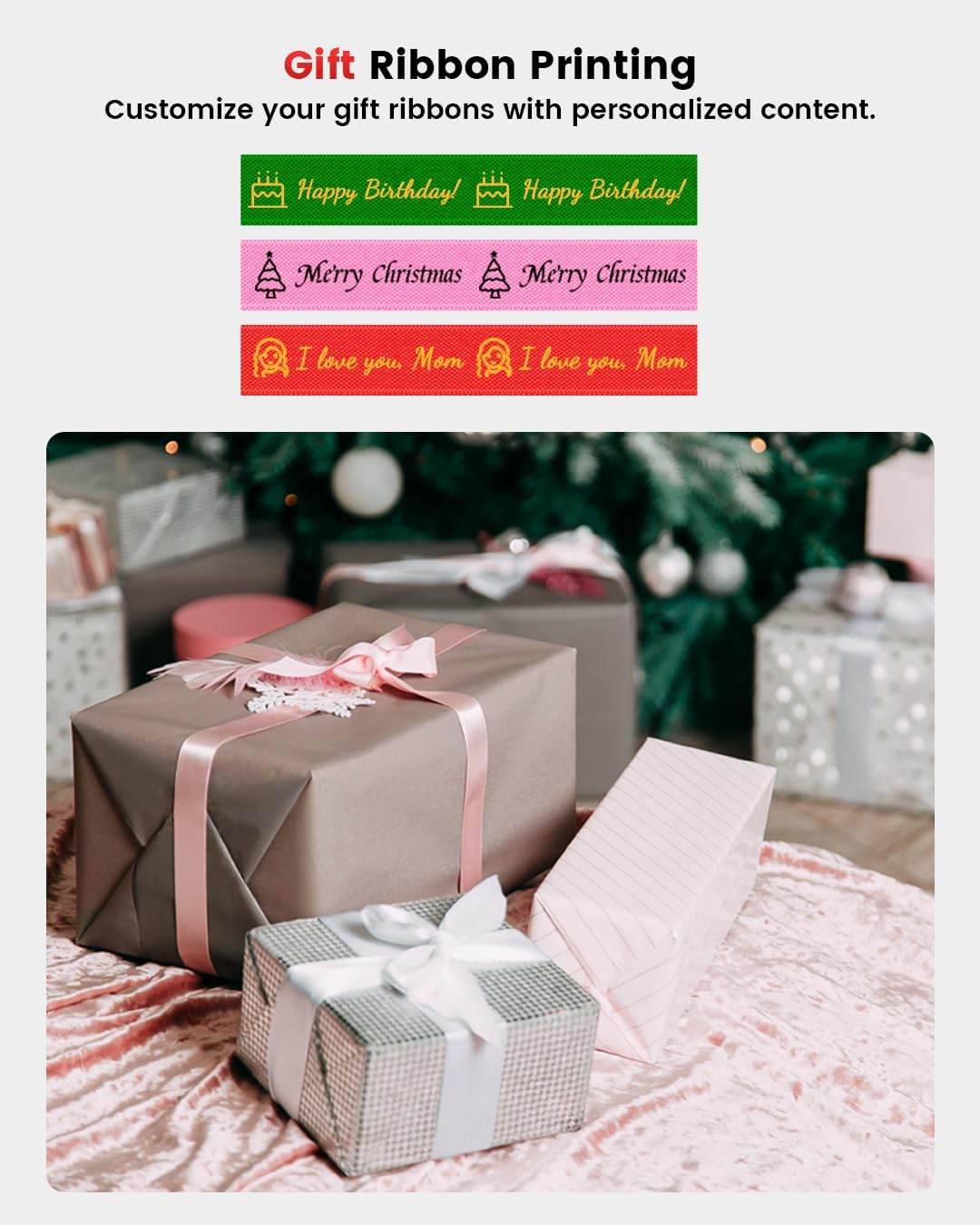
Image: Customized gift ribbons with messages like "Happy Birthday!" and "Merry Christmas" shown alongside wrapped presents.

Image: Magnetic labels with various food names and icons applied to a refrigerator door.
Техникалык тейлөө
1. Басып чыгаруу башын тазалоо
To ensure clear and consistent print quality, regularly clean the print head. Use a soft, lint-free cloth lightly dampИзопропил спирти менен эритилген. Басып чыгаруучу баштын бетин акырын сүртүңүз. Абразивдүү материалдарды же катуу химиялык заттарды колдонбоңуз.
2. Батареяга кам көрүү
To prolong battery life, avoid fully discharging the device frequently. Charge the device regularly, even if not in constant use. Store the device in a cool, dry place when not in use for extended periods.
3. Энбелгилерди сактоо
Store label tapes in a cool, dry place away from direct sunlight and extreme temperatures to prevent degradation of the thermal material.

Image: Labels applied to dishes in a dishwasher and plant pots, illustrating the durability and weather resistance of the labels in various environments (40°F-90°F).
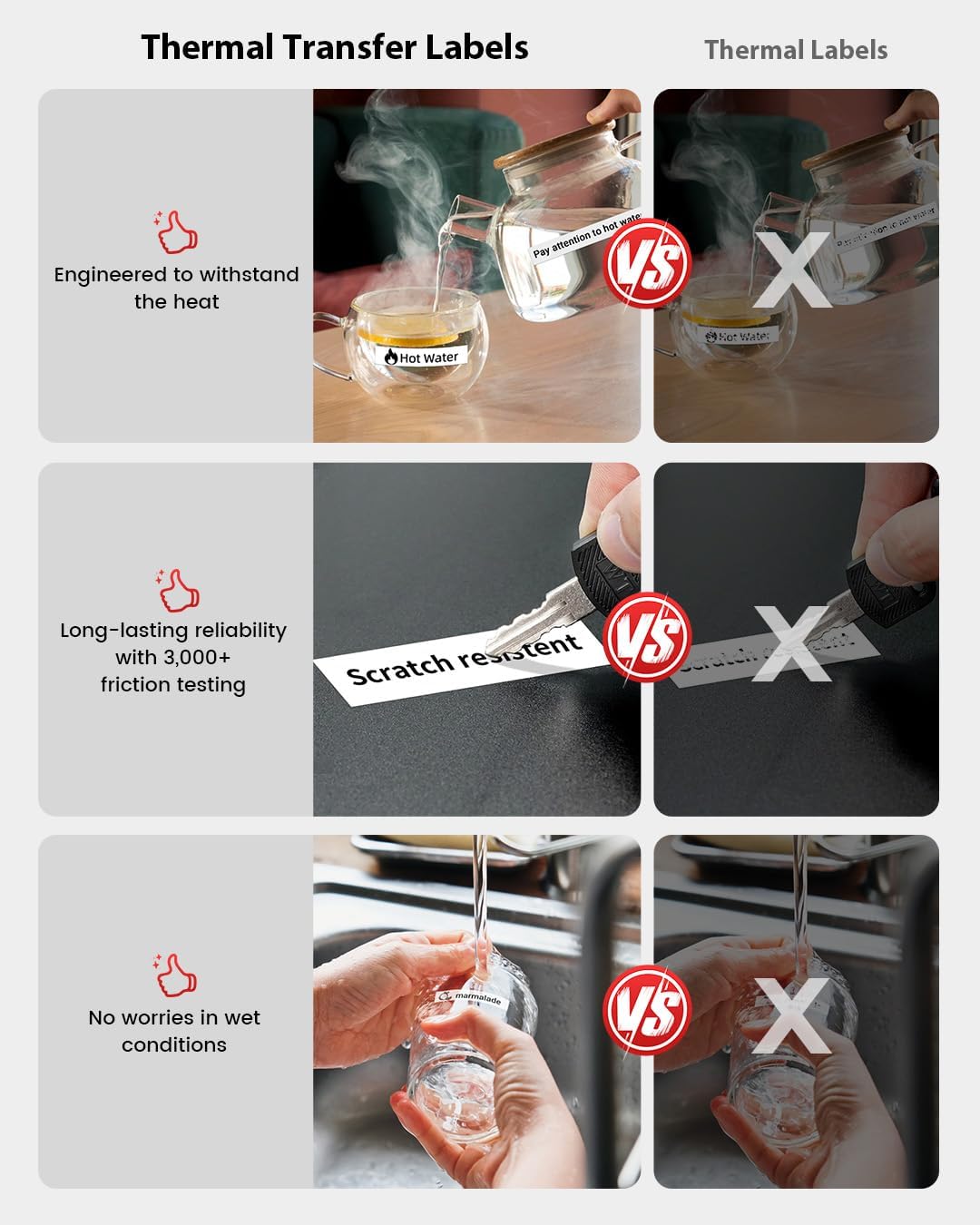
Image: Visual demonstrations of the labels' resistance to water, oil, tearing, and scratching, highlighting their robust and long-lasting properties.

Image: A comparison showing the superior durability of thermal transfer labels over standard thermal labels, demonstrating resistance to heat, scratches, and wet conditions.
Проблемаларды чечүү
| Көйгөй | Мүмкүн себеп | Чечим |
|---|---|---|
| Түзмөк күйбөй жатат | Аз батарея; Кубат баскычы жетишерлик көпкө басылган жок | Charge the device fully; Press and hold the power button for 3-5 seconds. |
| Bluetooth аркылуу туташуу мүмкүн эмес | Bluetooth off on phone/tablet; Device too far; App not open; Printer not discoverable | Ensure Bluetooth is on; Move device closer; Open Phomemo app; Restart printer and app. |
| Басып чыгаруу сапаты начар / Өчүрүлгөн басып чыгаруулар | Print head dirty; Incorrect label type; Low battery; Old/damaged label tape | Clean the print head; Ensure you are using genuine Phomemo thermal transfer labels; Charge the device; Replace label tape. |
| Label jam | Improperly loaded tape; Foreign object in paper path | Open compartment, remove tape, clear any obstructions, re-load tape correctly. |
| Колдонмо бузулат же катып калат | Outdated app version; Software conflict | Update the Phomemo app to the latest version; Restart your phone/tablet. |
Кепилдик жана колдоо
The Phomemo A30 Label Maker comes with a limited warranty. Please refer to the warranty card included in your package for specific terms and conditions. For technical support, troubleshooting assistance, or warranty claims, please contact Phomemo customer service through their official webсайтына же кепилдик документтеринде берилген байланыш маалыматына кайрылыңыз.
Phomemo Official Webсайт: www.phomemo.com
For additional resources and FAQs, visit the Phomemo support page.


