1. Киришүү
The Zyxel XGS1935-52 is a high-performance 48-port Gigabit Ethernet Smart Managed Switch designed for modern network environments. It features 4 10G SFP+ uplink slots, offering flexible high-bandwidth connectivity. This switch supports both standalone management via an intuitive web browser interface and cloud management through the Zyxel Nebula ecosystem, providing a unified network experience for wired, wireless, and security gateways. Its compact and quiet design makes it suitable for various work environments.
Негизги өзгөчөлүктөр төмөнкүлөрдү камтыйт:
- Integrated 10G SFP+ uplinks for high-bandwidth applications.
- Nebula ecosystem for unified cloud network management.
- Standalone management with an intuitive web браузер интерфейси.
- User-friendly configuration wizard for VLAN, QoS, and link aggregation.
- Compact and quiet design for versatile deployment.
2. Орнотуу
2.1 Кутудан чыгаруу жана камтылган компоненттер
Carefully unpack the switch and verify that all components are present. The package should contain:
- Zyxel XGS1935-52 Smart Managed Switch
- Электр кабели
- Rack mounting kit (if applicable, check packaging)
- Ыкчам баштоо колдонмосу (деталдуу нускамалар үчүн бул колдонмону караңыз)
2.2 Физикалык орнотуу
Choose a suitable location for the switch. Ensure adequate ventilation and maintain a stable operating temperature. The switch can be placed on a desktop or mounted in a standard 19-inch equipment rack using the provided mounting kit.
Иш тактада жайгаштыруу: Place the switch on a flat, stable surface. Ensure there is enough space around the switch for proper airflow.
Стойкага орнотуу: Attach the rack-mounting brackets to the sides of the switch using the screws provided. Secure the switch into the rack using appropriate rack screws.
2.3 Которгучту туташтыруу
- Кубат туташуу: Connect the power cable to the AC input port on the rear panel of the switch and then to a grounded power outlet.
- Тармактык байланыштар: Connect your network devices (computers, servers, access points, etc.) to the Gigabit Ethernet ports (RJ45) on the front panel using standard Ethernet cables. For high-speed uplinks, insert compatible SFP+ transceivers into the 10G SFP+ slots and connect fiber optic cables as needed.

Figure 1: Rear panel of the Zyxel XGS1935-52 switch, illustrating the AC input port and grounding point for power connection.

Сүрөт 2: Алдыңкы view of multiple Zyxel switches, demonstrating the Gigabit Ethernet ports and 10GbE SFP+ uplink slots for flexible high-speed connections.
2.4 Баштапкы конфигурацияга кирүү
The switch can be managed in two primary modes: Standalone (local web GUI) or Hybrid Cloud (Zyxel Nebula).
- Өз алдынча режим: Connect a computer directly to any Ethernet port on the switch. Open a web browser and enter the default IP address (refer to the Quick Start Guide or Zyxel support website for the default IP). Log in with the default credentials to access the web башкаруу интерфейси.
- Hybrid Cloud Mode (Nebula): Register your switch with the Zyxel Nebula cloud platform. This allows for centralized management of your network devices from anywhere. Refer to the Nebula documentation for detailed setup instructions.
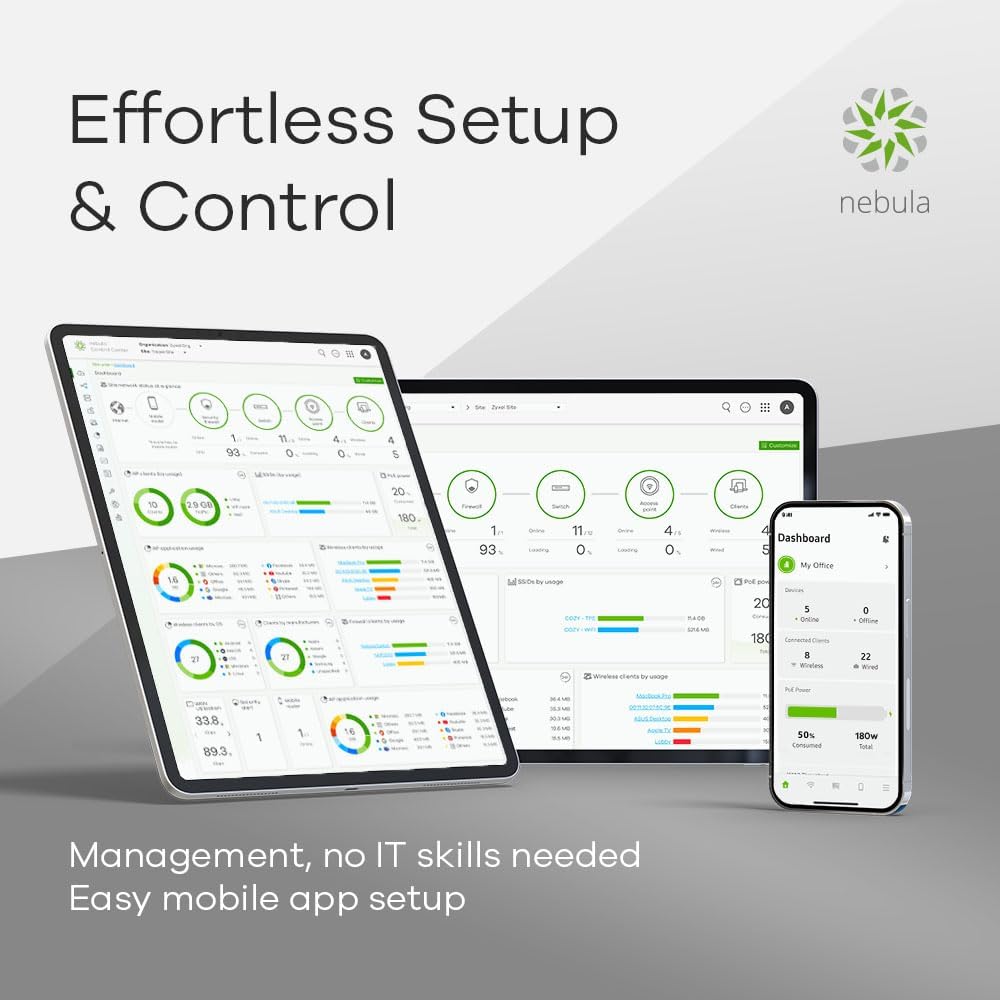
Figure 3: Nebula dashboard interface on a tablet and laptop, showcasing the cloud management capabilities for effortless setup and control.
3. Которгучту иштетүү
3.1 Негизги операция
Once powered on, the switch will perform a self-test. The LED indicators on the front panel will show the status of the power, system, and individual ports. Refer to the LED status section in the full user guide for detailed explanations of each indicator.
3.2 Тармакка туташуу
The 48 Gigabit Ethernet ports provide high-speed connectivity for your wired devices. The 4 10G SFP+ slots are designed for high-bandwidth uplinks to core switches, servers, or other network segments requiring faster data transfer rates.
3.3 Smart Management Features
The Zyxel XGS1935-52 offers advanced management capabilities:
- Web Башкаруу интерфейси: Коммутаторго кирүү web GUI for detailed configuration of network settings, port management, security features, and monitoring.
- Тумандуулукту башкаруу: For centralized control and monitoring of multiple Zyxel devices, utilize the Nebula cloud platform. This allows for remote configuration, firmware updates, and network analytics.
- Configuration Wizard: An intuitive setup wizard simplifies complex configurations such as VLANs (Virtual Local Area Networks), QoS (Quality of Service), and Link Aggregation (LAG). This step-by-step process allows for quick and efficient network optimization.

Figure 4: The intuitive setup wizard on a laptop and tablet, demonstrating simplified configuration for VLAN and QoS settings.

Figure 5: The Zyxel switch in an office setting, highlighting its 375W power budget and 802.3at PoE+ support for powering compatible devices.
4. Техникалык тейлөө
4.1 Микропрограмма жаңыртуулары
Zyxel колдоосун үзгүлтүксүз текшерип туруңуз website for the latest firmware updates. Firmware updates can provide new features, performance improvements, and security patches. Follow the instructions provided with the firmware download for the update process. For Nebula-managed switches, firmware updates can often be managed directly through the Nebula cloud platform.
4.2 Тазалоо
To maintain optimal performance, periodically clean the exterior of the switch with a soft, dry cloth. Do not use liquid or aerosol cleaners directly on the device. Ensure ventilation openings are free from dust and obstructions.
4.3 Айлана-чөйрөнү коргоо
Ensure the switch operates within its specified temperature and humidity ranges. Avoid exposing the device to direct sunlight, excessive heat, or moisture. The noiseless design contributes to stable operation in various environments.
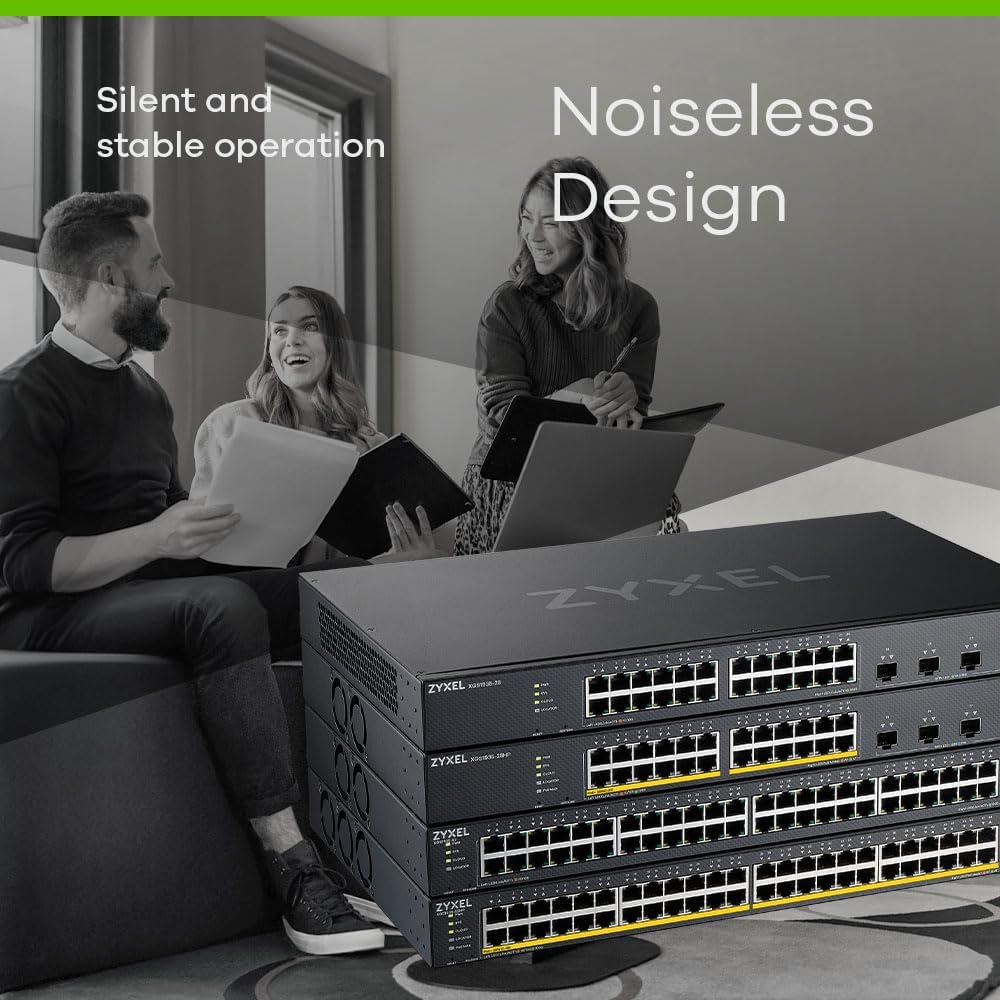
Figure 6: Zyxel switches in an office setting, illustrating their silent and stable operation, ideal for quiet work environments.
5. Кыйынчылыктарды
5.1 Жалпы маселелер жана чечимдер
- Кубат жок: Ensure the power cable is securely connected to both the switch and the power outlet. Verify the power outlet is functional.
- Тармакка туташуу жок: Check the Ethernet cables for secure connections. Verify the link/activity LEDs on the switch ports are illuminated. Ensure connected devices are powered on and configured correctly.
- Жай аткаруу: Check for network congestion. Verify duplex settings on connected devices. Ensure firmware is up to date. Consider using the 10G SFP+ uplinks for high-traffic segments.
5.2 LED көрсөткүчтөрү
The front panel LEDs provide visual status of the switch. Consult the full product manual for a detailed description of each LED's behavior (e.g., solid green for link, blinking for activity, amber for specific status).
5.3 Аппаратты баштапкы абалга келтирүү
If the switch is unresponsive or you need to revert to factory default settings, a reset option is available. Refer to the full user manual for instructions on performing a factory reset, as this will erase all custom configurations.
6. Техникалык шарттар
| Өзгөчөлүк | Спецификация |
|---|---|
| Бренд | ZYXEL |
| Модель номери | XGS1935-52 |
| Порттардын саны | 48 Гигабит Ethernet, 4 10G SFP+ |
| Камтылган компоненттер | Электр кабели |
| Түс | Кара |
| Шайкеш түзмөктөр | Компьютер, ноутбук, принтер |
| Интерфейс | RJ45, SFP+ |
| Маалыматтарды өткөрүү ылдамдыгы | 1000 Мегабит/секунда (Гигабит Ethernet) |
| Которуу түрү | Башкарылган |
| Платформа | Zeta (Nebula Cloud) |
| Иштин материалдык түрү | Пластик |
| Элемент Салмагы | 5038 грамм |
| Өндүрүүчү | ZYXEL |
7. Кепилдик жана колдоо
7.1 Продукциянын кепилдиги
Zyxel products typically come with a limited warranty. Please refer to the warranty card included with your product or visit the official Zyxel webсиздин аймакка жана продукт моделине мүнөздүү деталдуу кепилдик шарттары жана шарттары үчүн сайт.
7.2 Техникалык колдоо
For technical assistance, troubleshooting, or further inquiries, please visit the official Zyxel support webсайт. The website provides access to FAQs, knowledge bases, driver downloads, and contact information for technical support representatives.
Zyxel колдоо кызматы Webсайт: www.zyxel.com/support