Introduction
This manual provides essential information for the safe and efficient installation, operation, and maintenance of your GIGABYTE AORUS Elite P1000W Ice Power Supply. Please read this manual thoroughly before using the product and retain it for future reference.

1-сүрөт: Бурчтуу view of the GIGABYTE AORUS Elite P1000W Ice Power Supply, highlighting the 1000W rating.
Коопсуздук маалыматы
Жабдууларыңыздын бузулушуна жана жаракат алышына жол бербөө үчүн ар дайым төмөнкү коопсуздук чараларын сактаңыз:
- Орнотуудан же иштетүүдөн мурун, кубат булагынын AC розеткасынан ажыратылганын текшериңиз.
- Электр менен камсыздоо блогун ачпаңыз. Жогорку томtages ичинде бар жана колдонуучу тейлей турган бөлүктөр жок.
- Install the power supply in a well-ventilated area, away from heat sources and direct sunlight.
- Бул кубат булагы менен кошо берилген модулдук кабелдерди гана колдонуңуз. Шайкеш келбеген кабелдерди колдонуу зыян келтириши мүмкүн.
- Электр булагына нымдуулук же өтө жогорку температура таасир этүүдөн алыс болуңуз.
Пакеттин мазмуну
Пакетте бардык буюмдар бар экенин текшериңиз:
- GIGABYTE AORUS Elite P1000W Ice Power Supply Unit
- Modular Cable Set (including ATX 24-pin, EPS/CPU 8-pin, PCIe 6+2-pin, 12VHPWR, SATA, Peripheral)
- AC Power Cord (EU Plug)
- Монтаждоо бурамалар
- Колдонуучунун Колдонмосу (бул документ)
Продукт өзгөчөлүктөрү
- ATX 3.0 and PCIe Gen 5.0 ready (ATX 3.1 compatible)
- Certified 80 PLUS Platinum efficiency
- 100% Japanese Capacitors for enhanced reliability
- 120mm Dynamic Fluid Ball Bearing (FDB) Fan for quiet and efficient cooling
- Compact design for easier installation
- Fully modular design for improved cable management
- Powerful single rail +12V output
- Comprehensive protection features: OVP (Over Voltage Коргоо), OPP (Ашыкча кубаттуулуктан коргоо), SCP (Кыска туташуулардан коргоо), UVP (Төмөнкү көлөмдө)tage Protection), OCP (Over Current Protection), OTP (Over Temperature Protection)
Орнотуу жана орнотуу
Электр менен камсыздоону орнотуу үчүн төмөнкү кадамдарды аткарыңыз:
- Системаңызды даярдаңыз: Ensure your computer case is open and all existing power supply cables are disconnected.
- Кубат менен жабдууну орнотуу: Carefully place the GIGABYTE AORUS Elite P1000W into the power supply bay of your computer case. Secure it with the provided mounting screws.

2-сүрөт: Жалпысынан view of the GIGABYTE AORUS Elite P1000W Ice Power Supply. This image shows the main unit with its fan grill and modular cable ports.
- Модулдук кабелдерди туташтыруу: Identify the necessary cables for your motherboard and components (CPU, GPU, storage drives). Connect the appropriate modular cables to the power supply's output ports.

3-сүрөт: Детальдуу view of the modular cable connectors on the GIGABYTE AORUS Elite P1000W Ice Power Supply. This image illustrates the clearly labeled ports for M/B, CPU/PCI-E, Peripheral, and 12VHPWR connections.
- 24-пин ATX кабели: Motherboard'дун негизги кубат туташтыргычына туташыңыз.
- 8-pin EPS/CPU Cable: Connect to the motherboard's CPU power connector.
- PCIe 6+2-pin Cables: Connect to your graphics card(s) if they require additional power.
- 12VHPWR кабели: Connect to PCIe Gen 5.0 graphics cards that utilize this connector.
- SATA кабелдери: Connect to SSDs, HDDs, and optical drives.
- Перифериялык (Molex) кабелдер: Connect to other components requiring Molex power.
- Компоненттерге туташуу: Route the connected modular cables neatly to their respective components and plug them in securely.
- AC кубатына туташтыруу: Ensure the power supply's main switch is in the OFF (0) position. Connect the AC power cord to the power supply and then to a wall outlet.
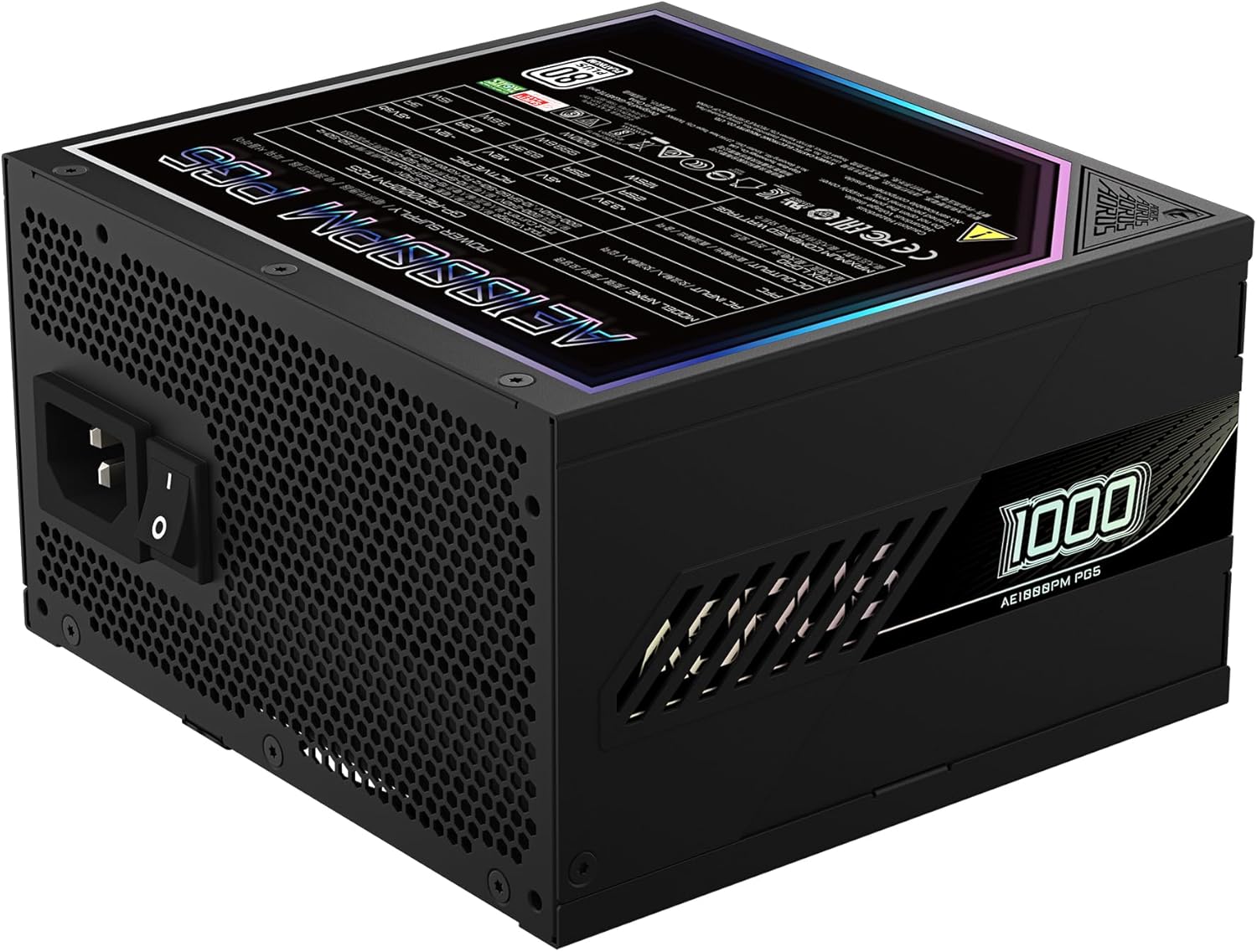
Figure 4: Rear panel of the GIGABYTE AORUS Elite P1000W Ice Power Supply, showing the AC power input and power switch. Ensure the switch is set to '0' before connecting the AC cord.
Иштөө нускамалары
After installation, follow these steps to power on your system:
- Күйгүзүү: Flip the main power switch on the rear of the power supply to the ON (I) position.
- Системаны жүктөө: Системаны баштоо үчүн компьютериңиздин корпусундагы кубат баскычын басыңыз.
- Өчүрүү: To shut down your system, perform a proper shutdown through your operating system. Once the system is off, you may flip the power supply's main switch to the OFF (0) position for complete power disconnection.

5-сүрөт: жогорудан ылдыйга view of the 120mm fan with the AORUS logo on the GIGABYTE AORUS Elite P1000W Ice Power Supply. The fan provides active cooling during operation.
Техникалык тейлөө
Үзгүлтүксүз техникалык тейлөө электр менен камсыздооңуздун узак мөөнөттүү иштешин жана оптималдуу иштешин камсыз кылууга жардам берет:
- Чаңды тазалоо: Periodically clean dust from the power supply's fan grill and vents using compressed air. Ensure the power supply is turned off and unplugged before cleaning.
- Кабелдик башкаруу: Кабелдердин тыкан жайгаштырылганын жана компьютердин корпусунун ичиндеги аба айлануусуна тоскоол болбогонун текшериңиз.
- Экологиялык шарттар: Maintain a cool, dry, and well-ventilated environment for your computer system.
Проблемаларды чечүү
Көйгөйгө туш болсоңуз, төмөнкү жалпы көйгөйлөрдү чечүү кадамдарын караңыз:
- Кубат жок:
- AC кубат шнурунун кубат булагына жана розеткага бекем туташкандыгын текшериңиз.
- Ensure the power supply's main switch is in the ON (I) position.
- Verify that all modular cables are correctly seated in both the power supply and the components.
- Дубалдагы розеткада кубат бар экенин ырастоо үчүн башка аспап менен сынап көрүңүз.
- Система күтүлбөгөн жерден өчөт:
- This could indicate an overload or overheating. Ensure your system's power requirements do not exceed the PSU's 1000W capacity.
- Check for proper ventilation and clear any dust buildup.
- Verify that all power connections are secure.
- адаттан тыш үндөр:
- A clicking sound might indicate a protective mechanism engaging. Disconnect power and recheck all connections.
- If the fan is making excessive noise, ensure it is free from obstructions.
If issues persist after following these steps, contact GIGABYTE customer support.
Техникалык шарттар

Figure 6: Product label on the GIGABYTE AORUS Elite P1000W Ice Power Supply, displaying electrical specifications and certifications. Refer to this label for detailed electrical ratings.
| Өзгөчөлүк | Деталь |
|---|---|
| Модель аты | AORUS ELITE P1000W |
| Элемент моделинин номери | GP-AE1000PM PG5 EU |
| Чыгуу Wattage | 1000 Ватт |
| 80 PLUS сертификаты | Платина |
| Форма фактору | ATX |
| ATX Version Compatibility | ATX 3.0 (ATX 3.1 compatible) |
| PCIe Version Compatibility | PCIe Gen 5.0 |
| Fan Size | 120мм |
| Желдетүүчү түрү | Dynamic Fluid Ball Bearing (FDB) |
| Конденсаторлор | 100% япон конденсаторлору |
| Модулдук дизайн | Толугу менен модулдук |
| Коргоо | OVP, OPP, SCP, UVP, OCP, OTP |
| Продукциянын өлчөмдөрү (L x W x Y) | 5.51 x 5.91 x 3.39 дюйм |
| Элемент Салмагы | 6.79 фунт (3080 грамм) |
Кепилдик маалымат
The GIGABYTE AORUS Elite P1000W Ice Power Supply comes with a 10 жылдык кепилдик from the date of purchase. This warranty covers defects in materials and workmanship under normal use. Please retain your proof of purchase for warranty claims. For full warranty terms and conditions, refer to the official GIGABYTE webсайтка же кардарларды колдоо менен байланышыңыз.
Колдоо
For technical assistance, troubleshooting beyond this manual, or warranty inquiries, please visit the official GIGABYTE support website or contact their customer service department. You can typically find contact information on the GIGABYTE webсайтында же продуктунун таңгагында.
GIGABYTE расмий Webсайт: www.gigabyte.com


