1. Киришүү
This manual provides essential information for the safe and efficient operation of your THOMSON Wireless Bluetooth Speaker, model BG002-1. Please read this manual thoroughly before using the product and retain it for future reference. This speaker combines advanced audio technology with an artistic design, suitable for various indoor environments.
2. Пакеттин мазмуну
Төмөндө тизмеленген нерселердин баары пакетиңизге камтылганын текшериңиз. Эгерде кандайдыр бир нерселер жок болсо же бузулса, кардарларды колдоо менен байланышыңыз.
- THOMSON BG002-1 Wireless Bluetooth Speaker
- Алыстан башкаруу
- C түрүндөгү кубаттоочу кабель
- Колдонуучунун Колдонмосу (бул документ)
3. Продукт бүтүп калдыview
3.1 Компоненттер
The THOMSON BG002-1 speaker features a unique wall-mounted design with an art painting decoration. The audio system is engineered for clear sound reproduction.

Сүрөт: Арткы view of the speaker, illustrating the four sound units.
- Sound Units: Equipped with 2 x 2.5-inch woofers and 2 x 2.5-inch tweeters for balanced audio output.
- Башкаруу панели: Integrated buttons for basic functions (Power, Volume, Mode).
- Заряддоо порту: Кубат киргизүү үчүн Type-C порту.
- Монтаждоо пункттары: Designed for secure wall installation.
3.2 Негизги өзгөчөлүктөрү

Сүрөт: бүттүview of key features including Bluetooth 5.2, output power, remote control, Type-C charging, TWS function, and battery capacity.
- Bluetooth 5.2: Provides stable wireless connectivity with an effective range of up to 10 meters.
- HiFi үн сапаты: Delivers clear audio with 3D surround sound effects.
- Камтылган батарея: Features a 6000 mAh Li-ion battery for portable use, offering approximately 8 hours of playback on a full charge.
- TWS Функциясы: Supports True Wireless Stereo pairing for connecting two BG002-1 speakers for enhanced stereo sound.
- Алыстан башкаруу: алыстан ыңгайлуу иштөөгө мүмкүндүк берет.
- Туруктуу материалдар: Constructed from solid wood and a colorfast mural, with a waterproof and dustproof canvas surface.
4. Орнотуу
4.1 Алгачкы заряддоо
Before first use, fully charge the speaker using the provided Type-C charging cable. Connect the cable to the speaker's charging port and a compatible USB power adapter (not included). The charging indicator will show the charging status.
4.2 Дубалга орнотуу
The speaker is designed for wall mounting. Ensure the chosen wall location is sturdy and can support the speaker's weight. Use appropriate mounting hardware (not included) and follow standard safety procedures for wall installation. Position the speaker at an optimal listening height for the best audio experience.
5. Иштөө нускамалары
5.1 Күйгүзүү/өчүрүү
Press and hold the Power button on the speaker or the remote control to turn the speaker on or off. A sound indicator will confirm the action.
5.2 Bluetooth жупташтыруу

Image: The speaker connecting wirelessly to various devices via Bluetooth 5.2.
- Динамикти күйгүзүңүз. Ал автоматтык түрдө Bluetooth жупташтыруу режимине кирет, жаркыраган LED менен көрсөтүлгөн.
- Түзмөгүңүздө (смартфон, планшет, ноутбук ж.б.) Bluetooth иштетиңиз жана жеткиликтүү түзмөктөрдү издеңиз.
- Select 'THOMSON BG002-1' from the list of devices.
- Once connected, the LED indicator will stop flashing, and a confirmation sound will play.
Динамик күйгүзүлгөндө автоматтык түрдө акыркы жупташтырылган түзмөккө кайра туташуу аракетин көрөт.
5.3 TWS (чыныгы зымсыз стерео) функциясы

Image: Two speakers wirelessly connected to form a stereo pair using TWS function.
To pair two BG002-1 speakers for a stereo experience:
- Эки динамик тең күйгүзүлгөнүн жана эч кандай Bluetooth түзмөгүнө туташкан эмес экенин текшериңиз.
- On one speaker, press the TWS button (if available) or a designated pairing button. The speaker will enter TWS pairing mode.
- Эки динамик автоматтык түрдө бири-бирине туташат. Ырастоо үнү TWS жупташтыруусу ийгиликтүү болгонун билдирет.
- Once TWS is established, connect your device to one of the speakers via Bluetooth as described in section 5.2. Both speakers will then play audio in stereo.
5.4 Алыстан башкаруунун иштеши
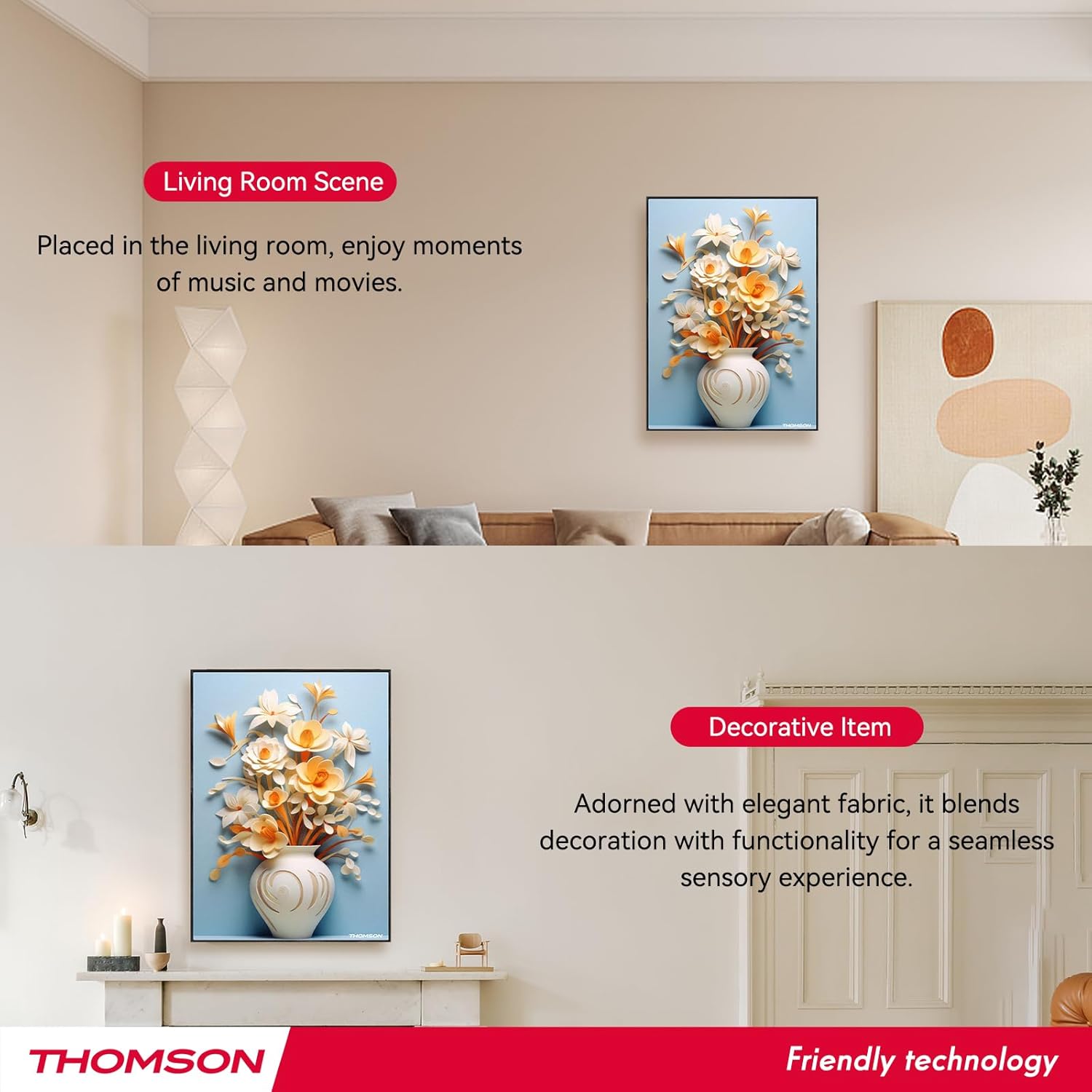
Image: Layout of the remote control with labeled functions.
Алыстан башкаруу пульту ар кандай функцияларга ыңгайлуу мүмкүнчүлүк берет:
- Күйгүзүү/өчүрүү: Динамикти күйгүзөт же өчүрөт.
- Режим: Switches between input modes (e.g., Bluetooth).
- Көлөм +/-: Аудионун үнүн тууралайт.
- Мурунку/Кийинки трек: Skips to the previous or next song.
- Ойнотуу/тындыруу: Аудио ойнотууну баштайт же токтотот.
- 3D режими: Activates or deactivates 3D surround sound.
- EQ режими: Эквалайзер алдын ала орнотуулары аркылуу айланышат.
- TWS режими: Initiates TWS pairing (refer to section 5.3).
- Үнсүз: Аудионун үнүн өчүрөт же ачат.
5.5 Динамикти заряддоо

Image: Visual representation of the speaker's 6000mAh battery capacity.
When the battery is low, the speaker will provide a low battery reminder. Connect the Type-C charging cable to the speaker's charging port and a power source. The charging indicator will illuminate during charging and turn off or change color when fully charged. A full charge typically provides up to 8 hours of playback.
6. Техникалык тейлөө
Колонкаңыздын узак убакытка кызмат кылуусун жана оптималдуу иштешин камсыз кылуу үчүн, төмөнкү техникалык тейлөө көрсөтмөлөрүн аткарыңыз:
- Тазалоо: The speaker's canvas surface is waterproof and dustproof. Wipe it gently with a soft, damp кездеме. Катуу химиялык заттарды же абразивдүү тазалагычтарды колдонуудан алыс болуңуз.
- Сактагыч: Узак мөөнөткө колдонулбаганда, динамикти салкын, кургак жерде сактаңыз.
- Батареяга кам көрүү: To preserve battery life, avoid fully discharging the battery frequently. Charge the speaker regularly, even if not in active use.
- Экологиялык шарттар: Динамикти өтө жогорку температурага, түз күн нуруна же жогорку нымдуулукка дуушар кылбаңыз.
7. Кыйынчылыктарды
Динамикиңизде көйгөйлөргө туш болсоңуз, төмөнкү жалпы көйгөйлөрдү жана чечимдерди караңыз:
- Кубат жок:
- Ensure the speaker is fully charged. Connect the Type-C charging cable and check if the charging indicator lights up.
- Press and hold the Power button for a few seconds. - Үн жок:
- Check the volume level on both the speaker and your connected device.
- Ensure the speaker is correctly paired via Bluetooth (refer to section 5.2).
- Make sure the speaker is not muted. - Bluetooth жупташтыруу маселелери:
- Ensure the speaker is in pairing mode (flashing LED).
- Turn off Bluetooth on your device and turn it back on.
- Move your device closer to the speaker (within 10 meters).
- Disconnect the speaker from any other devices it might be paired with. - TWS Pairing Failure:
- Ensure both speakers are powered on and not connected to any other Bluetooth devices.
- Follow the TWS pairing steps carefully (refer to section 5.3).
- Try resetting both speakers and attempting TWS pairing again. - Алыстан башкаруу иштебейт:
- Check if the remote control's battery needs replacement.
- Ensure there are no obstructions between the remote and the speaker.
- Point the remote directly at the speaker's sensor.
Бул чечимдерди колдонуп көргөндөн кийин көйгөй чечилбесе, кардарларды колдоо менен байланышыңыз.
8. Техникалык шарттар
| Өзгөчөлүк | Спецификация |
|---|---|
| Модель аты | THOMSON wallmounted bluetooth speaker |
| Модель номери | BG002-1 |
| Динамик түрү | Surround Sound |
| Байланыш технологиясы | Bluetooth |
| Bluetooth версиясы | 5.2 |
| Bluetooth диапазону | 10 метр |
| Power Source | Батарея менен иштейт |
| Батарея сыйымдуулугу | 6000 мАч |
| Динамиктин максималдуу чыгаруу күчү | 50 Ватт |
| Вуфердин диаметри | 2.5 дюйм (x2) |
| Tweeter диаметри | 2.5 дюйм (x2) |
| Продукциянын өлчөмдөрү | 18.11"D x 1.85"W x 12.99"H |
| Элемент Салмагы | 8.53 фунт (3.88 килограмм) |
| Башкаруу ыкмасы | Алыстан |
| Суу өткөрбөйт | Туура |
| Монтаж түрү | Дубалга орнотуу |
9. Кепилдик жана колдоо
This THOMSON product comes with a Limited Warranty. For specific warranty terms and conditions, please refer to the documentation provided at the time of purchase or contact THOMSON customer support.
For technical assistance, troubleshooting, or warranty claims, please visit the official THOMSON website or contact their customer service department. Keep your purchase receipt as proof of purchase for warranty services.


