1. Киришүү
The BOYA BY-V10 is a compact and lightweight wireless lavalier microphone system designed for use with USB-C compatible devices, including Android smartphones, iPhone 15/16, iPads, and laptops. It offers high-quality audio recording with features like one-click noise cancellation and stable wireless transmission, making it suitable for various content creation scenarios.

Image: The BOYA BY-V10 USB-C Wireless Lavalier Microphone system, showing the transmitter and receiver.
Видео: Бүттүview of the BOYA BY-V10 Wireless Microphone, highlighting its ease of use for recording.
2. Кутуда эмне бар
Сиздин пакетте бардык компоненттер бар экенин текшериңиз:
- 1 x өткөргүч (TX)
- 1 x Receiver (RXU) with USB-C connector
- 1 x USB-Aдан USB-C кубаттоо кабели
- 1 х көбүк айнек
- 1 x Ташуу сумкасы
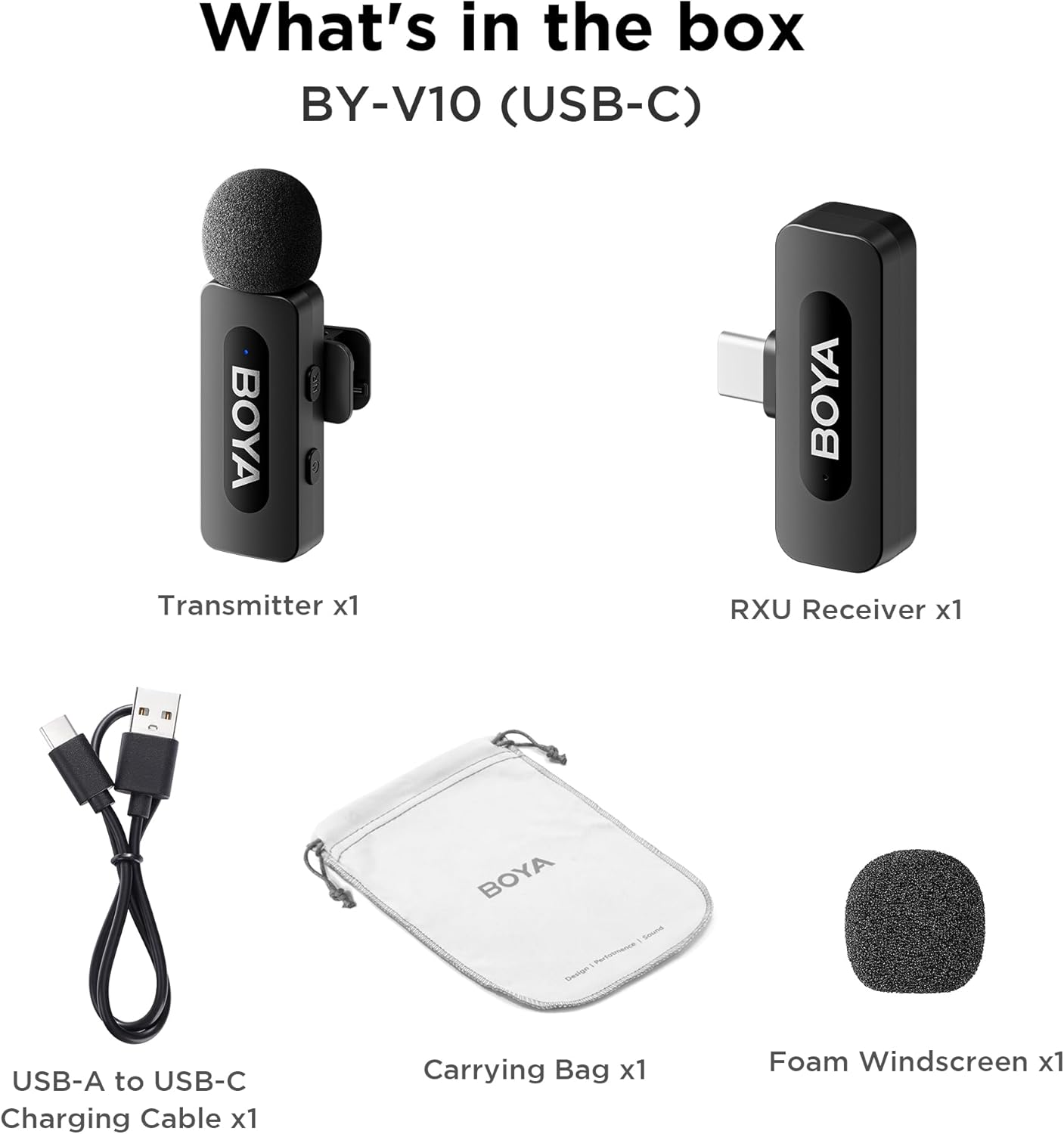
Image: The complete packing list for the BY-V10, showing all included accessories.
Video: An unboxing video demonstrating the contents of the BOYA BY-V Wireless Lavalier Microphone package.
3. Орнотуу колдонмосу
3.1 Алгачкы заряддоо
Before first use, ensure the transmitter is fully charged using the provided USB-A to USB-C charging cable. The receiver does not require charging as it draws power directly from your connected device.

Image: Battery life and charging details for the BY-V10 transmitter.
3.2 Түзмөгүңүзгө туташуу
- Press and hold the power button on the Transmitter (TX) for 2 seconds to turn it on. The indicator light will blink.
- Plug the Receiver (RXU) directly into the USB-C port of your smartphone, iPad, or laptop.
- The Transmitter and Receiver will automatically pair within 10 seconds. The indicator light on both units will turn solid blue once successfully paired.
- Android колдонуучулары үчүн эскертүү: Enable the "OTG" function in your device's settings before connecting the USB Type-C microphone.

Image: Visual instructions for the plug-and-play setup process.
3.3 Түзмөктүн шайкештиги
The BY-V10 is compatible with devices featuring a USB-C port, including:
- Android смартфондору
- iPhone 15/16 моделдери
- iPads with USB-C
- Laptops with USB-C
Please ensure your device supports external USB-C audio input.

Image: Visual representation of compatible devices for the BY-V10 microphone.
4. Иштөө нускамалары
4.1 Микрофонду тагынуу
The transmitter features a 360° rotatable clip for easy attachment to your clothing. For optimal sound capture, clip the microphone approximately 6-8 inches from your mouth.

Image: The compact size and clip-on design of the BY-V10 transmitter.
4.2 One-Click Noise Cancellation
To activate or deactivate the noise reduction mode, press the 'NR' button on the side of the transmitter. The indicator light will change to static green when noise reduction is enabled, and blink blue slowly when muted.

Image: Visual comparison of audio with and without noise cancellation enabled.

Image: Detailed explanation of the noise cancellation button and indicator lights.
4.3 Үнсүз кылуу функциясы
To mute the microphone, briefly press the power button on the transmitter. The indicator light will blink blue slowly. Press again to unmute.
4.4 Өткөрүү диапазону
The BY-V10 offers a stable audio signal transmission range of up to 100 meters (328 feet) in open environments without obstacles or interference.

Image: Demonstration of the microphone's long-distance transmission capability.

Image: Further illustration of the extended transmission range.
4.5 Жазып жатканда заряддоо
The receiver allows you to charge your phone or connected device while recording, ensuring uninterrupted long sessions for streaming or course recording.

Image: The receiver connected to a smartphone, illustrating the ability to charge the phone during recording.

Image: Another visual of the 'Support Using While Charging' feature.
5. Техникалык тейлөө
To ensure the longevity and optimal performance of your BOYA BY-V10 microphone, follow these maintenance guidelines:
- Тазалоо: Use a soft, dry cloth to clean the microphone and receiver. Avoid using liquids or abrasive cleaners.
- Сактагыч: Store the microphone system in its carrying bag when not in use to protect it from dust, moisture, and physical damage.
- Батареяга кам көрүү: Fully charge the transmitter before long periods of storage to maintain battery health.
- Этияттык менен мамиле кылуу: Avoid dropping the devices or exposing them to extreme temperatures.
6. Кыйынчылыктарды
If you encounter problems when using the unit, please refer to the following checklist. If the problem cannot be solved, please contact the seller for after-sales service.
- The unit fails to pair: Make sure to pair the transmitter(s) with one receiver. If paired with more than one receiver, which receiver will be paired with the transmitter(s) cannot be specified.
- No sound from the unit or no sound when connected to an external device:
- Ресивердеги туташтыргыч түзмөгүңүзгө жакшы туташтырылганын текшериңиз.
- Өткөргүчтүн (лар) үнү өчүрүлбөгөнүн текшериңиз. Эгерде анын индикатору көк түстө жай күйүп турса, колдонуучулар өткөргүчтүн(тердин) үнүн чыгаруу үчүн кубат баскычын бир жолу басышы керек.
- The operation range of the unit is limited and the sound is frequently intermittent: Make sure there is no interference between the transmitter(s) and receiver. If the intermittent sound still occurs frequently, please contact us for after-sales service.
- The unit shuts off automatically: Жупташтырылбаганда, өткөргүч(төр) 10 мүнөттөн кийин автоматтык түрдө өчөт.
- The unit fails to be powered on: Аппараттын күйгүзүү үчүн жетиштүү батареясы бар экенин текшериңиз. Схеманы иштетүү үчүн заряддоо кабелин сайып көрүңүз.
- The charging case fails to charge the unit:
- Make sure the charging case's battery is not depleted. Try charging the case.
- Wipe the charging contacts of the unit and charging pins of the charging case with a clean cloth and to make sure no dust is covering them.
- Try to push down the unit placed in the charging case until the charging contacts are fully connected. After that, if the unit still fails to be charged, the magnetic force may be aging. Please contact us for after-sales service.

Image: A troubleshooting guide with solutions for common operational problems.
7. Техникалык шарттар
| Өзгөчөлүк | Деталь |
|---|---|
| Бренд | БОЯ |
| Модель аты | BY-V10(USB-C) |
| Микрофон форма фактору | Lavalier |
| Байланыш технологиясы | USB |
| Туташтыргыч түрү | USB Type-C |
| Полярдык үлгү | Көп багыттуу |
| Аудио сезгичтиги | 42 децибел |
| Ызы-чуунун катышы | 80 дБ |
| Элемент Салмагы | 1.76 унция (0.05 килограмм) |
| Продукциянын өлчөмдөрү | 3.27 x 4.45 x 1.38 дюйм |
| Power Source | Battery Powered (Transmitter) |
| Battery Life (Transmitter) | 9 саатка чейин |
| Charging Time (Transmitter) | Болжол менен 2 саат |
| Өзгөчө өзгөчөлүк | Mute Function, One-Click Noise Cancellation |
| Шайкеш түзмөктөр | Laptop, Smartphone (USB-C) |
8. Кепилдик жана колдоо
For warranty information, technical support, or any inquiries regarding your BOYA BY-V10 microphone, please refer to the official BOYA webсайтына кириңиз же сатып алуу платформаңыз аркылуу түз сатуучуга кайрылыңыз. Кепилдик дооматтары үчүн сатып алууну тастыктаган документиңизди сактап коюңуз.


