1. Киришүү
This manual provides essential information for the setup, operation, and maintenance of your ACEMAGICIAN Mini PC T8PLUS. This compact desktop computer features a Windows 11 Pro operating system, an Intel Alder Lake N95 processor, 16GB LPDDR5 RAM, and a 512GB M.2 SSD. It supports 4K UHD output across three HDMI ports, dual Gigabit Ethernet, 2.4G/5G WiFi, and Bluetooth 4.2.
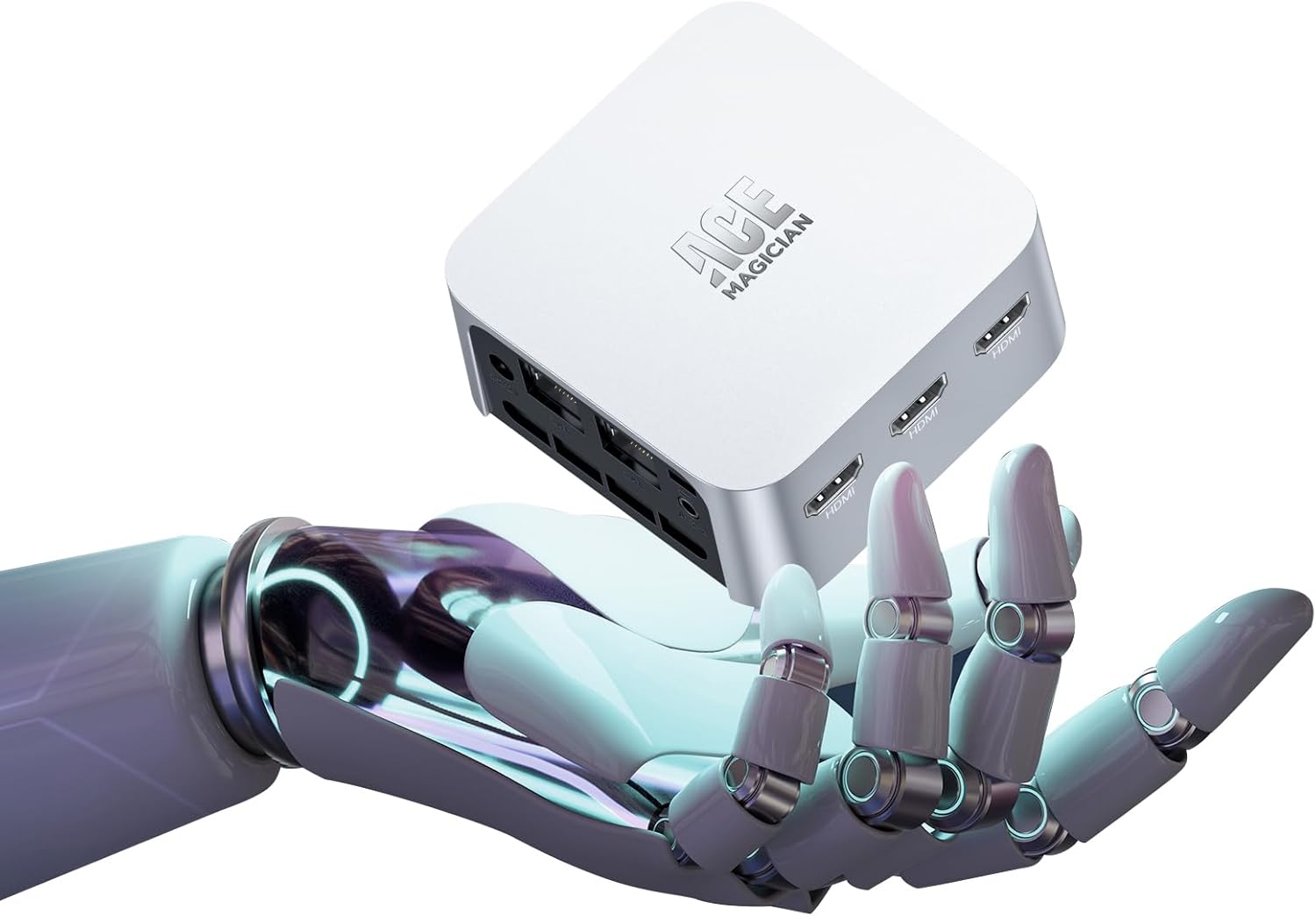
Figure 1: ACEMAGICIAN Mini PC T8PLUS, a compact desktop computer.
2. Орнотуу
2.1 Unboxing and Initial Connections
Carefully unpack all components from the box. The package typically includes the Mini PC unit, a power adapter, an HDMI cable, and a VESA mounting bracket with screws.
- Перифериялык түзүлүштөрдү туташтыруу: Connect your keyboard, mouse, and monitor(s) to the available USB and HDMI ports.
- Кубат туташуу: Кубат адаптерин Mini PCдеги DC-IN портуна, андан кийин розеткага туташтырыңыз.
- Баштапкы жүктөө: Press the power button to turn on the device. Follow the on-screen instructions for the initial Windows 11 Pro setup.
- Network Connection (Post-Setup): It is recommended to complete the initial Windows setup жок connecting to the internet (Wi-Fi or Ethernet) to avoid lengthy update downloads during the setup process. Connect to the internet only after reaching the desktop.
Видео 1: Бүттүview of the Mini PC and its components, including ports and internal layout. This video demonstrates the compact size and various connectivity options.
2.2 VESA орнотуу (милдеттүү эмес)
The Mini PC can be mounted to the back of a compatible monitor using the included VESA bracket. This saves desk space and provides a clean setup.
- Attach Bracket to PC: Secure the VESA bracket to the bottom of the Mini PC using the provided screws.
- Attach PC to Monitor: Align the bracket with the VESA mounting holes on your monitor and secure it with appropriate screws.
3. Иштөө нускамалары
3.1 Күйгүзүү/өчүрүү
- Күйгүзүү: Press the power button located on the front panel. The power indicator light will illuminate.
- Өчүрүү: From Windows, click the Start button, then Power, and select "Shut down." Alternatively, press and hold the power button for 5 seconds to force a shutdown (not recommended for regular use).
3.2 Байланыш
- USB порттору: The Mini PC features multiple USB 3.2 Gen 1 ports on the front and USB 2.0 ports on the rear for connecting peripherals like keyboards, mice, external drives, and printers.
- HDMI порттору: Three HDMI 2.0 ports support up to 4K UHD resolution, allowing for multi-monitor setups.
- Ethernet (LAN): Dual RJ45 Gigabit Ethernet ports provide stable and high-speed wired network connections.
- Wi-Fi жана Bluetooth: Integrated 2.4G/5G Wi-Fi and Bluetooth 4.2 enable wireless connectivity for internet access and pairing with Bluetooth devices.
- Аудио Jack: A 3.5mm audio jack on the front panel supports headphones and microphones.
Видео 2: Кыскача алдын алаview demonstrating the various ports and connectivity options of a similar mini PC model, including USB, HDMI, LAN, and power input.
4. Техникалык тейлөө жана жаңылоо
4.1 Тазалоо
- Мини-компьютердин сыртын жумшак, кургак чүпүрөк менен үзгүлтүксүз тазалап туруңуз.
- Use compressed air to clear dust from the ventilation grilles to ensure optimal airflow and prevent overheating.
4.2 Component Upgrades
The ACEMAGICIAN Mini PC T8PLUS allows for upgrades to its M.2 SSD and RAM modules. Exercise caution and ensure the device is powered off and unplugged before attempting any internal modifications.
- Ички компоненттерге жетүү: The bottom panel of the Mini PC can be removed to access the internal components. This typically involves removing the rubber feet to expose screws.
- RAM жаңыртуу: The device supports DDR4 RAM. Locate the SO-DIMM slots and carefully insert or replace the RAM modules.
- SSDди жаңыртуу: The device supports M.2 2280 SATA SSDs. Locate the M.2 slot and install or replace the SSD. Ensure proper thermal contact if a thermal pad is present.
- Абайлаңыз: Be gentle when handling internal components, especially Wi-Fi antenna wires and connectors, as they are delicate and easily damaged.
5. Кыйынчылыктарды
- Кубат жок: Кубат адаптери Mini PCке да, иштеп жаткан розеткага да бекем туташтырылганын текшериңиз. Зарыл болсо, башка розетканы колдонуп көрүңүз.
- Дисплей жок: Verify that the HDMI cable(s) are securely connected to both the Mini PC and the monitor(s). Ensure the monitor is set to the correct input source.
- Интернет байланышы жок: For wired connections, check the Ethernet cable and router. For Wi-Fi, ensure the Wi-Fi adapter is enabled in Windows settings and connected to the correct network.
- Жай аткаруу: Check Task Manager for high CPU or RAM usage. Close unnecessary applications. Ensure Windows is up to date and drivers are installed correctly.
- Перифериялык түзмөк аныкталган жок: Перифериялык түзмөктү башка USB портуна туташтырып көрүңүз. Перифериялык түзмөктүн драйверлери орнотулганын текшериңиз.
6. Техникалык шарттар
| Өзгөчөлүк | Деталь |
|---|---|
| Бренд | АКЕМАГИК |
| Модель номери | T8PLUS |
| Операция системасы | Windows 11 Pro |
| Процессор | Intel 12th Alder Lake N95 (up to 3.4 GHz) |
| CPU модели | Celeron |
| RAM | 16GB LPDDR5 (Flash Memory Size: 16 GB) |
| Сактагыч | 512GB M.2 SSD (Hard Drive Interface: Solid State) |
| Графика | Built-in UHD Graphics 750MHz |
| Video Output | 3 x HDMI (Supports 4K UHD) |
| Ethernet | Dual Gigabit Ethernet (RJ45 LAN) |
| Зымсыз байланыш | 2.4G/5G WiFi, Bluetooth 4.2 |
| USB порттору | 2 х USB 3.2, 2 х USB 2.0 |
| Аудио | 3.5mm Audio Jack (HP&MIC) |
| Элемент Салмагы | 1.06 фунт |
| Пакеттин өлчөмдөрү | 5.71 x 5.71 x 4.09 дюйм |
| Түс | Silver |
7. Кепилдик маалыматы
For detailed warranty information regarding your ACEMAGICIAN Mini PC T8PLUS, please refer to the warranty card included in your product packaging or visit the official ACEMAGICIAN webсайт. Кепилдик дооматтар үчүн сатып алганыңыздын далилин сактаңыз.
8. Кардарларды колдоо кызматы
If you encounter any issues or have questions about your ACEMAGICIAN Mini PC T8PLUS, please contact ACEMAGICIAN customer support. Contact details can be found on the official ACEMAGICIAN webсайтында же продукт документациясында.
Official ACEMAGICIAN Store: Дүкөнгө кириңиз


