1. Киришүү
This manual provides detailed instructions for setting up, operating, and maintaining your UPERFECT 15.6-inch Dual Mobile Monitor. Please read this manual thoroughly before using the product to ensure optimal performance and longevity.
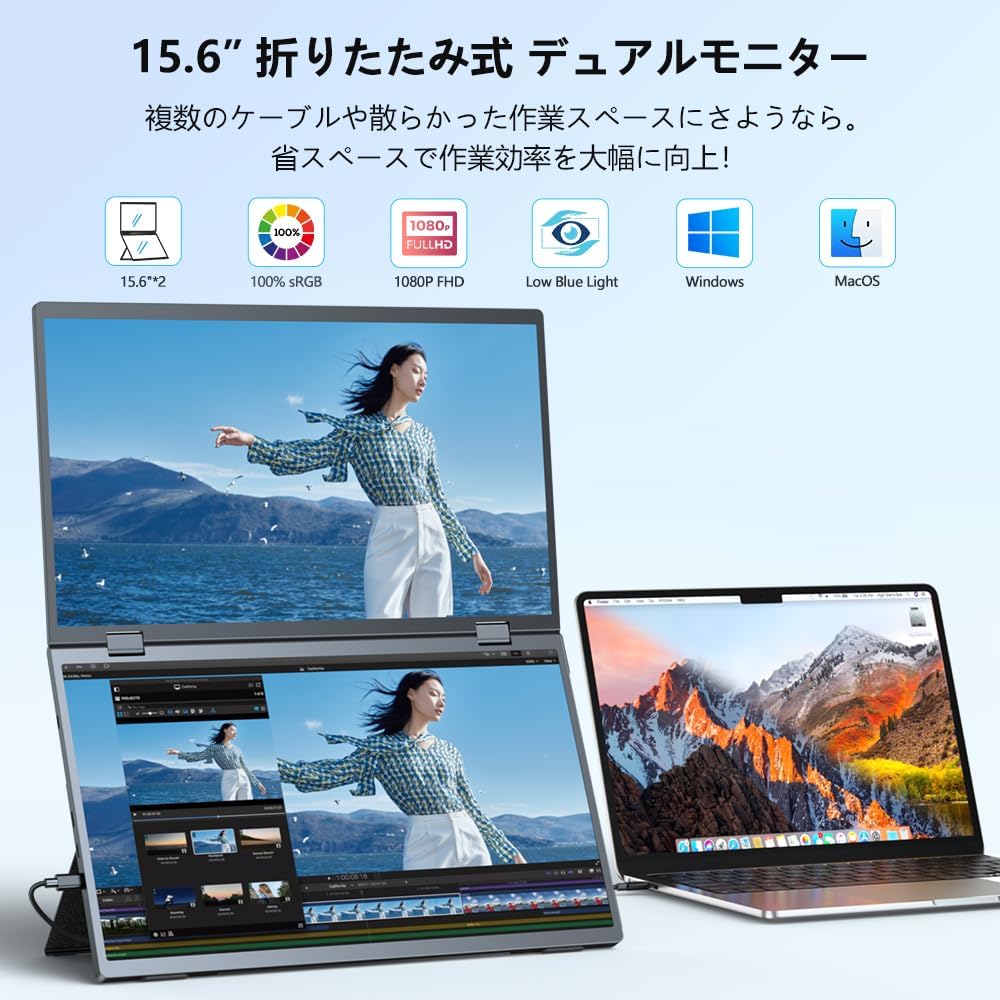
Figure 1: UPERFECT 15.6-inch Dual Mobile Monitor in use with a laptop.
2. Орнотуу
2.1. Driver-Free & Multi-Device Compatibility
The UPERFECT dual monitor offers seamless compatibility with Windows and MacOS. It supports plug-and-play functionality, requiring no complex setups or driver installations when connected via a single Type-C cable. The monitor also features a Mini HDMI port, allowing connection to various devices such as PCs, tablets, smartphones, and game consoles.
You can connect two different devices simultaneously, which is ideal for multiple users or diverse work requirements. The versatile interfaces ensure broad compatibility with new devices, enhancing efficiency.
2.2. Байланыштар жана кубат
To power and connect the monitor, use the provided cables. For optimal performance, ensure sufficient power is supplied to the monitor. If power is insufficient, use the included power adapter and Type-C cable to provide external power.
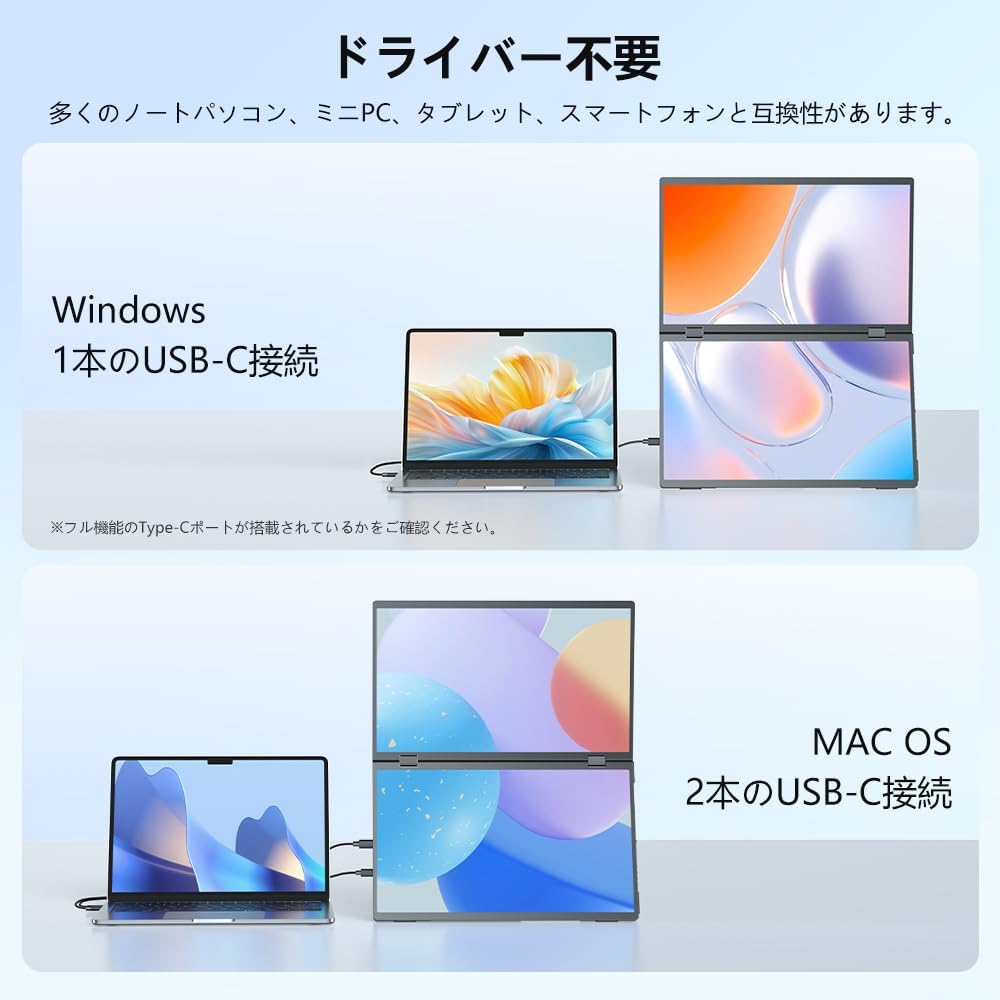
Figure 2: Available ports on the UPERFECT Dual Mobile Monitor.
2.3. Видео демонстрациялар
Video 1: Demonstration of a similar dual mobile monitor's connection and display modes. This video is for illustrative purposes and may not feature the exact UPERFECT model.
Video 2: Setup and portability features of a comparable dual mobile monitor. This video is for illustrative purposes and may not feature the exact UPERFECT model.
Video 3: Various orientations and VESA mount options for a similar dual mobile monitor. This video is for illustrative purposes and may not feature the exact UPERFECT model.
3. Иштөө нускамалары
3.1. Flexible Work Modes
The dual mobile monitor supports three distinct work modes: AAA, ABB, and ABC. These modes allow you to customize the display configuration to suit your specific work requirements, such as opening multiple spreadsheets, browsing websites on a larger screen, or displaying documents during video conferences.

Figure 3: ашыкview of the AAA, ABB, and ABC display modes.
3.2. 360° Rotation and 180° Gravity Sensor
The monitor features a gravity sensor that supports 360° screen rotation, making it convenient for meetings and collaborative work. When folded in half and presented to a colleague, the upper screen automatically rotates 180 degrees to provide the correct viewing angle for both parties.
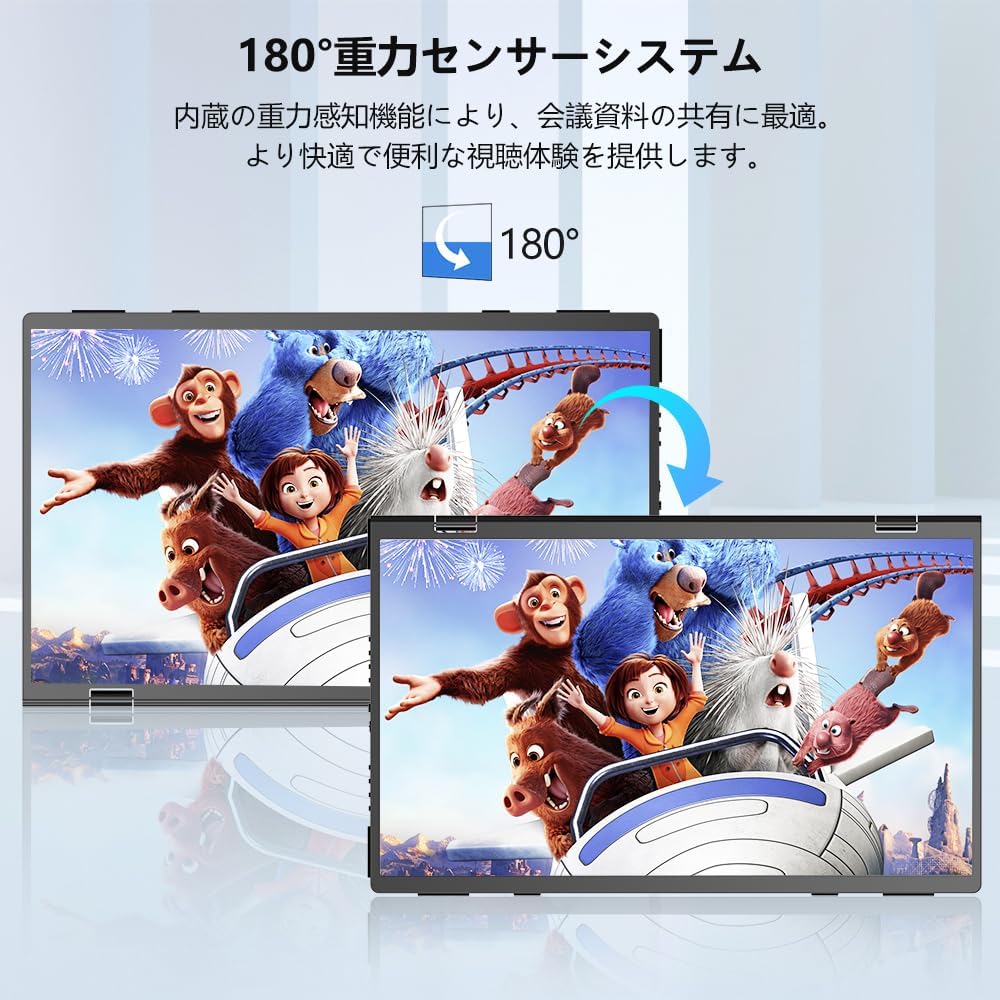
Figure 4: The monitor's 180-degree gravity sensor in action.

Figure 5: The monitor rotating 360 degrees for easy content sharing.
3.3. Adjustable Stand
The monitor is equipped with a 135° adjustable stand, allowing you to easily find a safe and optimal viewing position. This ergonomic design helps reduce fatigue and mitigate potential cervical spine issues.

Figure 6: The 135-degree adjustable stand for ergonomic positioning.
4. Өзгөчөлүктөрү
4.1. Дисплей сапаты
The UPERFECT dual monitor features an IPS panel with a 178° viewing angle, a 100% sRGB wide color gamut, 16.7 million colors, and 300 nits brightness. It offers a 1000:1 contrast ratio and a 60Hz refresh rate, providing a vivid and immersive viewing experience. It also includes FreeSync low-latency technology to reduce screen tearing and ensure smoother visuals.
4.2. Дизайн жана көчүрүү
The monitor boasts a lightweight and slim design, making it highly portable for mobile work or business trips. Its foldable nature allows for efficient use in limited spaces.
4.3. Аудио
The monitor includes built-in speakers for audio output, enhancing your multimedia experience.

Figure 7: Location of the built-in dual speakers.
5. Техникалык тейлөө
To maintain your UPERFECT Dual Mobile Monitor, keep it clean and free from dust. Use a soft, dry cloth for cleaning the screen and exterior. Avoid using harsh chemicals or abrasive materials. Store the monitor in a safe place when not in use to prevent physical damage.
6. Кыйынчылыктарды
6.1. Power Issues
If the monitor does not power on or experiences intermittent power, ensure that it is receiving sufficient power. The monitor requires a strong power supply. If power is insufficient, connect the included power adapter and Type-C cable to provide external power to the monitor.
6.2. Маселелерди көрсөтүү
If you experience display issues, ensure all cables are securely connected. Check your device's display settings to confirm proper output configuration. If using a single Type-C cable, verify that your device's Type-C port supports full-functionality (power, video, data).
7. Техникалык шарттар
| Өзгөчөлүк | Description |
|---|---|
| Бренд | МЫКТЫ |
| Модель номери | 156J11 |
| Түс | Кара |
| Screen Size | 15.6 дюйм |
| Резолюция | FHD 1080p |
| Аспект катышы | 16:9 |
| Screen Surface | Жарыксыз |
| Панел түрү | IPS LCD Panel |
| Өнүмдүн Өлчөмдөрү (Ж x Y x D) | 49.1 x 28.5 x 0.9 см |
| Элемент Салмагы | 1 кг |
| Байланыш | Full-function Type-C, Mini HDMI |
| Өзгөчөлүктөр | Driver-free, Foldable, Auto-rotation, Adjustable Stand, Built-in Speakers, FreeSync |
8. Кепилдик жана колдоо
All UPERFECT products undergo 100% inspection before shipment to ensure quality and prevent initial defects. Your monitor comes with a 12-month long-term warranty (PSE certified).
We offer unlimited customer support. Should you encounter any issues with product usage, or if there is damage during transport or to accessories, we provide free product replacement. For any questions or concerns, please contact our customer support, and we will resolve the issue within 12 hours.


