1. Киришүү
The TOPDON ArtiDiag EU-BBA is a specialized full-system diagnostic tool designed for Mercedes-Benz, BMW, and V.A.G group vehicles. This manual provides detailed instructions for setting up, operating, and maintaining your device to ensure accurate and efficient vehicle diagnostics and maintenance.
2. Продукт бүтүп калдыview and What's in the Box
The ArtiDiag EU-BBA is a compact and powerful diagnostic scanner. Before starting, please verify all components are present.

Image: The ArtiDiag EU-BBA device, diagnostic cable, charging cable, carrying case, quick user guide, and user manual.
кутучанын мазмуну:
- 1 x ArtiDiag EU-BBA Diagnostic Tool
- 1 x Diagnostic Cable (OBD2)
- 1 x заряддоо кабели
- 1 x Ташуу кутусу
- 1 x Ыкчам Колдонуучу колдонмосу
- 1 х Колдонуучунун колдонмосу (бул документ)
3. Орнотуу нускамалары
3.1 Алгачкы заряддоо
The device contains a 3000mAh Lithium Ion battery. For initial use, it is recommended to fully charge the device using the provided charging cable. The device can also charge when connected to a vehicle's OBD2 port.
3.2 Унаага туташуу
- Унаанын OBD2 портун табыңыз, эреже катары, айдоочу тараптагы аспаптар тактасынын астына.
- Connect the diagnostic cable to the ArtiDiag EU-BBA device.
- Plug the other end of the diagnostic cable into the vehicle's OBD2 port.
- Унаанын от алдыруучу системасын "ON" абалына коюңуз (кыймылдаткыч өчүрүлгөн).
- The ArtiDiag EU-BBA will power on automatically.
3.3 Software Updates and Language Selection
The ArtiDiag EU-BBA supports lifetime free updates. Connect the device to a Wi-Fi network to download the latest software and vehicle data. Updates can be performed with a single click from the device's main menu. The device supports 11 languages, which can be selected in the settings menu.
4. Иштөө нускамалары
The ArtiDiag EU-BBA features a 4-inch touchscreen display for intuitive navigation. The main interface provides access to various diagnostic and service functions.

Image: The ArtiDiag EU-BBA displaying diagnostic trouble codes for a BMW vehicle.
4.1 Толук системанын диагностикасы
This function allows for a comprehensive scan of all available electronic control units (ECUs) in the vehicle. It covers systems such as Engine (ECM), Transmission (TCM), Anti-lock Braking System (ABS), Supplemental Restraint System (SRS), Tire Pressure Monitoring System (TPMS), ESP, Immobilizer, Gateway, Steering, and Radio.

Image: The ArtiDiag EU-BBA connected to a vehicle, illustrating its capability for full system diagnostics.
To perform a full system diagnostic:
- From the main menu, select 'Diagnostics'.
- The device will automatically identify the vehicle's VIN (Vehicle Identification Number). Confirm the vehicle information.
- Select 'Full System Scan' to initiate a scan of all accessible modules.
- Review the displayed fault codes and system status.
4.2 Эки багыттуу башкаруу (активдүү тесттер)
Bi-directional control allows you to send commands to vehicle ECUs to test specific components. This helps in accurately pinpointing issues without disassembling parts.

Сүрөт: Мисamples of bi-directional control, including throttle modulation, window operation, fuel pump activation, and AC clutch testing.
Examples of components that can be tested include:
- Modulating throttle
- Терезелерди ачуу/жабуу
- Activating the fuel pump
- Turning the AC clutch on/off
- Wiper activation
4.3 ECU Online Coding
ECU Online Coding enables customization of vehicle settings, activation of hidden features, disabling unwanted functions, and component matching. This function allows for optimization of vehicle performance and personalization.

Image: The ArtiDiag EU-BBA demonstrating ECU coding options for vehicle customization.
Consult your vehicle's service manual or a qualified technician before performing ECU coding to avoid unintended consequences.
4.4 All Service Functions
The ArtiDiag EU-BBA provides a comprehensive suite of service functions for routine maintenance and repairs. These functions help reset and initialize vehicle systems after component replacement or service.

Image: A selection of maintenance service functions available on the ArtiDiag EU-BBA.
Key service functions include:
- Майды калыбына келтирүү
- Электрондук токтоочу тормоз (EPB) баштапкы абалга келтирилди
- Батареяны башкаруу тутуму (BMS) баштапкы абалга келтирилди
- Throttle Learning
- Headlamp Түзөтүүлөр
- Power Window Normalization
- Дизель бөлүкчөлөрүнүн чыпкасы (DPF) регенерациясы
- Anti-lock Braking System (ABS) Bleeding
- Рулдук бурч сенсорун (SAS) баштапкы абалга келтирүү
- Шина басымын көзөмөлдөө тутуму (TPMS) баштапкы абалга келтирилди
- Редукторлорду дал келтирүү
- Токтотуу дал келүү
- Sunroof Initializing
- Инжектор коду
- AdBlue баштапкы абалга келтирүү
4.5 Толук OBD2 режимдери
The device supports all 10 OBD2 test modes for comprehensive engine diagnostics on compliant vehicles.

Image: An illustration of the full OBD2 diagnostic modes available.
Бул режимдерге төмөнкүлөр кирет:
- Read and Clear Diagnostic Trouble Codes (DTCs)
- View Live Data Stream
- View Фреймдин берилиштерин тоңдуруу
- I/M даярдыгы абалы
- O2 Sensor Test
- Борттогу монитор тест
- EVAP системасы сыноо
- Унаа маалыматын окуу (VIN, CID, CVN)
4.6 Кошумча функциялар
The ArtiDiag EU-BBA includes several practical functions to streamline diagnostics:
- Smart AutoVIN: Automatically identifies vehicle information upon connection.
- VAG жетектеген функция: Provides step-by-step instructions for V.A.G vehicles.
- Data Report and Share: Generate and share diagnostic reports.
- Graphic Live Data: Visualize live sensor data for easier analysis.
- Колдонуучунун пикири: Submit feedback directly from the device.
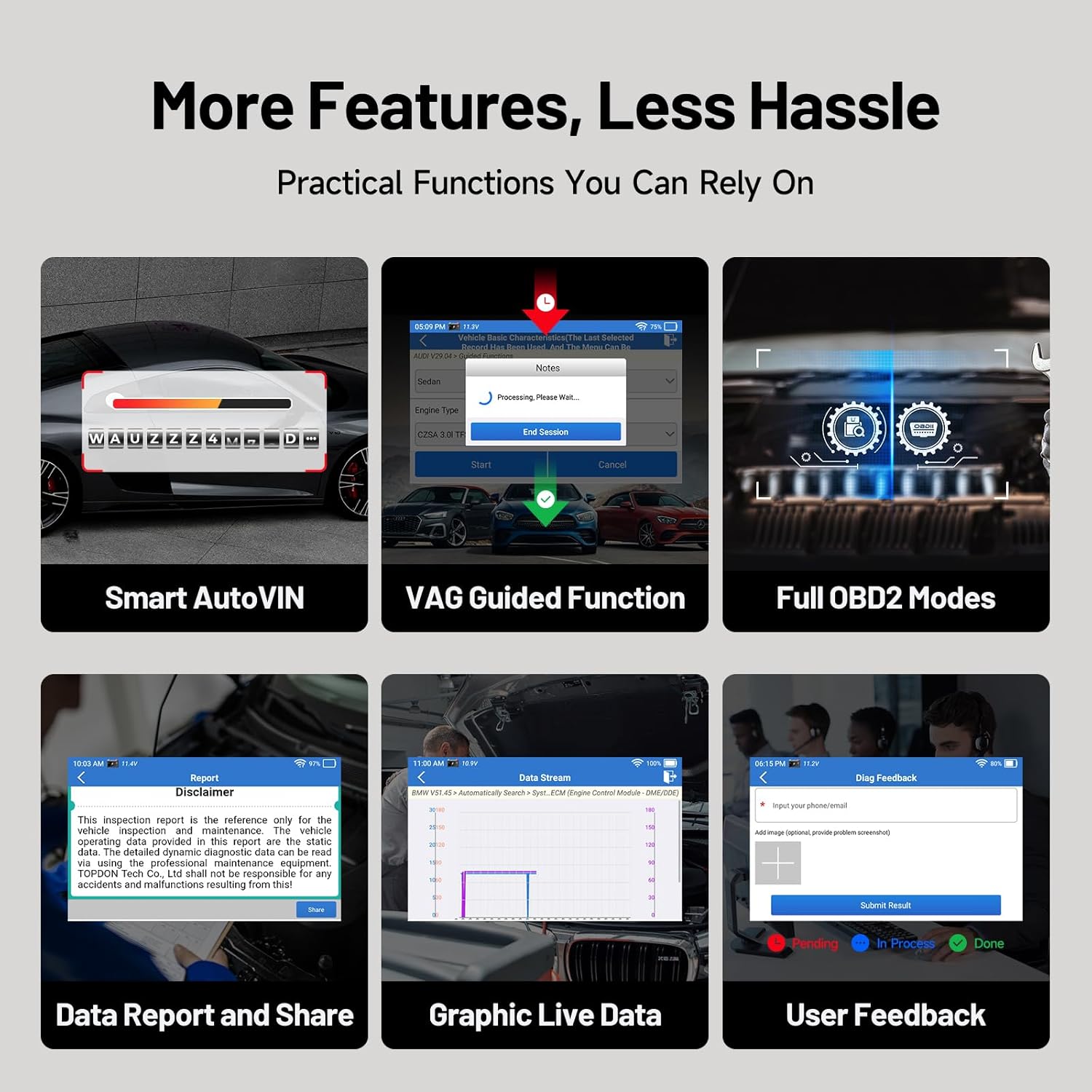
Сүрөт: бүттүview of additional practical functions on the ArtiDiag EU-BBA.
5. Техникалык тейлөө
5.1 Программалык камсыздоо жаңыртуулары
Ensure your device is always up-to-date by regularly checking for and installing software updates via Wi-Fi. These updates provide new features, vehicle coverage, and bug fixes.
5.2 Аппаратты тазалоо
Wipe the device screen and body with a soft, damp кездеме. Экранга же экранга зыян келтириши мүмкүн болгон абразивдүү тазалоочу каражаттарды же эриткичтерди колдонуудан алыс болуңуз.asing.
5.3 Батареяга кам көрүү
Батареянын иштөө мөөнөтүн узартуу үчүн, түзмөктү тез-тез толук зарядсыздандырбаңыз. Түзмөктү узак убакыт бою колдонбогондо салкын, кургак жерде сактаңыз.
6. Кыйынчылыктарды
If you encounter issues with your ArtiDiag EU-BBA, consider the following:
- Түзмөк күйбөй жатат: Ensure the device is charged or properly connected to the vehicle's OBD2 port.
- Туташуу маселелери: Verify the diagnostic cable is securely connected to both the device and the vehicle. Ensure the vehicle's ignition is on.
- Программаны жаңыртуу каталары: Check your Wi-Fi connection. Ensure there is sufficient storage space on the device.
- Inaccurate readings or functions: Ensure the vehicle's make, model, and year are correctly identified. Perform a software update to ensure the latest vehicle data is installed.
For persistent issues, utilize the 'User Feedback' function on the device or contact TOPDON customer support.
7. Техникалык шарттар

Image: Key technical specifications and internal components of the ArtiDiag EU-BBA.
| Өзгөчөлүк | Спецификация |
|---|---|
| Дисплей | 4-inch, 800x480 pixels |
| Процессор | 1.3 ГГц төрт ядролуу |
| RAM | 2 ГБ |
| ROM | 32 ГБ |
| Операция системасы | Android 8.1 |
| Батарея | 3000mAh литий-ион |
| Өлчөмдөр | 25 x 17.5 x 7.6 см |
| Салмагы | 897 г |
| Колдоого алынган тилдер | 11 (including English, French, German, Spanish, Italian, Portuguese, Polish, Russian, Chinese) |
8. Кепилдик жана колдоо
8.1 Кепилдик маалыматы
The TOPDON ArtiDiag EU-BBA comes with a 1-year warranty from the date of purchase, covering manufacturing defects. Please retain your proof of purchase for warranty claims.
8.2 Кардарларды колдоо
For technical assistance, warranty inquiries, or any questions regarding the operation of your device, please contact TOPDON customer support. Refer to the official TOPDON webакыркы байланыш маалыматы үчүн сайт.


