Introduction
Thank you for choosing the Anker Zolo 140W 4-Port USB-C Charger. This manual provides essential information for the safe and efficient use of your device. Please read it carefully before use and retain it for future reference.
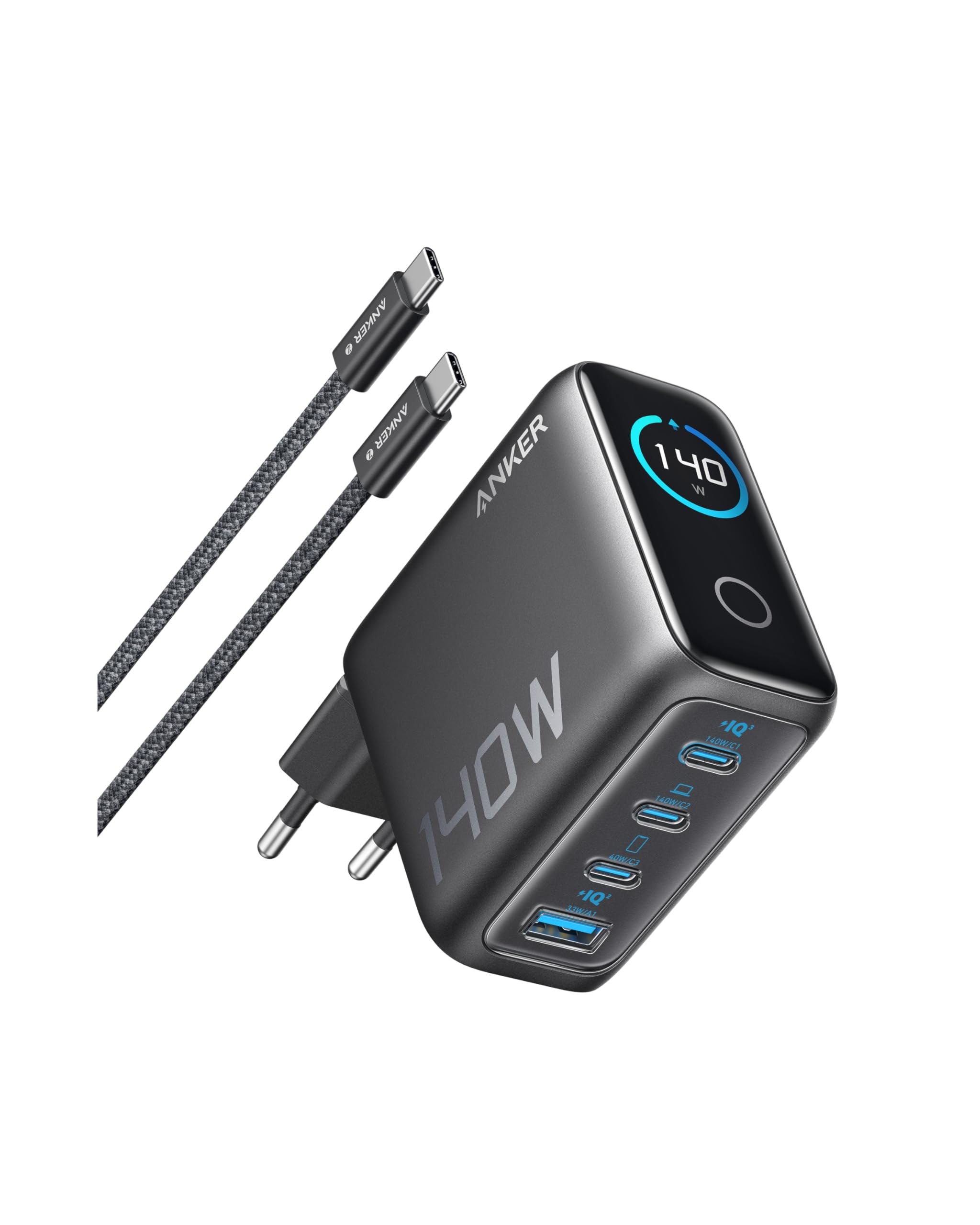
Image: The Anker Zolo 140W 4-Port USB-C Charger in Dark Gray.
Продукт бүттүview
Негизги өзгөчөлүктөрү
- 140W Charging for 4 Devices: Quickly charge up to four devices with our charger combining 140W of power and advanced GaN technology.
- Two High-Speed USB-C Ports: Charge your MacBook Pro from 0% to 50% in just 30 minutes using one of the two 140W high-speed USB-C ports.
- Жогорку коопсуздук: Advanced ActiveShield 3.0 technology monitors device temperature over 6 million times per day for enhanced safety.
- Easy and Clear Monitoring: The high-definition color display provides a detailed view of charging status for each port and temperature, keeping you informed.
Кутуда эмне бар
- Anker Zolo Charger (140W, 4 ports, Display)
- 1.5м USB-C - USB-C кабели
- Welcome Guide
Жайгашуу
To set up your Anker Zolo 140W 4-Port USB-C Charger:
- Unpack the charger and included USB-C to USB-C cable from the box.
- Extend the foldable AC plug from the charger body.
- Заряддагычты стандарттуу розеткага сайыңыз.
- Connect your devices using appropriate USB-C or USB-A cables to the available ports on the charger.

Image: The Anker Zolo charger connected to an outlet, simultaneously charging a tablet, smartwatch, and two phones. The display shows '140W max Powered by GaN'.
Иштөө нускамалары
Түзмөктөрүңүздү заряддоо
The Anker Zolo charger features two USB-C ports (USB-C1, USB-C2) capable of delivering up to 140W each, one USB-C port (USB-C3) up to 40W, and one USB-A port (USB-A1) up to 33W. The total output is 140W.
- For optimal fast charging, especially for laptops, use the USB-C1 or USB-C2 ports with a compatible 140W Power Delivery 3.1 cable.
- The charger intelligently distributes power based on the connected devices' needs.

Image: Two individuals using laptops, both connected to the Anker Zolo charger, demonstrating its capability to charge multiple high-power devices simultaneously. Text indicates 'Two 140W USB-C ports each' and 'MacBook Pro charges 0 to 50% in 25 minutes'.
Дисплейди түшүнүү
The integrated high-definition color display provides real-time information:
- Жалпы кубаттуулугу: Бириктирилген ватты көрсөтөтtage бардык туташкан түзмөктөргө жеткирилет.
- Per-Port Output: Жеке ватты көрсөтөтtagар бир активдүү порт үчүн e.
- Температура мониторинги: Indicates the charger's operating temperature, ensuring safe performance.

Сүрөт: деталдуу view of the charger's display, illustrating total power output (140W), individual port power distribution (e.g., 65W, 45W, 12W, 12W), and a temperature monitoring icon indicating 'High Performance'.
Дисплей башкаруу
The charger features a tactile button below the display. Press and hold this button to rotate the screen orientation by 90 degrees for optimal viewing. The screen automatically turns off after 1 minute of inactivity.

Image: The charger's smart interface displaying 'Total Operating Time' and an animated emoticon, highlighting its interactive features.
Техникалык тейлөө
To ensure the longevity and optimal performance of your Anker Zolo charger:
- Keep the charger clean and free from dust. Use a dry, soft cloth for cleaning.
- Заряддоочу түзүлүштү өтө жогорку температурага, нымдуулукка же түз күн нуруна дуушар кылбаңыз.
- Do not attempt to disassemble or repair the charger yourself. Contact customer support for assistance.
- Store the charger in a cool, dry place when not in use. The foldable plug design helps protect the prongs during storage and travel.

Image: A hand placing the compact Anker Zolo charger into a travel bag, illustrating its portability and suitability for travel.
Проблемаларды чечүү
If you encounter issues with your Anker Zolo charger, refer to the following common problems and solutions:
| Көйгөй | Мүмкүн себеп | Чечим |
|---|---|---|
| Түзмөк заряддалбай жатат | Charger not plugged in correctly; faulty cable; device incompatibility; charger overload. | Ensure charger is securely plugged into a live outlet. Try a different cable. Verify device compatibility. Disconnect some devices to reduce load. |
| Жай кубаттоо | Cable not supporting fast charging; multiple devices connected; device not supporting fast charging. | Use the included Anker USB-C to USB-C cable or another certified fast-charging cable. Ensure your device supports fast charging. If charging multiple devices, power distribution may reduce individual port speeds. |
| Charger display is off | Automatic screen timeout; no power. | The display turns off after 1 minute of inactivity. Press the tactile button to reactivate. Ensure the charger is plugged into a live outlet. |
| Заряддоочу жылуулукту сезет | Normal operation under load; high ambient temperature. | It is normal for the charger to become warm during operation, especially when charging multiple devices at high power. ActiveShield 3.0 technology monitors temperature to prevent overheating. If it feels excessively hot, disconnect it and contact support. |
Техникалык шарттар
| Өзгөчөлүк | Деталь |
|---|---|
| Бренд | Anker |
| Модель номери | B2697 |
| Түс | Кара боз |
| Жалпы USB порттору | 4 (2x USB-C, 1x USB-C, 1x USB-A) |
| Туташтыргыч түрү | USB түрү C |
| Өзгөчөлүктөр | Fast GaN Charger, ActiveShield 3.0, Digital Display |
| Шайкеш түзмөктөр | Laptop, Mobile Phone, Tablet, Smartwatch, Earbuds |
| Шайкеш телефон моделдери | iPhone 16 / 16 Plus / 16 Pro / 16 Pro Max, iPhone 15 / 15 Plus / 15 Pro / 15 Pro Max, iPhone 14 / 14 Plus / 14 Pro / 14 Pro Max, Galaxy S24 / S24+ / S23 / S23+ / S22 / S22+ / S22 Ultra / S21 / S21+ / S21 Ultra / S20 / S20+ / S20 Ultra, Note 20 / 20 Ultra / 10 / 10+, Pixel / Pixel 3 / 3XL / 4 / 4XL, and more. |
| Киргизүү көлөмүtage | 240 вольт |
| Ampөчүрүү | 2 А |
| Заряддалуучу батарея | Жок |
| Компоненттер камтылган | Charger, USB-C to USB-C Cable |
Кепилдик жана колдоо
The Anker Zolo 140W 4-Port USB-C Charger comes with an 18 айлык өндүрүүчүнүн кепилдиги. For warranty claims, technical support, or any other inquiries, please contact Anker customer service. Details can typically be found on the Anker official webсайт же продукт сатылып алынган сатуучу аркылуу.
Кошумча жардам алуу үчүн, сураныч, баш багыңыз Anker Brand Store.


