1. Киришүү
The Klarstein DryFy Connect 50L dehumidifier is designed to efficiently remove excess moisture from the air, improving indoor air quality and preventing issues such as mold and mildew. This unit is suitable for rooms between 45 to 55 square meters. It features a 7-liter water tank, Wi-Fi connectivity for convenient app control, and a 24-hour timer for scheduled operation. The electric dehumidifier offers various operating modes, including automatic dehumidification, a dedicated drying mode for laundry, and an oscillation mode for even air distribution. For user convenience, it includes a carrying handle and wheels for portability, and an option for continuous water drainage. The unit automatically activates when humidity exceeds the set value by 5% and stops when the water tank is full. An internal drying mode helps maintain the unit and prevent internal mold formation.
2. Коопсуздук нускамалары
Please read all safety instructions carefully before operating the appliance and keep this manual for future reference. Failure to follow these instructions may result in electric shock, fire, or injury.
- электр менен жабдууну камсыз кылуу voltage шаймандагы рейтинг белгисине дал келет.
- Кургаткычты шнур же сайгыч бузулган менен иштетпеңиз.
- Keep the appliance away from water and other liquids. Do not immerse it.
- Аба кирүүчү же чыгуучу жерлерди жаап албаңыз. Агрегаттын айланасында кеминде 20 см аралыкты сактаңыз.
- Тазалоодон, техникалык тейлөөдөн мурун же колдонулбай турганда ар дайым шайманды розеткадан сууруп алыңыз.
- Do not use the appliance in explosive or flammable environments.
- Бул шайман физикалык, сезүү же акыл-эс жөндөмү начар же тажрыйбасы жана билими жок адамдар (анын ичинде балдар) үчүн, эгерде алардын коопсуздугуна жооптуу адам тарабынан көзөмөлсүз же шайманды колдонуу боюнча көрсөтмө болбосо, колдонууга арналбайт.
- Балдар шайман менен ойнобошу үчүн аларды көзөмөлгө алуу керек.
- Өндүрүүчүлөр сунуштаган аксессуарларды гана колдонуңуз.
- Эгерде шнур бузулса, коркунучту болтурбоо үчүн аны өндүрүүчү, анын тейлөө агенти же ушул сыяктуу квалификациялуу адамдар алмаштырышы керек.
3. Продукт бүтүп калдыview
Familiarize yourself with the main components and control panel of your Klarstein DryFy Connect 50L dehumidifier.
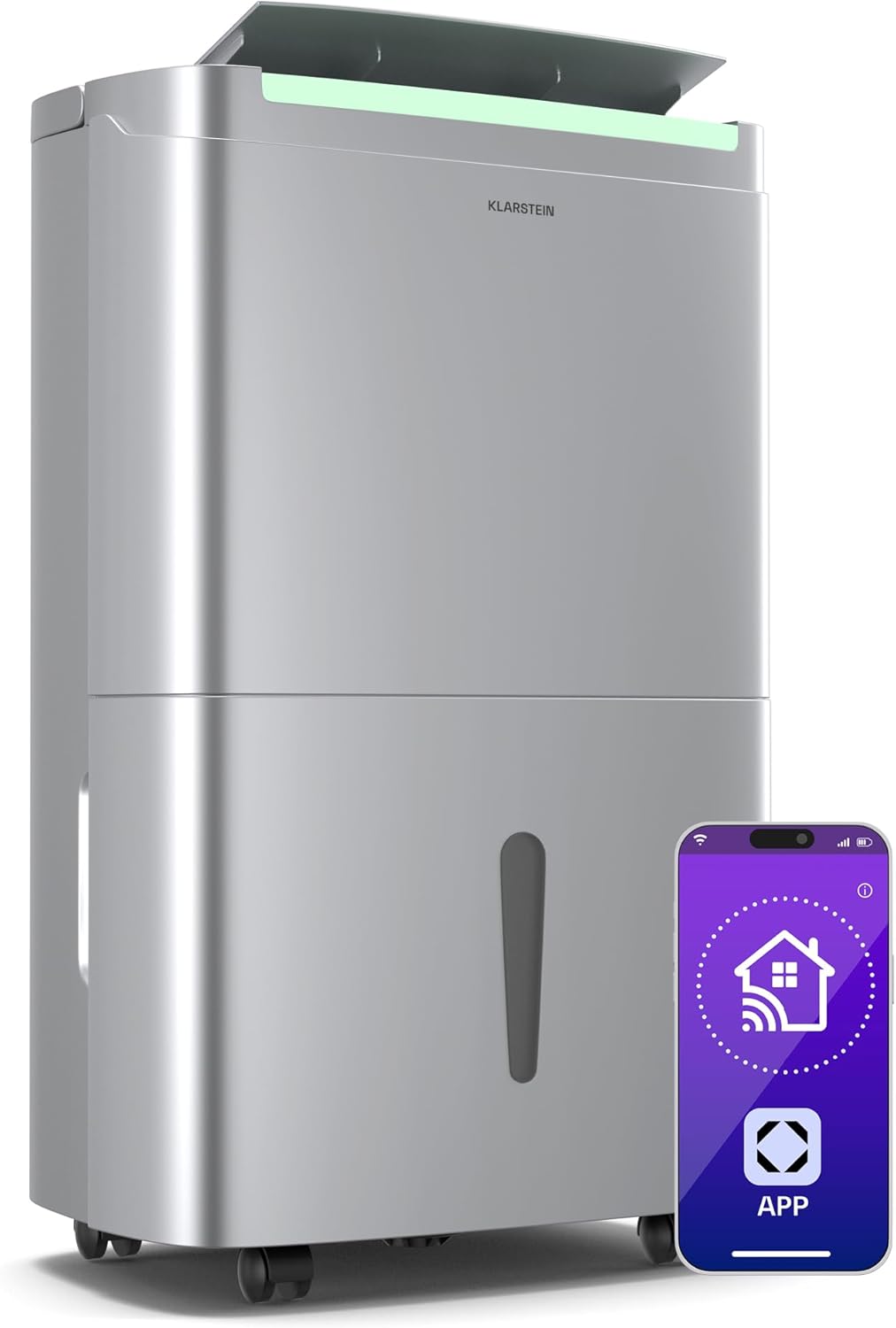
3.1-сүрөт: Фронт view of the Klarstein DryFy Connect 50L dehumidifier, highlighting its sleek design and smart app connectivity.
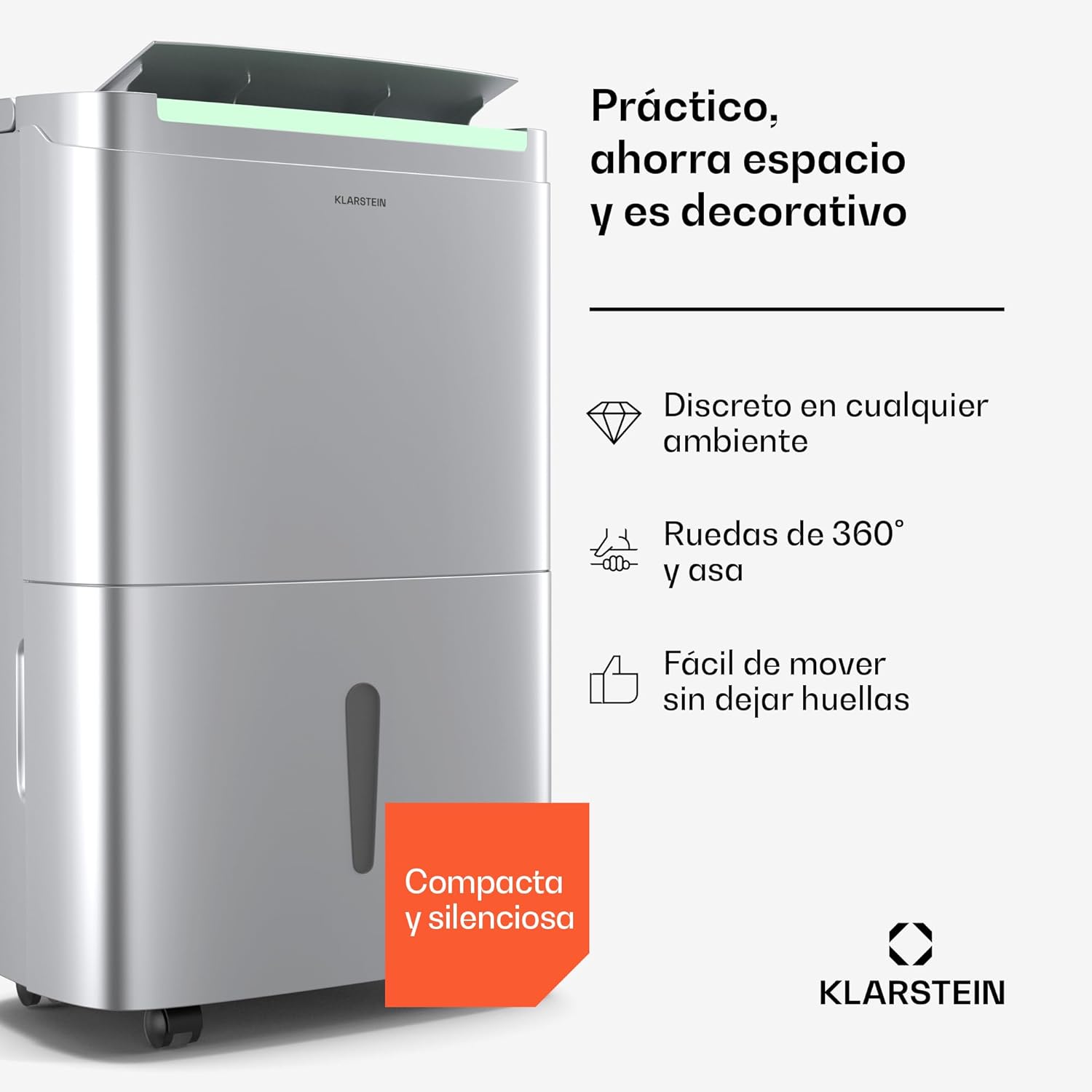
3.2-сүрөт: Side view illustrating the compact design, 360-degree wheels, and integrated handle for easy mobility.

3.3-сүрөт: Жогорку view displaying the control panel and air outlet. This image also indicates the unit's capacity to cover 45-56 m² and its 360 m³/h air flow.

3.4-сүрөт: Деталдаштырылган view of the control panel, showing buttons for mode selection, fan speed, timer, and the digital humidity display.
Башкаруу панелинин функциялары:
- Кубат баскычы: Агрегатты күйгүзөт же өчүрөт.
- Режим баскычы: Cycles through different operating modes (e.g., Automatic, Drying, Oscillation).
- Желдетүүчү ылдамдык баскычы: Желдеткичтин ылдамдыгын (Жогорку/Төмөн) жөнгө салат.
- Нымдуулукту орнотуу баскычтары: Used to set the desired humidity level.
- Таймер баскычы: 24 сааттык таймерди иштетет жана орнотот.
- Wi-Fi көрсөткүчү: Wi-Fi байланышынын абалын көрсөтөт.
- Дисплей: Shows current humidity, timer settings, and error codes.
4. Орнотуу
Follow these steps to set up your dehumidifier for first use.
- Пакеттен чыгаруу: Кургаткычты анын таңгагынан кылдаттык менен алып салыңыз. Келечекте сактоо же ташуу үчүн таңгактоочу материалдарды сактаңыз.
- Жайгашкан жери: Place the unit on a firm, level surface. Ensure there is at least 20 cm of clear space around all sides of the dehumidifier to allow for proper airflow. Do not place it against a wall or near heat sources.
- Кубат туташуу: Электр шнурун жерге туташтырылган розеткага сайыңыз. Розетканын үнүн өлчөөчү зымга туура келгенин текшериңиз.tage requirements specified in the specifications section.
- Суу багы: Ensure the 7-liter water tank is correctly inserted into the unit. The unit will not operate if the tank is not properly seated or is full.
- Үзгүлтүксүз дренаж (милдеттүү эмес): For continuous operation without emptying the water tank, connect a drainage hose (not included) to the continuous drainage port located at the back of the unit. Ensure the hose is sloped downwards to allow water to drain by gravity into a suitable receptacle or drain.
5. Иштөө нускамалары
5.1 Негизги операция
- басыңыз Кубат баскычы нымдандыргычты күйгүзүү үчүн. Дисплейде бөлмөнүн учурдагы нымдуулугу көрсөтүлөт.
- басыңыз Режим баскычы каалаган иштөө режимин тандоо үчүн:
- Автоматтык нымдуулукту кургатуу: The unit will automatically adjust its operation to maintain the set humidity level.
- Кургатуу режими: Designed for drying laundry, this mode operates continuously at high fan speed.
- Термелүү режими: The air outlet louver will swing to distribute dehumidified air more widely.
- колдонуу Нымдуулукту орнотуу баскычтары to set your desired humidity level (e.g., 40%, 50%, 60%). The unit will operate until this level is reached.
- басыңыз Желдетүүчү ылдамдык баскычы to switch between High and Low fan speeds.
5.2 Wi-Fi жана колдонмону башкаруу
The Klarstein DryFy Connect 50L can be controlled remotely via the Klarstein app on your smartphone.
- жүктөп алыңыз Klarstein app смартфонуңуздун колдонмолор дүкөнүнөн (iOS же Android).
- Ensure your dehumidifier is plugged in and within range of your Wi-Fi network.
- Follow the in-app instructions to pair your dehumidifier with your smartphone. This typically involves putting the dehumidifier into pairing mode (refer to the app or unit display for specific instructions).
- Once connected, you can control all functions of the dehumidifier, including power, mode, humidity settings, and timer, directly from the app.
5.3 Таймер функциясы
The 24-hour timer allows you to schedule when the dehumidifier turns on or off.
- басыңыз Таймер баскычы.
- колдонуу Нымдуулукту орнотуу баскычтары (often also used for timer adjustment) to set the desired number of hours for the unit to turn on or off.
- The timer will count down, and the unit will perform the programmed action once the time expires.
6. Техникалык тейлөө
Үзгүлтүксүз тейлөө оптималдуу иштешин камсыз кылат жана нымдандыргычыңыздын иштөө мөөнөтүн узартат.
6.1 Суу багын бошотуу
When the water tank is full, the unit will automatically stop operating, and an indicator light will illuminate. To empty the tank:
- Агрегаттын алдынан суу сактагычты акырын чыгарыңыз.
- Бакты раковинага же дренажга этияттык менен алып барыңыз.
- Чогулган сууну төгүңүз.
- Зарыл болсо, резервуарды таза суу менен чайкаңыз.
- Бош суу багын нымдандыргычка ал чыкылдаган үн чыкканга чейин бекем кайра салыңыз. Түзмөк кайрадан иштей баштайт.
6.2 Аба чыпкасын тазалоо
The air filter should be cleaned regularly (every 2-4 weeks, depending on usage) to prevent dust buildup and maintain efficiency.
- Нымдандыргычты өчүрүп, сууруп алыңыз.
- Аба чыпкасын (адатта, блоктун арткы же каптал жагында) таап, алып салыңыз.
- Clean the filter using a vacuum cleaner to remove loose dust. For heavier dirt, wash the filter gently with lukewarm water and a mild detergent.
- Фильтрди бөлүккө кайра салуудан мурун аны толугу менен кургатуу үчүн күтүңүз. Кургаткычты же түз жылуулукту колдонбоңуз.
6.3 Тышкы тазалоо
Кургаткычтын сыртын жумшак, г менен сүртүңүзamp кездеме. Катуу химиялык заттарды, абразивдүү тазалагычтарды же эриткичтерди колдонбоңуз, анткени алар бетке зыян келтириши мүмкүн.
6.4 Internal Drying Mode
This mode helps dry the internal components of the dehumidifier to prevent mold and odors. Activate it periodically, especially before storing the unit for an extended period. Refer to the control panel or app for specific instructions on activating this mode.
7. Кыйынчылыктарды
If you encounter issues with your dehumidifier, consult the following table before contacting customer support.
| Көйгөй | Мүмкүн себеп | Чечим |
|---|---|---|
| Түзмөк күйбөйт | Электр менен камсыздоо жок; Электр шнуру сайылган эмес; Суу куюлган бак толуп калган же туура эмес киргизилген. | Электр энергиясына туташууну текшериңиз; Суу куюлган бакты туура бошотуп, кайра орнотуңуз. |
| Нымсыздандыруу жок | Air filter clogged; Room temperature too low; Humidity setting too high; Unit size too small for room. | Clean air filter; Ensure room temperature is above 5°C; Lower desired humidity setting; Consider using multiple units for larger spaces. |
| Water tank full indicator remains on after emptying | Water tank not properly reinserted; Float switch stuck. | Ensure tank is fully pushed in; Gently shake the tank to free the float switch. |
| Бирдиги ызы -чуу | Түзмөк тегиз жерде эмес; Аба чыпкасы бүтөлүп калган; Ички компоненттери дирилдеп жатат. | Place unit on a level surface; Clean air filter; If noise persists, contact support. |
| Wi-Fi туташуу маселелери | Туура эмес Wi-Fi сырсөзү; Бирдик роутерден өтө алыс; Маршрутизатор маселелери. | Verify Wi-Fi password; Move unit closer to router; Restart router and dehumidifier; Re-pair with app. |
8. Техникалык шарттар
Detailed technical specifications for the Klarstein DryFy Connect 50L dehumidifier.

8.1-сүрөт: Physical dimensions of the dehumidifier: 26 cm (depth), 37 cm (width), 62 cm (height).
| Өзгөчөлүк | Деталь |
|---|---|
| Бренд | КЛАРШТЕЙН |
| Модель номери | DXJ2-Kl-DF-50Ss |
| нымдуулуктун күч жөндөмдүүлүгү | Күнүнө 50 литрге чейин |
| Суу резервуарынын сыйымдуулугу | 7 литр |
| Сунушталган бөлмө өлчөмү | 45 - 55 m² (up to 56 m²) |
| Аба агымы | 360 м³/саат |
| Өлчөмдөрү (L x W x Y) | 26 x 37 x 61.5 см |
| Салмагы | 18.5 килограмм |
| Материал | Дат баспас болоттон жасалган, пластик |
| Өзгөчөлүктөр | Smart App Control, Automatic Mode, Timer Function, Oscillation Mode |
| Түс | Дат баспаган болот |
9. Кепилдик жана колдоо
For warranty information, please refer to the documentation provided with your purchase or visit the official Klarstein website. If you require technical assistance or have questions not covered in this manual, please contact Klarstein customer support. Have your model number (DryFy Connect 50L) and purchase details ready when contacting support.


