1. Киришүү
Thank you for choosing the SOPYOU Aurora P5 Projector. This device is designed to provide a high-quality visual experience for various applications, from home entertainment to professional presentations. This manual will guide you through the setup, operation, and maintenance of your projector to ensure optimal performance and longevity.
The Aurora P5 features native 1080P resolution with 4K support, electric focus, auto keystone correction, WiFi 6, and Bluetooth 5.3 connectivity. It supports a large display size up to 450 inches, making it versatile for both indoor and outdoor use.
2. Пакеттин мазмуну
Сураныч, төмөнкү нерселер үчүн кутучаны белгилеңиз:
- SOPYOU Aurora P5 Projector
- Алыстан башкаруу
- HDMI кабели
- AV Cable
- Электр кабели
- User Manual
3. Продукт бүтүп калдыview
Familiarize yourself with the physical components and connection ports of your projector.
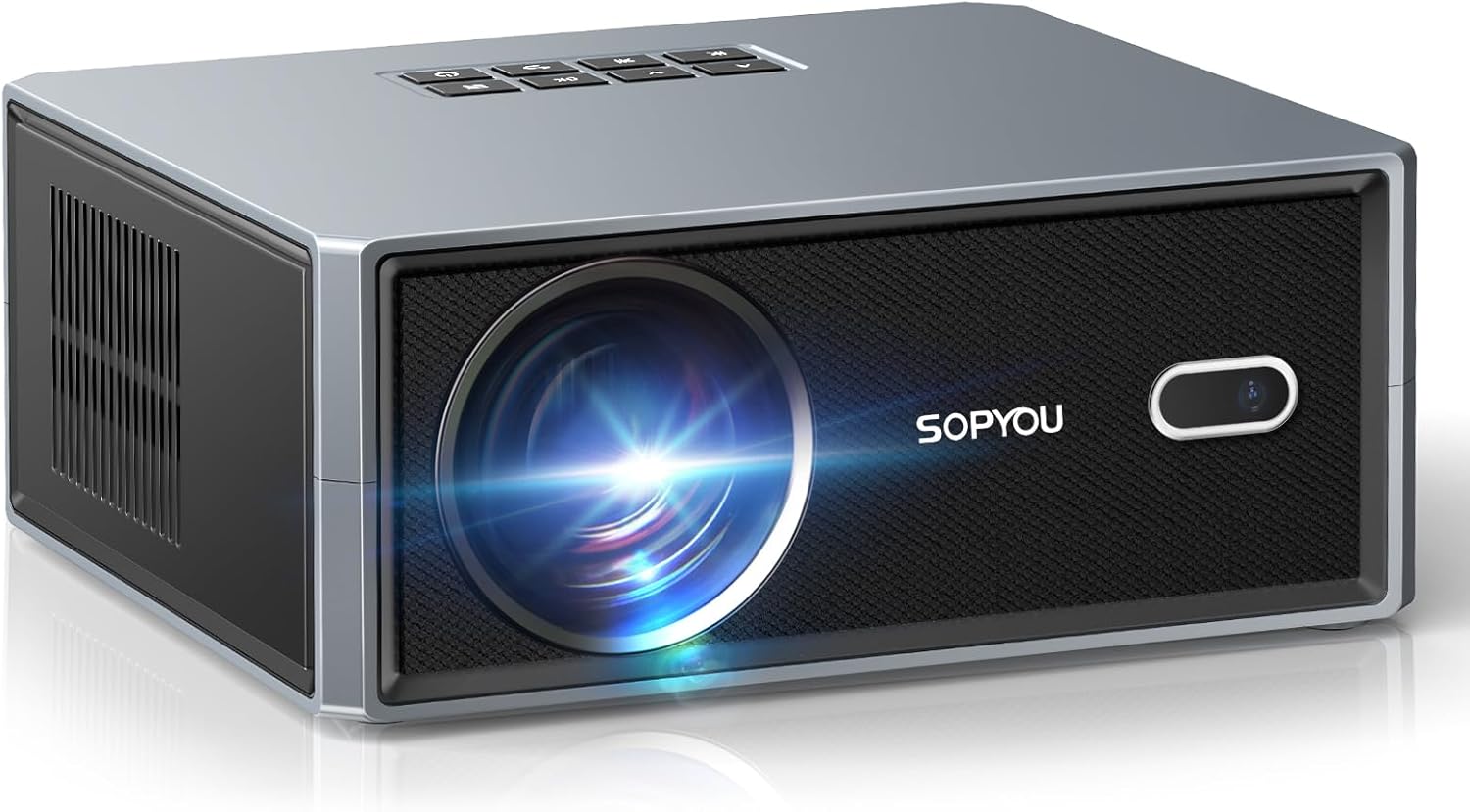
Сүрөт 3.1: Алдыңкы view of the SOPYOU Aurora P5 Projector, showing the lens and IR receiver.

3.2-сүрөт: Арткы view of the SOPYOU Aurora P5 Projector, highlighting various input/output ports.
3.1 Порттор жана башкаруу каражаттары
- Объектив: Сүрөттү экранга проекциялайт.
- IR алуучу: Алыстан башкаруу пультунан сигналдарды алат.
- Башкаруу панели: Buttons on top for basic navigation and power.
- HDMI порттору (x2): Connect HDMI-compatible devices like laptops, gaming consoles, or TV sticks.
- USB порттору (x2): Медиа ойнотуу үчүн USB дисктерди туташтырыңыз.
- AV порт: Connect older devices using the provided AV cable.
- 3.5 мм аудио уячасы: Тышкы кулакчындарды же динамиктерди туташтырыңыз.
- Кубат киргизүү: Электр шнурын туташтырыңыз.
- Жөнгө салынуучу бут: Located on the bottom, allows for height adjustment.
- Штатив орнотуу: Standard screw thread on the bottom for tripod mounting.
4. Негизги өзгөчөлүктөрү
The SOPYOU Aurora P5 Projector is equipped with advanced features for an enhanced viewтажрыйбасы:
- Электрдик фокус жана авто ачкыч таш: Effortlessly achieve a perfectly clear and rectangular image with electric focus and automatic keystone correction.
- WiFi 6 & Bluetooth 5.3: Enjoy seamless wireless connectivity for screen mirroring from iOS/Android/Windows devices and stable two-way audio transmission to Bluetooth speakers or headphones.
- Native 1080P & 4K Support: Delivers high clarity, contrast, and rich color images with native 1080P resolution and support for 4K decoding.
- Чоң дисплей өлчөмү: Projects images up to a massive 450 inches with a 1.1:1 throw ratio, offering a larger picture at the same distance compared to traditional projectors.
- Ыңгайлаштырылган Viewing: Tailor image modes, brightness levels, and wallpapers to your preferences. Includes a unique companion mode for versatile use.
- Built-in HiFi Speakers: Features powerful 2*5W HiFi speakers for immersive audio.
5. Орнотуу колдонмосу
5.1 Баштапкы күйгүзүү жана тилди тандоо
- Электр шнурын проекторго жана розеткага туташтырыңыз.
- Проектордун же алыстан башкаруунун кубат баскычын басыңыз.
- Upon first use, the language settings menu will appear. Use the navigation buttons on the remote or projector to select your preferred language (English).
5.2 Network Settings (Wi-Fi & Bluetooth)
To access streaming features and screen mirroring, connect your projector to a Wi-Fi network.
- Navigate to 'Settings' from the home screen.
- Select 'Network Setting' and choose your Wi-Fi network.
- Enter your Wi-Fi password using the on-screen keyboard or a connected USB keyboard.
- For Bluetooth devices, select 'Bluetooth Settings' to pair headphones or external speakers.
5.3 Projection Settings (Focus, Keystone, Zoom)
Adjust the image for optimal clarity and shape.
- Электр Фокус: Use the 'F+' or 'F-' buttons on the remote control to sharpen the image.
- Автоматтык негизги ташты оңдоо: The projector automatically corrects the image shape. For manual adjustments, navigate to 'Settings' > 'Projection Settings' > 'Keystone Correction'.
- Чоңойтуу/кичирейтүү: Adjust the image size without moving the projector via 'Settings' > 'Projection Settings' > 'Zoom In/Out'.

Figure 5.1: Demonstrating Auto Keystone and Electric Focus adjustments.
5.4 Тышкы түзмөктөрдү туташтыруу
Проектор ар кандай киргизүү булактарын колдойт:
- HDMI: Connect your device to either HDMI1 or HDMI2 port. Select the corresponding HDMI input from the 'Signal Source' menu on the home screen.
- USB: Insert a USB drive into a USB port. Select 'USB' from the 'Signal Source' menu to browse media files.
- OF: Connect devices using the provided AV cable. Select 'AV' from the 'Signal Source' menu.
- Экранды чагылдыруу: Select 'Android Mirroring', 'iOS Wi-Fi Mirroring', or 'iOS Cellular Mirroring' from the home screen and follow the on-screen instructions to connect your mobile device.
6. Операция
6.1 Колдонуучу интерфейсинде багыт алуу
Use the remote control or the top panel buttons to navigate the projector's interface. The home screen provides quick access to input sources, settings, and mirroring options.
6.2 Companion Modes
The projector offers various companion modes to enhance your environment:
- Саат режими: Displays a clock.
- Wall Painting: Projects various artistic images.
- Экран сактагыч: Engages a screen saver.
- Көшүү режими: Provides soothing visual and audio backgrounds.

Figure 6.1: ашыкview of the 4 Type of Companion Modes available.
7. Техникалык шарттар
| Өзгөчөлүк | Description |
|---|---|
| Модель номери | Aurora P5 |
| Продукциянын өлчөмдөрү | 13 x 9 x 4.7 дюйм |
| Элемент Салмагы | 4.6 фунт |
| Display Resolution | 1920 x 1080 (Native 1080P, 4K Support) |
| Байланыш технологиясы | 3.5mm Jack, Bluetooth 5.3, HDMI (x2), USB (x2), Wi-Fi 6 |
| Өзгөчөлүктөр | Electric Focus, Auto Keystone, 450" Giant Screen, Low Noise Cooling, Dual Built-in Subwoofer Speakers, Supports Table/Tripod/Ceiling Mount |
| Сунушталган Колдонуулар | Бизнес, Билим берүү, Оюн-зоок, Үй кинотеатры |
8. Техникалык тейлөө
To ensure the longevity and optimal performance of your SOPYOU Aurora P5 Projector, regular maintenance is recommended.
- Линзаны тазалоо: Use a soft, lint-free cloth or lens cleaning wipes to gently clean the projector lens. Avoid abrasive materials that could scratch the lens.
- Чаң чыпкасын тазалоо: The projector features a built-in dust filter. Regularly remove and clean the dust filter at the bottom of the projector with a clean, dry cloth or cotton swab. It is recommended to clean the cover on a monthly basis to keep your projector running smoothly.
- Жалпы тазалоо: Проектордун сыртын жумшак, кургак чүпүрөк менен сүртүңүз. Суюк тазалагычтарды же эриткичтерди колдонбоңуз.

Figure 8.1: Instructions for cleaning the built-in dust filter.
9. Кыйынчылыктарды
If you encounter any issues with your projector, please refer to the following common troubleshooting steps:
- Сүрөт жок/Сүрөттүн сапаты начар:
- Бардык кабелдер коопсуз туташтырылганын текшериңиз.
- Check the selected input source matches your device.
- Adjust focus using the 'F+'/'F-' buttons on the remote.
- Perform keystone correction if the image is distorted.
- Check room lighting conditions; ambient light can affect image clarity.
- Үн жок:
- Increase the volume on the projector and your connected device.
- Проектордун үнсүз абалда экенин текшериңиз.
- If using Bluetooth, ensure the device is properly paired and connected.
- Алыстан башкаруу иштебейт:
- Батареялардын туура салынганын жана түгөнүп калбаганын текшериңиз.
- Пультту түз проектордун IR ресиверине багыттаңыз.
- Пульт менен проектордун ортосундагы бардык тоскоолдуктарды алып салыңыз.
- Экранды чагылдыруудагы көйгөйлөр:
- Эки түзмөк тең бир Wi-Fi тармагына туташып турганын текшериңиз.
- Some streaming apps (e.g., Amazon Prime Video, Hulu) do not support screen mirroring due to copyright protections. Use an HDMI connection for these services.
10. Кепилдик жана колдоо
SOPYOU is committed to providing excellent customer service and support for our products.
- 24-Hour Quick Reply: Биз бардык суроолорго 24 сааттын ичинде жооп берүүгө аракет кылабыз.
- 30-Day No Reason to Return: Enjoy a 30-day return policy for any reason.
- Өмүр бою техникалык колдоо: Benefit from lifetime technical support for your SOPYOU projector.
Бардык суроолор же тынчсыздануулар боюнча биз менен байланышыңыз:
- Электрондук почта: support@sopyouhome.com
- Webсайт: www.sopyouhome.com
11. Расмий продукт Videos
Кошумча көрсөтмөлөр жана демонстрациялар үчүн бул расмий видеолорду көрүңүз.
SOPYOU Projector Unboxing, Setup and Overview with Gaming
This video provides an unboxing experience, setup instructions, and an overview of the SOPYOU Aurora P5 projector, including a gaming demonstration.
First test - Impressed with the image quality!
A user's first test of the SOPYOU Aurora P5 projector, showcasing impressive image quality and performance.
SOPYOU Projector Review-Like An OLED On Steroids!!
деталдуу реview of the SOPYOU Aurora P5 projector, highlighting its exceptional image quality and comparing it to high-end displays.
450 Inch Large Screen Projector! SOPYOU P5 REVIEW
This video reviews the SOPYOU Aurora P5 projector, focusing on its capability to project a large 450-inch screen.


