Introduction
This manual provides detailed instructions for the setup, operation, and maintenance of your ATTACK SHARK L80 Wireless Gaming Headset. Please read this manual thoroughly before using the product to ensure proper function and longevity.
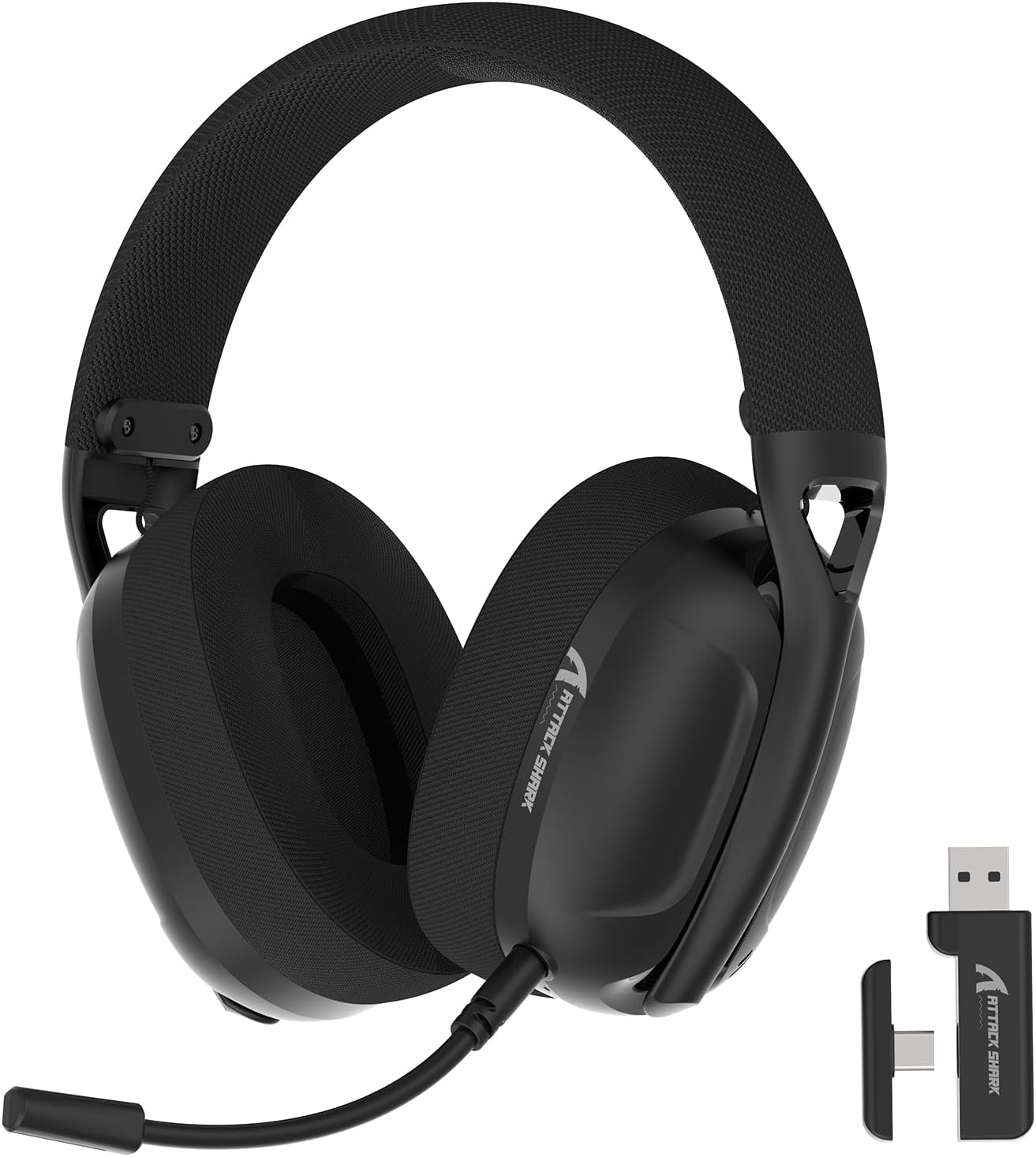
Image: The ATTACK SHARK L80 Wireless Gaming Headset, featuring over-ear cups, a flexible microphone, and a USB dongle.
Пакеттин мазмуну
Продукцияңыздын таңгагында бардык элементтер бар экенин текшериңиз:
- ATTACK SHARK L80 Wireless Gaming Headset
- Detachable Omni-directional Microphone
- 2.4GHz USB Wireless Dongle (USB-A)
- USB-Cден USB-Aга чейин кубаттоочу кабель
- 3.5 мм аудио кабель
- Колдонуучунун Колдонмосу (бул документ)

Image: All components included in the ATTACK SHARK L80 headset package: headset, detachable microphone, 2.4GHz USB dongle, USB-C charging cable, and 3.5mm audio cable.
Продукт бүттүview
Headset Controls and Ports
Familiarize yourself with the headset's controls and connection points:

Image: Close-up of the ATTACK SHARK L80 headset's left earcup, showing the power button, mode switch button, volume up/previous track button, volume down/next track button, and microphone mute button.
- Кубат баскычы: Press and hold for 3 seconds to power ON/OFF. Short press to answer/end calls or play/pause media.
- Режимди которуу баскычы: Short press 3 times in succession to switch between Bluetooth and 2.4G wireless modes.
- Volume Up / Previous Song: Short press for Volume+, Long press for Previous Song.
- Volume Down / Next Song: Short press for Volume-, Long press for Next Song.
- Микрофондун үнүн басуу баскычы: Short press to toggle microphone ON/OFF.
- Микрофон порту: Ажыратылуучу микрофонду туташтыруу үчүн.
- 3.5 мм аудио уячасы: Зымдуу туташуу үчүн.
- USB-C заряддоо порту: Гарнитураны заряддоо үчүн.
- Индикатор жарыгы: Туташуу абалын жана батареянын деңгээлин көрсөтөт.
Алынуучу микрофон
The L80 headset features a detachable, omni-directional microphone with noise reduction capabilities. It can be adjusted 360 degrees for optimal positioning.

Image: The ATTACK SHARK L80 headset with its detachable, 360-degree adjustable, noise-cancelling microphone attached.
Жайгашуу
The ATTACK SHARK L80 headset offers three connection modes: 2.4GHz wireless, Bluetooth 5.2, and 3.5mm wired. Choose the appropriate method for your device.
1. 2.4GHz Wireless Connection (for PC, PS5, PS4, Nintendo Switch Docked)
- Insert the 2.4GHz USB wireless dongle into an available USB port on your PC, PS5, PS4, or Nintendo Switch dock.
- Power on the L80 headset by pressing and holding the Power Button for 3 seconds.
- The headset will automatically attempt to connect to the dongle. The indicator light will show a stable color once connected.
- On your device, ensure the audio output is set to "ATTACK SHARK L80" or similar.

Image: Diagram illustrating 2.4GHz USB dongle connection to a PS4 and a USB-C dongle connection to a portable device, alongside Bluetooth connectivity for phones.
2. Bluetooth 5.2 Connection (for Phones, Tablets, Laptops)
- Power on the L80 headset by pressing and holding the Power Button for 3 seconds.
- If not already in Bluetooth mode, short press the Mode Switch Button three times in quick succession to enter Bluetooth pairing mode. The indicator light will flash, indicating it is discoverable.
- On your device (phone, tablet, laptop), go to Bluetooth settings and search for available devices.
- Select "ATTACK SHARK L80" from the list to pair. The indicator light will become stable once connected.
3. 3.5mm Wired Connection (for various devices)
- Connect one end of the 3.5mm audio cable to the 3.5mm audio jack on the L80 headset.
- 3.5 мм аудио кабелдин экинчи учун түзмөгүңүздүн аудио чыгаруу портуна туташтырыңыз.
- The headset will function in wired mode. Note that volume control via the headset buttons may not be available in wired mode, depending on the connected device.

Image: The ATTACK SHARK L80 headset displayed among various compatible platforms including PlayStation consoles, Nintendo Switch, Xbox, PC, tablets, and smartphones.
Иштөө нускамалары
Күйгүзүү/өчүрүү
- Күйгүзүү: Press and hold the Power Button for approximately 3 seconds until the indicator light illuminates.
- Өчүрүү: Press and hold the Power Button for approximately 3 seconds until the indicator light turns off.
Үндү көзөмөлдөө
- Көлөмүн жогорулатуу: Үндү жогорулатуу баскычын кыска басыңыз.
- Көлөмдү азайтуу: Үндү азайтуу баскычын кыска басыңыз.
Медиа ойнотууну көзөмөлдөө
- Ойнотуу/тындыруу: Кубат баскычын кыска басыңыз.
- Мурунку ыр: Үндү жогорулатуу баскычын көпкө басыңыз.
- Кийинки ыр: Үндү азайтуу баскычын көпкө басыңыз.
Чалууларды башкаруу
- Чалууга жооп берүү/аяктоо: Кубат баскычын кыска басыңыз.
Микрофонду колдонуу
- Attach the detachable microphone to the designated port on the headset.
- Үндү оптималдуу кабыл алуу үчүн микрофондун абалын тууралаңыз.
- Микрофондун үнүн басуу/ачуу: Short press the Microphone Mute Button.
Mode Switching
- To switch between 2.4GHz wireless mode and Bluetooth mode, short press the Mode Switch Button three times in quick succession.
Гарнитураны заряддоо
The headset provides up to 50 hours of playtime at 50% volume and takes approximately 3 hours for a full charge.
- Connect the USB-C end of the charging cable to the headset's USB-C port.
- Кубаттоочу кабелдин USB-A учун USB кубат булагына туташтырыңыз (мисалы, компьютердин USB порту, дубал адаптери).
- The indicator light will show charging status. A red light alert indicates battery level below 10%.

Image: Visual representation of the ATTACK SHARK L80 headset's battery features, including 45-50 hours gaming time, red light alert for low battery, 3 hours charging time, and electricity saving standby.
Техникалык тейлөө
- Тазалоо: Гарнитураны тазалоо үчүн жумшак, кургак чүпүрөктү колдонуңуз. Катуу химиялык заттарды же абразивдүү материалдарды колдонбоңуз.
- Сактагыч: Гарнитураны күн нурунан жана экстремалдык температурадан алыс салкын, кургак жерде сактаңыз.
- Батареяга кам көрүү: Батареянын иштөө мөөнөтүн узартуу үчүн, гарнитураны бат-баттан толук зарядсыздандырбаңыз. Узак мөөнөткө колдонулбаса да, аны үзгүлтүксүз заряддаңыз.
- Кабелдик башкаруу: Зыян келтирбөө үчүн кабелдердин кескин ийилишинен же кыйшайышынан алыс болуңуз.

Image: Close-up of the headset's ultra-soft mesh earmuffs, highlighting their breathable and comfortable design for extended wear.
Проблемаларды чечүү
| Көйгөй | Мүмкүн себеп | Чечим |
|---|---|---|
| Гарнитурадан үн жок. | Headset not powered on, not connected, or volume too low. |
|
| Микрофон иштебей жатат. | Microphone muted, not properly attached, or incorrect input device selected. |
|
| Cannot connect via 2.4GHz wireless. | Dongle not inserted, headset not in 2.4GHz mode, or interference. |
|
| Bluetooth аркылуу туташуу мүмкүн эмес. | Headset not in pairing mode, Bluetooth off on device, or previously paired device interfering. |
|
| Headset not charging. | Charging cable faulty, power source issue, or charging port obstruction. |
|
Техникалык шарттар
| Өзгөчөлүк | Деталь |
|---|---|
| Модель аты | L80 headset |
| Байланыш технологиясы | 2.4Ghz Wireless, Bluetooth 5.2, 3.5mm Wired |
| Аудио драйверинин өлчөмү | 40 мм |
| Жыштык диапазону | 20 Гц - 20 000 Гц |
| Импеданс | 30 Ом |
| Noise Control | Үн изоляциясы |
| Микрофон | Detachable, Omni-directional, Noise-reduction |
| Батареянын иштөө мөөнөтү | 50 саатка чейин (50% көлөмдө) |
| Заряддоо убактысы | Болжол менен 3 саат |
| Салмагы | 12 унция (болжол менен 340 грамм) |
| Материал | Пластик |
| Шайкеш түзмөктөр | PC, PS5, PS4, Nintendo Switch, Laptops, Tablets, Phones |

Сүрөт: Кесилген view of the ATTACK SHARK L80 headset's earcup, highlighting the powerful 40mm audio drivers responsible for high-fidelity sound.
Кепилдик жана колдоо
Кепилдик жөнүндө маалымат жана техникалык колдоо алуу үчүн, расмий ATTACK SHARK сайтына кайрылыңыз webсайтка же кардарларды тейлөөгө кайрылыңыз. Сатып алуу квитанциясын кепилдик дооматтары үчүн сатып алуунун далили катары сактаңыз.
Өндүрүүчү: ATTACK SHARK
Байланыш: Сураныч, кириңиз Amazon'догу ATTACK SHARK дүкөнү for further assistance or to find contact information.


