1. Киришүү
Thank you for choosing the ATTACK SHARK L80 Wireless Gaming Headset. This manual provides detailed instructions for setting up, operating, and maintaining your headset to ensure optimal performance and longevity. Please read this manual thoroughly before using the product.
2. Пакеттин мазмуну
Carefully unpack your ATTACK SHARK L80 headset and verify that all items listed below are included:
- ATTACK SHARK L80 зымсыз оюн гарнитурасы
- Алынуучу микрофон
- USB заряддоо кабели
- 3.5 мм аудио кабель
- USB & Type-C 2.4GHz Wireless Receiver
- Колдонуучунун Колдонмосу (бул документ)

Image: All components included in the ATTACK SHARK L80 headset package.
Video: An unboxing demonstration of the ATTACK SHARK L80 Wireless Gaming Headset, showing all included accessories.
3. Продукт бүтүп калдыview
The ATTACK SHARK L80 is a versatile gaming headset designed for comfort and high-fidelity audio across multiple platforms.
3.1 Дизайн жана комфорт
The headset features a lightweight design, weighing approximately 184 grams, ensuring comfort during extended gaming sessions. The earcups are made with skin-friendly fabric and artificial leather, providing a soft and breathable fit. The headband is adjustable to accommodate various head sizes.
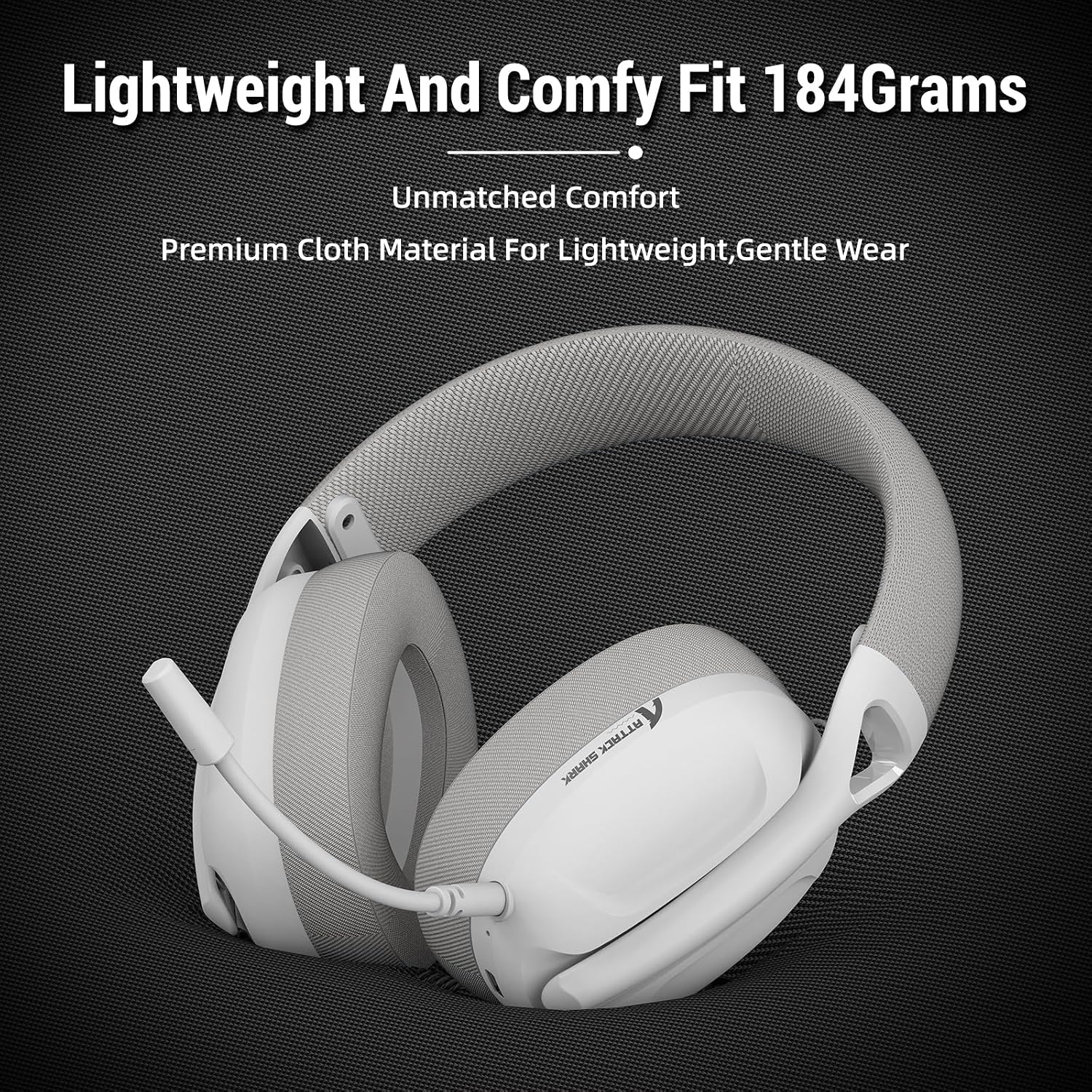
Image: The ATTACK SHARK L80 headset emphasizing its lightweight construction and comfortable ear cushions.
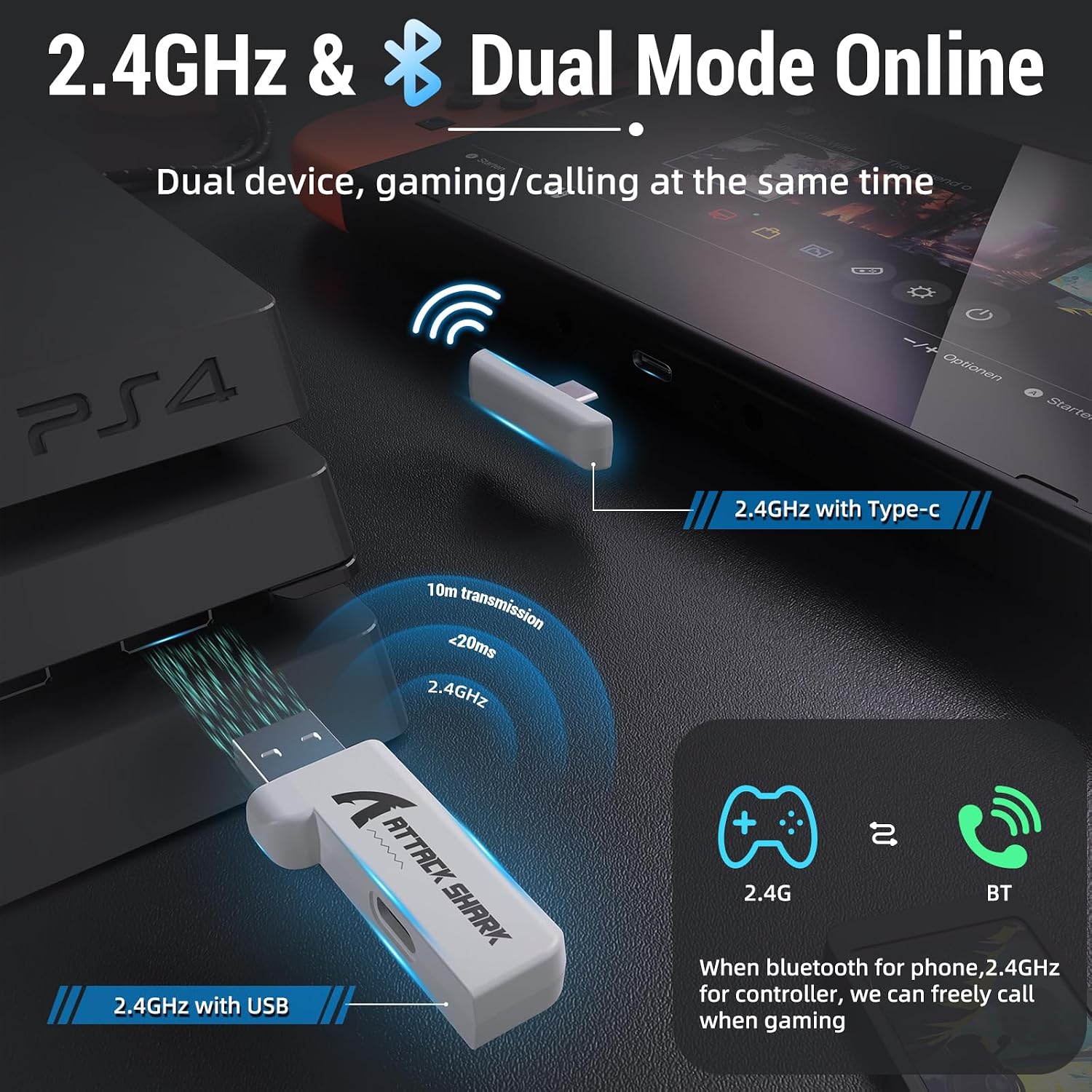
Image: The ATTACK SHARK L80 headset demonstrating its adjustable headband for a customized fit.
3.2 Audio and Microphone
Equipped with 40mm dynamic audio drivers, the L80 delivers balanced, high-fidelity sound with a frequency range of 20Hz to 20,000Hz. The headset includes a detachable, omni-directional microphone with noise-reduction capabilities, ensuring clear communication with teammates.

Сүрөт: ички view highlighting the powerful 40mm audio drivers of the headset.

Image: The headset featuring its detachable and adjustable noise-cancelling microphone.
3.3 Батареянын иштөө мөөнөтү
The L80 headset offers up to 50 hours of playtime at 50% volume on a full charge, which takes approximately 3 hours. A 3.5mm AUX cable is provided for wired use, allowing continued operation even if the battery is depleted.

Image: Visual representation of the headset's long-lasting battery life and charging indicators.
4. Орнотуу
The ATTACK SHARK L80 headset supports three connection modes: 2.4GHz wireless, Bluetooth 5.2, and 3.5mm wired.
4.1 2.4 ГГц зымсыз туташуу
This mode provides low-latency, reliable wireless connectivity ideal for gaming. It is compatible with PCs, PS4, PS5, and Nintendo Switch (via USB-C adapter).
- Insert the USB or Type-C 2.4GHz receiver into an available USB port on your device (PC, PS4, PS5, or Nintendo Switch dock).
- Гарнитураны күйгүзүү үчүн, "Күтүү" баскычын 3 секунд басып туруңуз.
- The headset will automatically connect to the receiver. The indicator light will show a stable connection.
4.2 Bluetooth 5.2 туташуу
Bluetooth mode is suitable for mobile devices, tablets, and other Bluetooth-enabled systems.
- Гарнитура күйгүзүлгөнүн текшериңиз.
- Triple-press the Power button to switch to Bluetooth mode. The indicator light will flash, indicating pairing mode.
- On your device, go to Bluetooth settings and select "ATTACK SHARK L80" from the list of available devices to pair.
- Once connected, the indicator light will become stable.
4.3 3.5 мм Зымдуу туташуу
For universal compatibility or when battery is low, use the 3.5mm audio cable.
- 3.5 мм аудио кабелдин бир учун гарнитуранын 3.5 мм уячасына туташтырыңыз.
- Connect the other end to the 3.5mm audio output of your device (PC, console controller, mobile phone, etc.).
- Note: Volume cannot be adjusted via the headset buttons in wired mode; adjust volume directly on your connected device.

Image: The headset demonstrating its compatibility with multiple gaming platforms and devices.
5. Иштөө нускамалары
Familiarize yourself with the controls located on the headset for easy operation.
5.1 Гарнитураны башкаруу элементтери
- Күйгүзүү/өчүрүү: Кубат баскычын 3 секунд басып, кармап туруңуз.
- Answer/End Call (Phone Priority)/Play/Pause: Кубат баскычын кыска басыңыз.
- Bluetooth/2.4G Mode Switching: Triple-press the Power button.
- Көлөмү: Көлөмү+ баскычын кыска басыңыз.
- Мурунку ыр: Long press the Volume+ button.
- Үнүн азайтуу: Үн баскычын кыска басыңыз.
- Кийинки ыр: Long press the Volume- button.
- Микрофон КҮЙГҮЗҮҮ/ӨЧҮРҮҮ: Микрофон баскычын кыскача басыңыз.

Сүрөт: деталдуу view of the headset's on-ear control buttons and their functions.
6. Техникалык тейлөө
To ensure the longevity and optimal performance of your ATTACK SHARK L80 headset, follow these maintenance guidelines:
- Тазалоо: Гарнитураны тазалоо үчүн жумшак, кургак чүпүрөктү колдонуңуз. Абразивдүү тазалоочу каражаттарды же эриткичтерди колдонуудан алыс болуңуз.
- Сактагыч: Гарнитураны күн нурунан жана экстремалдык температурадан алыс салкын, кургак жерде сактаңыз.
- Кабельге кам көрүү: Avoid sharp bends or kinks in the cables. Disconnect cables by pulling the plug, not the cord.
- Микрофон: When not in use, detach the microphone to prevent damage.
- Батарея: For long-term storage, charge the battery to about 50% every few months to prevent deep discharge.
7. Кыйынчылыктарды
Эгерде сиз гарнитураңыз менен көйгөйлөргө туш болсоңуз, төмөнкү кеңири таралган көйгөйлөрдү жана чечимдерди караңыз:
| Көйгөй | Мүмкүн себеп | Чечим |
|---|---|---|
| Гарнитурадан үн жок | Headset not powered on; Incorrect connection mode; Volume too low; Device audio output not set to headset. | Ensure headset is powered on. Switch to correct mode (2.4G/BT). Increase headset and device volume. Check device's audio output settings. |
| Микрофон иштебей жатат | Microphone muted; Microphone not properly inserted; Device microphone input not set to headset. | Unmute microphone using the headset button. Ensure microphone is fully inserted. Check device's microphone input settings. |
| Cannot connect via 2.4GHz | Receiver not properly inserted; Headset not in 2.4GHz mode; Interference. | Ensure receiver is fully inserted. Triple-press Power button to switch to 2.4GHz mode. Move closer to the receiver or away from other wireless devices. |
| Bluetooth аркылуу туташуу мүмкүн эмес | Headset not in pairing mode; Device Bluetooth off; Already connected to another device. | Triple-press Power button to enter Bluetooth pairing mode. Ensure device Bluetooth is on. Disconnect from other devices. |
| Батареянын иштөө мөөнөтү кыска | Battery not fully charged; High volume usage. | Ensure headset is fully charged (approx. 3 hours). Reduce volume to extend battery life. |
8. Техникалык шарттар
| Өзгөчөлүк | Спецификация |
|---|---|
| Модель аты | L80 гарнитура |
| Байланыш технологиясы | Wireless (2.4GHz, Bluetooth 5.2), Wired (3.5mm) |
| Аудио драйверинин өлчөмү | 40 миллиметр |
| Жыштык диапазону | 20Гц - 20,000Гц |
| Импеданс | 30 Ом |
| Батареянын иштөө мөөнөтү | 50 саатка чейин |
| Заряддоо убактысы | Болжол менен 3 саат |
| Микрофон | Detachable Omni-directional, Noise-reduction |
| Салмагы | 12 унция (болжол менен 340 г) |
| Продукциянын өлчөмдөрү | 7.09 x 4.13 x 8.66 дюйм |
| Шайкеш түзмөктөр | PCs, PS5, PS4, Nintendo Switch, Tablets, Phones |
9. Кепилдик жана колдоо
For warranty information and customer support, please refer to the warranty card included in your product packaging or visit the official ATTACK SHARK webсайт. Сатып алуу квитанциясын кепилдик дооматтары үчүн сатып алуунун далили катары сактаңыз.
If you require further assistance or have questions not covered in this manual, please contact ATTACK SHARK customer service.


