1. Киришүү
This manual provides essential information for the operation and maintenance of your HOTWAV R8 Rugged Tablet. The HOTWAV R8 is designed for durability and performance, featuring a 10.1-inch HD+ display, Android 14 operating system, 12GB RAM, 128GB internal storage (expandable up to 1TB), a 10800mAh battery, and IP68/IP69K ratings for water and dust resistance. It is equipped with a Unisoc T606 Octa-Core processor, 4G Dual SIM support, 5G WiFi, Face ID, and OTG functionality.
Түзмөктүн туура иштешин жана узак убакытка кызмат кылуусун камсыз кылуу үчүн аны колдонуудан мурун, ушул колдонмону кылдат окуп чыгыңыз.

Сүрөт 1.1: Алдыңкы жана арткы view of the HOTWAV R8 Rugged Tablet, showcasinанын бекем дизайны жана дисплейи.
2. Пакеттин мазмуну
Пакетте бардык буюмдар бар экенин текшериңиз:
- 1x HOTWAV R8 Rugged Tablet
- 1x User Manual/Warranty Card
- 1x заряддагыч
- 1x USB Type-C кабели
- 1x OTG Cable
- 1x Explosion-proof Film (Screen Protector)

Image 2.1: All items included in the HOTWAV R8 Tablet package, laid out on a wooden surface.
3. Баштапкы орнотуу
3.1. Планшетти заряддоо
Before first use, fully charge the tablet using the provided charger and USB Type-C cable. Connect the USB cable to the tablet's charging port and the charger to a power outlet. The charging indicator will show the charging status.
3.2. SIM карталарды жана MicroSD картасын орнотуу
The HOTWAV R8 supports Dual SIM cards and a MicroSD card for expanded storage (up to 1TB). Locate the SIM card tray on the side of the tablet. Use the provided SIM ejector tool (if applicable, otherwise carefully open the tray) to open the tray. Insert your SIM cards and MicroSD card into the designated slots, ensuring correct orientation. Close the tray securely.

Image 3.1: Illustration of inserting SIM cards and a MicroSD card into the tablet's tray.
3.3. Күйгүзүү / Өчүрүү
- Күйгүзүү үчүн: Press and hold the Power button until the HOTWAV logo appears.
- Өчүрүү үчүн: Кубат баскычын басып, кармап туруңуз, андан кийин экрандагы параметрлерден "Өчүрүү" дегенди тандаңыз.
- Кайра баштоо үчүн: Кубат баскычын басып, кармап туруңуз, андан кийин параметрлерден "Кайра баштоо" тандаңыз.
4. Иштөө нускамалары
4.1. Дисплей жана навигация
The tablet features a 10.1-inch HD+ display with 800 x 1200 pixels resolution. Navigate the Android 14 interface using touch gestures: tap, swipe, pinch-to-zoom. The display supports glove mode for operation in various conditions.

Image 4.1: The HOTWAV R8 tablet displaying the Android 14 operating system interface.
4.2. Аткаруу жана сактоо
Powered by a Unisoc T606 Octa-Core processor and 12GB RAM (4GB physical + 8GB virtual), the tablet handles multitasking efficiently. It comes with 128GB of internal storage, expandable up to 1TB via a MicroSD card.

Image 4.2: Diagram illustrating the Unisoc T606 Octa-Core processor, 12GB RAM, and 128GB ROM (expandable to 1TB).
4.3. Камеранын функциялары
The tablet is equipped with a 13MP rear camera and a 5MP front camera. Open the Camera application to capture photos and videos. Various modes and settings are available within the app.

Image 4.3: Visual representation of the 13MP rear camera and 5MP front camera on the HOTWAV R8 tablet.
4.4. Байланыш
- 4G кош SIM: Supports 4G LTE connectivity for mobile data and calls. Note: Not compatible with AT&T.
- 5G WiFi: Connect to wireless networks using 2.4GHz and 5GHz Wi-Fi bands.
- Bluetooth 5.1: Pair with Bluetooth accessories such as headphones and speakers.
- GPS: Integrated Beidou, Galileo, Glonass, and GPS for accurate navigation.

Image 4.4: The HOTWAV R8 tablet displaying a GPS map, highlighting its navigation capabilities.
4.5. Battery and OTG Functionality
The 10800mAh battery provides extended usage time. The tablet also supports OTG (On-The-Go) reverse charging, allowing it to act as a power bank to charge other devices using the provided OTG cable.

Image 4.5: Diagram illustrating the large 10800mAh battery capacity of the HOTWAV R8 tablet.

Image 4.6: The HOTWAV R8 tablet demonstrating its OTG reverse charging capability, charging a smartphone.
5. Техникалык тейлөө жана туруктуулук
The HOTWAV R8 is built to withstand challenging environments, featuring IP68/IP69K water and dust resistance and MIL-STD-810H compliance for drop protection.
- Суу каршылык: The tablet can be submerged in up to 2 meters of water for at least 30 minutes. Ensure all ports are securely sealed before exposure to water.
- Чаңга каршылык: Аппарат чаңдын киришинен корголгон.
- Drop Protection: 1.2 метрге чейинки тамчыларга туруштук берүү үчүн иштелип чыккан.
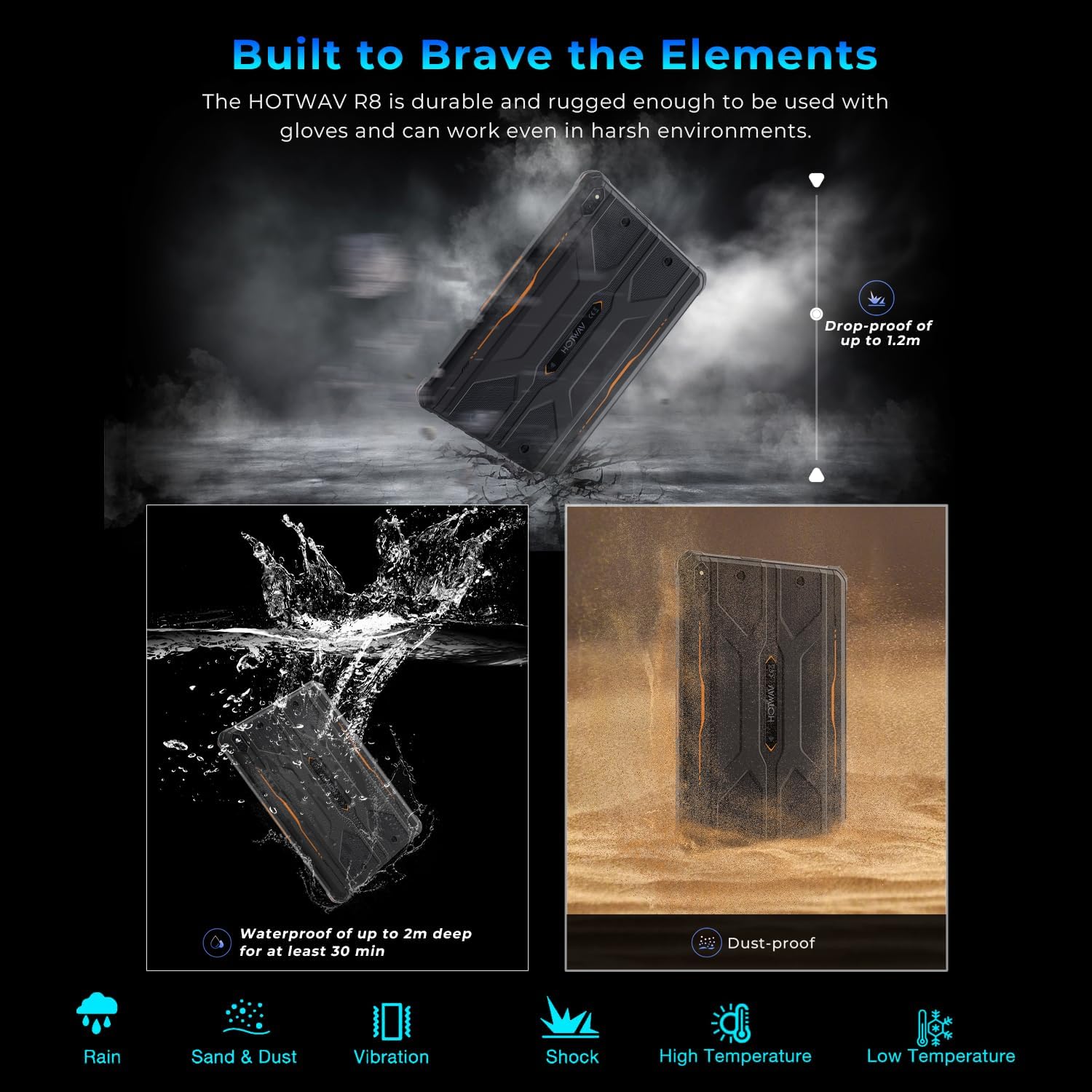
Image 5.1: Visual representation of the HOTWAV R8 tablet's resistance to drops, water immersion, and dust.
5.1. Тазалоо
жумшак колдонуу, damp cloth to clean the tablet's surface. Avoid harsh chemicals or abrasive materials that could damage the device or its protective coatings.
5.2. Сактоо
Store the tablet in a cool, dry place away from direct sunlight and extreme temperatures when not in use for extended periods.
6. Кыйынчылыктарды
6.1. Түзмөк күйбөй жатат
- Батареянын заряддалганын текшериңиз. Планшетті заряддагыч түзүлүшкө кеминде 30 мүнөт туташтырыңыз.
- Мажбурлап өчүрүп күйгүзүү үчүн кубат баскычын 10-15 секунд басып туруңуз.
6.2. Начар тармак туташуусу
- SIM карталар туура салынганын жана иштетилгенин текшериңиз.
- Verify Wi-Fi connection settings and router functionality.
- Restart the tablet and try connecting again.
6.3. Touchscreen Unresponsive
- Планшетти кайра иштетиңиз.
- Ensure the screen is clean and free of debris or excessive moisture.
6.4. Батареянын бат түгөнү
- Экран жарыктыгын азайтыңыз.
- Фондо иштеп жаткан колдонулбаган колдонмолорду жабуу.
- Колдонулбаган учурда Wi-Fi, Bluetooth же GPSти өчүрүңүз.
7. Техникалык шарттар
| Өзгөчөлүк | Деталь |
|---|---|
| Модель аты | R8 |
| Операция системасы | Android 14 |
| Screen Size | 10.1 дюйм |
| Screen Resolution | 800 x 1200 пиксель |
| Процессор | Unisoc T606 сегиз ядролуу |
| RAM | 12 ГБ (4 ГБ физикалык + 8 ГБ виртуалдык) |
| Ички сактагыч | 128 ГБ |
| Кеңейтүүчү сактагыч | MicroSD картасы аркылуу 1 ТБ чейин |
| Арткы камера | 13 депутат |
| Алдыңкы камера | 5 депутат |
| Батарея сыйымдуулугу | 10800mAh |
| Зымсыз түрү | 802.11ax (5G WiFi), Bluetooth 5.1 |
| Уюлдук байланыш | 4G Dual SIM (Note: Not compatible with AT&T) |
| Навигация | Бейду, Галилео, Глонасс, GPS |
| Туруктуулук рейтингдери | IP68, IP69K, MIL-STD-810H |
| Элемент Салмагы | 2.72 фунт (болжол менен 1.23 кг) |
| Продукциянын өлчөмдөрү | 9.9 x 6.6 x 0.6 дюйм (болжол менен 25.1 x 16.8 x 1.5 см) |
8. Кепилдик жана колдоо
The HOTWAV R8 Rugged Tablet typically comes with a manufacturer's warranty. Please refer to the included Warranty Card in your package for specific terms and conditions. For technical support or warranty claims, please contact HOTWAV customer service.
- Кардарларды тейлөө: Refer to the contact information provided on the Warranty Card or the official HOTWAV webсайт.
- Коргоо пландары: Кошумча коргоо пландарын өзүнчө сатып алууга болот.
- Кайтаруулар: Standard return policies apply. Please check with your retailer for details.

Image 8.1: HOTWAV customer support shield logo, indicating 24-hour customer service, 30-day return policy, and 2-year warranty.


