1. Киришүү
Thank you for choosing the LOFREE Zero ARTZ Mechanical Keyboard and Terrazzo Mouse combo. This manual provides essential information for setting up, operating, and maintaining your new devices. The Zero ARTZ keyboard features a 75% layout, hot-swappable switches, and versatile connectivity options including Bluetooth, 2.4GHz wireless, and USB-C. The accompanying Terrazzo Mouse offers dual-mode connectivity and adjustable DPI settings for enhanced productivity.

Image: The LOFREE Terrazzo Mouse, featuring its unique speckled design.
2. Пакеттин мазмуну
Пакетиңизде бардык буюмдар бар экенин текшериңиз:
- LOFREE Zero ARTZ Mechanical Keyboard
- LOFREE Terrazzo Mouse
- USB-C - USB-A кабели
- 2.4 ГГц зымсыз алуучу
- Баскыч капкагын тартуучу (ысык алмаштырылуучу которгучтар үчүн)
- Коммутаторду тартуучу (ысык алмаштырылуучу коммутаторлор үчүн)
- Колдонуучунун Колдонмосу (бул документ)
3. Орнотуу
3.1 Аппараттарды заряддоо
Клавиатура да, чычкан да кайра заряддалуучу батареялар менен жабдылган. Биринчи жолу колдонуудан мурун, эки түзмөктү тең толук кубаттоо сунушталат.
- Connect the provided USB-C cable to the charging port on the keyboard and mouse.
- USB-C кабелинин экинчи учун USB кубат адаптерине (кошумча эмес) же компьютердин USB портуна туташтырыңыз.
- Заряддоо индикатору кубаттоо учурунда күйөт жана толук заряддалганда өчөт же түсүн өзгөртөт.
3.2 Keyboard Connectivity
The Zero ARTZ keyboard supports three connection modes: Bluetooth, 2.4GHz Wireless, and USB-C wired.
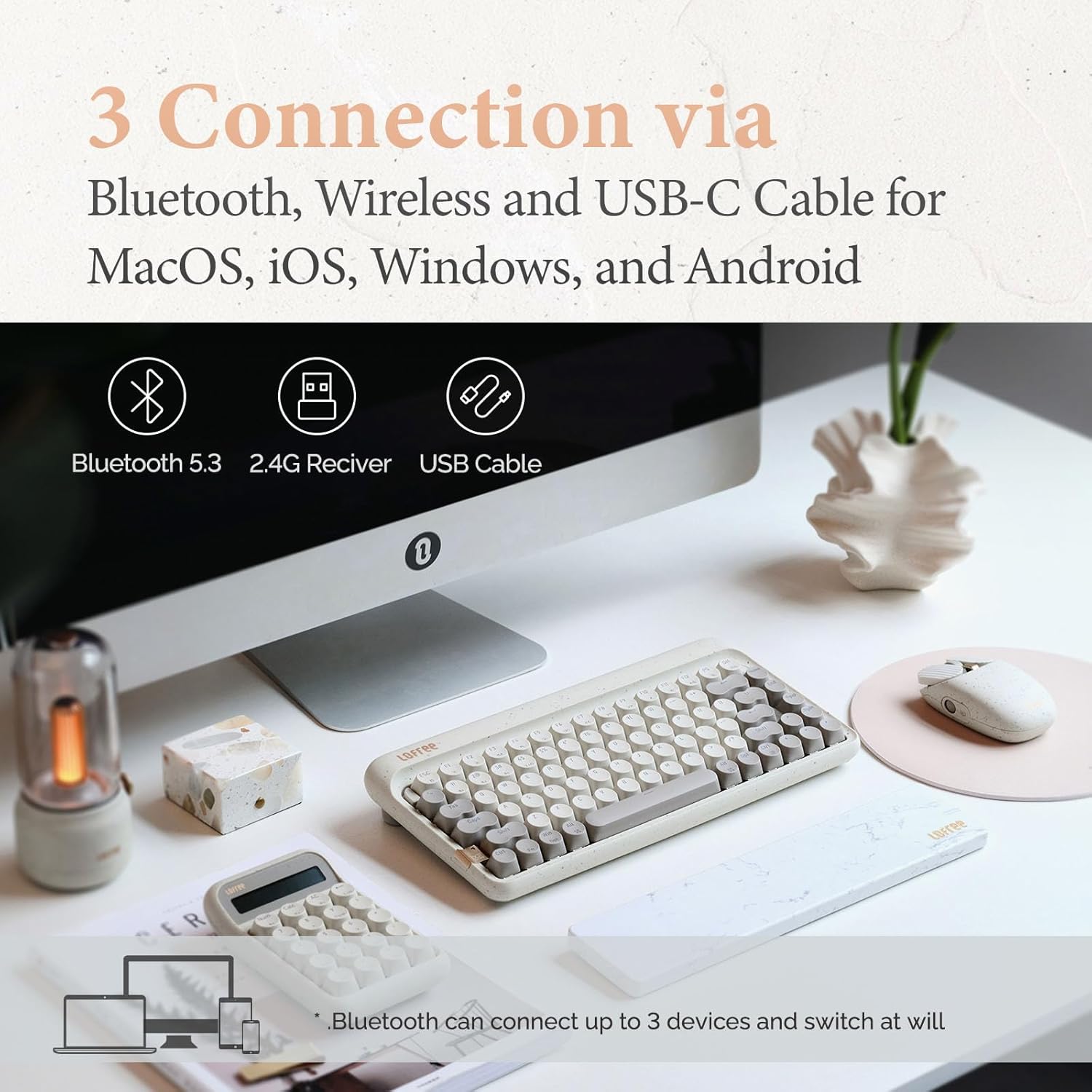
Image: Illustration showing the three connection methods: Bluetooth 5.3, 2.4G Receiver, and USB Cable, compatible with MacOS, iOS, Windows, and Android.
3.2.1 Bluetooth байланышы
- Locate the mode switch on the keyboard and set it to 'BT' (Bluetooth).
- Басып кармап туруңуз fn+1, fn+2, же fn+3 for 3-5 seconds until the indicator light flashes rapidly, indicating pairing mode. The keyboard can store up to three Bluetooth devices.
- On your device (computer, tablet, smartphone), enable Bluetooth and search for 'LOFREE Zero ARTZ'.
- Жупташтыруу үчүн баскычтопту тандаңыз. Туташтырылгандан кийин индикатор жарыгы өчүп-өчүп токтойт.
- Жупташтырылган Bluetooth түзмөктөрүнүн ортосунда которулуу үчүн басыңыз fn+1, fn+2, же fn+3 кыскача.
3.2.2 2.4 ГГц зымсыз туташуу
- Locate the mode switch on the keyboard and set it to '2.4G'.
- 2.4 ГГц зымсыз кабыл алгычты компьютериңиздеги жеткиликтүү USB портуна сайыңыз.
- Баскычтоп автоматтык түрдө туташуу керек. Болбосо, басыңыз fn+4 жупташууну баштоо.
3.2.3 USB-C зымдуу туташуу
- Locate the mode switch on the keyboard and set it to 'USB'.
- Connect the provided USB-C cable from the keyboard to your computer's USB port.
- The keyboard will be recognized as a standard USB device and is ready for use.
3.3 Mouse Connectivity
The Terrazzo Mouse supports dual-mode connection: Bluetooth and 2.4GHz Wireless.
3.3.1 Bluetooth байланышы
- Locate the mode switch on the bottom of the mouse and set it to 'BT'.
- Press and hold the Bluetooth pairing button (usually near the mode switch) for 3-5 seconds until the indicator light flashes.
- On your device, enable Bluetooth and search for 'LOFREE Terrazzo Mouse'.
- Select the mouse to pair. The indicator light will stop flashing once connected.
- The mouse can connect to 2 devices simultaneously. Use the pairing button to switch between them.
3.3.2 2.4 ГГц зымсыз туташуу
- Locate the mode switch on the bottom of the mouse and set it to '2.4G'.
- 2.4 ГГц зымсыз кабыл алгычты компьютериңиздеги жеткиликтүү USB портуна сайыңыз.
- Чычкан автоматтык түрдө туташуу керек.
4. Иштөө нускамалары
4.1 Баскычтоптун функциялары
The Zero ARTZ keyboard is designed for optimal typing experience with a gasket mount structure and 1000Hz polling rate.

Сүрөт: жарылды view of the LOFREE keyboard showing the Gasket Mount, Keycaps, Switches, Gasket Pad, Poron, PCBA IXPE Foam, EVA Foam, EVA Pad, Upper Case, and Bottom Case layers.
4.1.1 Функция баскычтарынын айкалышы (Fn)
колдонуу Fn key in combination with other keys to access special functions:
- Fn + 1/2/3: Switch between Bluetooth devices.
- fn+4: Activate 2.4GHz wireless pairing.
- Fn + Q/W/E/R: (Specific to some models) Switch between operating system layouts (e.g., Mac/Windows). Refer to the keycap legends for specific OS modes.
- Fn+F1-F12: Multimedia and system control keys (e.g., volume, playback, screen brightness). The specific functions are indicated by icons on the keycaps.
4.1.2 Операциялык системанын шайкештиги
The keyboard is compatible with MacOS, iOS, Windows, and Android. Ensure the correct operating system mode is selected if available, typically via a switch or Fn key combination, to ensure proper key mapping.

Image: A user typing on the LOFREE keyboard, highlighting the 1000Hz Polling Rate for responsive input.
4.2 Чычкан функциялары
The Terrazzo Mouse features an ergonomic design and adjustable sensitivity.

Image: A hand comfortably resting on the LOFREE Terrazzo Mouse, demonstrating its ergonomic design.
4.2.1 DPI жөндөө
The mouse offers 5 adjustable DPI levels to suit different preferences and tasks. Press the DPI button (usually located on the top or bottom of the mouse) to cycle through the available DPI settings. The indicator light may change color or flash to indicate the current DPI level.
4.2.2 Thumb Wheel and Button
The mouse includes a thumb wheel and an additional button for multi-gesture use, enhancing navigation and productivity. Refer to your operating system's mouse settings for customization options.
5. Техникалык тейлөө
5.1 Тазалоо
To maintain the appearance and functionality of your devices:
- Use a soft, dry, lint-free cloth to wipe the surfaces of the keyboard and mouse.
- өжөр кир үчүн, бир аз гampчүпүрөктү суу же жумшак, абразивдүү тазалагыч менен жууп салыңыз. Ашыкча нымдуулуктан сактаныңыз.
- To clean between keycaps, use compressed air or a small brush.
5.2 Ыкчам алмаштыруучу которгучтар
The Zero ARTZ keyboard features hot-swappable switches, allowing for easy replacement without soldering.
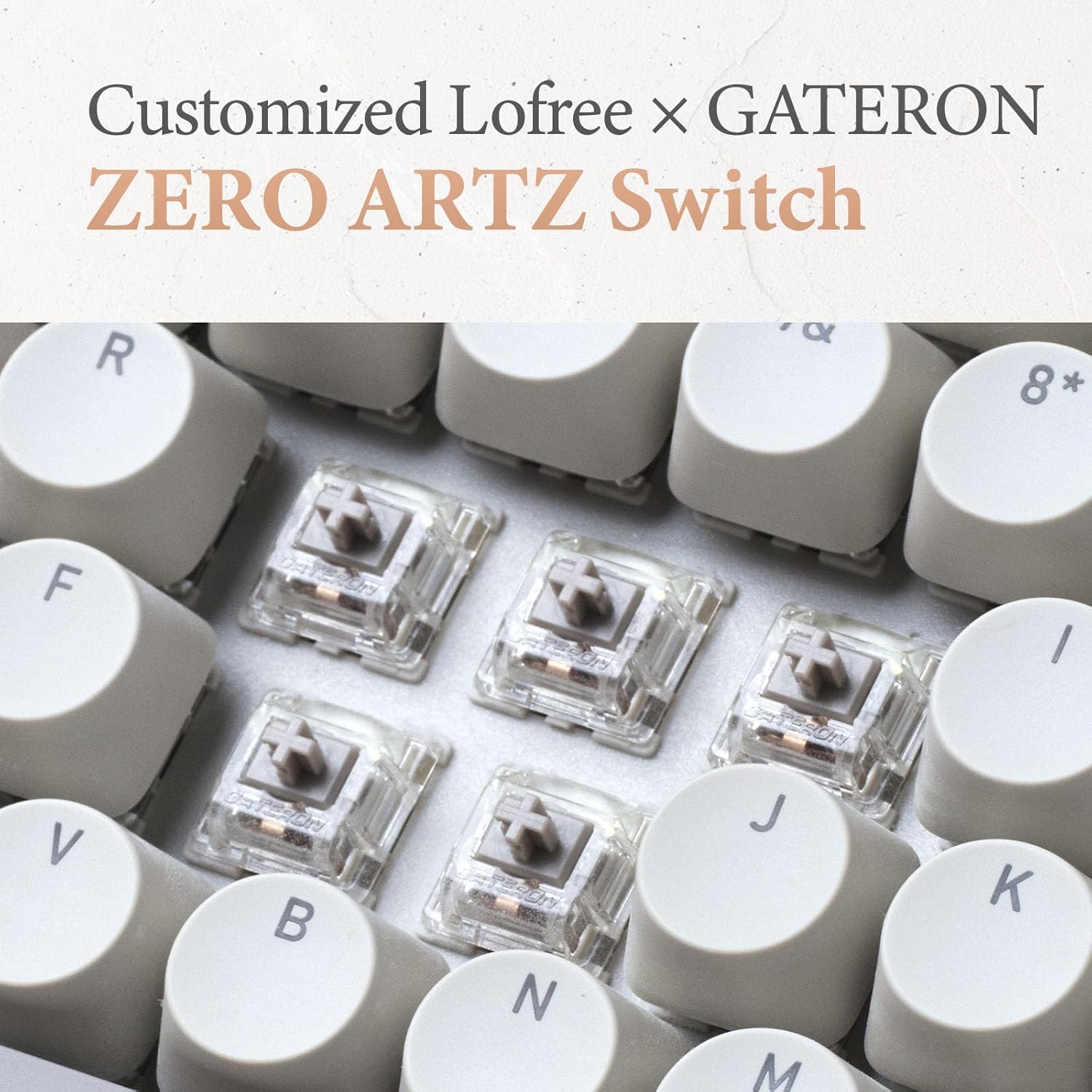
Image: Close-up of the customized LOFREE x GATERON ZERO ARTZ switches installed in the keyboard.
- Каалаган баскычтоптун капкагын этияттык менен алып салуу үчүн берилген баскычтоптун капкагын тартуучу каражатты колдонуңуз.
- Use the provided switch puller to gently grip the switch from its top and bottom clips, then pull it straight up to remove.
- Жаңы которгучтун төөнөгүчтөрүн ПХБдагы тешиктерге тегиздеп, ордуна чыккыча катуу басыңыз. төөнөгүчтөрдүн ийилген эмес экенин текшериңиз.
- Баскыч капкагын алмаштырыңыз.
5.3 Батареяга кам көрүү
Батареянын иштөө мөөнөтүн узартуу үчүн:
- Батареяны бат-баттан толук кубаттап калуудан алыс болуңуз.
- Аппараттарды узак убакыт бою колдонбогондо салкын, кургак жерде сактаңыз.
- Recharge the devices when the low battery indicator appears. The mouse has an approximate 50-day battery life on a single charge, depending on usage.
6. Кыйынчылыктарды
6.1 Байланыш маселелери
- Түзмөк Bluetooth аркылуу туташпай жатат: Ensure the keyboard/mouse is in pairing mode. Check your device's Bluetooth settings and try re-pairing. Ensure no other devices are interfering.
- 2.4GHz wireless not working: Ensure the 2.4GHz receiver is securely plugged into a USB port. Try a different USB port. Ensure the keyboard/mouse is set to 2.4G mode.
- Wired connection issues: Ensure the USB-C cable is properly connected to both the keyboard and the computer. Try a different USB-C cable or port.
6.2 Keyboard/Mouse Not Responding
- Батареянын деңгээлин текшерип, керек болсо кайра заряддаңыз.
- Ensure the correct connection mode (Bluetooth, 2.4G, USB) is selected on the device.
- Компьютериңизди же түзмөгүңүздү өчүрүп күйгүзүңүз.
- For the keyboard, ensure the correct operating system mode (Mac/Windows) is selected.
6.3 DPI Adjustment Not Working (Mouse)
- Чычкандын күйгүзүлгөнүн жана туташтырылганын текшериңиз.
- Press the DPI button firmly. If there's no visual indicator, try moving the mouse after each press to feel the change in sensitivity.
7. Техникалык шарттар
| Өзгөчөлүк | Деталь |
|---|---|
| Бренд | ЛОФРИ |
| Модел | Zero ARTZ |
| Баскычтоптун жайгашуусу | 75% QWERTY |
| Байланыш технологиясы | Bluetooth 5.3, 2.4 ГГц зымсыз, USB-C зымдуу |
| Шайкеш түзмөктөр | Laptop, Personal Computer, Smartphone, Tablet (Windows, Mac OS, iOS, Android) |
| Power Source | Батарея менен иштейт (кайра заряддалуучу) |
| Клавиатуранын сурамжылоо ылдамдыгы | 1000Hz |
| Баскычтоп которгучтары | Customized LOFREE x GATERON ZERO ARTZ (Linear) |
| Баскычтоп баскычтары | Dual Color PBT |
| Чычкандын DPI деңгээлдери | 5 жөнгө салынуучу деңгээл |
| Чычкандын батареясынын иштөө мөөнөтү | Approx. 50 days (depending on usage) |
| ASIN | B0DKJB48FR |
| Дата биринчи жеткиликтүү | 22-октябрь, 2024-жыл |
8. Кепилдик жана колдоо
LOFREE products are covered by a limited warranty. For detailed warranty information, please refer to the warranty card included with your product or visit the official LOFREE website. If you encounter any issues or require technical assistance, please contact LOFREE customer support through their official channels.
- Official LOFREE Webсайт: www.lofree.co
- Кардарларды колдоо Email: Продукциянын таңгагын караңыз же webучурдагы байланыш маалыматы үчүн сайт.


