1. Киришүү
The LOFREE Zero ARTZ is a 75% mechanical keyboard designed for versatile use across multiple operating systems. It features a unique terrazzo-inspired design, hot-swappable linear switches, and multiple connection options for enhanced productivity and user experience.
2. Пакеттин мазмуну
Пакетиңизде бардык буюмдар бар экенин текшериңиз:
- LOFREE Zero ARTZ Mechanical Keyboard
- Marble Palm Rest
- USB-C - USB-A кабели
- Тазалоочу щетка
- Колдонуучунун Колдонмосу (бул документ)
- Кепилдик картасы

Image: Included accessories with the keyboard.
3. Орнотуу
3.1. Power On/Off & Connection Mode Selection
Locate the switches on the back edge of the keyboard:
- Кубат которгучу: Slide the switch to turn the keyboard ON or OFF.
- ОС которгучу: Select between "Win/And" (Windows/Android) or "Mac/iOS" (Mac/iOS) to optimize key functions for your operating system.
- Туташуу режимин которуу: Каалаган туташуу ыкмасын тандаңыз:
- WLS (Wireless/Bluetooth): Bluetooth байланышы үчүн.
- CAB (Cable): For wired USB-C connection.
- ӨЧҮК: Turns off the keyboard.
Image: Close-up of the USB-C port, OS switch, and connection mode switch.
3.2. Connecting via Bluetooth (WLS Mode)
- Ensure the keyboard is ON and the Connection Mode Switch is set to "WLS".
- On your device (computer, tablet, smartphone), enable Bluetooth.
- Издөө available Bluetooth devices and select "LOFREE Zero ARTZ" (or similar name).
- Жупташтыруу процессин аяктоо үчүн экрандагы көрсөтмөлөрдү аткарыңыз.
3.3. Connecting via USB-C Cable (CAB Mode)
- Берилген USB-C кабелинин бир учун клавиатуранын USB-C портуна туташтырыңыз.
- Экинчи учун (USB-A) компьютериңиздеги жеткиликтүү USB портуна туташтырыңыз.
- Ensure the Connection Mode Switch is set to "CAB". The keyboard will automatically connect.
4. Иштөө нускамалары
4.1. Backlighting Effects
The keyboard features customizable backlighting:
- Change Light Effect: Басыңыз Fn + Өйдө жебе to cycle through 7 distinct lighting effects.
- Жарыктыкты жөндөө: Басыңыз Fn + Сол жебе or Fn + Оңго жебе 4 жарыктык деңгээлинин ортосунда тууралоо үчүн.
- Adjust Blink Frequency: Басыңыз Fn + Төмөн жебе to change between 4 blink frequencies for dynamic effects.
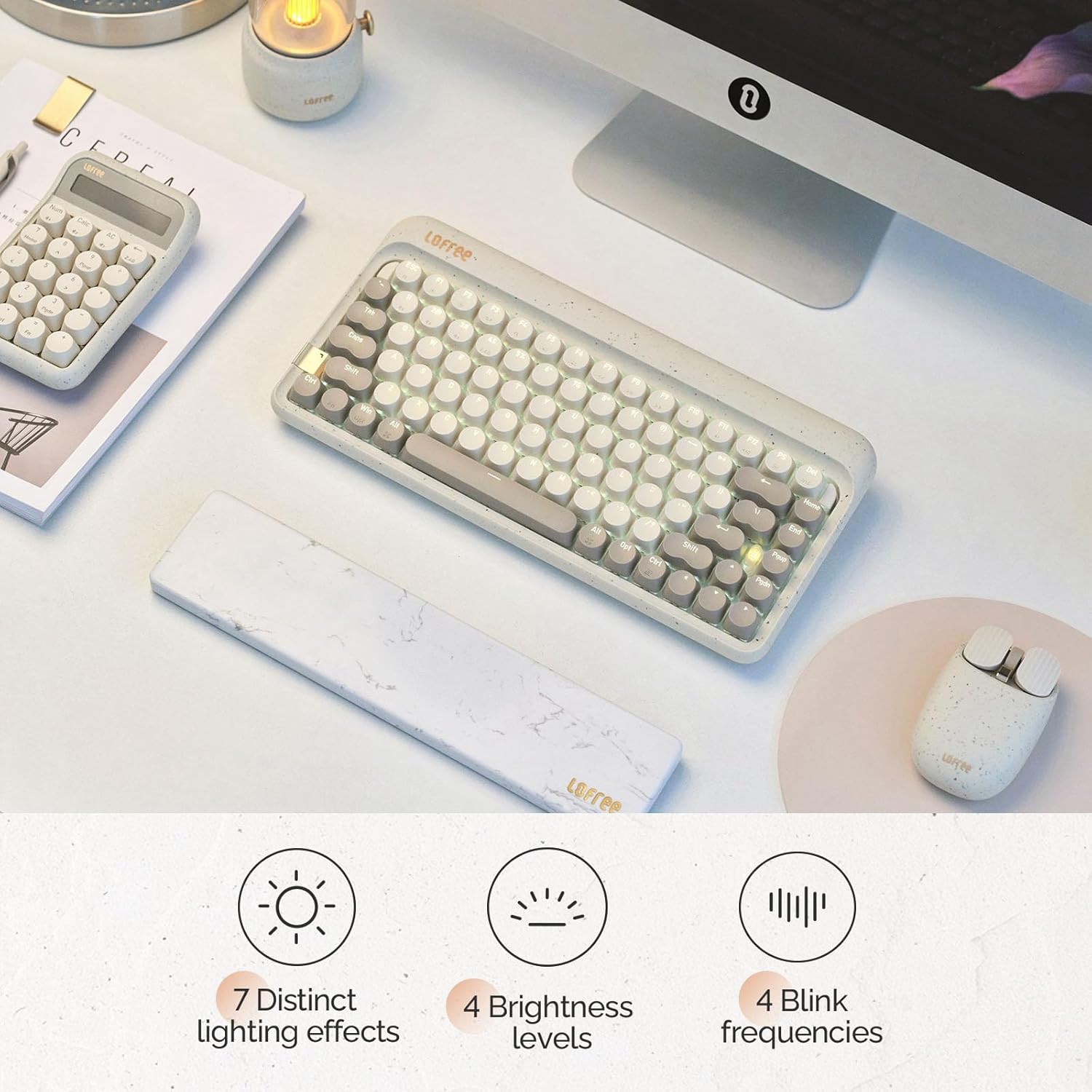
Image: The keyboard displaying its various backlighting options.
4.2. Marble Palm Rest
The included Marble Palm Rest provides ergonomic support and features a natural marble texture. It is equipped with non-slip mats for stability during use.

Image: The marble palm rest showing its non-slip mats.

Image: Close-up of the marble palm rest highlighting its natural texture.
4.3. Ысык алмаштырылуучу коммутаторлор
The LOFREE Zero ARTZ keyboard features hot-swappable switches, allowing users to easily change switches without soldering. This enables customization of typing feel and sound.
Video: Demonstrates the hot-swappable feature of the keyboard, showing how switches can be easily removed and replaced.
Видео: Кыскача алдын ала маалыматview showcasing the hot-swappable switches and customizable keycaps.
5. Техникалык тейлөө
Клавиатураңызды оптималдуу абалда кармоо үчүн:
- Use the provided cleaning brush to remove dust and debris from between the keycaps regularly.
- For deeper cleaning, carefully remove keycaps using a keycap puller (not included) and clean the switches and plate.
- Клавиатураны суюктуктардын же өтө жогорку температуралардын таасирине дуушар кылбаңыз.
6. Кыйынчылыктарды
- Баскычтоп жооп бербей жатат:
- Клавиатуранын күйүп турганын текшериңиз.
- Check the connection mode (WLS/CAB) and ensure it matches your connection type.
- Bluetooth үчүн, түзмөктү кайра жупташтырып көрүңүз.
- Зымдуу туташуу үчүн башка USB портун же кабелин колдонуп көрүңүз.
- Арткы жарык иштебейт:
- Баскычтоп кубатталганын текшериңиз.
- Try adjusting brightness levels using Fn + Солго/Оңго жебе.
- Катталбай жаткан ачкычтар:
- Ensure the OS switch is set correctly for your operating system.
- If a specific key is not working, it might be a faulty switch. Utilize the hot-swappable feature to replace it.
7. Техникалык шарттар
| Өзгөчөлүк | Деталь |
|---|---|
| Бренд | ЛОФРИ |
| Модел | Zero ARTZ |
| Баскычтоптун түрү | 75% механикалык |
| Которуу түрү | Linear (Hot-swappable) |
| Байланыш | Bluetooth, зымдуу (USB-C) |
| Шайкеш түзмөктөр | Android, Laptop, Mac, PC, Smartphone, Tablet |
| Операциялык системалар | MacOS, iOS, Windows, Android |
| Power Source | Батарея менен иштейт |
| Өзгөчө өзгөчөлүк | Ergonomic Marble Palm Rest |
8. Кепилдик жана колдоо
Your LOFREE Zero ARTZ Mechanical Keyboard comes with a manufacturer's warranty. Please refer to the included Warranty Card for details regarding coverage, terms, and conditions.
For technical support or customer service, please visit the official LOFREE website or contact their customer support channels as listed on the product packaging or warranty card.


