Маанилүү коопсуздук нускамалары
Please read and save these instructions before using this product. Failure to follow these instructions may result in electric shock, fire, or serious injury.
- Always unplug the fan before cleaning, disassembling, or servicing.
- Do not use the fan in wet or humid environments, such as bathrooms.
- Желдеткичти балдар жана үй жаныбарлары жетпеген жерде сактаңыз.
- Do not insert fingers or foreign objects into the grilles while the fan is operating.
- Оңдоп кетүүдөн сактануу үчүн желдеткич туруктуу, түз бетке коюлганын текшериңиз.
- Do not block air openings or operate near curtains or other objects that may block airflow.
- Берилген кубат адаптери менен гана колдонуңуз.
- If the power cord or plug is damaged, do not operate the fan. Contact customer support.
Пакеттин мазмуну
- Assembled Air Circulator Fan DR-HAF001S x 1
- Алыскы x 1
- Колдонуучунун колдонмосу x 1

Image: The Dreo Smart Fan DR-HAF001S in black, accompanied by its remote control.
Продукт бүттүview
Компоненттер
The Dreo Smart Fan DR-HAF001S is a compact air circulator designed for efficient whole-room airflow. It features a robust build and intuitive controls.

Image: The Dreo Smart Fan DR-HAF001S positioned on a table in a modern living room, highlighting its compact size and design.
Башкаруу панели
The fan can be controlled via the integrated touchpad, the included remote control, or through the Dreo app and voice commands.
- Кубат баскычы: Желдеткичти күйгүзөт/өчүрөт.
- Желдетүүчү ылдамдык баскычы: Adjusts between 4 speed levels.
- Режим баскычы: Cycles through 5 wind modes (Normal, Natural, Sleep, Auto, Turbo).
- Oscillation Buttons: Controls 90° horizontal and 120° vertical oscillation.
- Таймер баскычы: Sets the 12-hour timer.
- Үнсүз баскычы: Toggles button sound on/off.
- Wi-Fi көрсөткүчү: Wi-Fi байланыш абалын көрсөтөт.
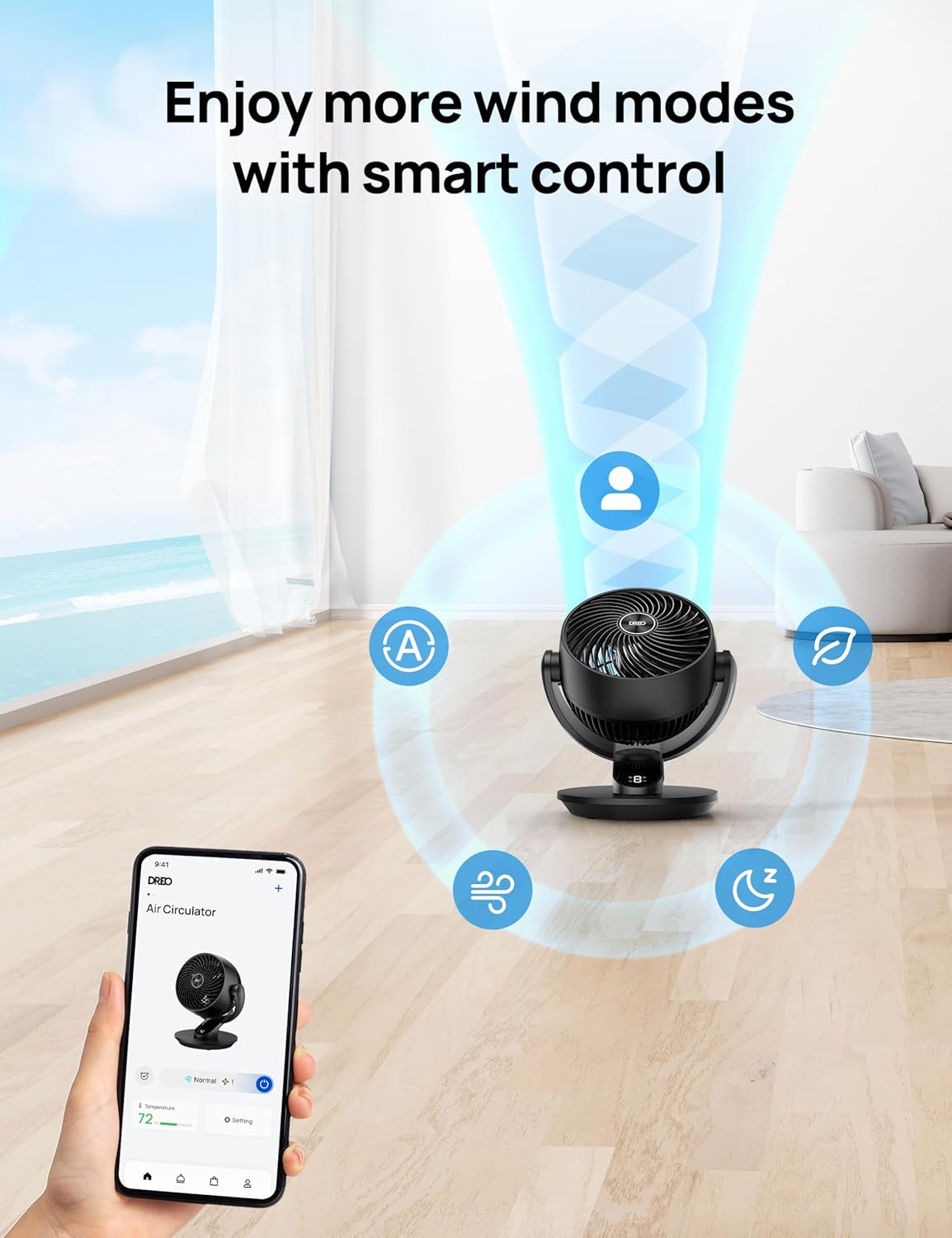
Image: A smartphone displaying the Dreo app interface for controlling the fan, showing various modes and settings.
Жайгашуу
The Dreo Smart Fan DR-HAF001S comes pre-assembled. Simply place it on a stable surface and connect it to a power source.
Баштапкы күйгүзүү
- Желдеткичти катуу, тегиз жерге кой.
- Plug the power adapter into a standard 120V AC outlet.
- Press the Power Button on the fan's touchpad or remote to turn it on.
Connecting to the Dreo App (Optional)
For smart control features, download the Dreo app and connect your fan to your home Wi-Fi network.
- Download the "Dreo" app from the App Store (iOS) or Google Play Store (Android).
- Register or log in to your Dreo account.
- Follow the in-app instructions to add your fan. Ensure your mobile device is close to the fan during pairing.
Video: This video demonstrates the assembly and cleaning process for a Dreo PolyFan, which shares similar design principles and may offer guidance for the DR-HAF001S model.
Иштөө нускамалары
Негизги операция
- Күйгүзүү/өчүрүү: Кубат баскычын басыңыз.
- Желдетүүчү ылдамдыгын жөндөө: Press the fan speed button to cycle through 4 levels.
- Режимди өзгөртүү: Press the mode button to select from Normal, Natural, Sleep, Auto, or Turbo.

Image: The Dreo Smart Fan DR-HAF001S responding to a voice command, illustrating its smart home integration.
Термелүү
The fan offers both horizontal and vertical oscillation to circulate air throughout the room.
- Горизонталдык термелүү: Press the horizontal oscillation button for 90° side-to-side movement.
- Вертикалдуу термелүү: Press the vertical oscillation button for 120° up-and-down movement.
- Both can be activated simultaneously for 3D airflow.

Image: A diagram illustrating the fan's wide 90° horizontal oscillation and 120° manual vertical tilt capabilities.
Таймер функциясы
Set the fan to automatically turn off after a specified period (up to 12 hours).
- Press the timer button repeatedly to select the desired duration.
- The timer will be displayed on the LED screen.
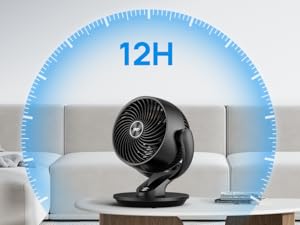
Image: The fan displaying a 12-hour timer setting, indicating its automatic shut-off capability.
Колдонмо жана үн менен башкаруу
Control all fan functions remotely using the Dreo app or via voice commands with Alexa/Google Assistant.
- Adjust speed, mode, oscillation, and timer settings from your smartphone.
- Колдорсуз иштөө үчүн акылдуу үй системалары менен интеграцияланыңыз.
Video: A detailed demonstration of the Dreo Table Fan's features, including its remote and app controls, and various modes.
Техникалык тейлөө
Тазалоо
Үзгүлтүксүз тазалоо оптималдуу иштөөнү камсыз кылат жана желдеткичиңиздин иштөө мөөнөтүн узартат.
- Тазалоодон мурун ар дайым желдеткичти сууруп алыңыз.
- сыртын жумшак менен сүртүңүз, гamp кездеме. Абразивдүү тазалагычтарды колдонбоңуз.
- To clean the fan blades, rotate the front grille counterclockwise to remove it.
- Rotate the blade cap to remove it, then take out the blade from the shaft.
- Rinse the cap, blade, and grille under running water. Dry all parts thoroughly before reassembling.
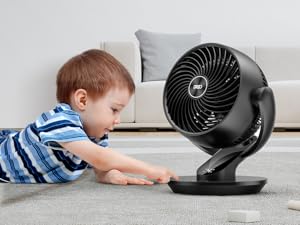
Image: The fan's front grille and blade disassembled, illustrating the ease of cleaning its components.
Video: A step-by-step guide on how to clean a Dreo fan, including disassembly and washing of components.
Проблемаларды чечүү
| Көйгөй | Мүмкүн себеп | Чечим |
|---|---|---|
| Желдеткич күйбөйт. | розеткага кошулбаган; Күч алtagд; Күйгүзүү баскычы басылган жок. | Ensure power cord is securely plugged in; Check power outlet; Press the Power button. |
| Алсыз аба агымы. | Fan speed too low; Air inlet/outlet blocked; Fan blades dirty. | Increase fan speed; Clear any obstructions; Clean fan blades. |
| Желдетүүчү ызы-чуу. | Вентилятор тегиз жерде эмес; Бөлүктөрү бошоп калган; Вентилятордун калактары кир. | Place fan on a flat, stable surface; Check for loose components; Clean fan blades. |
| Пульт иштебей жатат. | Батареялар түгөндү; Пульт менен желдеткичтин ортосундагы тоскоолдук. | Replace remote batteries; Ensure clear line of sight to fan. |
| Колдонмонун туташуу маселелери. | Incorrect Wi-Fi password; Fan out of Wi-Fi range; Router issues. | Re-enter Wi-Fi password; Move fan closer to router; Restart router. |
Техникалык шарттар
- Бренд: Dreo
- Модель аты: DR-HAF001S Black
- Продукциянын өлчөмдөрү: 11.46"D x 10.24"W x 13.19"H
- Элемент Салмагы: 6.59 фунт
- Кубат булагы: Электр зымдары
- Ватtage: 52 ватт
- Тtage: 120.0V
- Ызы-чуу деңгээли: 28.5 децибел
- Аба агымынын кубаттуулугу: Мүнөтүнө 853 куб фут (CFM)
- Max Air Distance: 70 фут
- Ылдамдыктардын саны: 4
- Режимдердин саны: 5
- Термелүү: 90° Горизонталдык, 120° Вертикалдуу
- Таймер: 12 саат
- Башкаруу ыкмасы: App, Touch, Voice, Remote
- Өзгөчөлүктөр: Whole Room Air Circulator, App Operable, Oscillating, Remote Control, Voice Control Powered with Alexa/Google
Кепилдик жана колдоо
Dreo offers an extended warranty of up to 30 months for this product. For customer support, please refer to the contact information below:
- Webсайт: www.dreo.com
- Электрондук почта: support@dreo.com
- Телефон: 1-888-290-1688 (Mon-Fri, 9:00 AM - 5:00 PM PST/PDT)
Please have your model number (DR-HAF001S) and purchase details ready when contacting support.
Тектеш документтер - DR-HAF001S
 |
DREO аба айланма желдеткичинин колдонуучу колдонмосу - DR-HAF001S модели DREO аба айланма желдеткичи үчүн колдонуучу колдонмосу (DR-HAF001S модели). Коопсуздук боюнча көрсөтмөлөрдү, иштетүү боюнча колдонмону, тазалоо жана техникалык тейлөө боюнча кеңештерди, бузулууларды оңдоону жана кепилдик жөнүндө маалыматты камтыйт. |
 |
Dreo DR-HAF001S аба циркулятору желдеткич колдонуучу колдонмосу Dreo DR-HAF001S аба айланма желдеткичи үчүн колдонуучунун колдонмосу, анда коопсуздук боюнча көрсөтмөлөр, орнотуу, иштетүү, техникалык тейлөө, бузулууларды оңдоо жана кепилдик жөнүндө маалымат камтылган. |
 |
Dreo Air Circulator Fan DR-HAF001S User Manual | Features, Setup, and Troubleshooting Comprehensive user manual for the Dreo Air Circulator Fan (Model DR-HAF001S). Learn about safety instructions, setup, operation modes, cleaning, maintenance, troubleshooting, and warranty information. |
 |
Dreo Пьедестал жана Үстөлдөгү аба циркулятору желдеткичинин Колдонуучу колдонмолору Dreo DR-HAF003S Smart Пьедестал аба циркулятору желдеткичтери жана Dreo DR-HAF002 үстөлдөгү аба циркулятору үчүн комплекстүү колдонуучу колдонмолору, коопсуздук нускамаларын, монтаждоону, иштетүүнү, тейлөөнү жана көйгөйлөрдү аныктоону камтыйт. |
 |
Dreo мунара желдеткичи жана аба айланткыч желдеткич колдонуучу колдонмолору Dreo DR-HTF002 мунара желдеткичи жана DR-HAF002 аба айланма желдеткичи үчүн коопсуздук боюнча көрсөтмөлөрдү, чогултууну, иштетүүнү, тазалоону, техникалык тейлөөнү, бузулууларды оңдоону жана кепилдик жөнүндө маалыматты камтыган кеңири колдонуучу колдонмолору. |
 |
Dreo Tower желдеткич жана постаменттик аба циркулятору Колдонуучу колдонмолору Dreo DR-HTF002 Tower желдеткичи жана Dreo DR-HAF003S Smart Пьедестал аба циркулятору үчүн комплекстүү колдонуучу колдонмолору коопсуздукту, чогултууну, эксплуатациялоону, тейлөөнү жана көйгөйлөрдү аныктоону камтыйт. |