1. Киришүү
Thank you for choosing the iProvèn Blood Pressure Monitor BPM-35. This device is designed for convenient and accurate blood pressure measurement at home. It features easy one-touch operation, a large backlit display, and Bluetooth connectivity for integration with the MedM app. Please read this manual thoroughly before use to ensure proper operation and to obtain the most accurate readings.
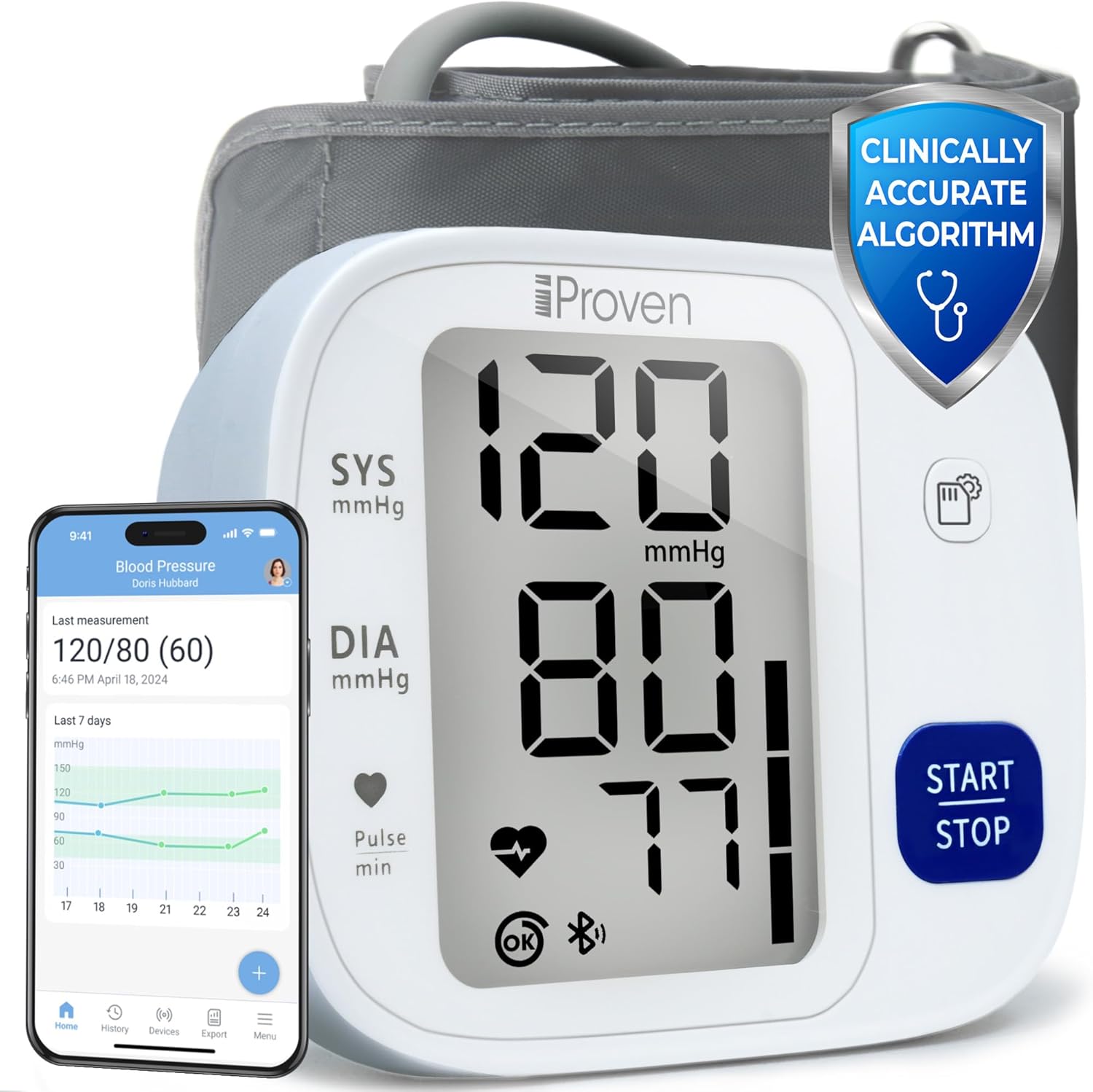
1-сүрөт: iProvèn Blood Pressure Monitor BPM-35 and its accompanying mobile application interface.
2. Коопсуздук боюнча маанилүү маалымат
- Эгер сизде кандайдыр бир медициналык шарттар болсо, бул аппаратты колдонуудан мурун дарыгериңиз менен кеңешиңиз.
- Do not use this device for diagnosis or treatment of any health problem or disease. Always consult a medical professional for interpretation of measurements.
- Аппаратты балдар жана үй жаныбарлары жетпеген жерде сактаңыз.
- Do not use the device in a moving vehicle.
- Avoid strenuous activity, bathing, or consuming hot/cold beverages 30 minutes before measuring.
- Ensure the cuff is properly applied and not too tight to avoid discomfort or inaccurate readings.
3. Пакеттин мазмуну
The iProvèn Blood Pressure Monitor BPM-35 package includes the following items:
- iProvèn Blood Pressure Monitor (BPM-35)
- Upper Arm Cuff (fits arm circumference 8 3/4" to 16 1/2")
- 4 AAA батареялары
- Instruction Manual
- Bluetooth колдонмо нускамалары
- Storage Case (not explicitly listed but implied by reviews)
4. Продукт бүтүп калдыview
The BPM-35 monitor features a large, backlit display for clear visibility of readings. It is designed for one-touch operation, making it simple to use for all ages.

2-сүрөт: Деталдаштырылган view of the monitor's display and indicators.
Дисплей көрсөткүчтөрү:
- SYS (Систоликалык басым): Жүрөгүңүз согуп жатканда артерияларыңыздагы басымды көрсөтүүчү эң жогорку сан.
- DIA (диастоликалык басым): Төмөнкү сан, кагуунун ортосундагы артерияларыңыздагы басымды көрсөтөт.
- Pulse min: Жүрөктүн кагуусу мүнөтүнө согуу.
- Кыймылды аныктоо: An icon indicating if movement was detected during measurement, which may affect accuracy.
- Туруктуу эмес жүрөктүн кагышын аныктоо: An icon that appears if an irregular heartbeat is detected.
- WHO Classification: A color bar on the side of the display indicates your blood pressure level according to World Health Organization (WHO) guidelines.
- Эстутум көрсөткүчү: Shows when readings are stored.
- Bluetooth көрсөткүчү: Shows connection status to the app.
5. Орнотуу
5.1 Батареяларды орнотуу
- Монитордун артындагы батарея бөлүкчөсүнүн капкагын ачыңыз.
- Insert the 4 AAA batteries provided, ensuring correct polarity (+/-).
- Батарея уясынын капкагын бекем жабыңыз.
5.2 Манжетаны бекитүү
- Insert the air plug of the cuff firmly into the air jack on the side of the monitor.
- Өлчөө учурунда абанын агып кетүүсүнө жол бербөө үчүн туташуу коопсуз экенин текшериңиз.
6. App Integration (MedM App)
The iProvèn BPM-35 can connect to the MedM app (available for iOS and Android) to track, store, and share your blood pressure measurements. This allows for unlimited storage and trend analysis.

3-сүрөт: Enhanced tracking capabilities with the MedM App.
6.1 Pairing with the MedM App
- Download the MedM Health app from the App Store (iOS) or Google Play Store (Android).
- Смартфонуңузда Bluetooth'ду иштетиңиз.
- Open the MedM app and follow the on-screen instructions to add a new device.
- Turn on your iProvèn BPM-35 monitor. The app should detect the device and guide you through the pairing process.
- Once paired, your measurements will automatically sync to the app.
6.2 Колдонмонун өзгөчөлүктөрү
- Unlimited Measurements: Store an endless history of your readings.
- Track Trends: Visualize your blood pressure and heart rate trends over time with graphs.
- Share Results: Easily export or share your data with your healthcare provider.
- Custom Reminders: Set personalized reminders within the app to ensure regular monitoring.
7. Operating the Device: Taking a Measurement
For accurate readings, follow these steps carefully. The iProvèn BPM-35 uses a measurement method during cuff deflation for slower, more accurate results.

4-сүрөт: Step-by-step guide for taking a blood pressure measurement.
7.1 Өлчөөгө даярдоо
- Өлчөөнүн алдында жок дегенде 5 мүнөт эс алыңыз.
- Sit in a comfortable position with your back straight and supported.
- Бутуңузду полго тегиз кармап, бутуңузду кайчылаштырбаңыз.
- Манжет жүрөк деңгээлинде болушу үчүн колуңузду тегиз жерге коюңуз.
- Take a deep breath before you start.

5-сүрөт: Important tips for accurate blood pressure measurement.
7.2 Манжетаны колдонуу
- Wrap the cuff around your bare upper left arm.
- Position the cuff so the bottom edge is approximately two fingers above your elbow.
- Ensure the air tube runs down the center of your arm.
- The cuff should be snug but not uncomfortably tight. You should be able to insert two fingers between the cuff and your arm.
7.3 Өлчөөнү баштоо
- басыңыз START/STOP баскычын бир жолу.
- The cuff will begin to inflate. Remain still and silent during the measurement.
- The monitor will display your systolic, diastolic, and pulse readings once the measurement is complete.
- басыңыз START/STOP button again to turn off the device, or it will automatically power off after a period of inactivity.
8. Натыйжаларыңызды түшүнүү
The monitor displays your Systolic (SYS), Diastolic (DIA), and Pulse readings. It also provides indicators for movement detection, irregular heartbeat, and a WHO classification bar.

6-сүрөт: Illustration of the measurement method during cuff deflation for improved accuracy.
8.1 WHO Blood Pressure Classification
The color bar on the right side of the display indicates your blood pressure category based on World Health Organization (WHO) guidelines. Consult your doctor for personalized advice.
| Категория | Систоликалык (мм рт. Рт.) | Диастоликалык (мм рт.ст) |
|---|---|---|
| Оптималдуу | < 120 | < 80 |
| Кадимки | 120-129 | 80-84 |
| Жогорку Нормалдуу | 130-139 | 85-89 |
| 1 -даражадагы гипертония | 140-159 | 90-99 |
| 2 -даражадагы гипертония | 160-179 | 100-109 |
| 3 -даражадагы гипертония | ≥ 180 | ≥ 110 |
Эскертүү: This table is for general reference. Only a healthcare professional can diagnose and treat hypertension.
9. Эстутум функциялары
The iProvèn BPM-35 automatically stores up to 99 measurements for two users, plus a guest mode. Readings are stored with date and time stamps.

7-сүрөт: The monitor's display and memory features.
9.1 Accessing Stored Readings
Specific instructions for navigating stored readings are typically found in the detailed manual provided with the device. Generally, a dedicated 'Memory' button or a long press of the 'Start/Stop' button when off will allow you to cycle through past measurements.
9.2 Колдонуучуларды алмаштыруу
түзмөк эки колдонуучунун кесипкөйлүгүн колдойтfiles and a guest mode. Refer to the detailed manual for instructions on how to select the correct user profile before taking a measurement to ensure readings are stored correctly.
10. Техникалык тейлөө
10.1 Аппаратты тазалоо
- Wipe the monitor and cuff gently with a soft, dry cloth.
- Зарыл болсо, чүпүрөктү жеңил колдонуу dampсуу же жумшак жуучу каражат менен эритип алыңыз. Абразивдүү тазалоочу каражаттарды колдонбоңуз же түзмөктү сууга салбаңыз.
10.2 Сактоо
- Store the device and cuff in the provided storage case when not in use.
- Түзмөктү салкын, кургак жерде, күн нуру түз тийген жерлерден, өтө жогорку температурадан жана нымдуулуктан алыс кармаңыз.
- Аппарат узак убакыт бою колдонулбай турган болсо, батарейкаларды алып салыңыз.
11. Кыйынчылыктарды
| Көйгөй | Мүмкүн себеп | Чечим |
|---|---|---|
| Түзмөк күйбөйт | Батареялар өлүп калган; Батареяны туура эмес орнотуу | Батареяларды алмаштырыңыз; Батареянын полярдуулугун текшериңиз |
| Так эмес окуулар | Improper cuff placement; Movement during measurement; Not resting before measurement | Re-apply cuff correctly; Remain still and silent; Rest for 5 minutes before measuring |
| Манжет үйлөнбөйт | Air plug not securely connected; Air leakage from cuff | Ensure air plug is fully inserted; Check cuff for damage |
| Bluetooth байланышы көйгөйлөрү | Bluetooth off on phone; App not open; Device not in pairing mode | Enable Bluetooth; Open MedM app; Follow app pairing instructions |
| Ката билдирүү дисплейде | Specific error (e.g., E1, E2) | Refer to the detailed instruction manual for specific error code meanings and solutions. Generally, re-measure after resting. |
12. Техникалык шарттар
- Продукциянын өлчөмдөрү: 6.37"L x 4.05"W x 2.87"Mh
- Салмагы: Болжол менен 15.84 унция
- Кубат булагы: 4 AAA батарейка (кошулган)
- Манжеттин көлөмү: Fits upper arm circumference 8 3/4" to 16 1/2"
- Дисплей түрү: Арткы жарыктуу чоң дисплей
- Эстутум: 99 readings for 2 users + Guest mode
- Байланыш: Bluetooth (for MedM app integration)
- Өлчөө ыкмасы: Oscillometric, during deflation
- Жаш аралыгы (Сүрөттөм): бойго жеткен
13. Кепилдик жана колдоо
iProvèn is committed to providing high-quality products. While specific warranty details are not provided in this document, please refer to the warranty card included with your product or visit the official iProvèn webкенен кепилдик маалымат жана кардарларды колдоо байланыш маалыматы үчүн сайт.
For technical assistance, troubleshooting, or any questions regarding your iProvèn Blood Pressure Monitor BPM-35, please contact iProvèn customer support through their official channels.