1. Коопсуздук боюнча маанилүү маалымат
Телевизоруңузду колдонуудан мурун бардык коопсуздук көрсөтмөлөрүн кунт коюп окуп чыгыңыз. Бул колдонмону келечекте колдонуу үчүн сактап коюңуз.
- Телевизорду жамгырга же нымга тийгизбеңиз.
- Телевизордун айланасын туура желдетүүнү камсыз кылыңыз.
- Do not block ventilation openings with items such as newspapers, table-cloths, curtains, etc.
- Электр шнурын басуудан же кысып калуудан сактаңыз.
- Чагылган бороондо же көпкө чейин пайдаланылбай турганда сыналгыны розеткадан ажыратыңыз.
- Бардык тейлөөлөрдү квалификациялуу тейлөө кызматкерлерине тапшырыңыз.
2. Кутуда эмне бар
Таңгакта бардык компоненттер бар экенин текшериңиз:
- Thomson 43QG5C14 QLED Google Smart TV
- Алыстан башкаруу
- Электр кабели
- Central Stand (and screws for assembly)
- Колдонуучунун Колдонмосу (бул документ)
- Алыстан башкаруу үчүн батареялар
3. Орнотуу
3.1 Стендди бекитүү
Carefully place the TV screen-down on a soft, flat surface to prevent damage. Attach the central stand to the bottom of the TV using the provided screws. Ensure the stand is securely fastened.
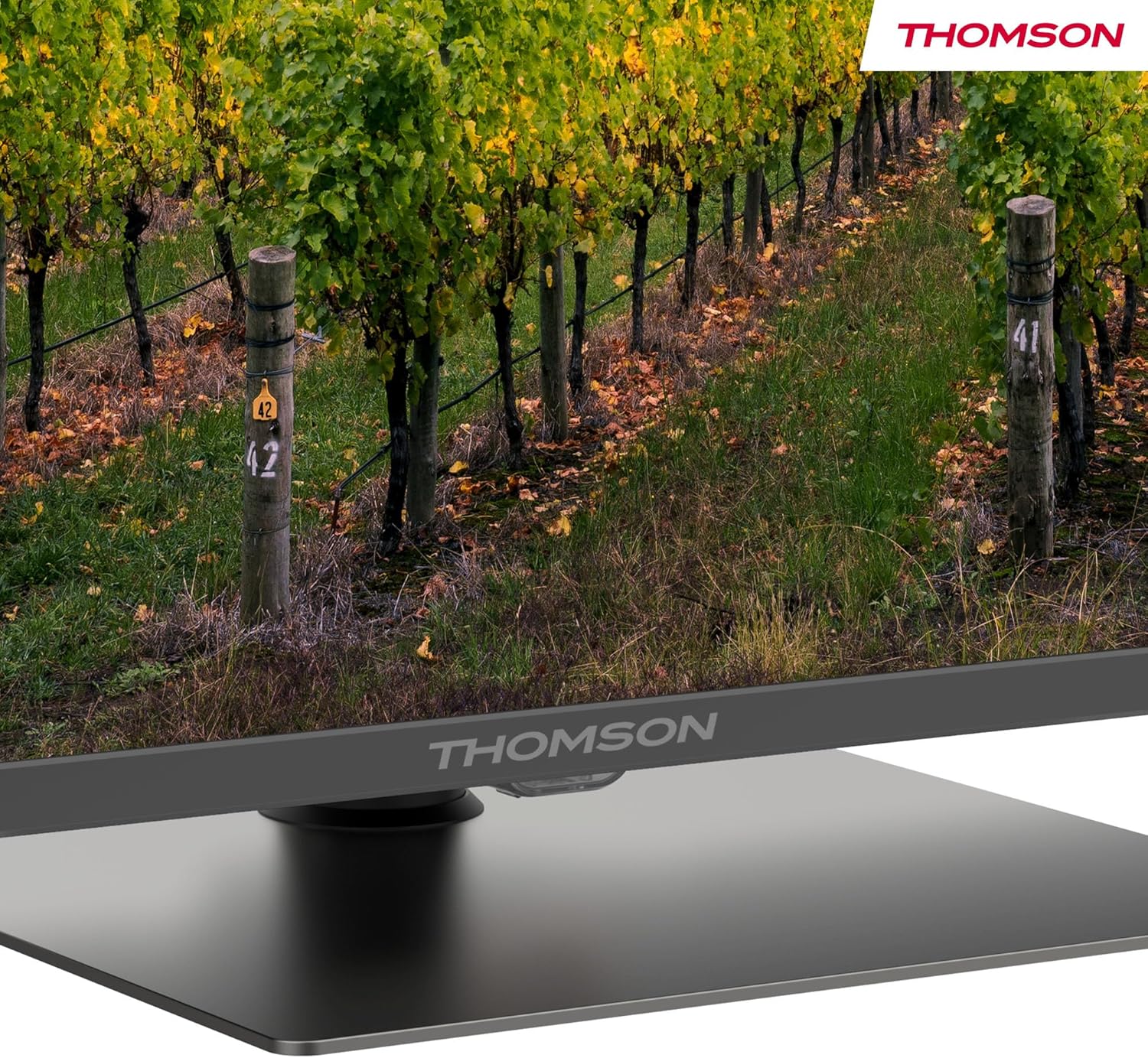
А деталдуу view of the central stand, featuring the Thomson branding.

This diagram provides the physical measurements of the television, including width, height, and depth, essential for placement and installation.
3.2 Дубалга орнотуу (кошумча)
If you choose to wall mount your TV, ensure you use a VESA-compatible wall mount kit (sold separately) and follow the instructions provided with the wall mount. Professional installation is recommended.
3.3 Перифериялык түзүлүштөрдү туташтыруу
Connect your external devices such as set-top boxes, gaming consoles, or sound systems to the appropriate ports on the TV. The TV features multiple HDMI and USB ports, as well as a LAN connection.

This image details the available connection ports on the back of the television, including HDMI, USB, LAN, and antenna inputs.
3.4 Баштапкы орнотуу
- Электр шнурун сыналгыга жана розеткага туташтырыңыз.
- Аны күйгүзүү үчүн пульттун же сыналгыдагы кубат баскычын басыңыз.
- Тилиңизди, өлкөңүздү тандоо жана Wi-Fi тармагыңызга туташуу үчүн экрандагы нускамаларды аткарыңыз.
- Google TV функцияларына кирүү жана колдонмолорду жүктөп алуу үчүн Google аккаунтуңуз менен кириңиз.
4. Иштөө нускамалары
4.1 Алыстан башкаруу
The included remote control provides easy access to all TV functions. It features backlit buttons for visibility in low light and dedicated buttons for popular streaming services.

The remote control features dedicated buttons for popular streaming services, a Google Assistant button for voice commands, and backlit keys for ease of use in low light.
4.2 Google TV функциялары
Your Thomson TV runs on Google TV, offering a personalized entertainment experience. Access over 400,000 movies and shows from various streaming services. Use the integrated Google Assistant for voice control and the built-in Chromecast to stream content from your smart devices.

This image demonstrates the voice control functionality, allowing users to operate the TV and search for content using spoken commands.

The Google TV home screen provides access to a wide range of streaming applications and personalized content recommendations.
4.3 Display Features: QLED, 4K UHD, HDR10
Experience vibrant and realistic colors thanks to QLED technology with Quantum Dots. The 4K UHD resolution delivers crystal-clear images, offering four times the detail of Full HD. HDR10 support ensures balanced brightness, rich contrast, and precise color reproduction.
4.4 Audio Features: Dolby Atmos
Enjoy a dynamic and immersive sound experience with Dolby Atmos technology, bringing cinematic audio directly to your living room.

This image illustrates the immersive audio experience provided by Dolby Atmos, showing sound waves emanating from the television.
4.5 Байланыш
- Wi-Fi: Интернетке кирүү жана агым аркылуу агылтуу үчүн үй тармагыңызга туташыңыз.
- Bluetooth 5.1: Зымсыз гарнитураларды, саундбарларды же башка Bluetooth түзмөктөрүн туташтырыңыз.
- HDMI: Multiple HDMI ports (including HDMI 2.1 with eARC) for connecting various external devices.
- USB: USB 2.0 and USB 3.0 ports for media playback from USB drives.
- Үчтүк тюнер: Integrated tuner for Cable (DVB-C), Satellite (DVB-S2), and Antenna (DVB-T2) reception.
- CI+: Common Interface Plus slot for conditional access modules (CAM) to view шифрленген каналдар.
5. Техникалык тейлөө
- Экранды тазалоо: Gently wipe the screen with a soft, lint-free cloth. For stubborn marks, use a screen-cleaning solution specifically designed for TVs.
- Кабинетти тазалоо: Телевизордун корпусун тазалоо үчүн жумшак, кургак чүпүрөктү колдонуңуз. Абразивдүү тазалоочу каражаттарды же эриткичтерди колдонбоңуз.
- Программалык камсыздоо жаңыртуулары: Ensure your TV's software is up to date for optimal performance and security. Updates can usually be found in the TV's settings menu.
6. Кыйынчылыктарды
Телевизоруңузда көйгөйлөргө туш болсоңуз, төмөнкү жалпы чечимдерди караңыз:
- Кубат жок: Check if the power cord is securely connected and the power outlet is working.
- Сүрөт/үн жок: Туура киргизүү булагынын тандалганын текшериңиз. Бардык кабелдик туташууларды текшериңиз.
- Пульт иштебейт: Батареяларды алмаштырыңыз. Пульт менен телевизордун ортосунда эч кандай тоскоолдуктар жок экенин текшериңиз.
- Сүрөттүн сапаты начар: Сүрөттүн жөндөөлөрүн тууралаңыз (жарыктыгын, контрастын, курчтукту). Антеннанын/кабелдин туташуусун текшериңиз.
- Тармакка туташуу маселелери: Restart your router. Reconnect the TV to the Wi-Fi network in the settings.
For further assistance, consult the full electronic manual or contact Thomson customer support.
7. Техникалык шарттар
| Өзгөчөлүк | Спецификация |
|---|---|
| Бренд | Томсон |
| Модель номери | 43QG5C14 |
| Screen Size | 43 дюйм (109 см) |
| Дисплей технологиясы | QLED |
| Резолюция | 4K UHD (3840 x 2160) |
| Жаңыртуу ылдамдыгы | 60 Гц |
| Өзгөчөлүктөр | QLED, Dolby Atmos, Dolby Vision, HDR10 |
| Операция системасы | Google TV |
| Байланыш | Bluetooth 5.1, HDMI, USB, Wi-Fi |
| Аспект катышы | 16:9 |
| Өнүмдүн Өлчөмдөрү (Ж x Y x D) | 96 x 59 x 9 см |
| Салмагы | 12.5 кг |
Энергия натыйжалуулугу

The energy label indicates the television's energy efficiency class and annual energy consumption.
Энергия боюнча толук маалымат алуу үчүн, караңыз EPREL Product Data Sheet.
8. Кепилдик жана колдоо
Your Thomson 43QG5C14 QLED Google Smart TV comes with a 3 жылдык кепилдик, ensuring clear images without dead pixels. This product is assembled in Europe, reflecting a commitment to quality.
For technical support, warranty claims, or additional information, please visit the official Thomson website or contact your local customer service.


