1. Киришүү
This manual provides essential information for the safe and efficient use of your Google Pixel 9 Pro smartphone. Please read these instructions carefully before using your device to ensure optimal performance and longevity. The Google Pixel 9 Pro is an advanced Android smartphone featuring a triple rear camera system, a 24-hour battery, and a 6.3-inch Super Actua Display.
2. Кутуда эмне бар
Продукцияңыздын таңгагында бардык элементтер бар экенин текшериңиз:
- Google Pixel 9 Pro смартфону
- SIM лоток чыгаруучу
- USB кабели
3. Түзмөк бүттүview
Familiarize yourself with the physical components of your Google Pixel 9 Pro.

Сүрөт 3.1: Алдыңкы жана арткы view of the Google Pixel 9 Pro. The front displays the Super Actua screen with a punch-hole camera, while the rear shows the distinctive camera bar housing the triple camera system and the Google logo.
The device features a 6.3-inch Super Actua Display on the front. The rear includes a triple camera system integrated into a horizontal bar, along with the Google logo. Physical buttons for power and volume are located on the side, and a USB-C port is at the bottom for charging and data transfer.
4. Орнотуу колдонмосу
4.1. SIM картаны салуу
- Pixel 9 Pro'ңуздун капталындагы SIM карта салгычын табыңыз.
- Берилген SIM лоток чыгаруучу куралды лотоктун жанындагы кичинекей тешикке кыстарыңыз. Табаны чыккыча катуу басыңыз.
- Нано-SIM картаңызды лотоктун ичине алтын контакттары ылдый каратып салыңыз.
- SIM лотокту кылдаттык менен телефонго кайра кыстарыңыз.
4.2. Түзмөгүңүздү күйгүзүү
Press and hold the Power button located on the side of the device until the Google logo appears on the screen. Follow the on-screen prompts to complete the initial setup, including connecting to Wi-Fi, signing in with your Google account, and setting up security features.
4.3. Батареяны заряддоо
Connect the USB cable to the USB-C port at the bottom of your phone and plug the other end into a compatible power adapter. The device supports fast charging. Ensure the battery is sufficiently charged before first use.
5. Иштөө нускамалары
5.1. Негизги навигация
The Google Pixel 9 Pro operates on Android 14. Navigate the interface using touch gestures:
- таптаңыз: Бир нерсени тандаңыз же колдонмону ачыңыз.
- Серпүү: Экрандарды же тизмелерди сыдырыңыз.
- Чымчуу: Сүрөттөрдү чоңойтуу же кичирейтүү жана web барактар.
- Узак басуу: Контексттик менюларга кириңиз же колдонмонун сүрөтчөлөрүн жылдырыңыз.
5.2. Камера системасы
The Pixel 9 Pro features a triple rear camera system designed for high-quality photography and videography. Open the Camera app to access various modes, including:
- Сүрөт: Standard image capture.
- Портрет: Creates a depth effect with blurred backgrounds.
- Түнкү көрүнүш: Жарыгы аз шарттарда тартылган сүрөттөрдү жакшыртат.
- Видео: Records high-resolution videos.

Сүрөт 5.1: The Pixel 9 Pro camera interface displaying options for Focus, Shutter Speed, and ISO, allowing for manual adjustments to capture pro-level photos.
5.3. AI өзгөчөлүктөрү
Your Pixel 9 Pro integrates Google's AI capabilities to enhance user experience:
- Эгиздер: Utilize Gemini for assistance with tasks, information retrieval, and creative suggestions. For example, take a photo of ingredients in your fridge and ask Gemini for recipe ideas.

Сүрөт 5.2: Мурункуample of Gemini AI in action, analyzing the contents of a refrigerator and suggesting meal ideas based on available ingredients.
- Издөө үчүн чөйрө: Quickly search for information about anything on your screen. Simply circle an image or text, even within a video, and AI will provide relevant search results.

Сүрөт 5.3: The 'Circle to Search' feature demonstrated, where a user circles an object on the screen (a red handbag) to instantly find related search results.
- Pixel скриншоттору: The device helps organize and retrieve information from your screenshots, using Gemini to find what you need when you need it.

Сүрөт 5.4: An illustration of Pixel Screenshots, showing how the phone can help save and retrieve information from various screenshots, such as events or gift ideas.
6. Техникалык тейлөө
6.1. Программалык камсыздоону жаңыртуу
Your Google Pixel 9 Pro receives regular software and security updates for up to 7 years. Ensure your device is connected to Wi-Fi and has sufficient battery life before initiating any updates. You will be notified when an update is available, or you can manually check in Орнотуулар > Система > Программалык камсыздоону жаңыртуу.
6.2. Аппаратыңызды тазалоо
To clean your phone, use a soft, lint-free cloth. Avoid abrasive materials, sprays, or harsh chemicals that could damage the screen or finish. For stubborn smudges, slightly dampчүпүрөктү суу менен.
6.3. Батареяга кам көрүү
To maximize battery life, avoid exposing your phone to extreme temperatures. While the Pixel 9 Pro is designed for 24-hour battery life, heavy usage of demanding applications or features like GPS and high-brightness settings can reduce this. Consider enabling battery saver mode when needed.
7. Кыйынчылыктарды
If you encounter issues with your Google Pixel 9 Pro, try the following common troubleshooting steps:
- Түзмөк жооп бербейт: Кайра иштетүүгө мажбурлоо үчүн кубат баскычын 30 секунддай басып туруңуз.
- Байланыш маселелери (Wi-Fi/Уюлдук): Toggle Wi-Fi or cellular data off and on. Restart your device. For Wi-Fi, try forgetting the network and reconnecting.
- Колдонмонун бузулушу: Clear the app's cache (Settings > Apps > [App Name] > Storage & cache > Clear cache). If the issue persists, try clearing data or reinstalling the app.
- Батареянын бат түгөнүп калышы: Check battery usage in Settings to identify power-hungry apps. Reduce screen brightness, disable unnecessary features like Bluetooth/GPS when not in use, and ensure apps are updated.
- Чалуу сапаты начар: Ensure you have good network signal. Try restarting your phone. If using Wi-Fi calling, check your Wi-Fi connection.
For more complex issues, refer to Google's official support resources or contact customer service.
8. Техникалык шарттар
Key technical specifications for the Google Pixel 9 Pro (Model GR83Y):
| Өзгөчөлүк | Спецификация |
|---|---|
| Модель аты | Pixel 9 Pro |
| Элемент моделинин номери | GR83Y |
| Операция системасы | Android 14 |
| Screen Size | 6.3 дюйм |
| Резолюция | 3840 x 2160 |
| CPU модели | Snapdragon |
| Эстутум сактоо сыйымдуулугу | 128 GB (as per current product variant) |
| Байланыш технологиясы | Bluetooth, NFC, Wi-Fi, 5G |
| Батарея кубаттуулугунун рейтинги | 4700 мАч |
| Телефон менен сүйлөшүү убактысы | 24 саат |
| Продукциянын өлчөмдөрү | 6.02 x 0.34 x 2.83 дюйм |
| Элемент Салмагы | 6.7 унция |
9. Кепилдик жана колдоо
This Google Pixel 9 Pro is a renewed product. Amazon Renewed products are inspected, undergo full diagnostic tests, thorough cleaning, and are refurbished as necessary to be fully functional. Your purchase is eligible for Amazon Renewed coverage in conjunction with Amazon's Return Policy and the A-to-z Guarantee.
9.1. Amazon жаңыртылган кепилдиги
Amazon Renewed products come with a 90-day refund or replacement policy. This ensures that if your device does not work as expected within 90 days of purchase, you can return it for a full refund or a replacement.
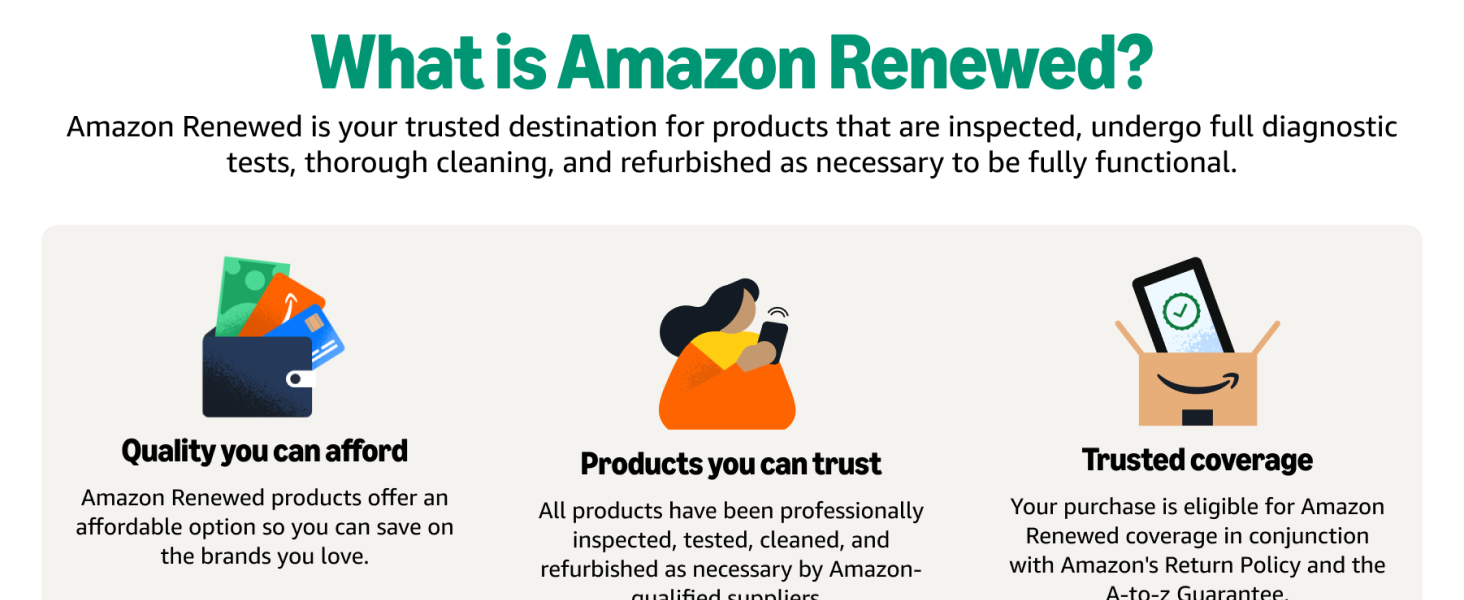
Сүрөт 9.1: An infographic explaining Amazon Renewed, highlighting quality, trusted products, and comprehensive coverage.
9.2. Refurbished Conditions
All Amazon Renewed refurbished products are fully functional and come with generic or original accessories and packaging. They are guaranteed to have at least 80% of the original battery life.
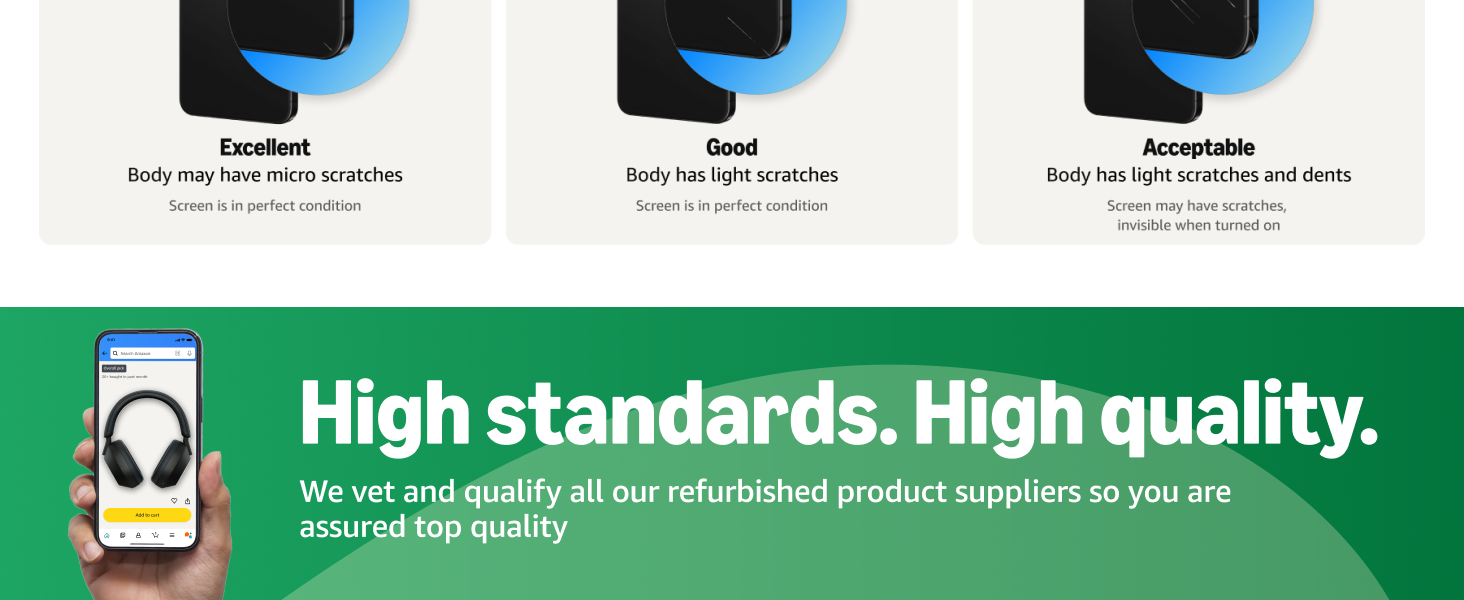
Сүрөт 9.2: A chart detailing the different refurbished conditions (Excellent, Good, Acceptable) for Amazon Renewed products, describing potential cosmetic imperfections.
9.3. Колдоо кызматы менен байланышыңыз
For further assistance, please visit the Amazon Renewed Store or contact Amazon customer service directly. For device-specific support, you can also refer to Google's official support webсайт.


