1. Киришүү
Welcome to the ETOE Starfish 720P Projector user manual. This guide provides essential information for setting up, operating, and maintaining your projector. The ETOE Starfish projector offers a native 720P resolution with 300 ANSI lumens, a built-in Google Android system for streaming, and features like 140-degree rotation, auto keystone correction, and dual-band Wi-Fi connectivity. Please read this manual thoroughly before using your device to ensure optimal performance and longevity.
2. Кутуда эмне бар
Carefully unpack your ETOE Starfish projector and ensure all items are present:
- Проектор
- Адаптер
- User Manual
- Алыстан башкаруу
- Электр кабели
3. Продукт бүтүп калдыview
Familiarize yourself with the main components and features of your ETOE Starfish projector.

Сүрөт: алдыңкы view of the ETOE Starfish Projector, showcasing анын компакттуу жана заманбап дизайны.
3.1. Порттар жана байланыштар
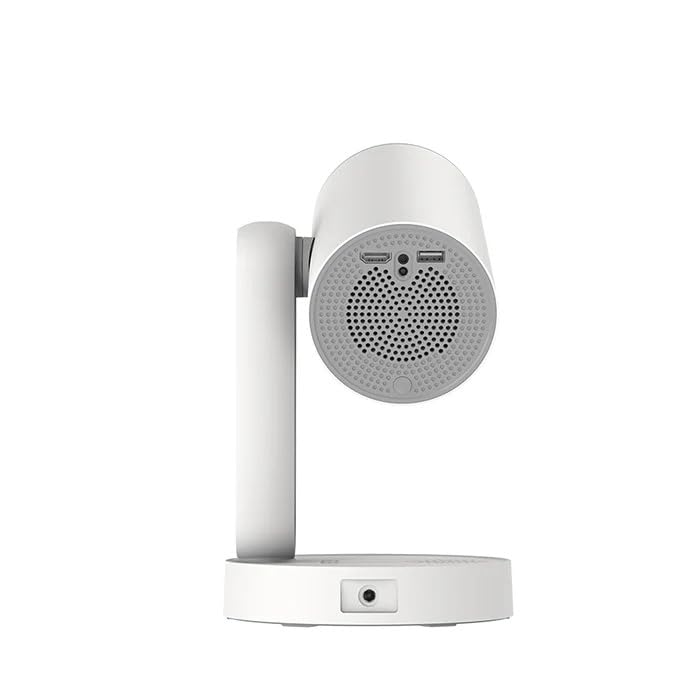
Сүрөт: каптал view of the ETOE Starfish Projector, highlighting its connectivity ports including USB and HDMI.
Проектордо туташуу үчүн ар кандай порттор бар:
- HDMI порту: For connecting external devices like gaming consoles, Blu-ray players, or laptops.
- USB порт: Медияны ойнотуу үчүн USB сактагыч түзмөктөрдү туташтыруу үчүн files.
- Кубат киргизүү: Кубат адаптерин туташтыруу үчүн.
3.2. Негизги өзгөчөлүктөрү
- 140° айлануу: The projector head can be rotated up to 140 degrees for flexible projection angles, including ceiling projection.
- Touch-controlled Ambient Light: A customizable seven-color night light feature with adjustable brightness and color temperature.
- Built-in Google Android System: Access popular streaming services like Netflix, YouTube, and Prime Video directly.
- Автоматтык негизги ташты оңдоо: Automatically adjusts the image for a perfectly rectangular display.
- Кош тилкелүү Wi-Fi: Supports 2.4G and 5G Wi-Fi for stable wireless connectivity.
- Төмөн ызы-чуу операциясы: Designed for quiet performance, operating at approximately 24.5 dB.
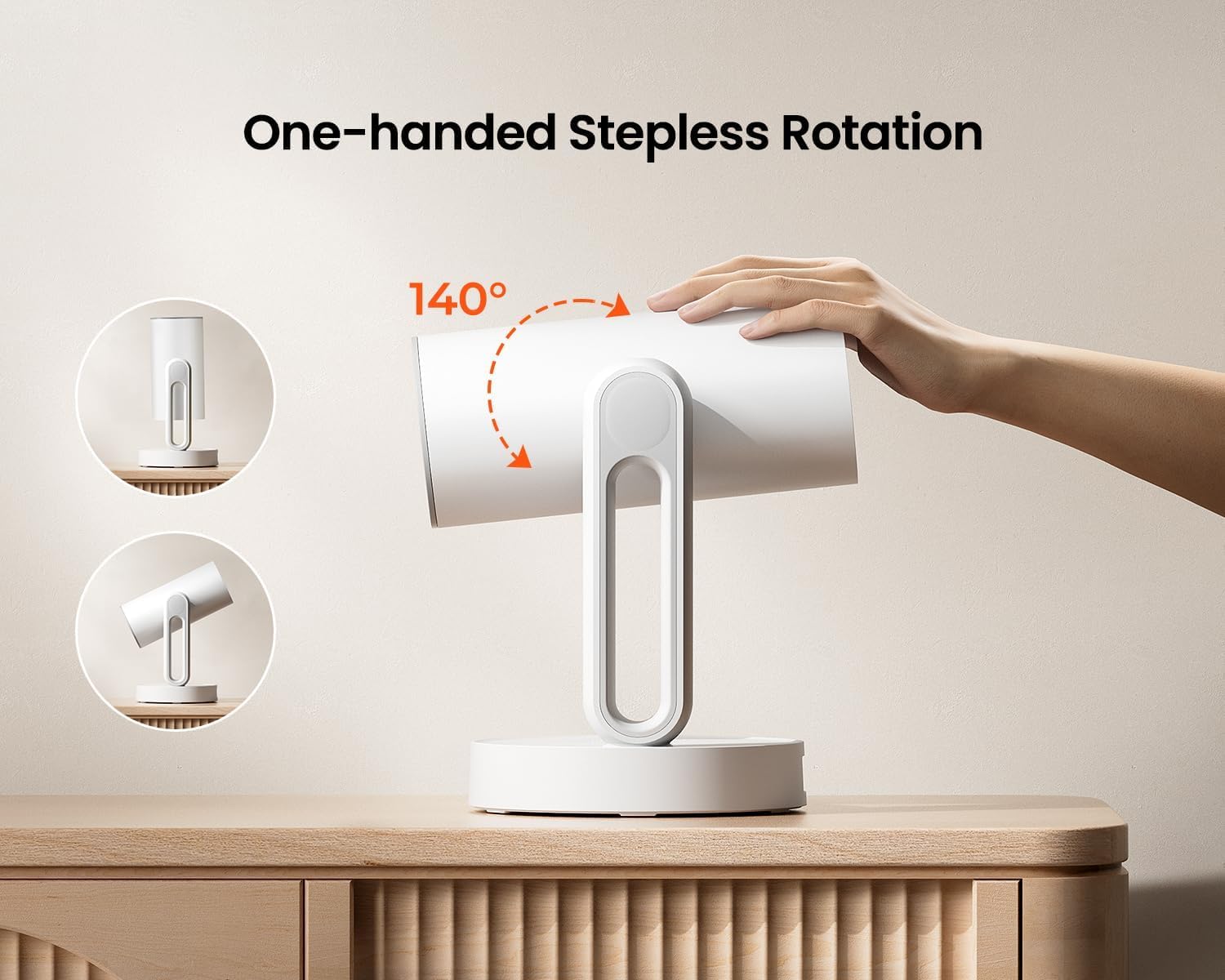
Image: The ETOE Starfish Projector shown rotating 140 degrees, illustrating its flexible projection capabilities.

Image: The ETOE Starfish Projector displaying its touch-controlled ambient light feature with various color options.
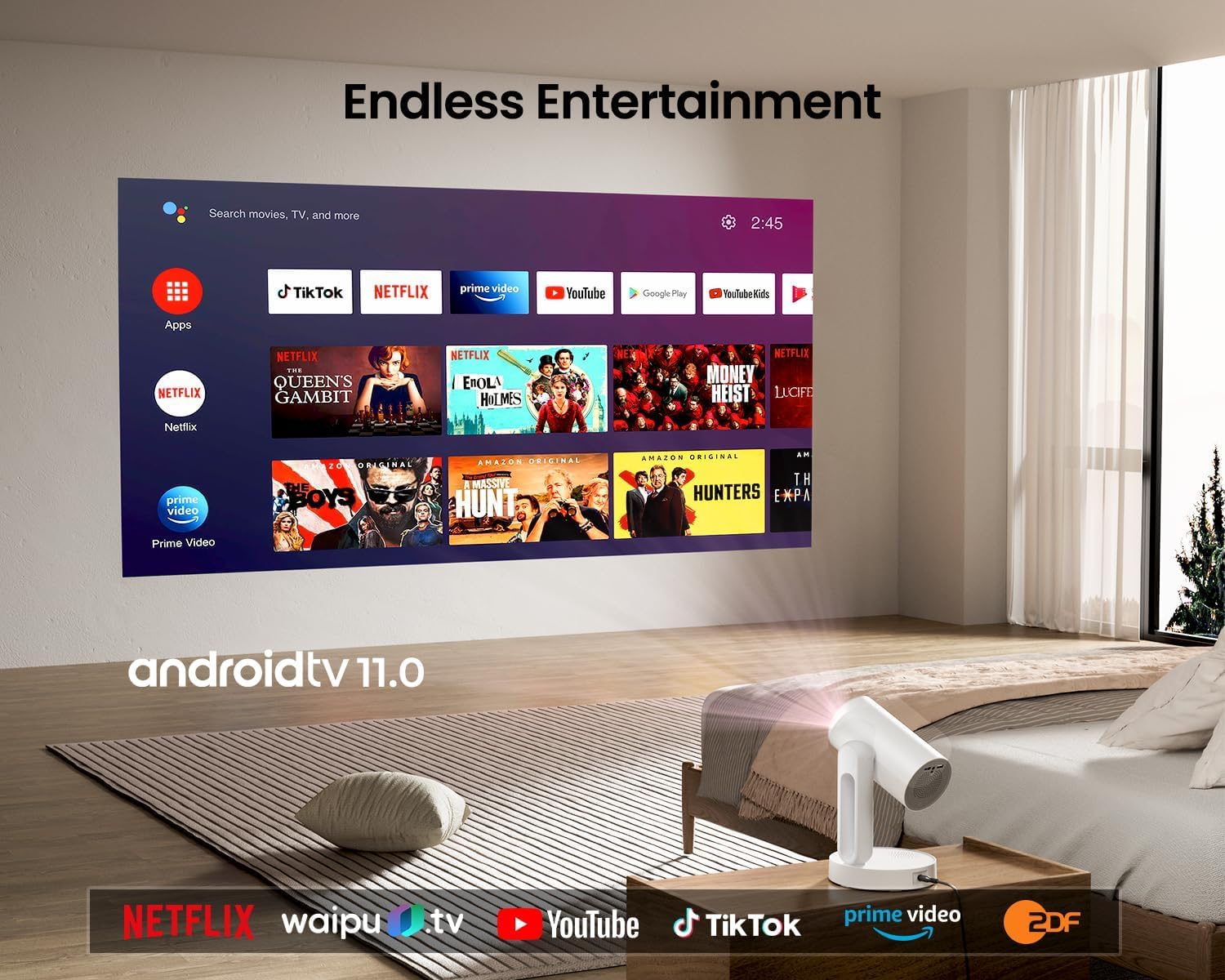
Image: The ETOE Starfish Projector displaying the Android TV interface, showing various streaming applications like Netflix, YouTube, and Prime Video.

Image: The ETOE Starfish Projector automatically correcting a distorted image to a perfect rectangle.

Image: Illustration comparing the low noise level of the ETOE Starfish Projector (24.5 dB) to common sounds.
4. Орнотуу
4.1. Power Connection
- Connect the power cord to the adaptor.
- Plug the adaptor into the projector's power input port.
- Электр шнурунун экинчи учун розеткага сайыңыз.
4.2. Алгачкы жайгаштыруу
Проекторду туруктуу, тегиз бетке коюңуз. Оптималдуу үчүн viewing, ensure the projection surface (wall or screen) is clean and smooth. The 140° rotation feature allows for flexible positioning, including ceiling projection.
4.3. Алыстан башкарууну орнотуу
Insert two AAA batteries (not included) into the remote control, observing the correct polarity.
4.4. First Boot and Network Connection
- Аны күйгүзүү үчүн проектордун же пульттун кубат баскычын басыңыз.
- Follow the on-screen instructions for the initial Google Android system setup. This will include language selection and connecting to a Wi-Fi network.
- Select your preferred 2.4G or 5G Wi-Fi network and enter the password.
5. Иштөө нускамалары
5.1. Негизги операция
- Күйгүзүү/өчүрүү: Press the power button on the remote or projector.
- Навигация: Use the directional buttons on the remote to navigate the Android interface.
- Үндү көзөмөлдөө: Пульттагы үн баскычтарын колдонуңуз.
5.2. Сүрөттү тууралоо
- Санариптик Фокус: Adjust the image clarity using the focus controls on the remote or through the settings menu.
- Автоматтык негизги ташты оңдоо: The projector automatically corrects trapezoidal distortion. If manual adjustment is needed, access it via the settings.
- Digital Zoom: Adjust the image size from 50% to 100% without moving the projector, accessible in the settings menu.
- 140° айлануу: Physically rotate the projector head to project onto different surfaces, including ceilings. The auto keystone will adjust the image accordingly.

Image: The ETOE Starfish Projector projecting content onto a ceiling, demonstrating its versatility for different viewing angles, with a smartphone mirroring content.
5.3. Smart System Features
- Агымдуу колдонмолор: Access pre-installed apps like Netflix, YouTube, and Prime Video. Ensure you are logged into your respective accounts.
- Google Жардамчысы: Use voice commands via the remote control for navigation, content search, and system control.
- Chromecast камтылган: Cast content directly from compatible Android, iOS, and PC devices to the projector. Ensure both devices are on the same Wi-Fi network.
5.4. Ambient Light Function
The projector features a touch-controlled ambient light. Touch the designated area on the projector to cycle through seven colors, adjust brightness, and change color temperature to create your desired atmosphere.
6. Техникалык тейлөө
Туура тейлөө проекторуңуздун узак иштөөсүн жана оптималдуу иштешин камсыз кылат.
- Линзаны тазалоо: Проектордун линзасын акырын сүртүү үчүн атайын оптикалык линзалар үчүн жасалган жумшак, түксүз кездемени колдонуңуз. Абразивдүү материалдардан же катуу химиялык заттардан алыс болуңуз.
- Чаңдан коргоо: The ETOE Starfish features a fully sealed optical engine designed to protect against dust ingress, minimizing the need for internal cleaning.
- Жалпы тазалоо: Проектордун сыртын жумшак, кургак чүпүрөк менен сүртүңүз. Суюк тазалоочу каражаттарды түз эле түзмөккө колдонбоңуз.
- Сактагыч: Узак мөөнөткө пайдаланылбаганда, проекторду салкын, кургак жерде, тике күн нурунан жана экстремалдык температурадан алыс сактаңыз.
7. Кыйынчылыктарды
Проекторуңузда көйгөйлөргө туш болсоңуз, төмөнкү жалпы көйгөйлөрдү жана чечимдерди караңыз:
| Көйгөй | Мүмкүн себеп | Чечим |
|---|---|---|
| Проектор иштебейт. | Электр шнуру туура эмес туташтырылган; розеткада көйгөй бар. | Ensure power cord is securely connected to both projector and outlet. Test outlet with another device. |
| Сүрөт көрсөтүлгөн жок. | Input source incorrect; external device not connected; projector in standby. | Check input source settings. Ensure HDMI/USB devices are connected and powered on. Wake projector from standby. |
| Сүрөт бүдөмүк. | Фокус туураланган эмес; проектор экранга өтө жакын/алыс. | Adjust digital focus using the remote. Ensure optimal projection distance. |
| Image is distorted (not rectangular). | Негизги ташты оңдоо керек. | The projector has auto keystone. If manual adjustment is required, access it in the settings menu. |
| Үн жок. | Volume too low; external audio device issue; mute enabled. | Increase volume. Check external audio connections. Disable mute. |
| Wi-Fi туташуу маселелери. | Туура эмес сырсөз; роутер өтө алыс; тармактык тоскоолдук. | Re-enter Wi-Fi password. Move projector closer to router. Restart router. |
| Пульт иштебей жатат. | Batteries low/dead; line of sight blocked. | Replace batteries. Ensure no obstructions between remote and projector. |
8. Техникалык шарттар
Detailed technical specifications for the ETOE Starfish 720P Projector (Model A1222).
| Бренд | ETOE |
| Модел | A1222 |
| Өндүрүүчү | JVDN International |
| Продукциянын өлчөмдөрү | 61 x 48 x 43 см |
| Элемент Салмагы | 3 кг |
| Дисплей түрү | LCD |
| Сүрөттүн жарыктыгы | 300 ANSI челинин |
| Сүрөттүн карама-катышы | 3000:1 |
| Аспект катышы | 16:9 |
| Native Resolution | 1280 x 720 |
| Тtage | 240 вольт |
| Ватtage | 5 Ватт |
| Жаңыртуу ылдамдыгы | 60 Гц |
| Байланыш технологиясы | Wi-Fi (2.4G & 5G) |
| Аппараттык интерфейс | HDMI, USB |
| Шайкеш түзмөктөр | Smartphones (Android & iOS), Gaming Consoles, Blu-ray Players, Media Players |
| Өзгөчөлүктөр | Digital Focus, Portable, Wireless, Auto Keystone, 140° Rotation, Built-in Android System, Ambient Light |
| Монтаж түрү | Столдун үстү |
9. Кепилдик жана колдоо
9.1. Кепилдик маалыматы
The ETOE Starfish Projector is manufactured by JVDN International. For specific warranty terms and conditions, please refer to the warranty card included with your product or contact the manufacturer directly. Keep your purchase receipt as proof of purchase for warranty claims.
9.2. Кардарларды колдоо кызматы
For technical assistance, troubleshooting not covered in this manual, or warranty inquiries, please contact JVDN International customer support:
- Байланыш адам: JAYESH KUMAR JAGETIYA
- Телефон: +91 91361 87951
- Электрондук почта: jayesh@jvdninternational.com
- Дарек: B-1122 Sun Westbank, Ashram Road, Ahmedabad, Gujarat, India, 380009


