Introduction
This manual provides detailed instructions for the setup, operation, and maintenance of your RETROSUN 2-Button Remote Control. This remote is designed for compatibility with various Nice gate and garage door opener systems, including Nice FloR-S, Nice One (ON1, ON2, ON4, ON9), Nice Era FloR (FLO1RE, FLO2RE, FLO4RE), and Nice Era ON2E-A. Please read this manual thoroughly before use to ensure proper functionality and longevity of your device.

Сүрөт: алдыңкы жана арткы view of the RETROSUN 2-Button Remote Control.
Жайгашуу
1. Шайкештик
The RETROSUN 2-Button Remote Control is compatible with the following Nice systems:
- Nice FloR-S
- Nice One (ON1, ON2, ON4, ON9)
- Nice Era FloR (FLO1RE, FLO2RE, FLO4RE)
- Nice Era ON2E-A
Note: This remote operates at a frequency of 433.92 MHz (USA ONLY) and does not support copying old remote controls.
2. Батареяны орнотуу
The remote control is designed for easy battery replacement. Locate the small compartment on the back of the device. Slide this compartment open to access the battery. Insert the new battery, ensuring correct polarity, then slide the compartment cover back into place until it clicks securely.

Image: Close-up of the remote control, highlighting its ABS environmental protection material and soft silicon buttons.
3. Алыстан башкарууну программалоо
Follow these steps to program your new remote control:
- Briefly press and hold the learning button on your radio receiver or door opener. The LED indicator on the operator will illuminate.
- While the operator's LED is on, press the desired button on your new remote control. The receiver's LED will flash and then remain steadily lit until it turns off.
- The remote is now coded to the operator. Test its functionality.
4. Attaching the Visor Clip
The remote control comes with a visor clip for convenient placement in your vehicle. Simply slide the remote into the clip until it secures firmly. The clip can then be attached to your car's sun visor.
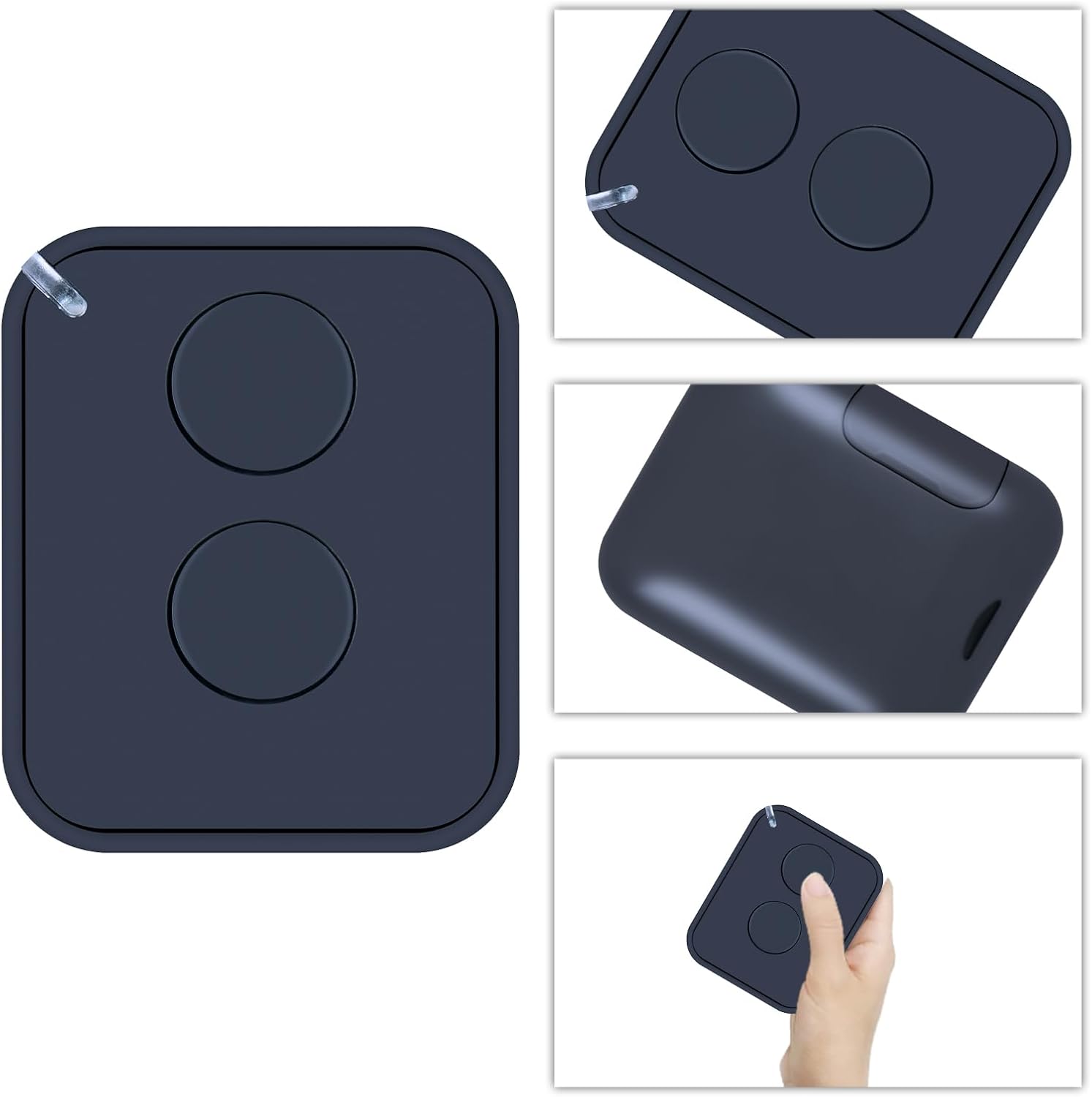
Image: The RETROSUN 2-Button Remote Control shown with its detachable visor clip, offering multiple viewбуюмдун с.
Иштөө нускамалары
Your RETROSUN 2-Button Remote Control features two distinct buttons for precise control of your compatible Nice system. Once programmed, simply press the assigned button to activate your gate or garage door opener.

Image: A hand holding the remote control, demonstrating its use to operate a garage door.
Операциялык аралык
The remote control offers an operational distance of up to 8 meters, providing reliable access to your gate or garage door.

Image: A visual representation indicating the remote control's effective operational distance of 8 meters.
Техникалык тейлөө
Батареяны алмаштыруу
The remote control's battery typically lasts for several years. When the operational range decreases or the LED indicator on the remote does not light up when a button is pressed, it's time to replace the battery. Refer to the 'Battery Installation' section under 'Setup' for detailed instructions on how to replace the battery.
Проблемаларды чечүү
- Пульт жооп бербей жатат: Ensure the battery is correctly installed and has sufficient charge. If the battery is old, replace it. Re-attempt the programming steps if necessary.
- Чектелген диапазон: A weak battery can reduce the operational range. Replace the battery. Ensure there are no significant obstructions between the remote and the receiver.
- Inability to copy old remotes: This remote control does not support copying codes from existing remotes. It must be programmed directly to your Nice system's receiver as per the 'Programming the Remote Control' section.
Техникалык шарттар
| Бренд | РЕТРОСУН |
| Модель номери | FLOR 2 Channel |
| Жыштык | 433.92 МГц (АКШ үчүн гана) |
| баскычтардын саны | 2 |
| Шайкеш түзмөктөр | Garage Door, Gate Openers |
| Колдоого алынган түзмөктөрдүн максималдуу саны | 1 (ар бир алыстан) |
| Өзгөчө өзгөчөлүк | Эргономикалык |
| Түс | Аскер-деңиз флоту |
| Элемент Салмагы | 1.44 унция |
| Пакеттин өлчөмдөрү | 3.46 x 2.4 x 0.87 дюйм |
Кепилдик жана колдоо
For warranty information or technical support, please refer to the product packaging or contact the retailer where the product was purchased. Keep your proof of purchase for any warranty claims.


