1. Киришүү
Сатып алганыңыз үчүн рахматasing the Jazmm Model 213 Portable Multi-Band Radio. This device is designed to provide versatile audio entertainment and essential weather information. It features AM, FM, Shortwave (SW), and NOAA Weather Band (WB) reception, Bluetooth 5.4 connectivity, TF card playback, a powerful 5W speaker, and a built-in rechargeable battery with flashlight functionality. This manual provides detailed instructions for the proper use and maintenance of your radio.
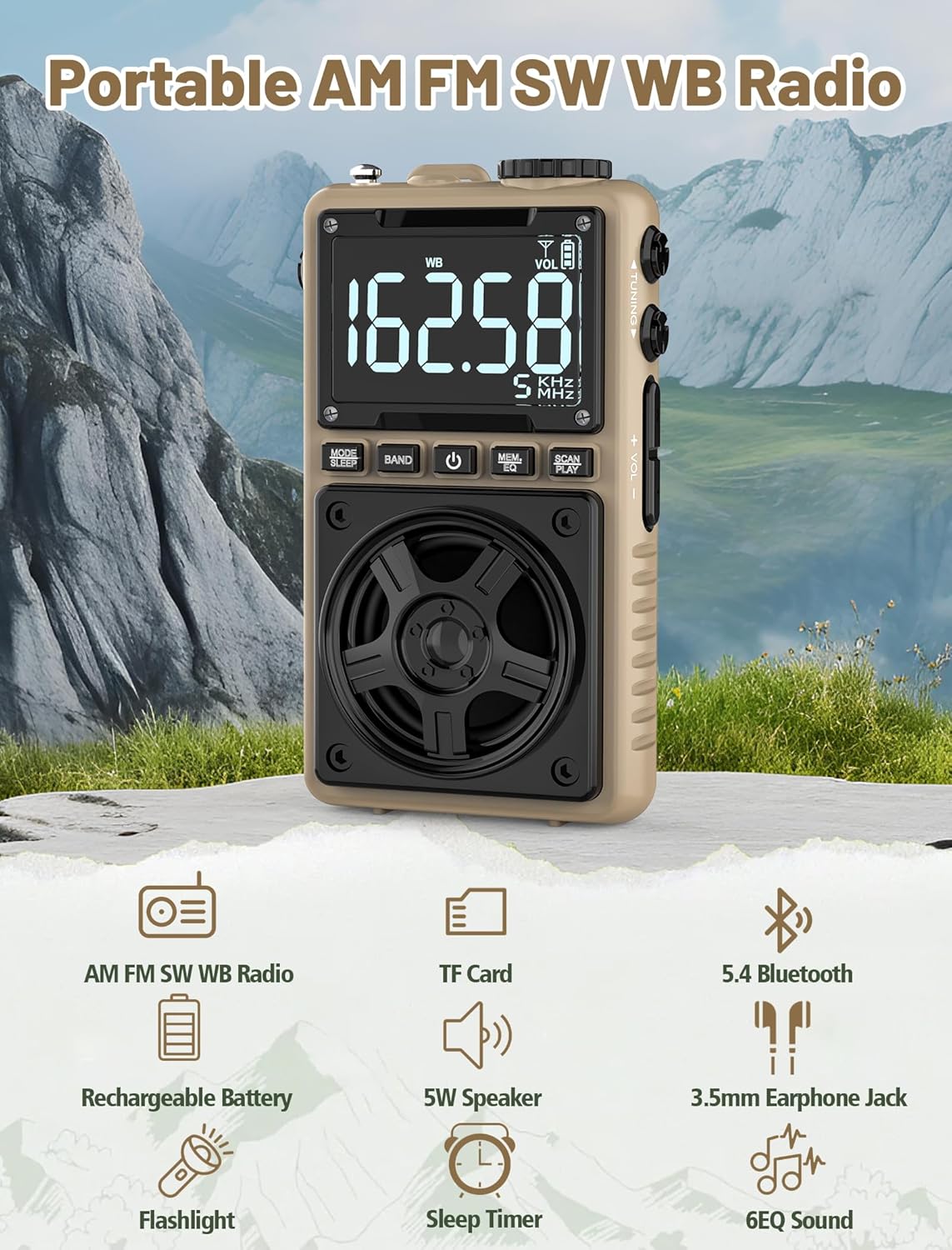
Image 1.1: The Jazmm Model 213 Portable Multi-Band Radio highlighting its key features including AM/FM/SW/WB radio, TF card support, Bluetooth 5.4, 5W speaker, rechargeable battery, flashlight, sleep timer, and 6 EQ sound effects.
2. Коопсуздук маалыматы
Бул продуктуну колдонуудан мурун бардык коопсуздук көрсөтмөлөрүн окуп чыгып, түшүнүп алыңыз. Бул көрсөтмөлөрдү келечекте колдонуу үчүн сактап коюңуз.
- Аппаратты экстремалдык температурага, түз күндүн нуруна же жогорку нымдуулукка дуушар кылбаңыз.
- Аппаратты түшүрүүдөн же катуу таасирлерден сактаныңыз.
- Аппаратты өзүңүз ажыратпаңыз, оңдобоңуз же өзгөртпөңүз. Бардык тейлөөлөрдү квалификациялуу кызматкерлерге тапшырыңыз.
- Аппаратты суудан жана башка суюктуктардан алыс кармаңыз.
- Кубаттоо үчүн берилген кубаттоочу кабелди же сертификатталган Type-C кабелин гана колдонуңуз.
- Батареяны жергиликтүү эрежелерге ылайык жок кылыңыз. Өрттөбө.
- Үндүн катуу деңгээлинде узакка созулган угуу угуунун бузулушуна алып келиши мүмкүн. Үндү орточо деңгээлге тууралаңыз.
3. Пакеттин мазмуну
Пакетте бардык буюмдар бар экенин текшериңиз:
- Jazmm Model 213 AM FM SW WB Radio
- Колдонуучунун колдонмосу (бул документ)
- USB Type-C Кубат кабели
4. Продукт бүтүп калдыview
Радионун компоненттери жана башкаруу элементтери менен таанышып алыңыз.

Сүрөт 4.1: алдыңкы жана каптал view of the Jazmm Model 213 radio. The front features a large digital display, speaker, and control buttons (MODE/SLEEP, BAND, Power, MEM/EQ, SCAN/PLAY). The side shows the LOCK/LIGHT switch, TF card slot, DC 5V Type-C charging port, and a 1250mAh battery indicator.
Башкаруу каражаттары жана порттор:
- Санариптик дисплей: Shows frequency, band, volume, battery level, and other indicators.
- Баяндамачы: Так аудио үчүн 5 Вт кубаттуулуктагы чыгыш.
- MODE/SLEEP Button: Switches between modes (Radio, Bluetooth, TF Card) and activates sleep timer.
- БАНД баскычы: Selects radio bands (FM, AM, SW, WB).
- Кубат баскычы: Радиону күйгүзөт/өчөт.
- MEM/EQ Button: Accesses memory functions and cycles through EQ sound effects.
- SCAN/PLAY Button: Initiates auto-scan for radio stations or plays/pauses in Bluetooth/TF card mode.
- Тунинг баскычы: Adjusts frequency.
- Үн +/- баскычтары: Аудионун үнүн тууралайт.
- LOCK/LIGHT Switch: Locks buttons or activates the flashlight.
- TF карта уячасы: Micro SD карталарын ойнотуу үчүн (128 ГБ чейин).
- DC 5V Type-C Charging Port: Ички батареяны заряддоо үчүн.
- 3.5 мм гарнитура уячасы: Жеке угуу үчүн.
- Телескопиялык антенна: Жакшыртылган радио кабыл алуу үчүн.
- Арткы клип жана билек боо: For portability and secure carrying.
5. Орнотуу
5.1 Алгачкы заряддоо
Before first use, fully charge the radio's internal 1250mAh lithium polymer battery. Connect the provided USB Type-C power cord to the DC 5V charging port on the side of the radio and plug the other end into a compatible USB power adapter (not included) or a computer USB port. The charging indicator on the display will show charging status. A full charge typically takes approximately 1.5 hours and provides 10-12 hours of usage.

Image 5.1: The Jazmm Model 213 radio connected to a power adapter via its Type-C charging port, illustrating the charging process for its 1250mAh rechargeable battery.
5.2 Антеннаны тууралоо
For optimal radio reception, extend the telescopic antenna fully when listening to FM, SW, or WB bands. For AM reception, the internal antenna is generally sufficient, but adjusting the radio's orientation may improve signal strength.
6. Иштөө нускамалары
6.1 Күйгүзүү/өчүрүү
басып, кармап туруңуз Кубат баскычы ( ) for approximately 2 seconds to turn the radio on or off.
6.2 Режимди тандоо
басыңыз MODE/SLEEP Button to cycle through available modes: Radio (FM/AM/SW/WB), Bluetooth, and TF Card (if a card is inserted).
6.3 Radio Band Selection and Tuning
Радио режиминде, басыңыз BAND баскычы to switch between FM, AM, Shortwave (SW), and NOAA Weather Band (WB).
- FM: 87-108 МГц
- БАР: 520-1710 KHz
- SW: 4.75-21.85 МГц
- WB: 162.400-162.550 МГц

Image 6.1: The radio displaying different frequencies across FM, AM, SW, and WB bands, illustrating its multi-band reception capability with an extended antenna.
Кол менен жөндөө:
айлантыңыз Тюнинг баскычы on the side of the radio to manually adjust the frequency.
Автоматтык сканерлөө:
басыңыз SCAN/PLAY Button to automatically scan for and save available stations. The radio can store up to 100 preset stations.
6.4 Алдын ала орнотулган станциялар
After an automatic scan, use the Тюнинг баскычы же MEM/EQ Button to navigate through saved preset stations. Refer to the display for preset numbers (e.g., P01, P02).

Image 6.2: The radio positioned on a nightstand, illustrating the sleep timer function and the display of preset station numbers (P01, P05, P19, etc.).
6.5 Үндү башкаруу
колдонуу Көлөм +/- Баскычтар on the side of the radio to increase or decrease the audio output.
6.6 Bluetooth режими
колдонуп, Bluetooth режимине которулуңуз MODE/SLEEP Button. The radio will enter pairing mode, indicated by a blinking Bluetooth icon on the display. On your smartphone, tablet, or laptop, search for Bluetooth devices and select "Jazmm 213" to connect. The radio acts as a Bluetooth speaker. Note: This radio does not support connection to Bluetooth earphones.
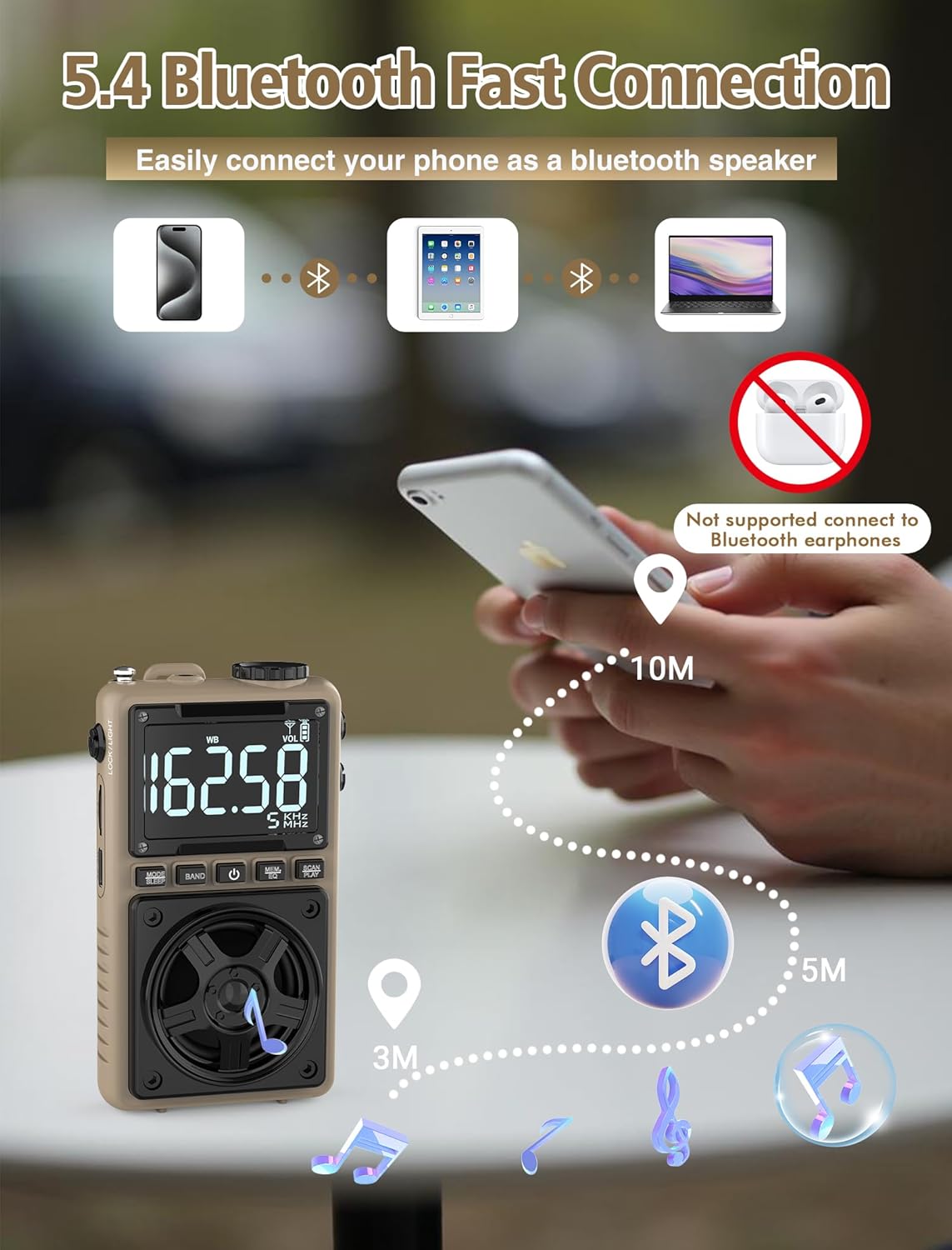
Image 6.3: A visual representation of the Jazmm Model 213 radio establishing a Bluetooth connection with various devices like smartphones, tablets, and laptops, functioning as a Bluetooth speaker.
6.7 TF Card Playback (MP3 Player)
Insert a Micro SD card (up to 128GB) with MP3 audio fileс ичине TF карта уячасы. Switch to TF Card mode using the MODE/SLEEP Button. The radio will automatically begin playing music from the card. Use the SCAN/PLAY Button to play/pause and the Тюнинг баскычы тректерди өткөрүп жиберүү.

Image 6.4: A user enjoying music through headphones connected to the Jazmm Model 213 radio, with an inset showing the TF card slot for Micro SD card insertion.
6.8 Гарнитураны колдонуу
Стандарттуу 3.5 мм кулакчындарды сайыңыз 3.5 мм гарнитура уясы for private listening. The radio's speaker will automatically mute when headphones are connected.
6.9 NOAA аба ырайы жөнүндө эскертүү
In WB (Weather Band) mode, the radio is capable of receiving real-time weather alerts and updates from the National Oceanic and Atmospheric Administration. This feature helps you prepare for potential weather hazards. Ensure the antenna is extended for best reception.

Image 6.5: The radio displaying a NOAA weather alert, with a flashlight beam illuminating the foreground and a stormy sky in the background, emphasizing its emergency preparedness features.
6.10 Фонардын функциясы
жылдырыңыз LOCK/LIGHT Switch to activate the built-in LED flashlight. This can be useful in low-light conditions or emergencies.
6.11 Уйку таймери
басып, кармап туруңуз MODE/SLEEP Button to activate the sleep timer. Repeated presses will cycle through available durations (e.g., 10, 60, 90, 120 minutes). The radio will automatically turn off after the selected time.
6.12 Кулпу ачкычы
жылдырыңыз LOCK/LIGHT Switch to the 'LOCK' position to prevent accidental button presses. This is useful when carrying the radio in a pocket or bag.
6.13 EQ Үн эффекттери
басыңыз MEM/EQ Button (short press) to cycle through 6 preset EQ sound effects: Normal, Rock, Pop, Jazz, Class, and Village. Select the effect that best suits your audio preference.

Image 6.6: The radio's 5W speaker is highlighted, surrounded by icons representing the six available EQ stereo sound effects: Normal, Rock, Pop, Jazz, Class, and Village.
7. Техникалык шарттар
| Өзгөчөлүк | Деталь |
|---|---|
| Модель номери | 213 |
| Продукциянын өлчөмдөрү | 2.3 x 4 x 1.3 дюйм (5.84 x 10.16 x 3.3 см) |
| Элемент Салмагы | 4.6 унция (130 грамм) |
| Радио топтору колдоого алынат | FM (87-108MHz), AM (520-1710KHz), SW (4.75-21.85MHz), WB (162.400-162.550MHz) |
| Байланыш технологиясы | Bluetooth 5.4 |
| Speaker Output | 5W |
| Батарея | 1250mAh Lithium Polymer (Rechargeable, included) |
| Заряддоо порту | USB түрү-C (DC 5V) |
| Заряддоо убактысы | Болжол менен 1.5 саат |
| Колдонуу убактысы | Болжол менен 10-12 саат (колдонууга жараша) |
| Эстутум картасын колдоо | Micro SD (TF Card) up to 128GB |
| Өзгөчөлүктөр | NOAA Weather Alert, Built-In Flashlight, SOS Alarm, Sleep Timer, 100 Preset Stations, Digital Backlight Screen, Back Clip, Wrist Strap |
8. Кыйынчылыктарды
| Көйгөй | Мүмкүн болгон себеп / Чечим |
|---|---|
| Радио күйбөйт. |
|
| Радио кабыл алуу начар. |
|
| Bluetooth туташпай жатат. |
|
| TF картасы ойнотулбай жатат. |
|
| Динамиктен/кулакчындан үн чыкпайт. |
|
9. Техникалык тейлөө
- Тазалоо: Радионун сыртын тазалоо үчүн жумшак, кургак чүпүрөктү колдонуңуз. Абразивдүү тазалоочу каражаттарды же эриткичтерди колдонбоңуз.
- Сактагыч: Радиону көпкө чейин колдонбогон учурда, аны салкын, кургак жерде сактаңыз.
- Батареяга кам көрүү: To prolong battery life, avoid fully discharging the battery frequently. Recharge the radio periodically even if not in use.
- Антенна: Телескопиялык антеннаны ийилип же сындырып албаш үчүн этият кармаңыз. Колдонулбай турганда аны тартып алыңыз.
10. Кепилдик жана колдоо
Jazmm products are designed for reliability and performance. For warranty information, please refer to the documentation provided at the time of purchase or contact your retailer. If you encounter any issues or require technical assistance, please contact Jazmm customer support through the retailer's platform or the official Jazmm webсайт.
Колдоо кызматына кайрылганда продуктуңуздун моделинин номери (213) жана сатып алуу чоо-жайы даяр болсун.


