Introduction
Thank you for choosing the Haomuren K1 Mini Portable Bluetooth Karaoke Machine. This manual provides essential information for the safe and efficient operation of your new device. Please read it thoroughly before use and retain it for future reference.
Кутуда эмне бар
- Karaoke Machine (Speaker) x 1
- Зымсыз микрофон x 2
- Type-C заряддоо кабели x 1
- Колдонуучунун колдонмосу x 1
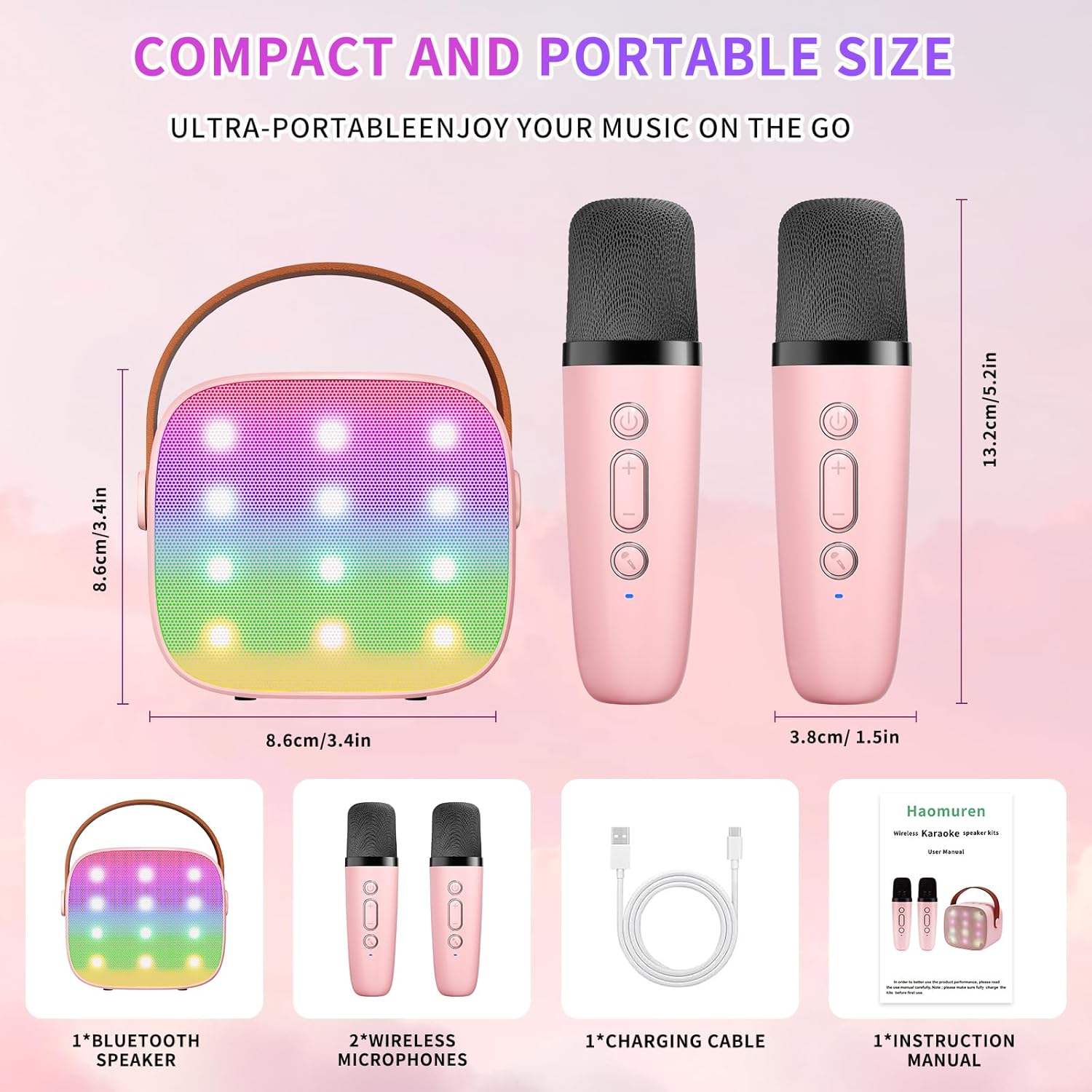
Жайгашуу
1. Аппаратты заряддоо
Before initial use, fully charge the karaoke machine and both microphones. Use the provided Type-C charging cable.
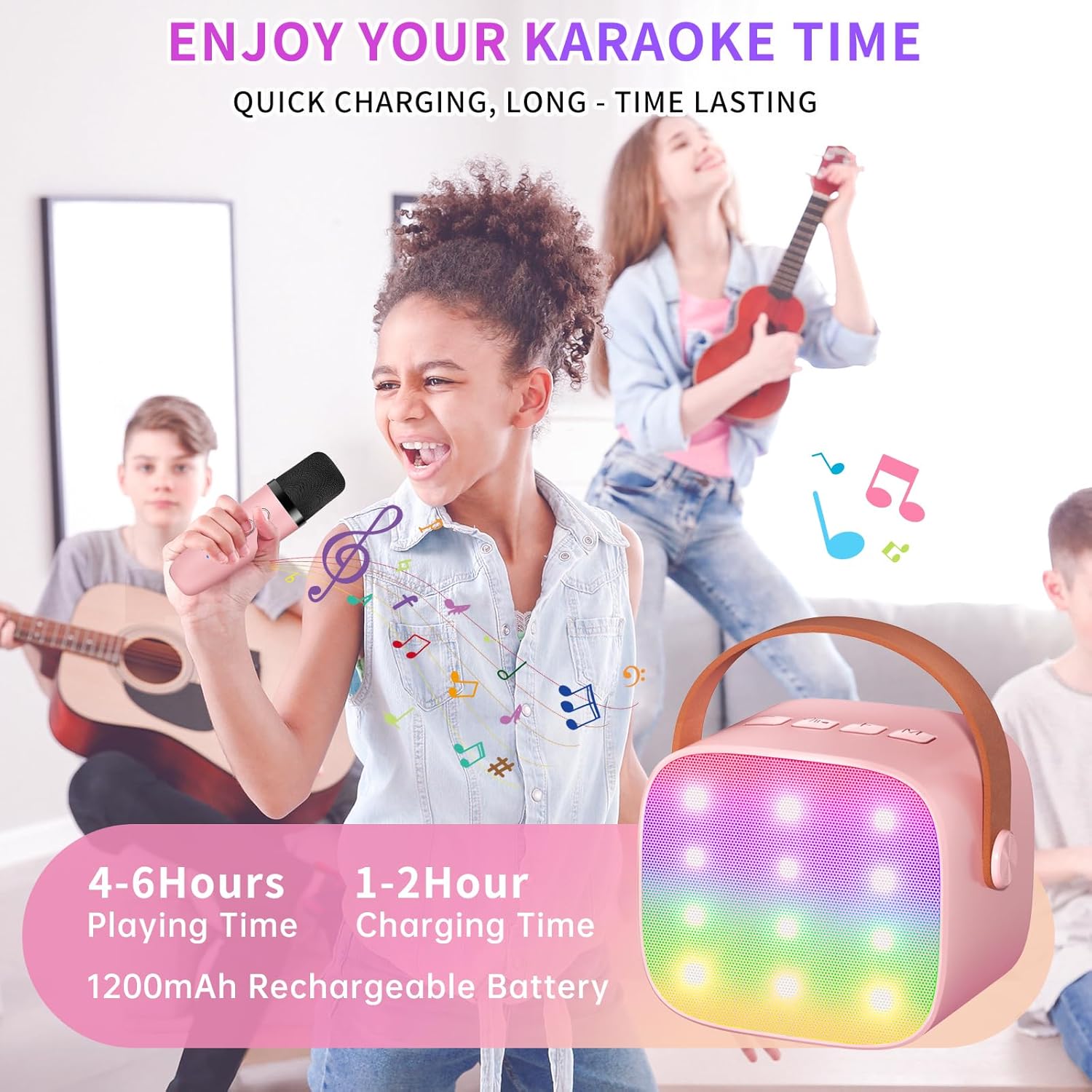
- Баяндамачы: Connect the Type-C cable to the speaker's charging port. The speaker has an 1800mAh battery and typically charges in 1-2 hours.
- Микрофондор: Connect the Type-C cable to the charging port at the bottom of each microphone. Each microphone has a 600mAh battery.

2. Күйгүзүү/өчүрүү
- Баяндамачы: Press and hold the power button on the top panel of the speaker until the LED lights illuminate.
- Микрофондор: Көк индикатор жарыгы күйгөнгө чейин ар бир микрофондогу күйгүзүү баскычын басып, кармап туруңуз.
3. Bluetooth Жупташтыруу
The speaker and microphones are designed for instant pairing. Once both are powered on, they should automatically connect. To connect the speaker to an external device (smartphone, tablet, PC):
- Ensure the karaoke machine speaker is powered on and in Bluetooth mode (indicated by a voice prompt).
- Тышкы түзмөгүңүздө Bluetooth'ду иштетип, жеткиликтүү түзмөктөрдү издеңиз.
- Select "K1" (or similar model name) from the list to pair. A confirmation sound will indicate successful pairing.

Иштөө нускамалары
1. Динамикти башкаруу элементтери
Динамиктин үстүнкү панелинде интуитивдик баскычтар бар:
- Үнүн төмөндөтүү (-): Динамиктин үнүн азайтат.
- Күч/ойнотуу/тындыруу: Short press to play/pause music. Long press to power on/off the speaker.
- Үнүн жогорулатуу (+): Динамиктин үнүн жогорулатат.
- Режим (M): Switches between different input modes (Bluetooth, TF Card).
- LED жарык башкаруу: Short press to cycle through 6 different LED lighting modes.
- Original Vocal/Accompaniment: Press this button to remove or restore original vocals from a song, allowing you to sing along to the instrumental track.

2. Микрофонду башкаруу элементтери
Each wireless microphone has the following controls:
- Кубат баскычы: Микрофонду күйгүзүү/өчүрүү үчүн басып кармап туруңуз.
- Үнүн жогорулатуу (+): Микрофондун үнүн жогорулатат.
- Үнүн төмөндөтүү (-): Микрофондун үнүн азайтат.
- Үн өзгөртүү баскычы: Short press to cycle through 5 different voice effects.

3. Voice Changing Modes
The microphones offer 5 unique voice effects to enhance your karaoke experience:
- Original Voice
- Аял үнү
- Эркек үнү
- Baby Voice
- Monster Voice
4. Жарык диоддору
The speaker features built-in LED lights with 6 dynamic modes that synchronize with the music, creating an immersive atmosphere. Use the dedicated LED Light Control button on the speaker to cycle through these modes.

5. Music Playback Options
The Haomuren K1 supports various music playback methods:
- Bluetooth: Connect wirelessly to your smartphone, tablet, or PC.
- TF картасы: Insert a TF (MicroSD) card into the designated slot on the back of the speaker to play stored music files.
- Гарнитуранын чыгышы: Use the 3.5mm headphone jack for private listening.
Техникалык тейлөө
- Тазалоо: Динамиктин жана микрофондордун сыртын тазалоо үчүн жумшак, кургак чүпүрөктү колдонуңуз. Суюк тазалоочу каражаттарды же абразивдүү материалдарды колдонбоңуз.
- Сактагыч: Аппаратты түз күн нурунан жана экстремалдык температурадан алыс салкын, кургак жерде сактаңыз.
- Батареяга кам көрүү: Батареянын иштөө мөөнөтүн узартуу үчүн, аппаратты бат-баттан толук кубаттап турбаңыз. Аппаратты узак убакыт бою колдонбосо дагы, үзгүлтүксүз заряддаңыз.
Проблемаларды чечүү
- Динамиктен үн чыкпай жатат:
- Динамик күйгүзүлгөнүн жана кубатталганын текшериңиз.
- Check the speaker's volume level.
- Verify that the speaker is correctly paired via Bluetooth to your device.
- If using a TF card, ensure it is inserted correctly and contains compatible audio files.
- Микрофон иштебейт:
- Микрофондун күйгүзүлгөнүн жана заряддалганын текшериңиз.
- Check the microphone's volume level.
- Confirm the microphone is automatically paired with the speaker.
- Bluetooth ажыратуу:
- Ensure the speaker and your device are within the effective Bluetooth range (typically 10 meters).
- Turn off and restart both the speaker and your device, then attempt to re-pair.
- Башка зымсыз түзмөктөрдөн кандайдыр бир тоскоолдук бар экенин текшериңиз.
- Бурмаланган үн:
- Динамиктин да, туташкан түзмөгүңүздүн да үнүн азайтыңыз.
- Ensure the microphones are not too close to the speaker to avoid feedback.
- Сапат маселелери боюнча аудио булагын текшериңиз.
Техникалык шарттар
| Өзгөчөлүк | Спецификация |
|---|---|
| Бренд | Хаомурен |
| Модель номери | K1 |
| Монтаж түрү | Стол үстү |
| Power Source | Батарея менен иштейт |
| Туташтыргыч түрү | 3.5mm headphone, Type-C Charging |
| Материал | Акрилонитрил бутадиен стирол (ABS) |
| Элемент Салмагы | 14.9 унция |
| Каналдардын саны | 2 |
| Аудио киргизүү | Зымсыз микрофондор |
| Frequency Response | 10 KHz |
| Продукциянын өлчөмдөрү | 3.7 x 4.1 x 4.3 дюйм |
| Батареялар | 1 AAA батарейка талап кылынат (кошулган) |
| Байланыш технологиясы | Bluetooth, USB, Зымсыз |
Кепилдик жана колдоо
Haomuren is committed to providing high-quality audio products. Your K1 Mini Portable Bluetooth Karaoke Machine comes with the following:
- Акысыз алмаштыруу: In case of product defects.
- 365 күндүк кепилдик: Covering manufacturing defects and malfunctions.
- Техникалык колдоо: Dedicated support is available for any operational questions or issues.
For further assistance, please contact Haomuren customer service through your purchase platform or visit the official Haomuren webсайт.


