Volteck CTV-31W

Volteck CTV-31W WiFi Robotized Dome Camera

Колдонуучунун инструкциясы

Introduction

This manual provides detailed instructions for the installation, operation, and maintenance of your Volteck CTV-31W WiFi Robotized Dome Camera. Please read this manual thoroughly before using the product to ensure proper functionality and safety. Keep this manual for future reference.

Маанилүү коопсуздук маалыматы

Пакеттин мазмуну

Сураныч, бардык буюмдар бар экенин текшерүү үчүн пакетти текшериңиз:

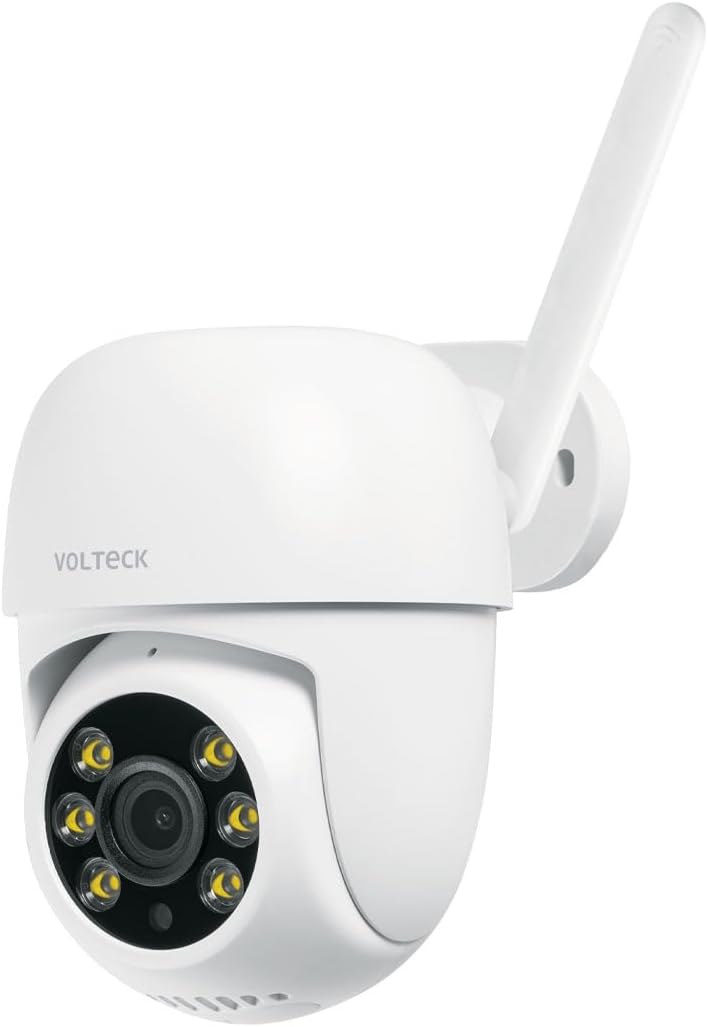
Volteck CTV-31W WiFi Robotized Dome Camera

Image: The Volteck CTV-31W WiFi Robotized Dome Camera, showing its white dome design and antenna.

Volteck CTV-31W Power Adapter

Image: The included AC power adapter with its cable, essential for powering the camera.

Продукт өзгөчөлүктөрү

The Volteck CTV-31W camera offers a range of advanced features for comprehensive surveillance:

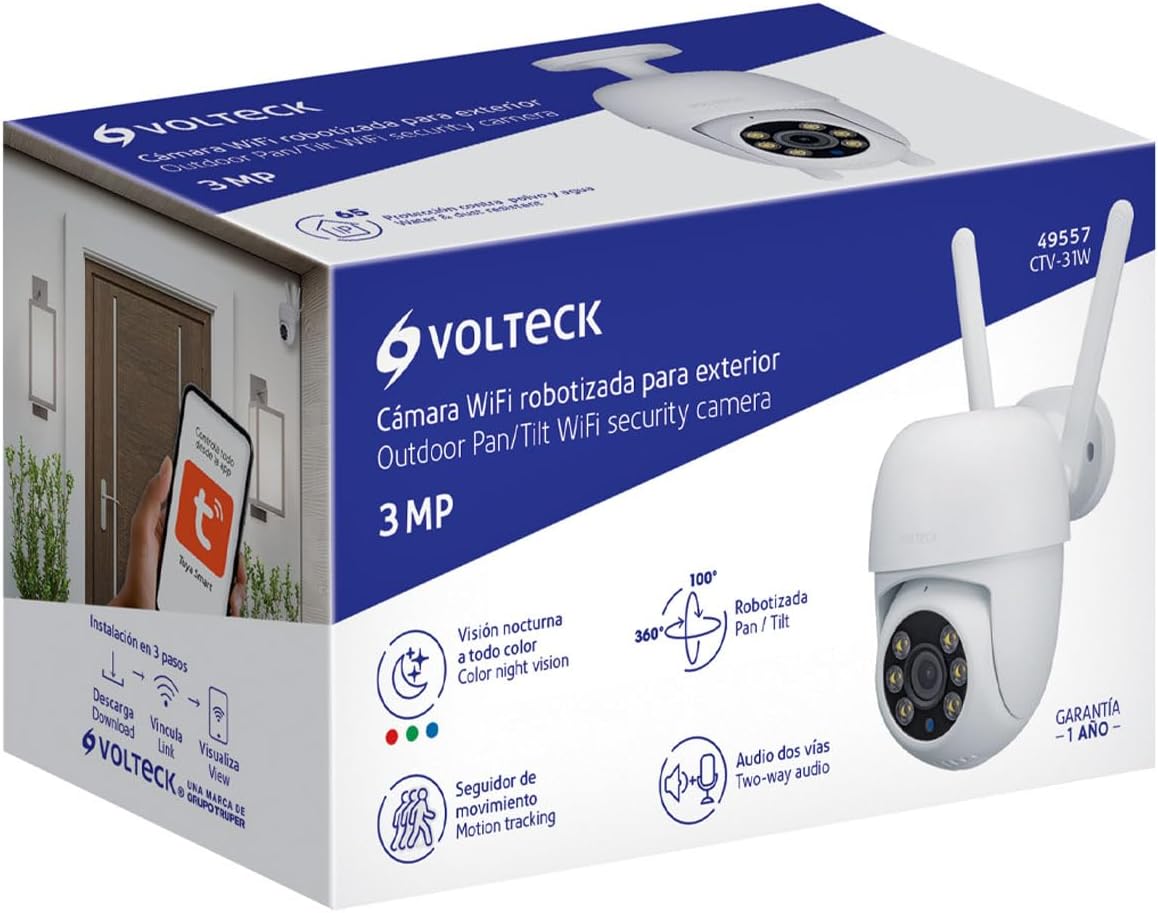
Volteck CTV-31W Camera Features Diagram

Image: Diagram highlighting key features of the Volteck CTV-31W camera, including two-way audio, video rotation, memory card slot, full-color night vision, and intelligent tracking.

Орнотуу колдонмосу

1. Физикалык орнотуу

  1. Жайгашкан жерди тандаңыз: Select a suitable indoor or outdoor location for your camera. Ensure it has a clear view жана Wi-Fi тармагыңыздын диапазонунда.
  2. Монтаждоо:
    • Position the wall mounting plate on the desired surface.
    • Бурама тешиктерди белгилеңиз.
    • Drill pilot holes and insert the wall plugs.
    • Берилген бурамалар менен монтаждоочу пластинаны бекитиңиз.
    • Камераны монтаждоо пластинасына бекитиңиз.
  3. Кубат туташуу: Connect the power cable to the camera and then plug the AC adapter into a power outlet. The camera will power on and initiate its startup sequence.
Volteck CTV-31W Camera Outdoor Installation Example

Сүрөт: мурункуample of the Volteck CTV-31W camera mounted on an exterior wall, demonstrating a typical outdoor installation.

2. Колдонмону орнотуу жана жупташтыруу

  1. Колдонмону жүктөп алыңыз: Издөө "Tuya Smart" or "Smart Life" in your mobile device's app store (App Store for iOS, Google Play Store for Android) and download it.
  2. Катталуу/Кирүү: Колдонмону ачып, жаңы аккаунт түзүңүз же сизде мурунтан эле бар болсо, кириңиз.
  3. Түзмөк кошуу:
    • Колдонмодогу "+" сүрөтчөсүн же "Түзмөк кошууну" таптаңыз.
    • "Коопсуздук жана видеобайкоо", андан кийин "Акылдуу камера (Wi-Fi)" тандаңыз.
    • Follow the on-screen instructions to connect the camera to your Wi-Fi network. This typically involves scanning a QR code displayed on your phone with the camera lens.
    • Ensure your Wi-Fi network is 2.4 GHz, as 5 GHz networks are generally not supported by these devices.
  4. Device Ready: Once successfully paired, the camera will appear in your app's device list. You can now access its live feed and control its functions.
Tuya Smart App Control for Volteck CTV-31W

Image: Illustration showing a hand interacting with a mobile app interface, indicating control of the camera via the Tuya Smart app, available on App Store and Google Play.

Иштөө нускамалары

Live View жана Control

Кыймылды аныктоо жана эскертүүлөр

Видео сактагыч

Түнкү көрүнүш

Техникалык тейлөө

Проблемаларды чечүү

КөйгөйМүмкүн себепЧечим
Камера күйбөй жататКубат адаптери туташкан эмес же туура эмес.Ensure the power adapter is securely plugged into the camera and a working power outlet. Check the adapter for damage.
Wi-Fi'га туташуу мүмкүн эмесIncorrect Wi-Fi password; Camera too far from router; 5 GHz Wi-Fi network.Verify Wi-Fi password. Move camera closer to the router. Ensure you are connecting to a 2.4 GHz Wi-Fi network.
Сүрөттүн сапаты начарКир линза; жетишсиз жарыктандыруу; Тармактын өткөрүү жөндөмдүүлүгү маселелери.Clean the camera lens with a soft cloth. Ensure adequate lighting or check night vision settings. Verify your internet connection speed.
Кыймылды аныктоо иштебей жататMotion detection disabled; Sensitivity too low; Incorrect detection zone.Enable motion detection in the app settings. Adjust sensitivity. Configure detection zones correctly.
Эки тараптуу аудио иштебейтMicrophone/speaker muted in app; Network issues.Check app settings to ensure audio is enabled and not muted. Verify stable network connection.

Техникалык мүнөздөмөлөр

ӨзгөчөлүкСпецификация
Модель номериCTV-31W (Manufacturer Model: 49557)
Резолюция3 MP (720p video capture resolution)
Камера томtage12 В DC
Camera Current1 А
Адаптер Voltage100 V AC - 240 V AC
Adapter Current200 mA - 150 mA
Adapter Frequency50 Hz / 60 Hz
Өлчөмдөрү (Бийиктик x Диаметр)21 cm x 10 cm (Product: 10.49 x 20.24 x 12.65 cm)
Салмагы480 г
Байланыш технологиясыЗымдуу (кубат), Wi-Fi (маалымат)
Өзгөчө өзгөчөлүкNight Vision (Full-Color)
Колдонуу чөйрөсүТышкы, ички
Монтаж түрүДубалга орнотуу
ТүсАк
Max. MicroSD Card Capacity128 ГБ
Volteck CTV-31W Camera Dimensions

Image: Diagram illustrating the dimensions of the Volteck CTV-31W camera, showing a height of 21 cm and a depth of 10 cm.

Кепилдик жана колдоо

Your Volteck CTV-31W camera comes with a 1 жылдык кепилдик сатып алынган күндөн тартып өндүрүш кемчиликтерин жабуу. Кепилдик дооматтары үчүн сатып алганыңыздын далилин сактап коюңуз.

For technical support, troubleshooting assistance, or warranty inquiries, please contact Volteck customer service through their official webсайты же продуктунун таңгагында берилген байланыш маалыматы.

Тектеш документтер - CTV-31W

Preview Volteck 46274 POSE-360 Motion Sensor Lamp Holder Installation and Use Guide
Comprehensive instructions for installing and using the Volteck 46274 POSE-360 motion sensor lamp holder, including technical specifications, testing procedures, and warranty information.
Preview VOLTECK 46094 TVSM-37 Full Motion Articulated TV Wall Mount
Detailed information and installation guide for the VOLTECK 46094 TVSM-37 full motion articulated TV wall mount. Supports up to 37 kg (81 lb) and VESA 75/100/200 compatibility.
Preview VOLTECK LAIT Solar LED Wall Light with Light and Motion Sensor - Model 49782 ARB-801L
Comprehensive user manual and installation guide for the VOLTECK LAIT solar LED wall light (model 49782 ARB-801L). Learn about its specifications, parts, easy installation process, and three distinct operation modes: Motion Sensor, Light Sensor, and Light & Motion Sensor. Includes important safety and charging information.
Preview Volteck LAIT Solar Bollard Light - Орнотуу жана коопсуздук нускамалары
Volteck LAIT күн батареясын орнотуу жана колдонуу боюнча комплекстүү колдонмо (Модель 49073 ARB-704L). Техникалык мүнөздөмөлөрдү, коопсуздук чараларын, орнотуу кадамдарын жана тейлөө борборунун маалыматын камтыйт.
Preview Volteck электр буюмдарын орнотуу боюнча нускамалар
Volteck электр өнүмдөрү үчүн этап-этабы менен орнотуу көрсөтмөсү, анын ичинде коопсуздук эскертүүлөрү жана зымдар жана монтаждоо боюнча мыкты тажрыйбалар.
Preview Volteck орнотуу нускамалары жана коопсуздук эскертүүлөрү
Volteck өнүмдөрү үчүн этап-этабы менен орнотуу нускамаларын жана маанилүү коопсуздук эскертүүлөрүн камсыздайт, электр коопсуздугун жана туура иштетүүнү баса белгилейт.