1. Киришүү
This manual provides essential instructions for the setup, operation, and maintenance of your GOBOULT Drift+ Smart Watch. Please read this guide thoroughly to ensure proper use and to maximize the device's features.

Image 1.1: The GOBOULT Drift+ Smart Watch.
The GOBOULT Drift+ Smart Watch features a 1.85-inch HD display, Bluetooth calling capabilities, IP68 water resistance, and comprehensive health monitoring functions.

Сүрөт 1.2: Бүттүview of GOBOULT Drift+ Smart Watch features.
2. Кутуда эмне бар
Төмөнкү нерселердин баары продуктуңуздун таңгагында камтылганын текшериңиз:
- GOBOULT Drift+ Smart Watch
- Заряддоо кабели
- Колдонуучунун Колдонмосу (бул документ)
- Кепилдик картасы
3. Орнотуу
3.1 Алгачкы заряддоо
Before first use, fully charge your GOBOULT Drift+ Smart Watch. Connect the provided charging cable to the charging port on the back of the watch and to a standard USB power adapter (not included). The watch typically takes approximately 2.5 hours to fully charge.

Image 3.1: Charging the GOBOULT Drift+ Smart Watch.
3.2 Смартфонуңуз менен жупташуу
- Download the official GOBOULT application from your smartphone's app store (compatible with iOS and Android).
- Смартфонуңузда Bluetooth иштетилгенин текшериңиз.
- Open the GOBOULT app and follow the on-screen instructions to create an account or log in.
- Select 'Add Device' or a similar option within the app and choose 'Drift+' from the list of available devices.
- Смартфонуңузда жана акылдуу саатыңызда жупташтыруу өтүнүчүн ырастаңыз.
4. Иштөө нускамалары
4.1 Негизги навигация
The GOBOULT Drift+ Smart Watch features a 1.85-inch HD touchscreen display. Swipe left, right, up, or down to navigate through menus and functions. Press the side button to return to the home screen or access the app list.
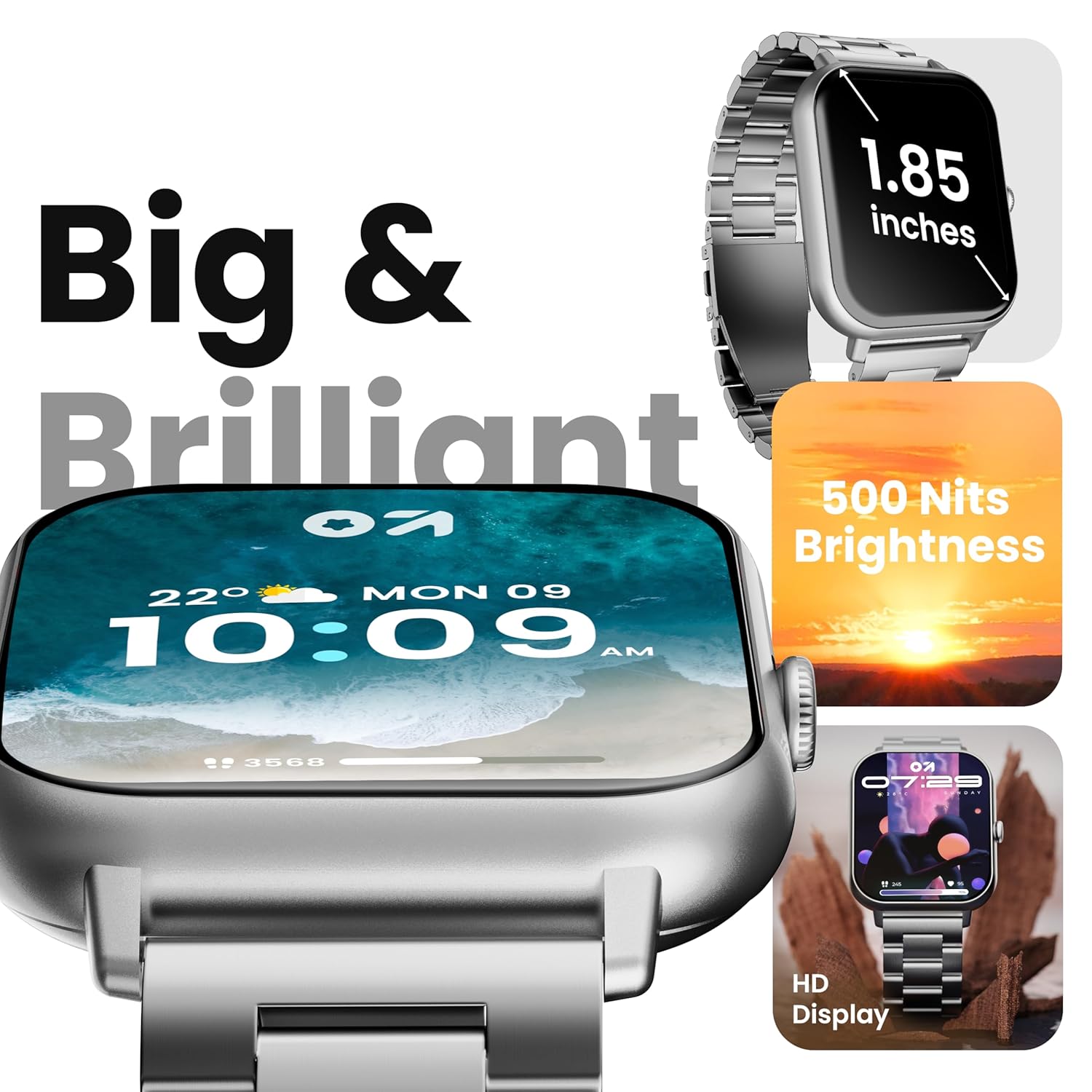
Image 4.1: The 1.85-inch HD display of the smart watch.
4.2 Bluetooth чалуу
Once paired with your smartphone, the Drift+ Smart Watch allows you to make and receive calls directly from your wrist. The watch is equipped with a built-in speaker and microphone for clear audio communication.
- Чалууларга жооп берүү: Чалуу келгенде, саат экранындагы жашыл жооп берүү сүрөтчөсүн басыңыз.
- Чалууларды жасоо: Access the dialer or contacts through the watch menu to initiate a call.

Image 4.2: Bluetooth calling feature in use.
4.3 Сааттын жүзүн ыңгайлаштыруу
The watch supports over 150 cloud-based watch faces and custom watch face options. To change your watch face:
- Long-press on the current watch face on your watch.
- Swipe left or right to browse pre-installed watch faces.
- For more options, open the GOBOULT app on your smartphone and navigate to the 'Watch Faces' section to download and apply new designs.

Image 4.3: Customizing watch faces.
4.4 Спорт режимдери
The GOBOULT Drift+ offers over 100 sports modes to track various physical activities. To access and use sports modes:
- From the watch's main menu, select the 'Sports' or 'Workout' icon.
- Choose your desired activity from the list (e.g., running, cycling, walking).
- Көзөмөлдөөнү баштоо үчүн басыңыз. Саат кадамдар, аралык, күйгөн калориялар жана жүрөктүн кагышы сыяктуу маалыматтарды жазып алат.
- To end a workout, swipe right or press the side button and select 'End'.

Image 4.4: Tracking activities with sports modes.
4.5 Ден соолуктун мониторинги
The watch provides comprehensive health insights, including:
- 24/7 жүрөктүн кагышын көзөмөлдөө: Үзгүлтүксүз жүрөктүн кагышын көзөмөлдөйт.
- SpO2 Blood Oxygen Tracking: Кандын кычкылтек менен каныккандыгын өлчөйт.
- Кан басымынын мониторинги: Кан басымынын болжолдуу көрсөткүчтөрүн берет.
- Аялдардын этек кир циклин көзөмөлдөө: Менструалдык циклди көзөмөлдөөгө жана алдын ала айтууга жардам берет.
- Drink Water Reminders: Prompts you to stay hydrated.
- Отуруучу эскертүүлөр: Encourages movement after periods of inactivity.
Бул функцияларга сааттын ден соолук менюсу аркылуу же view detailed data in the GOBOULT app.

Image 4.5: Health monitoring features.
4.6 Жасалма интеллект үн жардамчысы
Activate the AI voice assistant on your watch for hands-free assistance. This feature allows you to perform tasks, ask questions, and control certain functions using voice commands. Ensure your watch is connected to your smartphone for full functionality.
4.7 Smart эскертмелер
Receive notifications from your favorite social apps, messages, and calls directly on your watch. Configure notification settings within the GOBOULT app on your smartphone.
5. Техникалык тейлөө
5.1 Сууга туруктуулук
The GOBOULT Drift+ Smart Watch is IP68 water resistant, meaning it is protected against dust and can withstand immersion in water up to 1.5 meters for up to 30 minutes. It is suitable for daily use, such as hand washing or light rain exposure. However, it is not recommended for swimming, diving, or exposure to hot water/steam.

Image 5.1: IP68 Water Resistance.
5.2 Тазалоо
To clean your smart watch, gently wipe the screen and strap with a soft, damp, lint-free cloth. Avoid using harsh chemicals or abrasive materials, as these can damage the device.
5.3 Батареяга кам көрүү
Батареянын иштөө мөөнөтүн узартуу үчүн:
- Ашыкча температурадан сактаныңыз.
- Саатты үзгүлтүксүз кубаттаңыз, бирок аны көпкө чейин толук заряддалган же толугу менен түгөнгөн абалда калтырбаңыз.
- Reduce screen brightness and disable unnecessary features when not in use.
The watch offers up to 7 days of battery life in regular mode, 2-3 days with heavy Bluetooth calling, and an impressive 25 days in standby mode.
6. Кыйынчылыктарды
| Маселе | Мүмкүн чечим |
|---|---|
| Саат күйбөй жатат | Саат толук заряддалганын текшериңиз. Аны заряддагычка кеминде 30 мүнөт туташтырыңыз. |
| Смартфон менен жупташтыруу мүмкүн эмес | Check if Bluetooth is enabled on your phone. Restart both the watch and phone. Ensure the GOBOULT app is updated. |
| Bluetooth чалуу иштебей жатат | Verify that the watch is properly connected for both media and call audio in your phone's Bluetooth settings. Check app permissions. |
| Туура эмес ден соолук маалыматы | Ensure the watch is worn snugly on your wrist, not too tight or too loose. Clean the sensors on the back of the watch. Note that smart watch data is for reference and not for medical diagnosis. |
| Батареянын иштөө мөөнөтү кыска | Reduce screen brightness, disable 'Always-On Display' if active, limit frequent heart rate monitoring, and turn off unnecessary notifications. |
7. Техникалык шарттар
| Өзгөчөлүк | Деталь |
|---|---|
| Модель аты | Drift+ |
| Дисплей өлчөмү | 1.85 Inches HD |
| Жарыктык | 500 Nits |
| Суу каршылык | IP68 |
| Зымсыз түрү | Bluetooth 5.1 |
| Операциялык системанын шайкештиги | iOS, Android |
| Батарея түрү | Литий полимери |
| Батареяны заряддоо убактысы | Болжол менен 2.5 саат |
| Типтүү колдонуу Батареянын иштөө мөөнөтү | 7 күнгө чейин |
| Heavy Usage (BT Calling) Battery Life | 2-3 күн |
| Күтүү убактысы | 25 күнгө чейин |
| Элемент Салмагы | 38 г |
| Камтылган компоненттер | Smart Watch, Charging Cable, User Manual, Warranty Card |
8. Кепилдик жана колдоо
Your GOBOULT Drift+ Smart Watch comes with a manufacturer's warranty. Please refer to the included Warranty Card for detailed terms and conditions, including warranty period and coverage.
For technical support, service, or further inquiries, please visit the official GOBOULT website or contact customer service using the information provided on your Warranty Card or the product packaging.
Manufacturer: Exotic Mile Private Limited, Boult Audio, B-67 Wazirpur Industrial Area, New Delhi 110052, India.


