1. Киришүү
The Korg nanoKEY Fold is a highly portable and versatile 25-key MIDI keyboard controller designed for musicians and producers on the go. Its unique foldable design allows it to fit comfortably in a pocket, making it an ideal companion for creating music anywhere. This manual provides essential information for setting up, operating, and maintaining your nanoKEY Fold.

Figure 1: Korg nanoKEY Fold in its unfolded state, showcasing the full keyboard layout.
2. Продукт бүтүп калдыview жана өзгөчөлүктөрү
The nanoKEY Fold combines a compact form factor with robust functionality, offering a seamless experience for music creation. Key features include:
- Unique Foldable Design: Allows for extreme portability, fitting easily into small bags or pockets.
- Тынч баскычтар: Membrane keyboard technology provides a solid feel with minimal audible noise, suitable for discreet use.
- Abundant Performance Functions: Includes built-in features such as scale guides, chord mode, arpeggiator, assignable touch sliders, split mode, and memory slots for enhanced creative control.
- USB-C and TRS-MIDI Compatibility: Offers versatile connectivity options for smartphones, tablets, computers, and traditional MIDI sound sources.
- Stylish and Versatile: Available in multiple vibrant color variations to suit personal preferences.

2-сүрөт: үстүнкү view of the nanoKEY Fold, highlighting the key and control button layout.
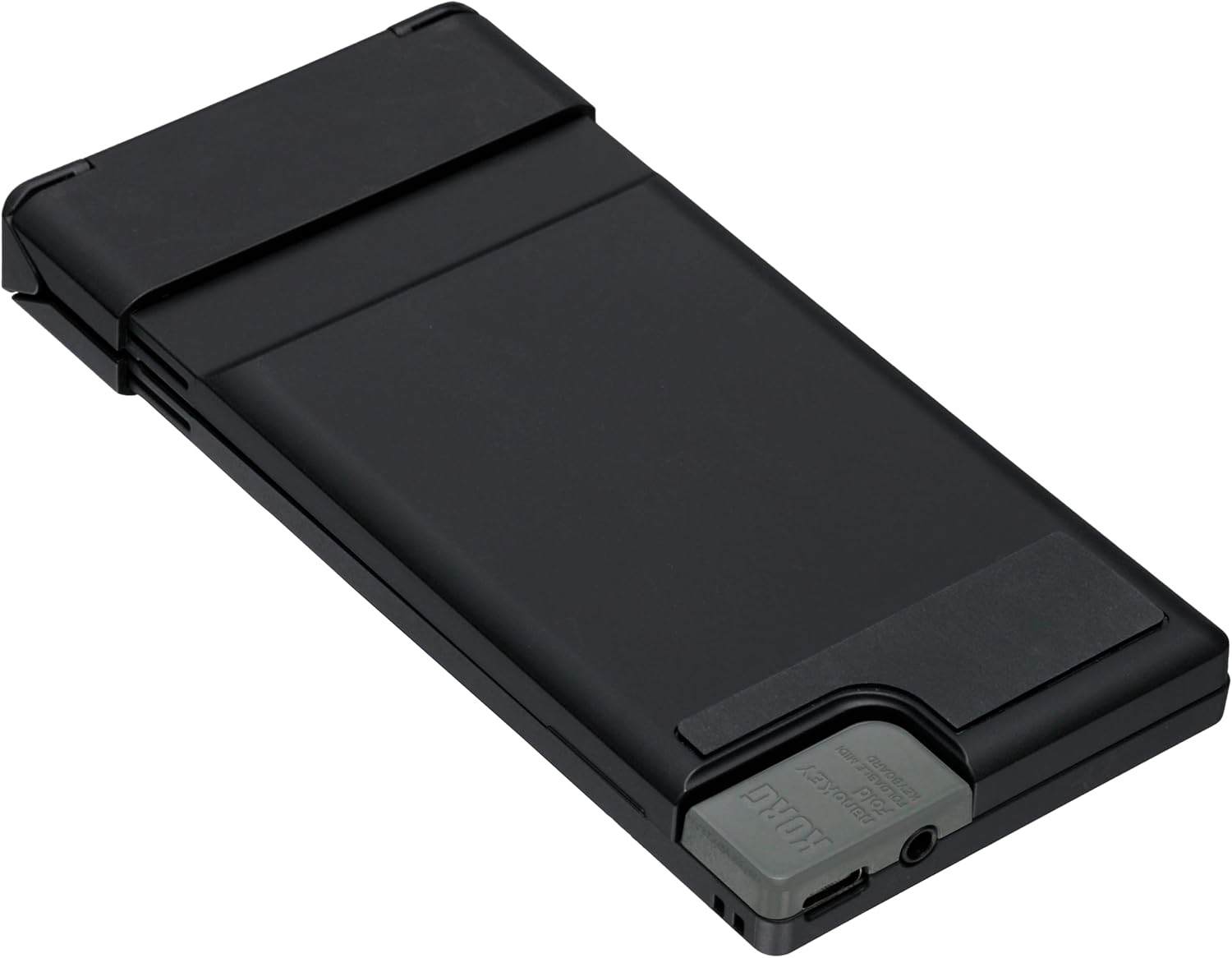
Figure 3: The nanoKEY Fold in its compact, folded configuration for easy transport.
3. Орнотуу
To begin using your Korg nanoKEY Fold, follow these simple setup steps:
- Аппаратты ачуу: Gently unfold the nanoKEY Fold until it lies flat and the keyboard sections are aligned.
- Кубат жана маалыматтарды туташтыруу: Use a USB-C cable to connect the nanoKEY Fold to your computer (PC/Mac), smartphone, or tablet. The device is plug-and-play, meaning it should be recognized automatically by most operating systems.
- TRS-MIDI Connection (Optional): For connecting to external MIDI hardware, use the included TRS to 5-pin MIDI converter cable. Connect the TRS end to the nanoKEY Fold's TRS-MIDI port and the 5-pin DIN end to your MIDI device's input.
- Программалык камсыздоону орнотуу: While the nanoKEY Fold is plug-and-play, Korg recommends using the Korg Kontrol Editor software for advanced customization and configuration of the controller's functions. This software can be downloaded from the official Korg webсайт.

4-сүрөт: Детальдуу view of the USB-C and TRS-MIDI ports on the nanoKEY Fold.

Figure 5: The nanoKEY Fold in use, connected to a laptop for music production.
4. Иштөө нускамалары
The nanoKEY Fold offers a range of functions to enhance your musical expression:
- Баскычтоп киргизүү: The 25 membrane keys provide a responsive interface for playing notes.
- Scale Guides: Utilize the integrated scale guide feature to assist with playing in specific musical scales. Refer to the Korg Kontrol Editor software for detailed configuration.
- Аккорд режими: Activate chord mode to trigger full chords with a single key press, simplifying harmonic progressions.
- Arpeggiator: Engage the arpeggiator to automatically play arpeggiated patterns based on the notes you hold.
- Assignable Touch Sliders: The touch sliders can be assigned to control various parameters within your music software, such as pitch bend, modulation, or other MIDI CC messages.
- Бөлүнүү режими: Divide the keyboard into different sections, allowing for simultaneous control of multiple instruments or parameters.
- Эстутум Slots: Save your preferred settings and configurations to memory slots for quick recall during performances or production sessions.
For detailed instructions on configuring and utilizing each performance function, please consult the Korg Kontrol Editor software manual or the official Korg support resources.
5. Техникалык тейлөө
Proper care will ensure the longevity and optimal performance of your nanoKEY Fold:
- Тазалоо: Use a soft, dry cloth to wipe down the surface of the device. Avoid abrasive cleaners, solvents, or excessive moisture, which can damage the finish and internal components.
- Сактагыч: When not in use, fold the nanoKEY Fold into its compact state to protect the keys and controls. Store it in a cool, dry place away from direct sunlight, extreme temperatures, and high humidity.
- Колдонуу: While designed for portability, handle the device with care, especially the folding mechanism. Avoid dropping or applying excessive force to the unit.
- Байланыш порттору: Keep the USB-C and TRS-MIDI ports free of dust and debris.
6. Кыйынчылыктарды
If you encounter issues with your nanoKEY Fold, consider the following common troubleshooting steps:
- Түзмөк таанылган жок: Ensure the USB-C cable is securely connected to both the nanoKEY Fold and your computer/device. Try a different USB port or cable. Restart your computer or music software.
- Үн чыгышы жок: Verify that your music software or MIDI device is correctly configured to receive MIDI input from the nanoKEY Fold. Check volume levels in your software and audio output device.
- Incorrect Note/Parameter Control: If the keys or sliders are not responding as expected, check the settings within the Korg Kontrol Editor software. Ensure the correct MIDI channel is selected.
- Үзгүлтүктүү туташуу: Avoid placing the device near strong electromagnetic interference. Ensure cables are not damaged.
If problems persist, refer to the Korg support website or contact Korg customer service for further assistance.
7. Техникалык шарттар
| Спецификация | Деталь |
|---|---|
| Модель аты | nanoKEY Fold |
| Элемент моделинин номери | NANOKEY-FD BK |
| Баскычтоптун саны | 25 |
| Байланыш технологиясы | USB |
| Туташтыргыч түрү | USB-C, TRS-MIDI |
| Аппараттык интерфейс | USB түрү C |
| Шайкеш түзмөктөр | Smartphone, Tablet, Laptop, PC, Music Production Software |
| Аппараттык платформа | PC/Mac, iOS, Android |
| Колдоого алынган программалык камсыздоо | Korg Kontrol Editor |
| Элемент Салмагы | 6.7 унция |
| Продукциянын өлчөмдөрү | 5.79 x 0.67 x 2.87 дюйм (бүктөлгөн) |
| Түс аты | Black/White (This specific model) |
Кутуда эмне бар:
- TRS to 5-pin MIDI converter cable
8. Кепилдик жана колдоо
For information regarding the product warranty, please refer to the warranty card included with your purchase or visit the official Korg website. Korg provides comprehensive support resources, including FAQs, driver downloads, and contact information for technical assistance.
Расмий Корг Webсайт: www.korg.com


