Introduction
Welcome to the Portronics Harmonics Twins S19 Truly Wireless Earbuds. These earbuds are designed to provide a premium audio experience with advanced features for both music and gaming. This manual will guide you through the setup, operation, and maintenance of your new earbuds.

Image: Portronics Harmonics Twins S19 earbuds in their charging case.
Кутуда эмне бар
- 2N Earbuds (Left and Right)
- 1N Documentation (User Manual)
- 1N Charging Cable (Type C)
Видео: Кыскача алдын ала маалыматview demonstrating the unboxing of the Portronics Harmonics Twins S19 earbuds, showing the contents of the package including the earbuds, documentation, and charging cable.
Жайгашуу
Баштапкы заряддоо
Before first use, fully charge the earbuds and the charging case. Connect the provided Type C charging cable to the charging port on the case and a compatible USB power source. The LED indicator on the case will show charging status.

Image: The Portronics Harmonics Twins S19 charging case being charged via a Type C cable, highlighting the fast charging capability.
Түзмөк менен жупташтыруу
- Кулакчындар кубаттоочу кутуда жана корпустун батареясы жетиштүү экенин текшериңиз.
- Заряддоо кутусунун капкагын ачыңыз. Кулакчындар автоматтык түрдө жупташтыруу режимине өтөт.
- Түзмөгүңүздө (смартфон, планшет, ноутбук) Bluetooth иштетиңиз.
- Издөө available Bluetooth devices and select "Portronics Harmonics Twins S19" from the list.
- Туташкандан кийин аудио сигналын угасыз жана кулакчындардын индикатор жарыктары өзгөрөт.

Image: Portronics Harmonics Twins S19 earbuds next to a smartphone, illustrating instant Bluetooth V5.3 connectivity.
Иштөө нускамалары
Touch Controls
The Harmonics Twins S19 earbuds feature intuitive touch controls for easy management of music, calls, and voice assistance.

Image: A detailed diagram illustrating the touch control functions on the Portronics Harmonics Twins S19 earbuds.
- Single Click Left Earbud: 1. Pick/End Calls, 2. Play/Pause Music
- Single Click Right Earbud: 1. Pick/End Calls, 2. Play/Pause Music
- Double Click Left Earbud: Previous Track Song
- Double Click Right Earbud: Next Track Song
- Үч жолу басуу: Оюн/Музыка режимин которуштуруу
- Узак басуу: Чакырууну четке кагуу
- 3 секунд узак басуу: Үн жардамчысын иштетүү
Оюн/Музыка режими
Switch between Game Mode for low-latency audio during gaming and Music Mode for an optimized listening experience by performing a Triple Press on either earbud.
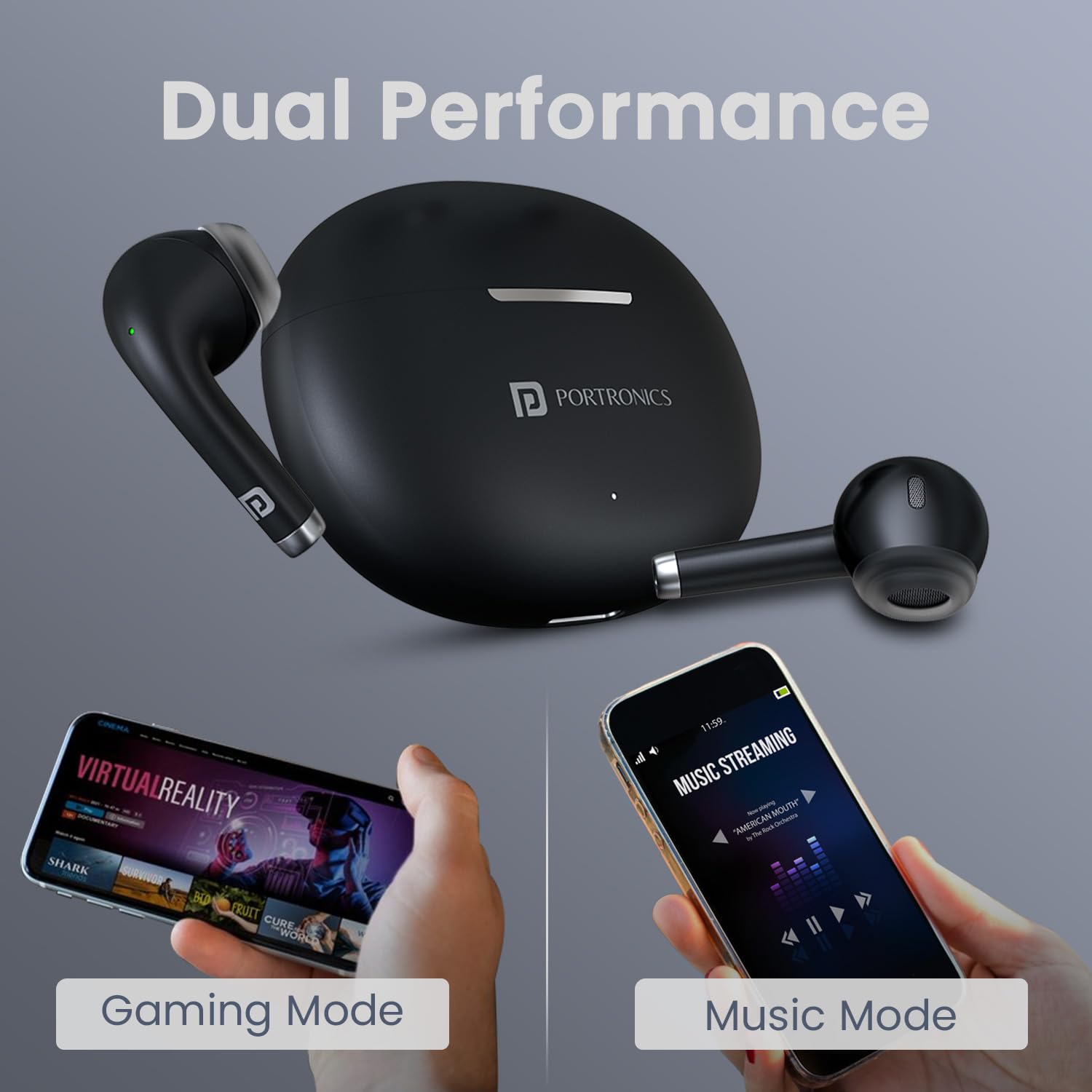
Image: The earbuds and charging case alongside two smartphones, one displaying 'Gaming Mode' and the other 'Music Mode', highlighting the dual performance feature.
Батарея жана заряддоо
The earbuds offer up to 30 hours of playtime with the charging case. The case supports Type C fast charging, allowing for quick power-ups.

Image: The Portronics Harmonics Twins S19 earbuds in their charging case, emphasizing the 30 hours of playtime.
Техникалык тейлөө
Тазалоо
Regularly clean the earbuds and charging case with a soft, dry cloth. Avoid using harsh chemicals or abrasive materials. Ensure the charging contacts on both the earbuds and the case are clean and dry.
Суу каршылык
The earbuds feature an IPX5 water-resistant rating, making them resistant to rain, splashes, and sweat. However, they are not designed for submersion in water. Avoid exposing them to excessive moisture.

Image: The Portronics Harmonics Twins S19 earbuds and charging case with water droplets, illustrating their IPX5 water-resistant rating.
Комфорт жана ылайыктуу
The unique earbuds design is crafted for a soft, secure, and effortless fit, ensuring comfort during extended use.

Сүрөт: жакын план view of the Portronics Harmonics Twins S19 earbud, highlighting its unique design for a soft, secure, and effortless fit.
Проблемаларды чечүү
Кулакчындар жупташкан жок
- Эки кулакчындын тең кубатталганын текшериңиз.
- Түзмөгүңүздөгү Bluetooth'ду өчүрүп, кайра күйгүзүңүз.
- Bluetooth тизмеңизден түзмөктү унутуп, кайра жупташтырып көрүңүз.
- Кулакчындарды кайра кутуга салып, капкагын жаап, бир нече секунд күтө туруңуз, анан жупташтыруу режимине кайра кирүү үчүн ачыңыз.
Үн жок же үнү төмөн
- Түзмөгүңүздөгү жана гарнитураңыздагы үн деңгээлин текшериңиз.
- Кулакчындар түзмөгүңүзгө туура туташтырылганын текшериңиз.
- Кулакчын динамиктериндеги калдыктарды тазалаңыз.
Заряддоо маселелери
- Заряддоо кабели корпуска да, кубат булагына да туташтырылганын текшериңиз.
- Кулакчындардын жана кутучанын кубаттоочу контакттарынын таза экенин текшериңиз.
- Башка заряддоо кабелин же кубат адаптерин колдонуп көрүңүз.
Техникалык шарттар
| Өзгөчөлүк | Деталь |
|---|---|
| Бренд | Портроника |
| Модель аты | Harmonics Twins S19 |
| Модель номери | POR-2214 |
| Кулак жайгаштыруу | Кулакта |
| Bluetooth версиясы | 5.3 |
| Оюн убактысы | 30 саатка чейин (заряддоо кутусу менен) |
| Айдоочунун өлчөмү | 13мм динамикалык драйвер |
| Башкаруу ыкмасы | тийүү |
| Заряддоо түрү | Type C Fast Charging |
| Суу каршылык | IPX5 (Rainproof, Splashproof, Sweatproof) |
| Материал | ABS пластик |
| Салмагы | 110 грамм |
Сүрөт: жарылган view of the earbud highlighting the 13mm dynamic bass driver for superior sound.
Кепилдик жана колдоо
Кепилдик маалымат
The Portronics Harmonics Twins S19 earbuds come with a 1 жылдык стандарттык кепилдик сатып алынган күндөн тартып. Кепилдик дооматтары үчүн сатып алуу дүмүрчөгүңүздү сактап коюңуз.
Кардарларды колдоо
For any queries, technical assistance, or warranty claims, please contact Portronics customer support:
- Электрондук почта: help@portronics.com
- Телефон: +91 9555-245-245


